Search  for anything...

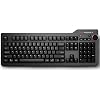
Das Keyboard 4 Professional for Mac Wired Mechanical Keyboard, Cherry MX Brown Mechanical Switches, 2-Port USB 3.0 Hub, Volume Knob, Aluminum Top (104 Keys, Black)

  • Based on 453 reviews
Condition: Used - Like New
Checking for the best price...
$169.00 Why this price?

Buy Now, Pay Later


As low as $28.17 / mo
  • – 6-month term
  • – No impact on credit to apply
  • – Instant approval decision
  • – Secure and straightforward checkout

Ready to go? Add this product to your cart and select a plan during checkout.

Payment plans are offered through our trusted finance partners Klarna, Affirm, Afterpay, Zip, Apple Pay, and Google Pay. No-credit-needed leasing options through Acima may also be available at checkout.

Learn more about financing & leasing here.

Selected Option

Free shipping on this product

This item is eligible for return within 30 days of receipt

To qualify for a full refund, items must be returned in their original, unused condition. If an item is returned in a used, damaged, or materially different state, you may be granted a partial refund.

To initiate a return, please visit our Returns Center.

View our full returns policy here.


Availability: In Stock.
Fulfilled by Certified Brands

Arrives Tuesday, Sep 8
Order within 10 hours and 34 minutes
Available payment plans shown during checkout

Protection Plan Protect Your Purchase
Checking for protection plans...

Size: Professional Mac


Color: Soft Tactile - Cherry MX Brown Switches


Features

  • 4 PROFESSIONAL MECHANICAL KEYBOARD - The thinnest mechanical keyboard in the world! The combination of tactile feel, the psycho-acoustic experience and incredible craftsmanship all deliver an unmatched typing experience that only Das Keyboard 4 offers. With a Das Keyboard 4, you'll type faster and longer. It feels so good, you won't want to stop.
  • PREMIUM TACTILE EXPERIENCE - Best-in-class Cherry MX Brown mechanical key switches provide tactile and audio feedback so accurate it allows you to execute every keystroke with lightning-fast precision. Factory lubricated stabilizers on large keys for smooth typing with bumps on the F and J keys. Enjoy the tactile experience you love from a mechanical keyboard, with just enough sound to satisfy you - and not annoy your coworkers!
  • FULL N-KEY ROLLOVER - Fast typists, productive professionals and gamers will appreciate that Das Keyboard 4 for Mac supports full NKRO over USB. No need to use a PS2 adapter anymore. Just press shift + mute to toggle to NKRO.
  • 2 PORT USB 3.0 HUB & MORE - The convenience to charge USB devices & simultaneously upload content through USB is right at your fingertips. A blazing fast 2- port USB 3.0 hub to transfer music, high resolution pics & large videos at up to 5Gb/second. Thats 10x faster than USB 2.0. Extra long 6.5ft(201cm) USB cable w/ single USB A connector. Dedicated media controls, LARGE VOLUME KNOB & Mac OS specific key functions. Magnetically detachable footbar ruler to raise keyboard to an optimal 4-degrees.

Description

The Das Keyboard 4 Professional for Mac mechanical keyboard experience is like no other. From the initial idea to every fine detail when crafting this machine, the experience we deliver to customers is what drives our team. The combination of tactile feel, the psycho-acoustic experience and incredible craftsmanship all deliver an unmatched typing experience that only Das Keyboard 4 offers. With a Das Keyboard 4 for Mac, you'll type faster and longer. It feels so good, you won't want to stop. Das Keyboard 4 Professional for Mac mechanical keyboard is specifically designed for maximum Mac compatibility. It's made of the highest-quality materials and robust construction you can feel. All of our keyboards are designed with high- performance, gold-plated mechanical key switches lasting up to 50 million keystrokes. Give your Mac the keyboard it deserves.

Brand: Das Keyboard


Compatible Devices: PC


Connectivity Technology: USB, USB 2.0, USB 3.0


Keyboard Description: QWERTY


Recommended Uses For Product: Office


Special Feature: 2-Port USB 3.0 Hub, Full NKRO over USB, Dedicated Media Controls with Volume Knob, Removable Footbar as Ruler See more


Color: Soft Tactile - Cherry MX Brown Switches


Keyboard backlighting color support: Single Color


Style: Professional Mac w/ USB 3 Hub


Product Dimensions: 18"L x 6.8"W x 1.3"H


Compatible Devices: PC


Connectivity Technology: USB, USB 2.0, USB 3.0


Additional Features: 2-Port USB 3.0 Hub, Full NKRO over USB, Dedicated Media Controls with Volume Knob, Removable Footbar as Ruler


Keyboard Backlighting Color Support: Single Color


Power Source: USB


Switch Type: Tactile


Keyboard Layout: QWERTY


Hand Orientation: Ambidextrous


Button Quantity: 104


Compatible Operating System Family: Linux, MacOS, Windows


Number of Keys: 104


Color: Soft Tactile - Cherry MX Brown Switches


Style Name: Professional Mac w/ USB 3 Hub


Theme: technology, computing


Item Dimensions L x W x H: 18"L x 6.8"W x 1.3"H


Enclosure Material: Aluminum


Brand: Das Keyboard


Keyboard Description: QWERTY


Antenna Location: Office


Built-In Media: USB Cable


Model Number: DASK4MACSFT


Model Name: 4 Professional for Mac Cherry MX Brown


Global Trade Identification Number: 54


Unit Count: 1.0 Count


Manufacturer: Das Keyboard


UPC: 855800001654


Mfr Part Number: DASK4MACSFT


Item Type Name: Professional Soft Tactile MX Brown Mechanical Keyboard for Mac


Item Weight: 2.9 Pounds


Warranty Description: 1 year limited manufacturer warranty


Frequently asked questions

If you place your order now, the estimated arrival date for this product is: Tuesday, Sep 8

Yes, absolutely! You may return this product for a full refund within 30 days of receiving it.

To initiate a return, please visit our Returns Center.

View our full returns policy here.

  • Klarna Financing
  • Affirm Pay in 4
  • Affirm Financing
  • Afterpay Financing
  • Zip Pay in 4
  • Financing through Apple Pay
  • Financing through Google Pay
Leasing options through Acima may also be available during checkout.

Learn more about financing & leasing here.

Top Amazon Reviews


  • Premium Keyboard - Long Winded Review
Size: Professional Mac Color: Soft Tactile - Cherry MX Brown Switches
Initial impression, The keyboard is what I hoped for. It's a good typing keyboard. WHY I BOUGHT DAS KB A guy in an Apple Store indicated Das is what he uses, that may match what I described, to upgrade from the wireless Apple Keyboard. First time I heard of the brand. I went to a local electronics store to try different Cherry MX switches (on game-oriented mechanical keyboards) and decided I wanted brown switches. Not a gamer but their market uses this brand of switches, so it was an easy way to try-before-buy ... at least this aspect. (If this option is not available locally, enter " Cherry MX Switch Tester" as Amazon search and you can consider one of those switch type testers. Das currently offers blue or brown. Other vendors offer other colors/types of switches). Researched online reviews for impressions, build quality, and touch typist evaluations ... the PC version. (Search "Das Keyboard 4" on YouTube, to find some recorded reviews). After the research I decided to invest in this specific keyboard. Note: This keyboard does not use Cherry switches. They feel similar. The browns for this are a bit harder (the resistance increases by 100% instead of 33%) but seem very similar as the ones I tried. This change is a bit controversial in the Das community. Followup 1: Visited store where I first tried Cherry MX switches, after buying and using this DAS keyboard. Did some typing with Cherry MX Browns, to get a better comparison (closer in time). Including the Logitech G710+ model with Cherry MX Browns. The softer initial force of Cherry MX (vs the Greetech brand used in this DAS product) lowers the momentum because less force increase to peak ... seem less likely to bounce at the bottom. For me. Cherry switch would be less of a learning curve (sorry for bad pun). Does not mean I will not get there with Greetech. Generally, Das shouldn't have made this change to tactile force/distance and switch maker without more notice, and perhaps should not have done this at all given existing user expectations. But I'm new and will keep refining (restoring) my typing. Web page that defines terms: http://deskthority.net/wiki/Force DAS SITE I strongly recommend visiting the Das site for more info on these keyboards, including the specs on Greetech Blue vs Brown switches (force vs. distance, and the "trip" points): http://www.daskeyboard.com/daskeyboard-4-professional-for-mac/ ORDER TO KB ON DESK A pre-order. 4 week wait. Was to arrive before Saturday ... arrived the Wednesday before ... so on time. Large box with packing pillow taking more volume that the product box. Generally good packing inside product box. Two parts: keyboard with USB 3.0 cable attached, and the tilt bar (that is also a ruler I never expect to use for measuring). Attach bar to keyboard - magnet - and plug cable into USB port. KEY FEEL The feel is old-school keyboards from decades ago, but better and more refined. Soft, and then resistance. Push through resistance and see letter appear, can immediately release and then press again. It is a little bit "clicky" to start. With practice and learning the feel (I think it will take me a 10hr of typing to get fully in the groove), the clicks become less pronounced. I tried with full focus on just this and it can be done. If press beyond the resistance the key can bounce at bottom ... lighter touch, less click noise, just the switch and not the bottom bounce. (Can check out another solution: enter "Cherry MX Switch O-Ring" to search for a way to soften the bottom part of pressing a key. I might try this if needed. These switches are shaped similar to Cherry switches so the o-rings should be similar). Also, there is a slight wobble to the keys. This helps me, and probably some other touch typists. When moving quickly it is good to know if on a key or between keys. A little extra feedback. If between keys the wobble is generally on one side of the finger (keys are independent). If on a key the wobble matches on both sides of a finger (key is solid so whole thing moves). Will generally know a fraction before really pressing. ALL BUT THE KEY FEEL The product is solid. The aluminum top plate looks and feels very nice. Honestly a textured plastic could look similar, but for me the feel is a bit better than plastics. The volume knob feels like something a good stereo would have, including the tactile steps ... each step corresponds to a bar on the on-screen volume visual feedback. The board has weight (~3 lbs) and a steady grip on the desk. The USB cable is permanently attached to the keyboard, it's thick (more than other USB 3.0 cables, but it's OK for me), and the join with the keyboard has firm support to minimize bending at the join. I plugged the cable into a *powered* USB 3.0 hub which connects to the Mac. After recognizing the keyboard (very simple per most OS X configuration sequences) it worked. No driver, no restart/reboot, no switches, no actions relative to the Apple keyboard being replaced ... nothing more. ADVICE (slight CONS): 1. Move the sleep button away from the keys and other buttons. Maybe on the front side next to the cable. Avoid accidental presses. The length of time pressing the key helps (bounce press has done nothing; I need to press and hold to put equipment to sleep). Better to not associate sleep control with audio-visual control. 2. USB ports (any electrical ports) usually ship with a plastic film cover that can be peeled off ... suggest doing this. And a plastic cap for male end of cable. 3. Sometimes ergonomic situation should tilt keyboard forward. Would be a good option to connect tilt bar on lower part, and work through design for front so it is firm on the surface (away from typing, where the cable is attached): rubber feet, allowing for the cable support and the extended edge (housing the USB ports available on the keyboard). 4. The volume knob should be solid metal with same color, texture, and reflectivity as the board. Followup 2: The brightness keys do work on the iMac display. The keys do nothing for attached, external displays (not supposed to). [[Was: The brightness keys have no effect on the Mac's monitors nor added monitors. Not a big deal for me but I am sure it will be for others.]] 6. The eject key is close to backspace and del keys. A slip and the disc drive is ejecting. This has occurred twice. Suggest positioning the this key in the audio-visual area. 7. Of anyone finds a use of fn - for any purpose, or if it has any effect - a few of us would like to know. FINAL WORD This is a quality product. The money I paid is apparent in the product. This is priced as a luxury, premium product and seems to be just that. Das has gone through earlier editions and they've learned things that have been incorporated. I believe I won't look for a new keyboard for a while, probably until this one fails or Apple makes this not work with new products. Shipping with Greetech switches for a product line known for using Cherry switches may make a difference for current Das users. If I have updates I will add to this review. ... show more
Reviewed in the United States on April 23, 2015 by M.R.T.

  • Superb quality keyboard with mac-specific key mapping. Cherry MX Brown switches.
Size: Professional Mac Color: Soft Tactile - Cherry MX Brown Switches
This is a review of the Das Keyboard 4 Professional for Mac Soft Tactile MX Brown Mechanical Keyboard (DASK4MACSFT). Unquestionably, the Das Keyboard 4 Professional for Mac is the finest mechanical keyboard I've ever used. I grew up learning to type using typewriters. Compared to chiclet style keyboards, I've always prefered the longer travel and assurance of mechanical keyboards. Once I started using the chiclet keyboards I noticed a significant degradation in my typing speed and accuracy. I longed to get a high quality mechanical keyboard that was Mac-specific. I did not want to get a PC centric keyboard that lacked the same key mapping as my Mac has. I had my eye on a Das Keyboard for several years but always balked at the price. I finally was able to justify the price and took the plunge. My only regret is not having done so for so many years. This keyboard is fantastic. The build quality is superb. This model has an aluminum top that helps gives this keyboard a reassuring heft and sturdy feel. The USB cord is 6.5' long which gives me great flexibility in where I can use the keyboard. The cord length does not limit me. It's also very useful to have a 2-USB 3 hub on the back right-hand side of the keyboard. Another thing I get a lot of use out of are the dedicated media controls on the keyboard, including a rotary volume knob. Love that. I can also instantly put my iMac to sleep with a touch of the sleep button right on the keyboard. And there's also a mute button. The lettering on the keys is silk-screened on so hopefully the lettering will not be rubbing off anytime soon on the most used keys. I also like the quieter operation of the Cherry MX Brown switches as opposed to the MX Red's that so many gamers seem to prefer. Another aspect of the MX Brown switches is that there is a very subtle "bump" that you feel as you depress the key. It's a subtle sensation that takes some time before you acquire the sensitivity to perceive it but I just love it. What's lacking in the keyboard is backlighting of the key's. That's not an issue for me, but if you want that, you won't find that feature on this particular Das Keyboard. I'm could not be more pleased with this keyboard. I expect it to last a long time and I'm enjoying faster and more error-free typing. ... show more
Reviewed in the United States on August 28, 2017 by M. Erb

  • Outstanding product. Exactly what I anticipated and needed.
Size: Professional Mac Color: Soft Tactile - Cherry MX Brown Switches
It is everything everyone says --simply outstanding. I have just this week landed my first book contract (with MIT Press) and want to make certain I can get the words from my brain to the screen as efficiently and effectively as possible. While I have typed 8-12 hrs a day for some two decades, I felt it was time to take typing seriously. I did a lot of research, looking at Filco (Cherry keys), Realforce (Topre keys), Das Keyboard (Cherry keys) on-line and testing a number of keyboards in stores (Best Buy, Fry's). I read about Cherry keys to understand which is right for me. The reviews for this product were the highest, the least complaint of failure or product return. Now that I am typing on this keyboard, I know it was the right decision. The shipping box is well constructed, with the keyboard fully protected in transit (in fact, going to keep the box for future moves). The solid aluminum construction says this will last a lifetime. It is not bulky nor any bigger than my former HP Elite wireless. The volume knob is perfect--smooth and functional out-of-the-box. Mute, Next/Previous are responsive to a light touch. Very nice. And as I do not want my keyboard to glow like a low-rider Honda Civic, I am pleased with the simple design, elegant shape, and lack of illumination. It is difficult to explain, and almost sounds silly, but from the first word typed it is as though someone turned up the speed of my fingers. It really feels that way. The brain relies on force-feedback at the bottom of a stroke, which is true for any keyboard, but the brain also relies on audible feedback. The 'click' is punctual, more exact. It tells you, "that key stroke is done, move on". For anyone who recalls keyboards from decades ago (read the Wiki entry on the IBM M series keyboards), they all made a clicking sound and were exceptionally fast. With the advent of laptops and the desire for thinner profiles, keyboards too have gotten thinner, resulting in a lower profile key, shorter keystroke, and ultimately, no "click". With the latest MacBooks, the click is back. But if you have the luxury of a desk, and the laptop is set to the side, then give yourself the gift of a keyboard that is designed to help you get work done, not get in the way. As an aside, I was tempted to purchase the Ultimate model with NO keycaps, as I am a touch-typist, but the concern is for those keys which I do not use on a regular basis (Function keys, Home, Page-Up, etc.). As I intend to switch to dvorak before I write this book, I will simply pop and replace the keys into the new order, one of the benefits of a keyboard designed to have its keys replaced. Perhaps I will purchase blank keys for the letters, leaving all Function and accessory keys labeled? As a minor caution, give your fingers a chance to get used to the depth of the keystroke. They will repeatedly bump against the sides of the adjacent keys on the rebound, until your fingers are fully reprogrammed. Either way, this is the right keyboard for anyone typing more than Facebook updates. ... show more
Reviewed in the United States on October 6, 2018 by Kai Staats

  • Almost perfect (for me)
Size: Professional Mac Color: Soft Tactile - Cherry MX Brown Switches
The good: I really like the feel of the keys. The Cherry MX Brown keys provide just enough tactile feedback. In addition, the key clicks are muted enough to not become distracting or annoying to the ear after a short session of typing. The keyboard has a solid feel to it and doesn't slide around on the desk*. I've owned mine for eight years now, and have been very happy with it. I would go out on a limb and say that I think that the Das Keyboard 4 Professional (Mac) might just be the highest quality wired mechanical keyboard currently available for the Mac. The not so good (minor quibbles that knocked off a star): After eight years, some of the most commonly pressed key caps have worn to the point where the white letter is mostly gone. I went to order a replacement set from Das Keyboard, only to find that they do not provide Mac-specific keys with any of their replacement sets. You get a set for a PC keyboard ... period. If you wear down the Mac keys (which I will admit I don't think too likely) you are out of luck. The key replacements that I did receive were supposedly for my keyboard, with the Mac exceptions noted. However, the set had characters that were a different size and had a different placement on the key cap than found on the original keys. The key puller supplied with the replacement key cap set is cheap plastic and difficult to use with some of the keys. You might do better purchasing a different style of puller than the one that Das Keyboard supplies. One other quibble is the lack of adjustable feet on the bottom of the keyboard. *The very thin magnetically attached bar under the keyboard just doesn't do much of anything for the tilt. Of course the preferred amount of tilt is very subjective. I purchased a set of rubber "keyboard tilt wedges" which allowed me to set the keyboard tilt that I wanted. To wrap up: I would buy this keyboard again, if I'm ever in the market for another wired full-size mechanical keyboard for a Mac. ... show more
Reviewed in the United States on April 18, 2024 by RB

  • Great mechanical keyboard.
Size: Professional Mac Color: Soft Tactile - Cherry MX Brown Switches
After using Windows for decades, I switched to the Mac three months ago. I love the Mac (as I might have expected from using iPhones), but I was unprepared for Apple's "Magic Keyboard." At first I told myself I would get used to it. However, when I typed on it I kept making at least one error every word or two or three. (When I am in practice, I type over 100 wpm.) After three months of suffering, I gave up. Researching keyboards, I discovered that like everything else, they have a history. The decline and fall of the keyboard seems to have begun with the advent of the personal computer, which led to the introduction of the membrane keyboard, whose ultimate progeny seems to be the Magic Keyboard. In reading this history I realized that keyboards have been getting mushier and mushier over the years, gradually enough that I didn't quite notice. Now, as people say, typing on the Magic Keyboard is like typing on Chiclets glued onto a piece of cardboard. Apple's underlying logic seems to be that typing can be treated as if it were entirely cerebral. First, the mind determines it wants to type the letters "t," "h," and "e." Second, the mind directs the eyes to successively locate the keys for those letters. Third, the mind successively directs the fingers to press the keys for those letters. Finally, those letters magically appear on the computer screen. For all I know, this might be something like the way that computer specialists type. But with respect to real typing, it is essentially the hunt-and-peck method, at its most primitive level. A keyboard based on this logic might be satisfactory for the many computer users who are indifferent to typos, grammar, or even coherence (except in those cases where accuracy is absolutely required, such as passwords). But when you are typing 60 wpm, your mind is not successively identifying individual letters and directing your eyes and then your fingers to find the corresponding individual keys at the rate of six keys per second. Rather, your brain, your body, and the physical world are all interacting with one another as a single, integrated unit. The same is true of all physical activity, whether riding a bicycle, playing a musical instrument, or playing a sport. When you type, your mind needs the feel (or feedback) of your fingers interacting with the keys, just as your mind needs the feel (or feedback) of your whole body interacting with the bicycle and the road surface when you ride a bicycle. With the Magic Keyboard, it is as if Apple has attempted to make typing purely cerebral, eliminating the unity of mind, body, and the physical world by reducing the keyboard to something as close as is physically possible to a two-dimensional object. My research soon led me to the Ergo.Dox website, to the Cherry MX Brown keyswitch, and at last to Das Keyboard. It is impressive that industrial researchers have minutely analyzed, examined, and measured keyboard characteristics such as "Actuation force," "Pre-Travel," "Click" versus "Quiet," and "Tactile." ErgoDox has developed no fewer than sixteen different key switches based on mixing and matching such characteristics. It would be nice to visit a showroom where you could try out all sixteen; but Ergo.Dox says the Cherry MX Brown is "A preferred choice for developers, writers, and anyone who works long hours in front of the computer." That, plus many excellent reviews, led me to order Das Keyboard. Now it is a delight to be typing on a real keyboard again (and no longer to be making at least one error every word or two or three). ... show more
Reviewed in the United States on February 19, 2023 by Alex Chimes

  • Great feel, poorly made, terrible customer service
Size: Professional Mac Color: Soft Tactile - Cherry MX Brown Switches
You don't always get what you pay for. This keyboard might feel great at first, but it falls apart, and the technical support is awful. I bought this in 2018, and while I loved how it felt at first, I have had nothing but problems with it. I have filed one ticket for technical support after another: 1. It wobbles because it's missing one of the feet that insert into the red magnetic backing 2. The V key constantly falls out 3. The volume knob stopped working You need the date of purchase, order # (even if it's an Amazon order#), digital copy of the receipt (so save that Amazon receipt forever.) Unfortunately if, at any time during your correspondence with technical support, they do not hear from you after 3 days, they mark the ticket "solved." That includes weekends. I live in a rural area with satellite internet. The internet access is not great out here. Since there is now a pandemic going on, I burn through bandwidth homeschooling my kid with the online resources. The technical support specialist was unable to solve any of the problems. I did not realize the magic # was 3 days. I would notice I'd finally gotten a response, talk back and forth, and then get back to them a couple of says later and find...my still unresolved problem was listed as "solved." Start a new ticket, go through it all again, getting purchase order #, purchase date, find that digital copy of the receipt over and over and over again. Suddenly see it had been reassigned "solved." The problem with the volume knob is well known. There are other users who have posted videos on the internet. The tech support person Jenny blamed my computer. I told her she had better not mark this as "solved" without fixing the problem or communicating with me. My internet went down over the weekend. It took me a while to purchase more bandwidth, logged on Monday morning to find my ticket had been marked..."solved." OK. At this point Das is just messing with me. I wonder if this keyboard keeps falling apart because it's made in Taiwan. I'm in my 40s and have never, ever had a problem with any keyboard in my life. I have never filed a tech support ticket for any other keyboard in my life. I loved the feel of this so much when I first got it, but it's a lemon. I have filed one ticket after another, repetitively begging and pleading for the same problems to be fixed. Finally, after more than a year of this, Jenny told me the magic number is 3. If they don't get a response in 3 days, it's been "solved." Total fraud. Save your money. If anyone has a recommendation for a really well made keyboard, let me know. Is there anything made in the US or Germany or any country other than China or Taiwan? ... show more
Reviewed in the United States on May 18, 2020 by Desert Rose

  • This is a fantastic keyboard for the Mac
Size: Professional Mac Color: Soft Tactile - Cherry MX Brown Switches
This is a fantastic keyboard for the Mac! When working in my office I have my MacBook-Pro (15") connected to a docking station (another story), connected to two Samsung curved displays (connected together with a black strip) and attached to the Apple 'Magic TouchPad 2' and the 'daskeyboard'. It is PERFECT! I love this keyboard! I am 'old-school' (started with computers in the late '70s), but I think that many 'newer' developers would love the tactile feedback that this keyboard gives you. You REALLY NEED TO TRY IT! In addition, this keyboard is designed for the Mac, so all of the keys are labeled correctly and work correctly. In addition, there are 'extra' things, like the volume knob and the media 'back', 'pause', 'play', 'resume', etc. - that are in addition to the standard keyboard functions on the MacBook. I have used the USB ports on the keyboard to conveniently connect a USB stick to copy files to/from my laptop without having to dig back behind my monitors where the laptop and dock reside. (again, more on dock stations in a separate post) There are a few versions of this keyboard having to do with the keys and the 'clicky-ness'. I worked in hardware for many years and with Cherry switches (the maker of the keys in this keyboard). They are TOP QUALITY! However, unless you are REALLY OLD SCHOOL, I would suggest the 'soft' keys version. These have a very nice feel and 'click'. ... show more
Reviewed in the United States on May 23, 2018 by Ed S

  • Worth the money, with a couple of caveats
Size: Professional Mac Color: Soft Tactile - Cherry MX Brown Switches
Excellent keyboard. Ruggedly constructed with great tolerances. If you miss what keyboards used to feel like in the late '80s and early '90s, this is the ticket. Integrates perfectly with Mac OS X. My one (minor) disappointment is that the volume knob (SO much more useful than the volume up/down keys on the standard-issue Apple Keyboard) wobbles a bit as it's rotated. I absolutely love the feel - typing is enjoyable again! Also, be advised that though this keyboard, with the Brown switches, is allegedly quieter than ones using the Red or Blue switches, it's still louder than any keyboard using membrane switches. 3 years after purchasing this keyboard it still performs flawlessly, and has proven rugged, but I am revising my rating because the legends on the keys ARE wearing off. I don't need to look at the markings often, but when I do, I often cannot read them unless I change my viewing angle/position due to the fading of the characters and wear of the keys' original matte finish - the keys I use regularly are now smooth and shiny; the ones I rarely touch are still matte and textured. For comparison, I own 3 Apple Extended Keyboard IIs. These were used for more than a decade in office environments, and ALL the key legends are still perfectly legible, even the often-used modifier keys, like Shift and Command. When I called Das Keyboard customer service/technical support about this issue, the suggestion I got was to purchase new keycaps for it. The representative stated that my claim was impossible, as the keys are "etched." (A) I am not imagining this issue; the photos that come up at the top of the reviews from another purchaser bear this out. (B) Suggesting that the solution to my problem, which plainly should be a warranty issue, is that I spend MORE money on an already expensive purchase is unacceptable. (C) This is very personal, but none of the replacement keycap sets I've been able to find have good markings - particularly the number keys are strange, putting the shift characters to the right of the numbers instead of above them. So 3 years later, the keyboard still functions like new, but I've removed 2 stars from my rating due to the failure of the keys' finish and Das Keyboard's lackluster customer service/support. ... show more
Reviewed in the United States on August 22, 2017 by HOF

Can't find a product?

Find it on Amazon first, then paste the link below.
Checking for best price...