


Buy Now, Pay Later
- – 6-month term
- – No impact on credit to apply
- – Instant approval decision
- – Secure and straightforward checkout
Ready to go? Add this product to your cart and select a plan during checkout.
Payment plans are offered through our trusted finance partners Klarna, Affirm, Afterpay, Zip, Apple Pay, and Google Pay. No-credit-needed leasing options through Acima may also be available at checkout.
Learn more about financing & leasing here.
Selected Option
FREE 30-day refund/replacement
To qualify for a full refund, items must be returned in their original, unused condition. If an item is returned in a used, damaged, or materially different state, you may be granted a partial refund.
To initiate a return, please visit our Returns Center.
View our full returns policy here.
Recently Viewed


At a glance
- Condition
- New
- Style
- Compact Win
- Dimensions
- 11.5"L x 5.12"W x 0.49"H
- Color
- Black
- Power Source
- Battery Powered
- Switch Type
- Scissors mechanical switches
- Keyboard Layout
- QWERTY
- Warranty
- 1 year
- Works with
- Android, Linux, Smart TV, Windows
Features 5
- WIRELESS KEYBOARD WITH TRACKPAD BUILT INTO THE KEYS. Scroll, swipe and zoom without moving your hand to a mouse. Compact 78-key layout for tighter desks and travel.
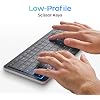
- COMPACT KEYBOARD, 78 KEYS, QUIET TYPING. Low-profile scissor switches at a standard 19 mm key pitch, so the layout feels familiar in a smaller footprint.
- MULTI-DEVICE: three Bluetooth channels plus USB-C connect one keyboard to four machines. Works with Windows, Linux and Android. Mac needs the TouchOnKeys app.
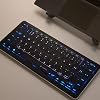
- BACKLIT RGB KEYBOARD. Per-key backlight responds to touch and gestures, with 16.5 million colors in the TouchOnKeys app.
- ADAPTIVE TOUCH RECOGNITION separates typing from touch, so resting hands do not trigger the cursor. Battery runs up to 44 hours with the backlight off, from a 1900 mAh cell.
Description
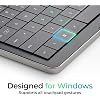
Plug in with USB-C or pair over Bluetooth, and your Clevetura is ready on any Windows device — no setup, no fuss. Move the cursor, scroll, click and type without leaving the keys. No driver hunt, no config file, no terminal session — your Linux setup behaves like every other device you connect it to. Make everyday actions feel easier with gestures and Touch Sliders right on the keys. Ready-to-use presets for Photoshop, Premiere, Illustrator, Chrome, Edge, and more — so you can start without setting anything up. DeX hands you a workstation, then expects you to pack a mouse for it. Watch the entire setup shrink to a phone, a cable and one keyboard. LG webOS, Google TV and more, navigated with an actual cursor from the sofa. Backlit keys, real typing, and the end of the on-screen letter grid. Clevetura S Windows Clevetura S Mac Clevetura 1 Windows Clevetura 1 Mac Does it switch between typing and touch automatically? Yes. TouchOnKeys technology merges a keyboard and precision trackpad into one seamless surface. Adaptive Intelligence then understands your intent — switching between typing and gestures instantly and naturally, with no buttons or toggles needed. What about false gestures? Can they interrupt my work? No. Adaptive Intelligence recognizes your intent in real time, filtering out unintentional touches. You also could customize AI sensitivity or even train the keyboard to know your patterns with the App. Do I need to install anything to use it? Yes. To unlock the full Mac gesture experience, install the TouchOnKeys App. It enables advanced gestures, customization, and personalization options for your workflow. Will gestures feel the same as on a laptop touchpad? Yes — and more. You can also customize gestures, Touch Sliders, F-row actions, and backlight profiles through the TouchOnKeys App. Can Clevetura S replace my mouse for creative work? Nope. But, it enhances your keyboard-and-mouse setup with customizable on-keys gestures and touch sliders. Powering your keyboard hand with an extra layer of control.
Specs 34
| Brand | Clevetura |
|---|---|
| Connectivity Technology | Bluetooth, USB-C |
| Keyboard Description | Touch On Keys keyboard with built-in touchpad, Windows QWERTY, 78 keys |
| Recommended Uses For Product | Business, Education, Everyday Use, Personal, Photo Editing, Productivity, Student |
| Special Feature | Bluetooth, Interactive Gesture RGB Backlit, Low-Profile Key, Touch On Keys — Native Trackpad on Keyboard, TouchOnKeys App |
| Color | Black |
| Keyboard backlighting color support | RGB |
| Style | Compact Win |
| Product Dimensions | 11.5"L x 5.12"W x 0.49"H |
| Additional Features | Bluetooth, Interactive Gesture RGB Backlit, Low-Profile Key, Touch On Keys — Native Trackpad on Keyboard, TouchOnKeys App |
| Number of Batteries Required | 1 |
| Power Source | Battery Powered |
| Switch Type | Scissors mechanical switches |
| Keyboard Layout | QWERTY |
| Hand Orientation | Ambidextrous |
| Button Quantity | 78 |
| Water Resistance Level | Not Water Resistant |
| Mechanical Keyboard Switch Model | Scissors |
| Compatible Operating System Family | Android, Linux, Windows |
| Number of Keys | 78 |
| Style Name | Compact Win |
| Theme | Minimalism |
| Antenna Location | Business, Education, Everyday Use, Personal, Photo Editing, Productivity, Student |
| Built-In Media | Clevetura CLVX S for Windows, Quick Start Guide, USB-C to USB-C Cable (2m) |
| Model Number | CLVX S for Windows |
| Model Name | CLVX S for Windows |
| Item Highlight | Touchpad built into the keys, 78-key low-profile scissor switches, quiet typing, RGB, multi-device USB-C |
| Unit Count | 1 Count |
| Manufacturer | Clevetura |
| UPC | 199284446052 |
| Number of Items | 1 |
| Item Dimensions L x W x H | 11.5"L x 5.12"W x 0.49"H |
| Enclosure Material | Aluminum, Polycarbonate |
| Keyboard Plate Material | Aluminum |
No specs match.
Frequently asked questions
To initiate a return, please visit our Returns Center.
View our full returns policy here.
- Klarna Financing
- Affirm Pay in 4
- Affirm Financing
- Afterpay Financing
- Zip Pay in 4
- Financing through Apple Pay
- Financing through Google Pay
Learn more about financing & leasing here.