Search  for anything...

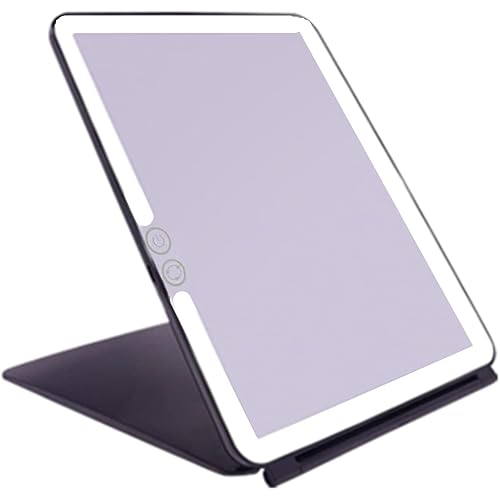
10.1" Magic Mirror Touch Screen with Google Calendar,Google Play,Girl Pink

Based on 11 reviews
Condition: New
Checking for the best price...
$75.05
Holiday Deal · 5% off was $79.00

Buy Now, Pay Later


As low as $12.51 / mo
  • – 6-month term
  • – No impact on credit to apply
  • – Instant approval decision
  • – Secure and straightforward checkout

Ready to go? Add this product to your cart and select a plan during checkout.

Payment plans are offered through our trusted finance partners Klarna, Affirm, Afterpay, Zip, Apple Pay, and Google Pay. No-credit-needed leasing options through Acima may also be available at checkout.

Learn more about financing & leasing here.

Selected Option

Free shipping on this product
This item's return window has been extended for the holiday season: FREE refund/replacement until Jan 31, 2027

To qualify for a full refund, items must be returned in their original, unused condition. If an item is returned in a used, damaged, or materially different state, you may be granted a partial refund.

To initiate a return, please visit our Returns Center.

View our full returns policy here.


Availability: In Stock.
Fulfilled by Amazon

Arrives Saturday, Nov 28
Order within 13 hours and 53 minutes

Available payment plans shown during checkout

Protect Your Purchase

Easy claims online, fast replacements, no fees

Checking for protection plans...

At a glance

Condition
New
Color
Pink Ceci
Size
10.1 in
Model
10.1 Pink
Storage
32 GB
Resolution
WXGA
Power Source
Battery Powered
Warranty
1 year
Works with
Personal Computer

Features 5

  • Dual-Purpose Mirror, Double the Convenience: The 10.1-inch Magic Mirror screen serves two roles: a crystal-clear makeup mirror for perfect grooming, and a smart touchscreen for viewing photos, schedules, and music. Streamline your day with one elegant device.
  • Family Management Made Simple: Google Assistant, interactive chore charts, auto-synced family albums... Turn chores and schedules into fun family games.
  • Seamless Compatibility: Supports Google, iCloud, Outlook, etc. Syncs calendars across devices.
  • Me-Time Moments: Switch to private mode for white noise, Spotify playlists, or guided meditations.

Description

Bringing better changes to your touch-control experience is our goal. Simplicity and innovation are the core of our philosophy. User experience is the core of our design process. We believe that technology should be accessible and enjoyable, making life simpler and better. Our products are designed to be user-friendly. We care for our customers' feedback and continually improve our designs to meet their needs. At Changingtouch, our mission is to bring better changes to your life.

Specs 15

Brand Changingtouch
Color Pink Ceci
Resolution WXGA
Screen Size 10.1 inches
Connectivity Technology Bluetooth, Wi-Fi
Power Source Battery Powered
Touchscreen Touchscreen
Aspect Ratio 16:9

Frequently asked questions

If you place your order now, the estimated arrival date for this product is: Saturday, Nov 28

Yes, absolutely! This item's return window has been extended for the holiday season: FREE refund/replacement until Jan 31, 2027.

To initiate a return, please visit our Returns Center.

View our full returns policy here.

  • Klarna Financing
  • Affirm Pay in 4
  • Affirm Financing
  • Afterpay Financing
  • Zip Pay in 4
  • Financing through Apple Pay
  • Financing through Google Pay
Leasing options through Acima may also be available during checkout.

Learn more about financing & leasing here.

Top Amazon Reviews


This is the best 'hub' for the money.
Model: F10-White&Black
I was actually very surprised at the quality and the needs it met for me. I have been through several other 'hubs' and none of them had where you could just leave it as a calendar the entire time, which was the whole point for me. This one has more options than ill ever need for controlling my smart home, and the I start update to my phone calendar is exactly what I wanted. I like that I can talk to her, and view the calendar in different formats (day, week, month, year). I haven't used it for much else, but if you're looking for a digital calendar, look no further! ... show more
Reviewed in the United States on April 1, 2025 by Brittany L.

What I was looking for
Model: F10-White&Black
Great item
Reviewed in the United States on November 30, 2024 by Stephanie

The calendar to buy
Model: F10-White&Black
Love this calendar, easy to learn how to add appointments, very useful, would definitely recommend this!
Reviewed in the United States on April 1, 2025 by David Young

Quality of App
Model: F10-White&Black
It froze on a white screen several times when I set it up, and I had to restart it. Some of the apps act funny at times.
Reviewed in the United States on April 23, 2025 by Dorcas

Excellent Customer Service
Model: F10-White&Black
With no reviews, I took a chance on this display considering every other digital calendar is $300+. I ran into some tech issues when trying to set the device up and was missing the power cable, adapter and stand. But customer service has been incredibly helpful and responsive. They truly have gone above and beyond to make sure I'm fully assisted. This display screen comes with a lot more features and apps compared to competitors and much more affordable. You can import android apps onto it like YouTube, Prime video, Facebook, probably even cellphone games if you wanted. You can use it for lists, notes and even as a drawing pad. It's essentially an android tablet with a baked in changingtouch OS/UI. The main thing I wanted was a display that always shows my google synced calendar and the ability to watch YouTube in the kitchen while I cook. By default, the screen will always stay on so you don't have to worry about constantly having to wake it up. You can change that setting though. The device gets pretty warm after a while so I will have to see how it does over long periods of time. I'm also curious about burn-in as I have never dealt with a digital photo frame/display before and am unaware if it's a common issue or something to even be concerned about in the first place. The UI is also pretty basic with no real customization. The hyper specific app buttons and menus you see is all you get. You have to have some technical knowledge and navigate settings to find certain apps like the Chrome browser as they won't show up in the changesmart Apps menu. But I don't really mind - I just leave the calendar running so I don't really have to look at the UI much. I'm also not too fond of the location of the power button (it's on the back in the center) and the fact there are no external volume buttons or easily accessible screen wake buttons. If you have this wall mounted and need to wake the screen, you will have to take it down to press the power button on the back. Speaking of the back of the device, the wall mounts are picture frame holes that allow you to mount it horizontally or vertically. Keep in mind, there are no holes or adaptors to hook it up to a mounting bracket. Overall, for cost, amount of settings and apps customization, and features this display is worth it! ... show more
Reviewed in the United States on November 16, 2024 by Railey Henry

Do not buy.
Model: F10-White&Black
The screen barely works, no stylus was included. It lags very bad and takes a while to navigate through the screens. It’s no good
Reviewed in the United States on January 2, 2025 by Mariah

Pretty Basic
Model: F10-White&Black
I ordered this Changing Smart Display F10s|Canvas touchscreen to hang on the wall and cycle through some of my photographs. On the plus side, it was fairly easy to get this thing synced to my Google account. I was able to get it to display the photos in one of my Google Photos albums, but there are no customizations on how long each photo will remain on the screen. I have not been able to get it to continously loop through the photos, so once it reaches the end, it stops. I went ahead and added the Prime Video app. The picture quality is not the greatest, but it played videos from Prime without a hiccup. There are some notches on the back that allow you to hang it on the way using a standard picture frame hanger. It can be hung in portrait or landscape orientation. There are no buttons other than the power switch (which is inconveniently located on the back of the frame) and all settings need to be accessed through the on-screen menu. It does ship with a standard USB-C power cord, but it is short and you will most likely need a longer cord if you want to hang this on the wall. ... show more
Reviewed in the United States on January 7, 2025 by All Photos All the Time

Effortless.
Model: F10-White&Black
Ease of use. Perfect for syncing our family calendars. Happy with this product.
Reviewed in the United States on March 3, 2025 by Christina Wilson
Checking for best price...