




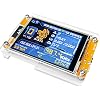
Bitcoin Miner NerdMiner, ESP32 2.8-inch OLED Display Development Board Type C ESP32-2432S028 Suitable for 1000 KH/s Hashrate Operations (Transparent)




Buy Now, Pay Later
- – 4-month term
- – No impact on credit to apply
- – Instant approval decision
- – Secure and straightforward checkout
Ready to go? Add this product to your cart and select a plan during checkout.
Payment plans are offered through our trusted finance partners Klarna, Affirm, Afterpay, Zip, Apple Pay, and Google Pay. No-credit-needed leasing options through Acima may also be available at checkout.
Learn more about financing & leasing here.
Selected Option
FREE 30-day refund/replacement
To qualify for a full refund, items must be returned in their original, unused condition. If an item is returned in a used, damaged, or materially different state, you may be granted a partial refund.
To initiate a return, please visit our Returns Center.
View our full returns policy here.
Recently Viewed




At a glance
- Condition
- New
- Color
- Transparent-1pc
- Storage
- 520 KB
- Dimensions
- 3.39"L x 3.39"W x 0.53"H
- Operating System
- FreeRTOS
- RAM Memory Technology
- DDR
- Works with
- WiFi-enabled devices, Bluetooth-enabled devices
Features 5
- User-Friendly & High Performance: bitcoin miner Ready to use right out of the box with no authorization required. Features deeply optimized algorithm firmware, delivering a maximum hashrate of up to 1060 KH/s for efficient operation.
- Interactive Touchscreen Display: Lucky Miner Equipped with an ESP32-D0WD-V3 WiFi MCU and a 2.8-inch touchscreen, providing a clear and comprehensive visual interface for real-time status and data monitoring.
- Seamless Connectivity & Control: lottery miner Supports sample programs and development tools, allowing users to operate and customize settings easily via Bluetooth or Wi-Fi.
- Standalone Operation: bitcoin lottery miner Works directly over WiFi without the need for an external computer, offering convenient and intuitive monitoring of performance anytime, anywhere.
- Versatile Application with High Efficiency: Powered by the ESP32-D0WD-V3 MCU with built-in Wi-Fi and Bluetooth. After software optimization, it achieves an outstanding maximum hashrate of 1060 KH/s, making it ideal for solo mining and a wide range of applications.
Description
First-Time Configuration Automatic WiFi Connection: Upon power-on, the device attempts to connect to the previously configured WiFi network. If connection fails after 15 seconds, it automatically enters configuration mode. Access Point Setup: Search for the free access point named nmap-2.4g (no password required). Configuration Interface: Mobile devices: You will be automatically redirected to the configuration page PC/Desktop: Navigate to 192.168.4.1 in your web browser Parameter Configuration: Configure your mining parameters following the on-screen instructions. Note that higher UI refresh values result in increased hash rates, and hash rates also improve when the display is turned off. Accessing Configuration: You can return to the configuration page at any time using the button controls. Saving Settings: After clicking Save, allow 10-15 seconds for the process to complete. Do not manually reset the device; it will restart automatically. Manual Configuration Mode For single button boards: Long press the boot button For dual button boards: Long press the user button Follow the First-Time Configuration steps. Using NMMiner Flash Tool Step 1: Open the NMMiner Flash Tool in Chrome or Edge browser. Step 2: Select your board model and initiate the firmware update. The tool will automatically: Download the latest firmware version from GitHub Configure flash parameters for your specific board Firmware Activation Step 1: After flashing the firmware, obtain your license following the on-screen instructions. Step 2: Copy the license string into the license code field and click the activation button. Successful activation will display a confirmation message. Step 3: For first-time installations, configure basic settings as shown below. Alternatively, you can configure these settings later using the button controls. Step 4: Your miner is now ready to use! Q1. Does it stop loading at 80%? Answer: You need to switch to this mining pool: stratum+tcp://pool.btcnode.au:2018 (Note: No spaces before or after) Q2. How do I change the wallet? Answer: After connecting to Wi-Fi, change the mining pool, then replace the wallet under the BTC address section below the mining pool. Q3: Are you unsure about the purpose of the four interface cables included in the package? Answer: If you are a professional requiring software version updates or flashing, this cable is necessary for connection. If you are a mining enthusiast or beginner, this cable is not required and can be ignored.
Specs 12
| Brand | Generic |
|---|---|
| Model Name | NerdMiner |
| Memory Storage Capacity | 520 KB |
| Connectivity Technology | WiFi 802.11b/g/n, Bluetooth |
| Operating System | FreeRTOS |
| RAM Memory Technology | DDR |
| Processor Count | 1 |
| Total Usb Ports | 1 |
| Item Dimensions L x W x H | 3.39"L x 3.39"W x 0.53"H |
| UPC | 772224452414 |
| Unit Count | 1 Count |
| Manufacturer | generic |
No specs match.
Frequently asked questions
To initiate a return, please visit our Returns Center.
View our full returns policy here.
- Klarna Financing
- Affirm Pay in 4
- Affirm Financing
- Afterpay Financing
- Zip Pay in 4
- Financing through Apple Pay
- Financing through Google Pay
Learn more about financing & leasing here.




Top Amazon Reviews

