Search  for anything...

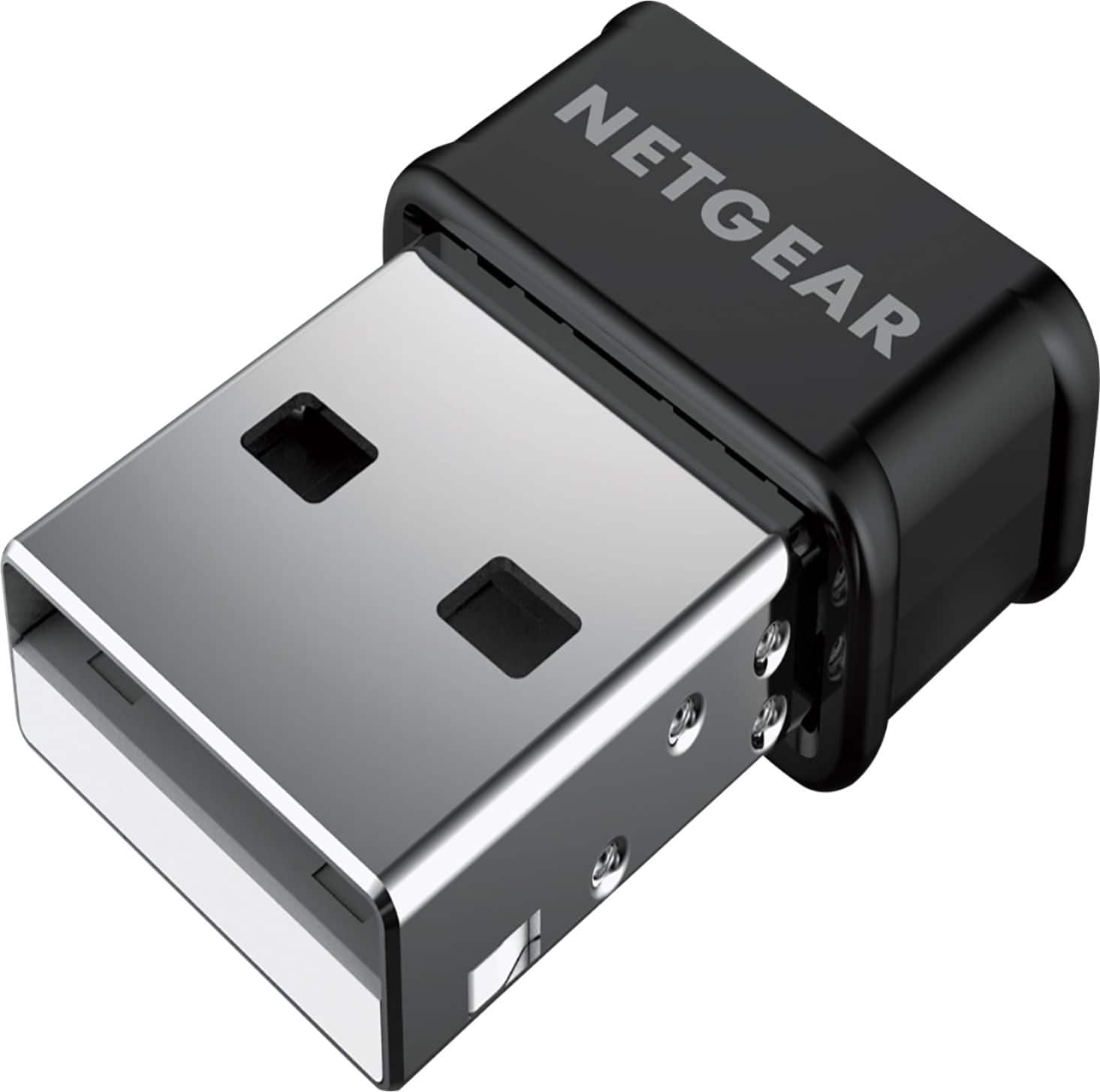
ASUS USB-AC53 Nano USB WiFi Adapter Dual-Band (2.4GHz, 5GHz) Wireless AC1200 802.11ac MU-MIMO for use with Windows XP/Vista/7/8/8.1/10 and MAC OS

Based on 2,271 reviews
Condition: New
Checking for the best price...
$24.51
Holiday Deal · 55% off was $54.99

Buy Now, Pay Later


As low as $6 / mo
  • – 4-month term
  • – No impact on credit to apply
  • – Instant approval decision
  • – Secure and straightforward checkout

Ready to go? Add this product to your cart and select a plan during checkout.

Payment plans are offered through our trusted finance partners Klarna, Affirm, Afterpay, Zip, Apple Pay, and Google Pay. No-credit-needed leasing options through Acima may also be available at checkout.

Learn more about financing & leasing here.

Selected Option

Free shipping on this product
This item's return window has been extended for the holiday season: FREE refund/replacement until Jan 31, 2027

To qualify for a full refund, items must be returned in their original, unused condition. If an item is returned in a used, damaged, or materially different state, you may be granted a partial refund.

To initiate a return, please visit our Returns Center.

View our full returns policy here.


Availability: In Stock.
Fulfilled by Amazon

Arrives Monday, Nov 23
Order within 20 hours and 1 minute

Available payment plans shown during checkout

Protect Your Purchase

Easy claims online, fast replacements, no fees

Checking for protection plans...

At a glance

Condition
New
Style
WiFi 5
Model
USB-AC53 Nano
Dimensions
5.71"L x 1.38"W x 7.28"H
Color
Black
Hardware Interface
USB
Data Link Protocol
IEEE 802.11ac
Warranty
3 Years
Works with
Desktop, Game Console, Laptop, Smart TV

Features 5

  • World's smallest Dual-Band 802.11AC MU-MIMO enabled USB Wi-Fi adapter
  • Plug & play with simple setup for hassle-free connectivity
  • Instant Wi-Fi upgrade for desktops and laptops to 802.11AC compatibility for extended wireless coverage and higher data transfer speeds
  • Dual-band AC1200 (2.4GHz & 5GHz) Wi-Fi connectivity with download speeds up to 867 Mbps

Description

ASUS USB-AC53 Nano USB Wi-Fi adapter delivers an instant “plug and play” upgrade to the latest 802.11AC Wi-Fi standard for desktops and laptops. The Dual-Band wireless AC1200 USB adapter features 2.4GHz and 5GHz connectivity coupled with MU-MIMO technology to improve wireless range and deliver download speeds up to 867 Mbps. Disclaimer: Actual data throughput and WiFi coverage will vary from network conditions and environmental factors, including the volume of network traffic, building material and construction, and network overhead, result in lower actual data throughput and wireless coverage.

Specs 19

Brand ASUS
Hardware Interface USB
Color Black
Product Dimensions 5.71"L x 1.38"W x 7.28"H
Data Link Protocol IEEE 802.11ac
Data Transfer Rate 1200 Mbps
Number of Packs 1
Unit Count 1 Count

Frequently asked questions

If you place your order now, the estimated arrival date for this product is: Monday, Nov 23

Yes, absolutely! This item's return window has been extended for the holiday season: FREE refund/replacement until Jan 31, 2027.

To initiate a return, please visit our Returns Center.

View our full returns policy here.

  • Klarna Financing
  • Affirm Pay in 4
  • Affirm Financing
  • Afterpay Financing
  • Zip Pay in 4
  • Financing through Apple Pay
  • Financing through Google Pay
Leasing options through Acima may also be available during checkout.

Learn more about financing & leasing here.

Top Amazon Reviews


Seamless Connectivity Upgrade with the ASUS USB-AC53 AC1200 Nano USB Dual-Band Wireless Adapter!
Style: WiFi 5
The ASUS USB-AC53 AC1200 Nano USB Dual-Band Wireless Adapter has significantly improved my wireless connectivity experience. If you're looking to upgrade your device's wireless capabilities, this adapter is a fantastic choice. To start, the compact and sleek design of the ASUS USB-AC53 is impressive. Its small form factor allows for easy portability, making it convenient for on-the-go use with laptops or other compatible devices. The nano size ensures it won't interfere with neighboring ports, and it can be left plugged in without obstructing other connections. Setting up the adapter is a breeze. It's a simple plug-and-play device that quickly connects to your device via USB. The installation process is straightforward, and the adapter is compatible with various operating systems, including Windows and macOS. Within minutes, you'll have a reliable wireless connection at your fingertips. The dual-band capability of the USB-AC53 is a standout feature. It supports both the 2.4GHz and 5GHz frequency bands, providing flexibility to connect to the most suitable network for your needs. This allows for faster speeds, reduced interference, and improved stability, especially in crowded Wi-Fi environments. Whether you're streaming high-definition videos, gaming online, or transferring large files, the USB-AC53 ensures a smooth and uninterrupted wireless experience. The inclusion of MU-MIMO (Multi-User, Multiple-Input, Multiple-Output) technology is a significant advantage. It enables simultaneous data streaming to multiple devices, ensuring efficient performance and reducing lag. This is particularly beneficial in households or offices with multiple devices connected to the same network. I've noticed a considerable improvement in overall network speed and responsiveness since using this adapter. The AC1200 rating ensures excellent wireless performance with speeds of up to 867Mbps on the 5GHz band and up to 300Mbps on the 2.4GHz band. This allows for seamless browsing, streaming, and online gaming experiences. The adapter's performance has exceeded my expectations, delivering fast and stable connections throughout my usage. In conclusion, the ASUS USB-AC53 AC1200 Nano USB Dual-Band Wireless Adapter is a game-changer when it comes to upgrading your device's wireless connectivity. With its compact design, dual-band capability, and MU-MIMO technology, it provides a seamless and reliable connection. Whether you're at home, in the office, or on the go, this adapter ensures fast speeds, reduced interference, and improved overall performance. I highly recommend the ASUS USB-AC53 to anyone seeking a wireless connectivity upgrade. Disclaimer: I received no incentives or discounts for this review. I am simply sharing my genuine experience with this product. ... show more
Reviewed in the United States on July 16, 2023 by Nickolas F. Krader

Simple & Worthy Upgrade. Using 5 MHz too
Style: WiFi 5
Wow! Easy install and works as it should! Dell notebook with older b/g/n WiFi, with Windows 10 installed. Ookla Speedtest and Google’s speedtest both struggled to achieve much more than a couple of (2-3) Mbps download results. I plugged the adapter into a USB slot, Windows installed the device with little fanfare, yay. Looking at Device Manager I could see the new adapter under networking. I jumped over to the notifications area on the task bar, clicked on my WiFi icon, selected my WiFi network (802.11AC). Again, connected without issue. Disabled the old Dell b/g/n adapter n Device Manager. Re-ran speed test again and no getting results consistently 100-200 Mbps (using 802.11 AC router and 250 Mbps internet access). Windows Task Manager > Performance tab showed CPU never went above 60 percent utilization, 4 of 8 GB RAM use, and networking showing similar or higher throughputs than speed tests. Outlook, Firefox with multiple tabs, 2 PDFs, several word docs, folders, and more all open during test. Loaded several websites, news sites, that lately have been sluggish to load, at best, and all came up quickly as the should, visibly loading in just a couple of seconds versus a noticeable delay previously. Still need a new notebook, but this adapter keeps the current one useful for a while longer. For low $$, though losing a USB slot, it is a worthwhile upgrade. ... show more
Reviewed in the United States on September 7, 2018 by T. Hill

Works like a Charm!
Style: WiFi 5
Been using this little guy for years and works like a charm. Any time my Wifi gets a little wonky (rare) I just pull it out, let it cool down for a wee bit, and then pop it back in again and things are back to normal.
Reviewed in the United States on July 10, 2026 by Nicole Taft

Nice and small but WiFi range is limited
Style: WiFi 5
I'm an electrical engineer and suspected that range would be limited due to the small size of the antenna. I wanted the smallest size I could find and this fits the bill. So I'm ok with limited range. For example my phone's tv etc can see my 5ghz although week, this device dosent see them at all. I have to get much closer and then no problem. My Lenovo laptop only had 2.4 GHz, and you can't easily upgrade the built in WiFi card due to the whitelist preventing using other brand cards. So my only other option was USB WiFi. ... show more
Reviewed in the United States on September 30, 2019 by FLPaul

Awesome Wireless
Style: WiFi 5
This is more than a review. First I would buy this wi-fi usb again. Works great. Showed up as WiFi 2 on Windows 10. Within a day I started having more than the usual connection problems with my Microsoft Wireless Adapter-Miracast device. This device allows me to send Netflix, Amazon Prime, or anything else on my computer to the TV. Great device. The connection problems, however, are NOT THE Result of my new Asus Nano. getting 100Mbs with the new wireless at 5GHz connection. The original card Atheros is only a 2.5 connection. So using a dual band router I have great connection speeds. But what was up with the Miracast device? ****After mucking around for a few hours yesterday and today--and after a chat with MSFT Support--I turned OFF the original Atheros wifi card. I did rename the Asus Nano first just to be sure I was turning off the correct card. Now, both the MSFT Wireless Adapter (about 5 years old) and the Screenbeam Adapter for another TV (same age) display as devices that I can connect. This doesn't mean I still won't have some issues. But at least i'm headed in the right direction. I do not have this issue with my other laptop (Surface 3 Pro). Oh well. The Asus Nano Dual Band Wireless USB is an awesome, easy upgrade. ... show more
Reviewed in the United States on March 19, 2019 by ZooMaster

It stopped working but Asus tech support saved the day!
Style: WiFi 5
This product worked flawlessly for 1.5 months and then, suddenly, no Wi-Fi. I hadn't downloaded the driver initially because several reviewers stated that it wasn't necessary, so I just plugged in the dongle and it worked immediately. So when it stopped working after 1.5 months, I immediately thought it might be due to the absence of the driver, so I went to the URL indicated on the packaging but no driver was there. Then I called ASIS tech support, and soon had someone on the phone guiding me in downloading the driver at a different URL. Once it was downloaded, the Wi-Fi came back on. The tech support person gave me a case number and informed me that the warranty is good through February 2024. I was very impressed with this level of service and happy I went with a reputable company. ... show more
Reviewed in the United States on April 21, 2022 by BMR

Driver built into Windows 10
Style: WiFi 5
I too purchased this Wi-Fi adapter to replace the built-in wireless card in my laptop. I've been experiencing disconnects (several per day). Even replacing the built-in adapter didn't cure the problem. I selected the ASUS because it's from a well-known brand, among the smallest of such adapters, and supports a very fast data rate standard. Ignore the red stickers and warning inserts in the package. I took the adapter out of the package, inserted it into the laptop, and it immediately appeared in Device Manager, fully functional with driver. I used Device Manager to disable the built-in adapter. So far, so good - no disconnects. With the built-in adapter a disconnect usually occurred within a few minutes of waking the laptop from sleep. Along it's only been one day, the Wi-Fi connection has been solid. UPDATE 15-Dec-2021 - Although still trouble-free, I did run into a limitation today and have hence knocked my rating down to four stars. The reason is that the ASUS evidently cannot access 5GHz channel 56. I had to switch all my APs over to that channel today due to new serious interference on the channel I was using. For the time being, I switched the laptop back to the built-in Wi-Fi interface. UPDATE 22-Feb-2022 - The interface has developed a couple quirks. First, upon wake-up from sleep, the laptop doesn't always automatically connect to the Wi-Fi network. Even though the auto-connect box is checked and the network SSID has been detected, it's still necessary to go and click "Connect" to get the proceedings underway. Second, in a work session of any length, it's virtually certain that at some point the laptop will disconnect from the Wi-Fi network all by itself. A moment will pass and it connects again (without manual intervention). Rating reduced to 3 stars. I am investigating another USB wireless dongle from a different manufacturer. ... show more
Reviewed in the United States on March 20, 2021 by CFortC

Stay Connected Anywhere with ASUS USB-AC53 Wireless Adapter!
Style: WiFi 5
The ASUS USB-AC53 AC1200 Nano USB Dual-Band Wireless Adapter has significantly improved my internet connectivity. Its MU-Mimo technology ensures fast and stable connections, even in areas with weak signals. I appreciate its compatibility with various Windows operating systems, making it versatile for different devices. Setup was a breeze, and the compact design is perfect for travel. If you're looking for a reliable wireless adapter, the ASUS USB-AC53 is an excellent choice! ... show more
Reviewed in the United States on March 27, 2024 by Andrea Perez Acevedo
Checking for best price...