Search  for anything...

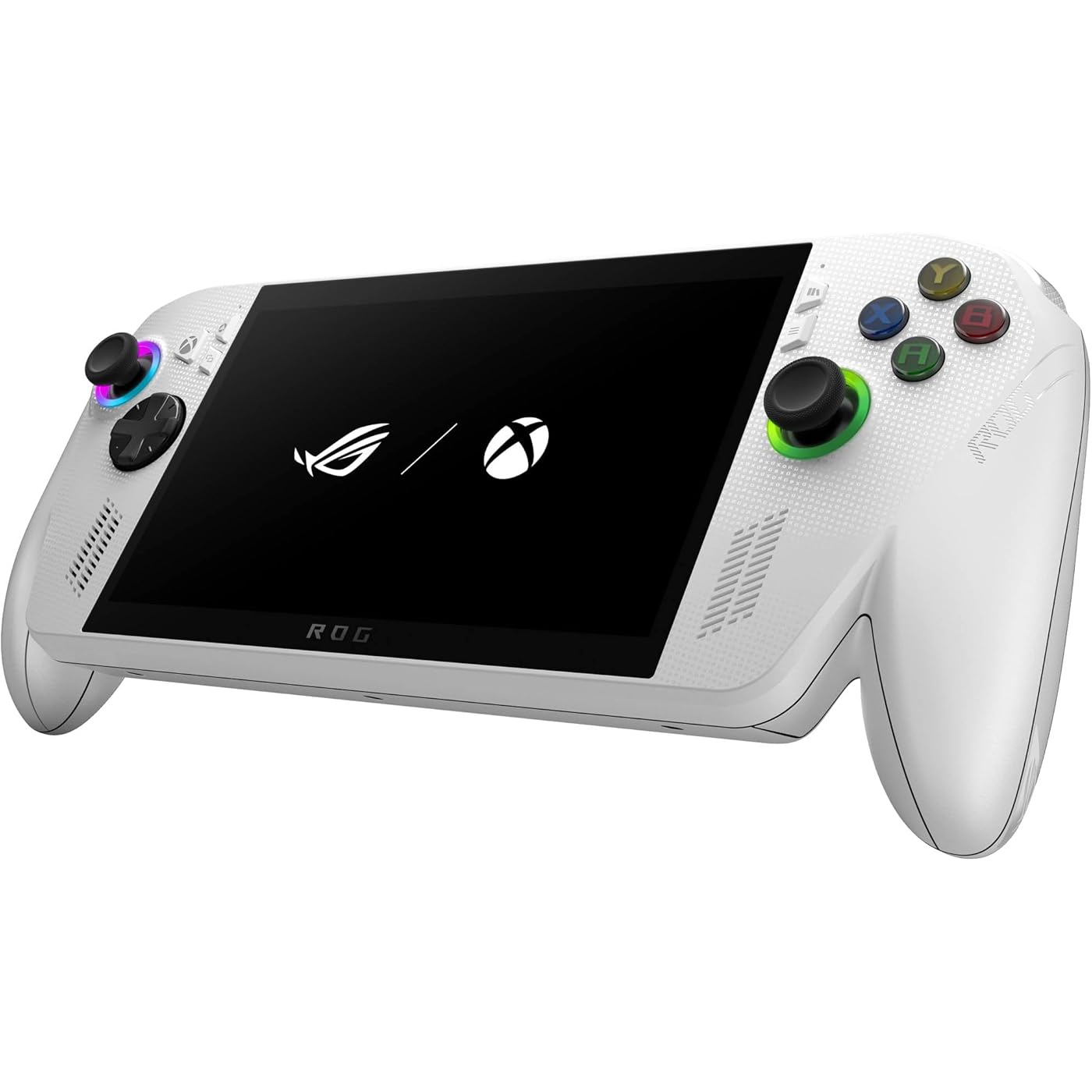
ASUS ROG Xbox Ally – 7” 1080p 120Hz Touchscreen Gaming Handheld, 3-month Xbox Game Pass Premium included, AMD Ryzen Z2 A, 16GB RAM, 512GB SSD, White
  • Based on 509 reviews
Condition: Used - Like New
Checking for the best price...
$594.16 Why this price?
Save $905.83 was $1,499.99

Buy Now, Pay Later


As low as / mo
  • – Up to 36-month term if approved
  • – No impact on credit to apply
  • – Instant approval decision
  • – Secure and straightforward checkout

Ready to go? Add this product to your cart and select a plan during checkout.

Payment plans are offered through our trusted finance partners Klarna, Affirm, Afterpay, Zip, Apple Pay, and Google Pay. No-credit-needed leasing options through Acima may also be available at checkout.

Learn more about financing & leasing here.

Selected Option

Free shipping on this product

This item is eligible for return within 30 days of receipt

To qualify for a full refund, items must be returned in their original, unused condition. If an item is returned in a used, damaged, or materially different state, you may be granted a partial refund.

To initiate a return, please visit our Returns Center.

View our full returns policy here.


Availability: Only 5 left in stock, order soon!
Fulfilled by Amazon

Arrives Friday, Aug 28
Order within 12 hours and 3 minutes
Available payment plans shown during checkout

Protection Plan Protect Your Purchase
Checking for protection plans...

Style: ROG Xbox Ally Z2 - 2025


Features

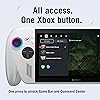
  • XBOX EXPERIENCE BROUGHT TO LIFE BY ROG The Xbox gaming legacy meets ROG's decades of premium hardware design in the ROG Xbox Ally. Boot straight into the Xbox experience just like a console.
  • XBOX GAME BAR INTEGRATION Launch Game Bar with a tap of the Xbox button or play your favorite titles natively from platforms like Xbox Game Pass, Steam, Epic Games, or Windows games on the go.
  • ALL YOUR GAMES, ALL YOUR PROGRESS Powered by Windows 11, the ROG Xbox Ally gives you access to your full library of PC games from Xbox and other game stores. With Xbox Play Anywhere, you can pick up right where you left off on your PC or Xbox and jump back into the game anytime.
  • NEVER STOP GAMING Powered by ultra-efficient AMD Ryzen Z2 A processor, the ROG Xbox Ally offers console-caliber performance and can game for hours, even away from a wall outlet.
  • GAME-READY STORAGE AND FAST MEMORY Store your full library and multitask seamlessly with 512GB SSD and 16GB of LPDDR5 6400MHz RAM. The ROG Xbox Ally makes playing any game in the palm of your hand possible.
  • SMOOTH MOTION. ZERO TEARING. From fast-paced battles to chill exploration, the Xbox Ally features 120Hz display with FreeSync Premium variable refresh rate to keep every frame smooth. With 500 nits of brightness and a Gorilla Glass touchscreen, you get a vivid, immersive viewing experience.
  • READY TO GO WITH FAST CHARGING The ROG Xbox Ally charges super-fast- just 30 minutes gets you back from 0% to 50%. Whether youre gaming on the couch, at a coffee shop, or 30,000 feet in the air, its fast-charging tech and 60Whrs battery keep you extended in the game.
  • ALL-DAY COMFORT The ROG Xbox Ally features a redesigned chassis with contoured grips inspired by Xbox Wireless Controllers. With a well-balanced 1.47lbs weight distribution, you can play for hours without fatigue.
  • PLAY THE WAY YOU WANT Game anywhere in handheld mode or hook it up to your TV with the convenient dual USB Type-C ports. Connect multiple controllers to play with friends. You never have to settle with the ROG Xbox Ally.
  • 3 MONTHS OF XBOX GAME PASS PREMIUM INCLUDED Play 200+ games on the ROG Xbox Ally.* It's the best of ROG and Xbox together in a handheld built for PC gaming. *Terms apply

Description

Meet the ROG Xbox Ally, a gaming handheld for everyone, combining the freedom of Windows, craftsmanship of ROG, and the power of Xbox into the palm of your hands. The ROG Xbox Ally gives you seamless experience across Xbox Game Pass, Steam, Epic Games, and more in one versatile system. It’s powered by the AMD Ryzen™ Z2 A processor, delivering smooth responsive gameplay for both cloud and native titles. With 16GB of LPDDR5 6400MHz memory and a 512GB of SSD storage, the ROG Xbox Ally is engineered to tackle everything from indie gems to AAA titles. Its 60Whr battery power extends play sessions, while the redesigned ergonomics and Xbox-inspired grips keep you comfortable all day. Enjoy crisp, fluid visuals on the 7” FHD 120Hz display with FreeSync™ Premium. Launch straight into the Xbox full screen experience with just one press of a button. Disclaimer (bottom of the page): Excludes Call of Duty titles. Benefits vary by Xbox Game Pass plan. Game library varies over time, by region, device, and Xbox Game Pass plan. xbox.com/gamepass. In-game benefits vary by game, region, and over time. Game must be installed to access in-game benefits. Xbox Cloud Gaming requires an Xbox Game Pass subscription and supported device (both sold separately). Cloud playable games not included with Xbox Game Pass are sold separately, and may be made available with Xbox Game Pass in the future. Game library varies. Stream directly on Xbox consoles, or with the Xbox app or at xbox.com/play on supported devices. Select regions (xbox.com/regions) and devices at xbox.com/cloud-devices. See cloud gaming library (xbox.com/play). Rewards: Terms apply. Microsoft Account required. Select markets only. Rewards vary by Game Pass Plan and Rewards Level. Point values vary by local market currency, Rewards level, and the number of points redeemed. Point multipliers compared to Game Pass Essential earning potential. Gameplay rewards for 18+. Exclusive quests with Premium and Ultimate plans only, for titles in the Game Pass library. Excludes PC Games that require 3rd party launchers or are played on Battle.net. Playtime required for all quests. Qualifying purchases at Microsoft Store (online, or on Windows or console) at Rewards with Xbox.

Platform: Xbox


Input Device: Gamepad


Connectivity Technology: Wi-Fi, Bluetooth 5.2, USB, USB Type-C, AUX


Memory Storage Capacity: 16 GB


Wireless Communication Technology: Wi-Fi, Bluetooth 5.2


Resolution: 1080p


Color: White


Brand Name: ASUS


Model Name: ROG Xbox Ally


Model Number: 90NV00G1-M001B0


Model Series: ROG Xbox Ally


Manufacturer: ASUS


Warranty Description: 1 Year


UPC: 199291133501


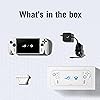
Included Components: Powercord, RC73YA-XB_ALLY.Z2A.16, User Guide


Item Weight: 670 g


Manufacturer Part Number: 90NV00G1-M001B0


Frequently asked questions

If you place your order now, the estimated arrival date for this product is: Friday, Aug 28

Yes, absolutely! You may return this product for a full refund within 30 days of receiving it.

To initiate a return, please visit our Returns Center.

View our full returns policy here.

  • Klarna Financing
  • Affirm Pay in 4
  • Affirm Financing
  • Afterpay Financing
  • Zip Pay in 4
  • Financing through Apple Pay
  • Financing through Google Pay
Leasing options through Acima may also be available during checkout.

Learn more about financing & leasing here.

Top Amazon Reviews


  • Portable PC gaming
Pattern Name: ROG Xbox Ally Z2
This came in handy for my son when we were stuck living in a hotel and he didn't have access to be on PC. This is probably his new favorite gaming device even now with access to his PC he still will plan on this instead. well worth the buy!!! My son's response to this is-Right out of the box, it’s easy to tell this is a premium piece of technology. The overall build quality feels excellent, and the materials used give it a very high-end feel. One thing I really liked was the large grips, which made it feel similar to holding an Xbox controller. The display also stands out, offering sharp 1080p visuals. The 120Hz refresh rate makes fast-moving games look especially smooth during intense gameplay. The controls are mostly solid, but I do think the layout of the buttons on the right side could be improved. I found myself having to slightly shift my hand to comfortably press the “Y” button, while the other buttons were easier to reach without moving my grip. The thumb sticks felt responsive and worked great overall. On the other hand, the D-pad on the left side seemed a little awkward to reach compared to the rest of the controls. Since I have fairly long fingers, I imagine this issue could be even more noticeable for people with smaller hands. The shoulder buttons are one of the strongest features of the system. They feel very similar to the buttons you’d find on a full-size console controller, even though this is a handheld device. There are also customizable buttons on the back, which adds more flexibility for different play styles. As for the operating system, this device is basically a portable Windows 11 gaming PC. It’s marketed as an Xbox, but I think that description is somewhat misleading. It does give you access to Xbox PC games, Steam, GOG, and many other gaming platforms, which is definitely a plus. ... show more
Reviewed in the United States on May 24, 2026 by Darlene Mayo

  • Save money, buy Z2. Get Steam Deck for track pad. If you expect the best go Ally X.
Pattern Name: ROG Xbox Ally Z2
Ive had a steam deck twice, not the oled version, and I've gotta say it's a solid machine, and the track pad is a great feature. I was hesitant on getting the ROG Ally Z2 because I was sceptical of the sale. Turns out I actually PREFER the ROG Ally Z2. I knew I wasn't getting the flagship handheld and I'm not playing AAA titles, Fifa26 runs with some tweaks, NFS heat is smooth, Skyrim is flawless, I'm not sure if it'll run BF6, but I haven't tried. It's plastic and very lightweight, display is bright and sharp, it runs quietly and I'm running it on maxed out settings 90% of the time The SOUND is definitely TOP TIER, I play at 35/100 it's crisp and powerful. Setup takes a few updates but I was online in a couple hours. Steam, EA, Epic, Xbox, Web games, emulators, no limits. I love it, I got it for $300. My PC rig is in a box, in the closet for now and I don't feel the need to get it out. This thing SCRATCHES THE ITCH. ... show more
Reviewed in the United States on June 18, 2026 by Fernando Perez-Garcia

  • Best decision!!!
Pattern Name: ROG Xbox Ally Z2
I have been looking the device for a while because I thought it would be heavy and it wasn’t. It’s super lightweight and the appearance is awesome! I would have loved another color but the colors that are offered are great! I love being able to bring it with me on the go but if I am home I have the time to use it and build my mouse and keyboard skills. The games are great they will tell you if it would be better in specific modes or not! The screen is fantastic and great to work with! I like it because I am so used to Xbox controllers and that connects to it easily but also it’s similar to how a gaming pc would run with the fans and everything. It’s fantastic ... show more
Reviewed in the United States on July 23, 2026 by Isabella

  • From 30 lbs to 5 lbs - Not an Xbox, Not a Laptop—Something Better in Between”
Pattern Name: ROG Xbox Ally Z2
I purchased the ROG Xbox Ally Z2a (2025) - This is an important distinction. The Z2a uses the same type of SSD as the Xbox Ally X - M2 2280, whereas the older, uses the M2 2230 type SSD (which tops out at 2TB). Why this matters is because, with the M2 2280 type SSD, you can upgrade your Ally to 4TB. Now, it is important to note that if you have a device that uses that square-looking M2 2230 SSD, you may still be able to use the M2 2280 type SSD to upgrade your storage to 4TB, but you’ll need to use a physical adapter, which costs $4.99 USD on Amazon. I strongly caution you, if you plan to do this… Even though the M2 2280 will work in a M2 2230 slot, a device that uses a M2 2230 – type SSD, may not have the physical space to do this! I drive all around this country for work, sometimes going months in almost a different hotel every night. Since, I drive an SUV filled with equipment where space and weight aren’t really an issue, I would bring my Xbox Series X and an 8 lbs Alienware laptop everywhere I went. Now, my work travel is about include a lot more international flying, so bringing a series x and a heavy gaming laptop are just not practical. I bought this thing to essentially replace my Xbox Series X and Laptop. I would have bought the ROG Xbox Ally X, but the only ROG Xbox Ally X I could find on Amazon that would ship to Korea was around $1400 bucks plus custom fees. But, I have ZERO buyer’s remorse about getting the model that I did. The main reason is, I rarely play this thing handheld -unless I’m in an airport or on a plane. The other 90% of the time, I play docked. This is an important distinction, because playing handheld, sure, the Xbox Ally X will blow this out of the water. The Xbox Ally X has some important things going for it, if your main purpose is to play this handheld. It has more RAM (which will make it feel snappier), a bigger hard drive, a bigger battery, and a redesigned cooling system. However, the difference between the Z2a and the Z2 Extreme chipset is negligible. If you play docked in turbo mode, and upgrade your SSD, a lot of the advantages the Xbox Ally X has over this model becomes minimal or, just flat out, goes away. I’ve upgraded the storage to a 4TB SSD (Samsung 990 Pro - but there are way cheaper options out there), I bought a Dock (Ivanky 14-1 w/ 100W charger - this gives me ports up the yin yang), a bluetooth foldable full sized keyboard/mouse, a Power A Fusion Wireless controller (hall effect everything + plus licensed Xbox wireless and rumble - the best rumble in the business), and I got an Arpoza 16.1 in portable monitor (1080/144Hz) - plus carrying cases for all this stuff. I also bought MS office 2024 - because the Ally is a full on Windows 11 PC. All this cost roughly a little bit more than the price of the $1400 USD + customs fees price tag of the Xbox Ally X, shipping to Korea (the South one, if anyone was wondering). What was once hauling around over 20-30 lbs worth of bulky extra stuff, is now less than 5 lbs, and is the size of a camcorder bag and a tablet. These are the games I play on here: Overwatch, Starfield, Mass Effect Legendary, Mass Effect Andromeda (and multiplayer), Kingdoms of Amalur, Fallout 4, Elder Scrolls Online, Drangonage ink, Fenyx Rising, Injustice 1 & 2, Marvel vs Capcom 3 and Infinite, Jade Empire, Starcraft II, Age of Empires II, and War Hammer 40K Dawn of War I & II. Docked, all of the games I play are older and play, no problem, at 1080p, 60 - 144 fps. The only 2 that kinda struggle and take a little bit of tweaking are Starfield and ME: Andromeda. Andromeda, I can get to med/high at 60 fps. Starfield, realistically, I’m looking at medium settings, 40 - 50 fps. In handheld mode, both these titles struggle, but are totally playable at 1080, 30 fps~ - you can even do 720p for better performance. All my other games play great handheld at 1080p, 60+ fps. You can ask Co-Pilot or any other AI to help you optimize your system for each game. Let’s talk about the not so good stuff... This is not an Xbox. Unless you have a solid internet connection, you cannot, in fact, take your whole Xbox library with you. If you’re doing CLOUD GAMING, sure, you can play A LOT of your game library. However, if we’re talking about download and take it with you and play whether you have an internet connection or not, well, that’s another story. You can only download the games from your library, if you own a digital copy and the game is a “Play Anywhere,” title. Out of the 186 games on my Xbox Series X (4TB external HDD), only 5 of those games meet that criteria (Starfield, Marvel vs Capcom Infinite, High on Life, Fallout 4, and Tomb Raider: Definitive Edition). I had to re-buy the PC version of the other games! I had to get the Mass Effect games from EA Play, I had to get Overwatch and Starcraft from Battlenet, I had to get ESO from Bethesda, and the rest came from Steam. Luckily, it was Christmas and the games I play are older, cheap, and were on sale for less than $10 bucks a piece- but your mileage may vary. What’s also important to note is, even if you download a game from your Xbox library, on the ROG Xbox Ally, you are playing the PC version of these titles (with some exception -Fallout 4 gave me a weird console port with menus that didn’t allow me to tweak much of my graphic setting – opting me to buy a full PC version on steam). This is an important distinction, because an Esports title like Overwatch, on the ROG Xbox Ally or any other gaming handheld, you are in a PC Lobby, using a controller with aim assist disabled, playing against PC players who have mouse and keyboard precision, and probably a monitor with a higher refresh rate than you. This is because Battlenet recognizes the RoG Xbox Ally as a windows PC, not an Xbox Console. Also, PC versions of console games feel a little bit loose and generic to me. Console versions feel specifically tuned and optimized for your console, whereas the PC version is flexible to accommodate an entire spectrum of PC gaming rigs. To be fair, holding a steam deck or any other handheld feels pretty okay. The slimmer designs on some of the other handhelds, arguably, feels good in the hand... But even though the ally feels a bit bulkier than a normal Xbox controller, you just can’t beat the comfortable feel of gripping the contours of the xbox udders. This is probably the most comfortable gaming handheld out there. Now, the udders are not perfect, they feel fatter than a normal xbox controller, which I do notice and am not completely in love with. Another thing, is the angle in which I need to hold the Ally to play and view the screen... is not the angle I would normally hold a controller, which I definitely feel throw me off. For me, there is some major dexterity loss when using any handheld, which matters when you’re playing something like Overwatch. The fatter, broader triggers and bumpers, I feel, were made to compensate for this, but it’s not perfect, by any means, and I find it slightly annoying when playing handheld, while sitting on a toilet. Let’s talk about sticks. These feel the most like controller sticks than the MSI Claw, the Legion GO 2, the OneXFly – The ROG Xbox Ally (X) have the best feeling thumbsticks. They have the tension you would get on a normal controller. The other handhelds do not, they feel loose and numb. The ROG Xbox Ally (X) does not have Hall Effect Sticks like the other handhelds do… and yeah, one month in, I’ve got stick drift. Now, I’ve used Armory Crate and in-game calibration to mitigate a lot of that, to where it’s not debilitating, but… stick drift never goes away, it will only get worse. Not something you wanna even have to think about with a console that cost $500+ USD. However, as I mentioned, I rarely play this thing handheld; I’m almost always docked, with a controller, so this rarely affects me, but I’m rare. A lot of people buy these handhelds to play them handheld – this is a glaring black eye. You can either swap out the sticks yourselves with Hall Effect Sticks for $20-30 USD on Amazon, or contact ASUS. If you’re using this handheld as PC replacement… it is absolutely capable. I work on this for hours as a full on desktop replacement when I’m on travel. I am able to do work stuff on here, write documents, stream Overwatch, watch movies -I edit youtube cooking videos using Moavi on here; it all works great with very little struggle. But, manage your expectations, this is full-blown windows running on a mobile-grade chipset – It’s not gonna feel blazing fast. Also, it’s portable and it’s not. Whipping it out to play games on the go in an airport, this thing is great. However, if you want to whip it out to write a novel in an airport… there is some logistical setup that’s just not practical, like say a laptop. If I’m using this as a PC, I’m settled in, in my hotel room, and it’s not moving for a while. Let’s talk about the elephant in the room. I roughly spent $1500-1600 USD for my entire setup. Yes, the console, the 4TB SSD, the dock, the portable monitor, the Elite 2 alternative controller, a foldable wireless keyboard/mouse, protective cases for all this stuff, even a JBL GO 4 speaker, and a carry bag to put it all in. If I’m not bringing my portable monitor, I can HDMI right into a hotel TV. Though it’s hard to give up the 144 hz refresh rate that the monitor brings. That’s a lot money – I didn’t even get the higher end version of this thing. I mean, I could have just bought a newer gaming laptop with better performance - no argument there. I actually kinda recommend that. It would be arguably be way cheaper. The form factor and weight-savings alone made this worth it for me. Being able to whip this out and play it handheld, was a feature I didn’t know I’d use as often as I find myself doing now. VERDICT: As I said before, I have zero buyer’s remorse about this purchase. But, I know my use cases for this may not be that common… or is it? I love this thing. I love how compact it is. I love how versatile it is. Do I wish I could have bought the higher-end ROG Xbox Ally X? Kinda– arguably better performance, a bigger battery, better cooling– it’s black. But, if I did, I probably would not have had the budget to get the 4TB future-proofing SSD that I did, so immediately. The ROG Xbox Ally Z2a is not a flawless device—it has quirks, compromises, and some limitations that buyers should be aware of. But for me, the trade-offs were worth it. It’s compact, flexible, and powerful enough to replace both my console and laptop on the road. If your use case looks anything like mine, you’ll probably find yourself loving it too. This isn’t an Xbox, and it isn’t a gaming laptop—it’s something in between. And for me, that “in between” is exactly what I needed. It’s not perfect, but it’s fun, it’s practical, and it’s made my gaming life on the road so much easier. Zero regrets here. ... show more
Reviewed in the United States on February 27, 2026 by Shaft of the Spear

  • The best valued handheld console todate
Pattern Name: ROG Xbox Ally Z2
After the setup and playing it I'm 100% content with his purchase!! Do not listen to the naysayers... "It's not the best of the best, it's a sweet spot of perfection." I would argue the best value handheld gaming system. What you're looking at From a gameplay perspective... Is a power a little bit better than a "PS4 Pro" But significantly under A PS5. The graphics are good!! You have access to I would argue 98% of games, if it's on Xbox or PC you can play it. It's not a mini Xbox, it's a mini gaming PC that's partnering with Xbox ( Microsoft).. so this mean you can also add mods and emulators( the ability to play games like Pokemon that would normally be Nintendo exclusive). At the moment of this review as a Casual Gamer you realistically have three options. 1. Take the cheap route and limit yourself to Nintendo games... and get the switch 2 2. Get the Xbox Ally, have a good quality game with good quality graphics and the ability to play almost anything for under $600. 3. It's spend over $1,000 and get the Xbox Ally X if you're obsessed with getting the best of the best. Point of view: the Xbox Ally has only been out for 6 months which means there are huge updates and optimization coming that will make this even better while it gets cheaper!! Meaning there's a bright future.. games consoles like the steam deck oled 2 years old.. it's known to be slightly better but there will be no significant future improvements.. it's entering into the outdated stage. The last thing I want to mention and one of the most unexpected quality Improvement of this game that I would have never thought of is the sound... it's the first handheld that I actually had to turn down and somehow they figured out a way to give it a surround sound illusion.. it really messes with your brain because it makes you feel like you're hearing it from your side even though the game is literally in front of you.. it's one of the most underrated mind-blowing features. ... show more
Reviewed in the United States on April 28, 2026 by Randy.L.S

  • Better then expected
Pattern Name: ROG Xbox Ally Z2
By far the best speakers I’ve heard heard on a hand held gaming device better then an iPad Pro it blows me away how crisp and loud these things are and the way it feels is amazing i dropped it a few times. Without a case and this things is a lightweight tank and the best part is two USB cs one for charging and the other for output it defiantly out beats the steam deck and it’s a windows pc instead of Linux so that’s awesome anything on my windows desktop can show up on this plus you can but a graphics card to make it a 5090 if you want which is always nice to have the option it does it all and battery is not bad even loads up steam as if you were on your computer and you can download the game straight to it or go cloud it’s worth it and no heating problems what so ever no plus it has a fingerprint scanner on the power button so you can log into windows or use the Xbox controller buttons to log in I love it ... show more
Reviewed in the United States on January 26, 2026 by Bob

  • The cheap overheating SSD will fail. Just add your own larger in.
Pattern Name: ROG Xbox Ally Z2
I waited a few months to write this review, about 6 months so I could write something accurate for this model. This is my first Windows pc purchase in over 13 years as I switched to Mac after my last laptop died and I wanted to try something better. I got this because I wanted to be able to play my Steam games and Mac falls short on options with that. This unit seemed extremely cool when I first got it. Like any new car, once the feel and the new car smell wore off there were issues I noticed. First I noticed the battery is not very strong for this having an Xbox built in. Several times I found myself verifying that I actually got the Ally X most recent model because the battery life is so short when gaming. Secondly, I noticed part of the issue with short battery life, even after changing power settings to that of a potato powered clock, the device doesn’t switch all the way off. Not even when powering the device off through the power button or the setting menu power button. It seems that the Bios is set for fast boot on the device and like with your flatscreen tv, this setting keeps part of the device awake tallow for a quicker startup. I had to remove some of the bloatware this thing shipped with. I have an Xbox built in so what do I need with windows standard games being shipped? The AI function isn’t helpful either. There is also the issue with extreme thermal discharge from the device. Sometimes it doesn’t want to turn on because the sleep feature seemed faulty and yet the device, in a powered down state was generating a LOT of heat behind the screen that isn’t on. I had to resort to fans blown air into the intake vents to push the heat out and then it would sometimes start right up. I would catch it powering on the LED control knob lights every once in a while while supposedly powered completely off. The fact that it was cheaper for me to buy the 512gb version and upgrade the drive later was part of why I got such a small drive. I could supply my own as needed and it be a drive I choose for reliability. That said, the Ally shutdown two weeks ago and stayed down. Down hard. It only booted to the bios screen and didn’t recognize the installed drive. No drops, no lightning strike, no damage. Just didn’t want to power on, even on the transformer power supply that shipped with it. The weird overheating issues this thing operated with turned out to be a sign of a bigger issue. It may also have been what was shortening the battery power cycle each time I played anything. So realizing the drive wasn’t being seen at all, I had no choice but to either send it in for service and pay a lot for shipping to fix ASUS’s issue, or do it myself since I still had a new NVM.e laying around. After watching an instruction video on ASUS’s site, that wasn’t 100% accurate to their own model specs, I decided this would be easier than others have said. I’ve done memory and drive upgrades before. Once I got the cover open I checked for damages and saw nothing alarming. The drive wasn’t being seen still fully seated but I removed it anyway and was surprised to see what was mounted wasn’t a brand name or even a generic-named drive if ever heard of. Most likely the drive had failed due to poor quality and why would a name brand system have a bottom class generic drive inside when the system is designed for performance?? So I dropped in a 4TB Samsung 990 Pro and went though the task of setting up the new drive from the backup that you should have made on day 1. After about an hour or two of the reinstallation, the system works fine. It even works better with the new large drive in. I am no longer experiencing heating issues or battery life problems like I had. While I do with there is a larger capacity battery I could install, I now see the battery drain slower than it used to. Had I known this device ships with such a crappy NVMe installed, I probably would’ve bought one of the other SteamDeck alternatives out there that got good reviews. This was supposed to be the better one for my needs and after seeing that paying for a larger drive at purchase would’ve wasted a lot of money from me picking my own drive to install, I would definitely have returned this within my Amazon return window with the issues it was having. So far there are few titles out of about 290 I play on Steam that don’t really function all that great. They are larger apps requiring full hey oars support so they are portable apps anyway. The Samsung 990 Pro seems to have put new life into this warranty covered device when it had a drive failure due to a subpar NVMe in a high-end portable gaming computer. Don’t waste your money if you can’t change your own drive out, a SteamDeck will work all the same for you then. ... show more
Reviewed in the United States on June 10, 2026 by Lofidelityrockr

  • Good handheld, but you need some PC knowledge to work it.
Pattern Name: ROG Xbox Ally Z2
Bought this for my wife since I asked Valve when the Steam Deck OLED would be back in stock and got a laughing emoji back as the answer. This little handheld is a neat piece of tech. It's far more powerful than I expected, playing games my OG Steam Deck would start crying if I even attempted to try them. Battery life is solid, visuals and performance are amazing depending on the game, and getting it on sale for 500? Honestly a difficult deal to argue. HOWEVER. I'm gonna warn less tech savvy users here. This thing requires a bit of work at times. Whereas something like the Steam Deck or a Switch come out of the package ready to play Elden Ring or any other games you may have, the ASUS leans more to the computer side of its tech. Which means: you're going to have days where nothing works. You're going to have days where it suddenly works again and when you mess with it it gets worse. You're going to have days where you need to delete software and redownload. Thus far in the month my wife has owned it I had to adjust its power output because it was lagging so bad, even the menus took several seconds to load and move. Just yesterday Steam refused to acknowledge the internal controller, either on the store front or in their games. I still don't even know how I fixed it, it just started working again. And I do fully expect things to stutter again and be an hour of fixing. My wife has fully admitted that if I wasn't here, she wouldn't know what to do since she's not great with PCs, and I only have a basic understanding. So don't buy this expecting the ALLY S to work right out of the box, this thing takes finagling. PROS: Excellent battery life. Plays demanding games at decent resolutions and frames. Moddable, allows for parts to be switched out. Built in integration for XBOX, Steam, GOG, Epic, Ubisoft and EA. CONS: Treated like a computer, updates and driver care a constant. Regular price is a little steep, at least when the Steam Deck OLED comes back into stock. Unforseen tech issues that will drive you nuts. Window 11. ... show more
Reviewed in the United States on May 4, 2026 by eric

Can't find a product?

Find it on Amazon first, then paste the link below.
Checking for best price...