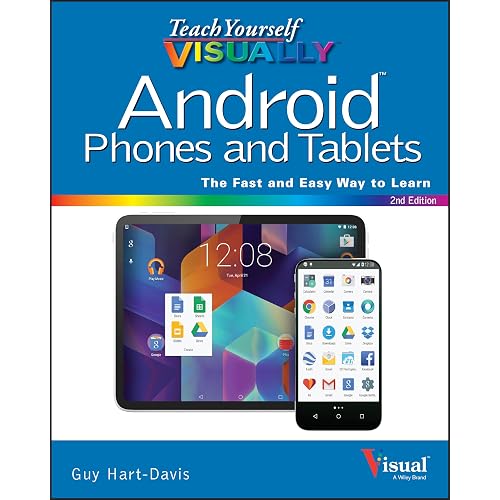
Android Smartphones Made Easy: The Beginners Guide Made For Beginners (Computers Made Easy)


Buy Now, Pay Later
- – 4-month term
- – No impact on credit to apply
- – Instant approval decision
- – Secure and straightforward checkout
Ready to go? Add this product to your cart and select a plan during checkout.
Payment plans are offered through our trusted finance partners Klarna, Affirm, Afterpay, Zip, Apple Pay, and Google Pay. No-credit-needed leasing options through Acima may also be available at checkout.
Learn more about financing & leasing here.
FREE 30-day refund/replacement
To qualify for a full refund, items must be returned in their original, unused condition. If an item is returned in a used, damaged, or materially different state, you may be granted a partial refund.
To initiate a return, please visit our Returns Center.
View our full returns policy here.
Recently Viewed


At a glance
- Condition
- New
- Dimensions
- 7 x 0.6 x 10 in
- Weight
- 1.03 lb
- Publisher
- Independently published
- Publication date
- July 28, 2019
- Language
- English
- Print length
- 263 pages
Description
UPDATED FOR 2025 Within the last decade, smartphones have gone from something only technically savvy people enjoyed to a daily device that can be used by anyone from children to grandparents. These days you are in the minority if you don't have a smartphone and are missing out on all the wonderful things you can do with them. As these smartphones keep getting more advanced, some people may find it hard to keep up with everything they can do and how to do even the simplest of tasks. Not everyone is a tech genius and since our smartphones generally don't come with instruction guides we are left to figure it out on our own.The goal of this book is to get you up and running on your smartphone without confusing you in the process or making you feel like a dummy. Whether you are just getting started using a smartphone or have had one for some time and would like to become more proficient in its operation this book will help you do so. Its written so people with no experience can easily grasp the concepts and people with experience can gain some new skills and sharpen the ones they already have. Most importantly its filled with pictures to help explain these concepts so you aren't left guessing how the words you are reading actually relate to using your phone.The chapters in the book cover the following topics:Chapter 1 – What is a Smartphone Chapter 2 – Setting Up Your New Phone Chapter 3 – The Home Screen Chapter 4 – Notifications Chapter 5 – Installing Apps Chapter 6 – Setting Up Email Chapter 7 – Browsing the Internet Chapter 8 – Taking Pictures and Video Chapter 9 – Listening to Music Chapter 10 – Contacts Chapter 11 – Making Phone Calls Chapter 12 – Texting Chapter 13 – Configuring Your Phone's Settings Chapter 14 – Navigation Chapter 15 – Security Chapter 16 – Tips and TricksAbout the AuthorJames Bernstein has been working with various companies in the IT field for over 20 years, managing technologies such as SAN and NAS storage, VMware, backups, Windows Servers, Active Directory, DNS, DHCP, Networking, Microsoft Office, Exchange, and more.He has obtained certifications from Microsoft, VMware, CompTIA, ShoreTel, and SNIA, and continues to strive to learn new technologies to further his knowledge on a variety of subjects.He is also the founder of the website OnlineComputerTips.com, which offers its readers valuable information on topics such as Windows, networking, hardware, software, and troubleshooting. Jim writes much of the content himself and adds new content on a regular basis. The site was started in 2005 and is still going strong today. Read more
Specs 8
| Publisher | Independently published |
|---|---|
| Publication date | July 28, 2019 |
| Language | English |
| Print length | 263 pages |
| ISBN-10 | 1086026837 |
| ISBN-13 | 32 |
| Item Weight | 1.03 pounds |
| Dimensions | 7 x 0.6 x 10 inches |
No specs match.
Frequently asked questions
To initiate a return, please visit our Returns Center.
View our full returns policy here.
- Klarna Financing
- Affirm Pay in 4
- Affirm Financing
- Afterpay Financing
- Zip Pay in 4
- Financing through Apple Pay
- Financing through Google Pay
Learn more about financing & leasing here.