Buy Now, Pay Later
- – 4-month term
- – No impact on credit to apply
- – Instant approval decision
- – Secure and straightforward checkout
Ready to go? Add this product to your cart and select a plan during checkout.
Payment plans are offered through our trusted finance partners Klarna, Affirm, Afterpay, Zip, Apple Pay, and Google Pay. No-credit-needed leasing options through Acima may also be available at checkout.
Learn more about financing & leasing here.
This item is eligible for return within 30 days of receipt
To qualify for a full refund, items must be returned in their original, unused condition. If an item is returned in a used, damaged, or materially different state, you may be granted a partial refund.
To initiate a return, please visit our Returns Center.
View our full returns policy here.


At a glance
- Condition
- New
- Publisher
- Almost Aviation
- Accessibility
- Learn more
- Publication date
- January 12, 2015
- Language
- English
- File size
- 3.0 MB
- Screen Reader
- Supported
Description
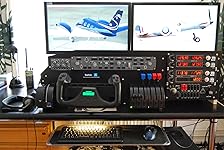
In 1993, when Microsoft began using the tag ‘as real as it gets’ on its flight simulators it was with a degree of artistic licence. Twenty years on, Microsoft has left the party but its legacy remains in Flight Simulator X and its cousin Prepare3D, developed by Lockheed Martin. But while display technology and sophisticated flight controls make suspension of disbelief ever easier, a wall remains between the bedroom aviator and his virtual cockpit; nothing intrudes more than having to reach for the mouse to flip the switches. In the quest for true hardware control of their cockpits flight-sim enthusiasts walk an uneasy line between eye-wateringly expensive professional solutions and too-generic consumer units. The alternative is D.I.Y. This guide takes you end-to-end through – and beyond – the construction of scratch-built panels to control the FSX GPS and autopilot with no mouse or keyboard required. Using no more than basic DIY tools and a modicum of patience you can build professional-quality panels to navigate your default or payware aircraft on the GPS500 GPS or, for the more ambitious, on payware systems from Mindstar or Reality-XP. You can build a generic autopilot based on the Bendix King KFC 225 to hook into most of your default General Aviation aircraft and many payware add-ons. Based on the experience of developing a scratch-built cockpit from the ground up, this guide features step-by-step instructions, many photographs and invaluable background information that will help you make your cockpit as real as it gets. Read more
Specs 9
| Publisher | Almost Aviation |
|---|---|
| Accessibility | Learn more |
| Publication date | January 12, 2015 |
| Language | English |
| File size | 3.0 MB |
| Screen Reader | Supported |
| Enhanced typesetting | Enabled |
| X-Ray | Not Enabled |
| Word Wise | Not Enabled |
No specs match.
Frequently asked questions
To initiate a return, please visit our Returns Center.
View our full returns policy here.
- Klarna Financing
- Affirm Pay in 4
- Affirm Financing
- Afterpay Financing
- Zip Pay in 4
- Financing through Apple Pay
- Financing through Google Pay
Learn more about financing & leasing here.
Similar Products








Top Amazon Reviews