Search  for anything...

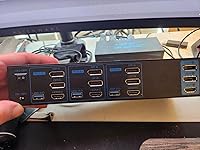
4K@144Hz Displayport KVM Switch 2 Monitors 2 Computers USB3.0 KVM Switch Dual Monitor for 2 Computers Share 2 Monitors and 4 USB Devices Support Extended/Copy Mode with Desktop Controller

  • Based on 57 reviews
Condition: New
Checking for the best price...
$79.99 Why this price?
New Year Deal · 20% off was $99.99

Buy Now, Pay Later


As low as $13.33 / mo
  • – 6-month term
  • – No impact on credit
  • – Instant approval decision
  • – Secure and straightforward checkout

Ready to go? Add this product to your cart and select a plan during checkout.

Payment plans are offered through our trusted finance partners Klarna, Affirm, Afterpay, Apple Pay, and PayTomorrow. No-credit-needed leasing options through Acima may also be available at checkout.

Learn more about financing & leasing here.

Selected Option

Free shipping on this product

30-day refund/replacement

To qualify for a full refund, items must be returned in their original, unused condition. If an item is returned in a used, damaged, or materially different state, you may be granted a partial refund.

To initiate a return, please visit our Returns Center.

View our full returns policy here.


Availability: In Stock.
Fulfilled by Amazon

Arrives Monday, Feb 9
Order within 20 hours and 32 minutes
Available payment plans shown during checkout

Protection Plan Protect Your Purchase
Checking for protection plans...

Size: DP KVM 2 PC 2 Monitor


Color: Deep Blue


Features

  • Dual Monitor KVM Switch DisplayportDual Monitor KVM Switch DP 1.4 allows you to switch freely between 2 computers or other signal source, and share 2 monitor and 4 USB devices. KVM switches support Extended&Copy Mode. If you need to use 2 monitors, requires your computer to have 2 DP ports. The DP A and DP B ports on the product must be connected to the same computer.
  • Ultra HD 4K@144HzThe DP1.4 KVM Switches support max resolution up to 3840*2160@144Hz( 4K@144Hz) and is backward compatible with DP 1.2. Providing an incredible viewing experience with stunningly lifelike images and vibrant colors. Note: Final resolution is also subject to graphic cards, monitors, cables and adapters. (DP cable is not included in the package, please buy it by yourself.)
  • Dual Displayport USB 3.0 KVM SwitchThis KVM switches has 4 USB 3.0 ports, supports video bandwidth up to 48Gbps, data transfer rates up to 5Gbps, which is 10 times faster than USB 2.0 ports. And is backwards compatible with USB 2.0 and USB 1.1 devices, which can recognize keyboard, mouse, printer and other USB devices.compatible with USB 2.0/1.1 devices. Note:If the input USB3.0 ports are not connected or connected incorrectly, the output USB device will not be recognized.
  • 2 Switching MethdosThe KVM switch Displayport 2 ports no driver requirede and plug and play. Support button and desktop controller to switch:1. Press the selection button on the switch to switch the signal source; 2. Use the desktop controller button to switch the signal source. The LED light shows the active device, solving the problem of frequent plugging and unplugging. NOTE: Keyboard shortcuts (hotkeys) toggles are not supported.

Operation Mode: ON-OFF


Current Rating: 1 Amps


Operating Voltage: 12 Volts (DC)


Contact Type: Normally Open


Connector Type: Plug In


Brand: AILVLVNG


Terminal: Dp Usb


Item dimensions L x W x H: 5.71 x 2.56 x 1.38 inches


Circuit Type: 1-way


Actuator Type: Push Button


Product Dimensions ‏ : ‎ 5.71 x 2.56 x 1.38 inches; 1.21 Pounds


Item model number ‏ : ‎ SW273-Deep Blue 2 Computers


Date First Available ‏ : ‎ February 24, 2024


Manufacturer ‏ : ‎ AILVLVNG


Country of Origin ‏ : ‎ China


Best Sellers Rank: #62 in KVM Switches


Customer Reviews: 3.9 3.9 out of 5 stars 57 ratings


Frequently asked questions

If you place your order now, the estimated arrival date for this product is: Monday, Feb 9

Yes, absolutely! You may return this product for a full refund within 30 days of receiving it.

To initiate a return, please visit our Returns Center.

View our full returns policy here.

  • Klarna Financing
  • Affirm Pay in 4
  • Affirm Financing
  • Afterpay Financing
  • PayTomorrow Financing
  • Financing through Apple Pay
Leasing options through Acima may also be available during checkout.

Learn more about financing & leasing here.

Top Amazon Reviews


  • Solid product and good company, can't go wrong.
Size: DP+HDMI 3 PC 3 Monitor Color: Deep Blue
I recently picked up this 3-computer KVM switch, and I’m genuinely thrilled with it. Last year, I bought their 2-computer KVM switch, but needing to expand decided to upgrade to the 3-computer KVM. This new switch is incredibly affordable for all the features it offers, and I’ve had no issues at all. Switching between computers is smooth and hassle-free so far. The build quality is fantastic; it’s made from sturdy aluminum that feels sturdy with side ventilation. The compact design is a nice touch, keeping my desk neat and uncluttered - but it is quite a bit bigger than the previous product. The four front USB ports are nice and gives an easy way to share data between devices via a USB drive without having to connect/disconnect. A new feature I haven't seen before is the combination of 3-button manual switching with an IR remote control. I haven't had the chance to try out the remote yet, but it’s a nice option to have. Plus, the switch handles a 120Hz refresh rate on my high-end monitors without any problems, so working or gaming everything looks great! I've had good experiences when messaging with their customer support in the past when I had questions and the extended warranty they offer for free is a nice touch. Overall, this KVM switch is a great find. It's affordable, reliable, and well-built. It’s definitely worth considering if you need to manage multiple computers and monitors. ... show more
Reviewed in the United States on August 5, 2024 by BK BK

  • Claims 4K @ 144Hz, but…
Size: DP KVM 2 PC 2 Monitor Color: Deep Blue
So, I bought the 4K 144Hz Dual Monitor, Dual PC version of the KVM. I’ll start with letting everyone know this it is functional. The downside is the 4K 144Hz claim appears to be exaggerated. I’ve got a single 32” LG 2K 144Hz display attached to the KVM. On one of the inputs, I can drive the display up to 75Hz without causing an issue. One the second input, I can only drive the display to 60Hz. Trying 100, 120, or 144Hz causes garbled output and the display to blink on and off. I really wish there was instructions on doing a firmware update to try getting the claimed specs on this, but I’m unable to find any information on that. ... show more
Reviewed in the United States on August 13, 2024 by EWPlayer3

  • Works for 3 Seconds
Size: DP KVM 2 PC 2 Monitor Color: Deep Blue
It works with 1 computer but not the other. The screen comes on for 2-3 seconds before saying “No Input”. I’ve tried every combination of cables, monitor settings, driver updates and still nothing. I missed my daughter’s dance recital because this had to get done by “close of business”. After 4 hours I’m giving up and calling in sick tomorrow… ... show more
Reviewed in the United States on August 29, 2024 by Jayson

  • Expensive Lesson: Works Great, But Beware of DisplayPort to HDMI Compatibility Issues
Size: DP KVM 2 PC 2 Monitor Color: Deep Blue
I recently purchased this KVM switch to manage multiple computers with my dual HDMI monitors. While the KVM itself is well-built and functional, I encountered a significant compatibility issue that potential buyers should be aware of. My monitors only have HDMI inputs, but the KVM only supports DisplayPort outputs. To connect my monitors, I used a DisplayPort to HDMI cable, which works perfectly when connected directly from my PCs to the monitors. However, when I attempted to use the same cable setup from the KVM’s DisplayPort output to my monitors' HDMI input, it simply didn’t work - no signal at all. After some research, I discovered that this issue likely arises from how DisplayPort and HDMI handle signal transmission. While DisplayPort is capable of outputting both digital and analog signals, HDMI is strictly digital. The KVM might not be handling the necessary signal conversion correctly, or the DisplayPort to HDMI cable may not be fully compatible when routed through a KVM. So I used this as an excuse to buy some new monitors, because I desperately needed a KVM switch that can support the resolution and refresh rates I require to do my job across two different PCs. The "instruction manual" is basically just a small pamphlet with images describing the cable setup, and there is literally nothing online in terms of technical documentation,. Otherwise I probably would've caught this in time before purchasing. So if you’re using HDMI monitors and this KVM switch, be prepared to encounter connectivity issues unless you have a direct DisplayPort to HDMI adapter or monitor with native DisplayPort input. It’s a solid product otherwise, but this compatibility issue was a huge headache. Edit: I had to issue a return on this product. I couldn't get a good DisplayPort signal to my monitor connected directly from the GPU port. It works fine when connected directly to my monitor but not when routed through the DisplayPort. Tried multiple cables (v1.2 and 1.4 cables) and monitors and had the same issue of screen flickering. See the other 1 star review of this product - it seems to be a common occurrence. ... show more
Reviewed in the United States on August 13, 2024 by TEK

  • USB ‘s don’t work
Size: DP KVM 2 PC 2 Monitor Color: Deep Blue
Works fine for sharing two monitors with 2 computers for work…… but I cannot share my wireless mouse and keyboard, i have to pull out my dongle and switch it between devices, thats annoying
Reviewed in the United States on August 10, 2024 by Christy Barbalate

  • USB ports did not work
Size: DP KVM 2 PC 2 Monitor Color: Deep Blue
I spent 20 minutes rerouting my cables, connecting my 2 monitor display to finally get it functional. However, the mouse and keyboard would turn on after being plugged into the USB ports. None of the 6 ports worked. That made this completely nonfunctional.
Reviewed in the United States on September 5, 2024 by Cassandra D.

  • Great Space Saver
Size: DP+HDMI 3 PC 3 Monitor Color: Deep Blue
This KVM switch has helped me save so much space on my desk. I can now easily share my monitors and USB peripherals between my 3 computers without cluttering up my workspace.
Reviewed in the United States on July 24, 2024 by Natividad Agnes

Can't find a product?

Find it on Amazon first, then paste the link below.
Checking for best price...