Search  for anything...

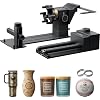
xTool RA3 World's First Smart MagSwap Rotary Attachment for xTool P2 & P2S Laser Engraver, 360° LiDAR Mapping Alignment, Intelligent Rotary That Masters Engraving on Rings, Tumblers & Ornaments
  • Based on 0 reviews
Condition: New
Checking for the best price...
$349.00 Why this price?
Save $3,950.99 was $4,299.99

Buy Now, Pay Later


As low as / mo
  • – Up to 36-month term if approved
  • – No impact on credit
  • – Instant approval decision
  • – Secure and straightforward checkout

Ready to go? Add this product to your cart and select a plan during checkout.

Payment plans are offered through our trusted finance partners Klarna, Affirm, Afterpay, Apple Pay, and PayTomorrow. No-credit-needed leasing options through Acima may also be available at checkout.

Learn more about financing & leasing here.

Selected Option

Free shipping on this product

FREE 30-day refund/replacement

To qualify for a full refund, items must be returned in their original, unused condition. If an item is returned in a used, damaged, or materially different state, you may be granted a partial refund.

To initiate a return, please visit our Returns Center.

View our full returns policy here.


Availability: In Stock.
Fulfilled by Amazon

Arrives Thursday, Mar 12
Order within 23 hours and 58 minutes
Available payment plans shown during checkout

Protection Plan Protect Your Purchase
Checking for protection plans...

Color: for P2/p2S


Features

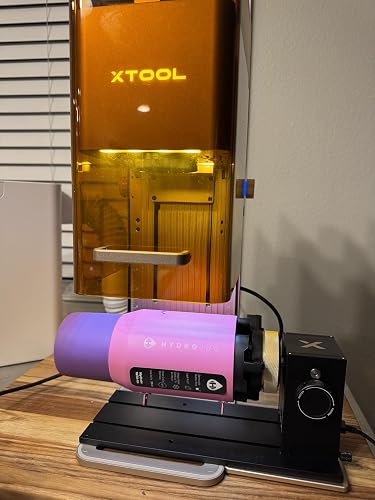
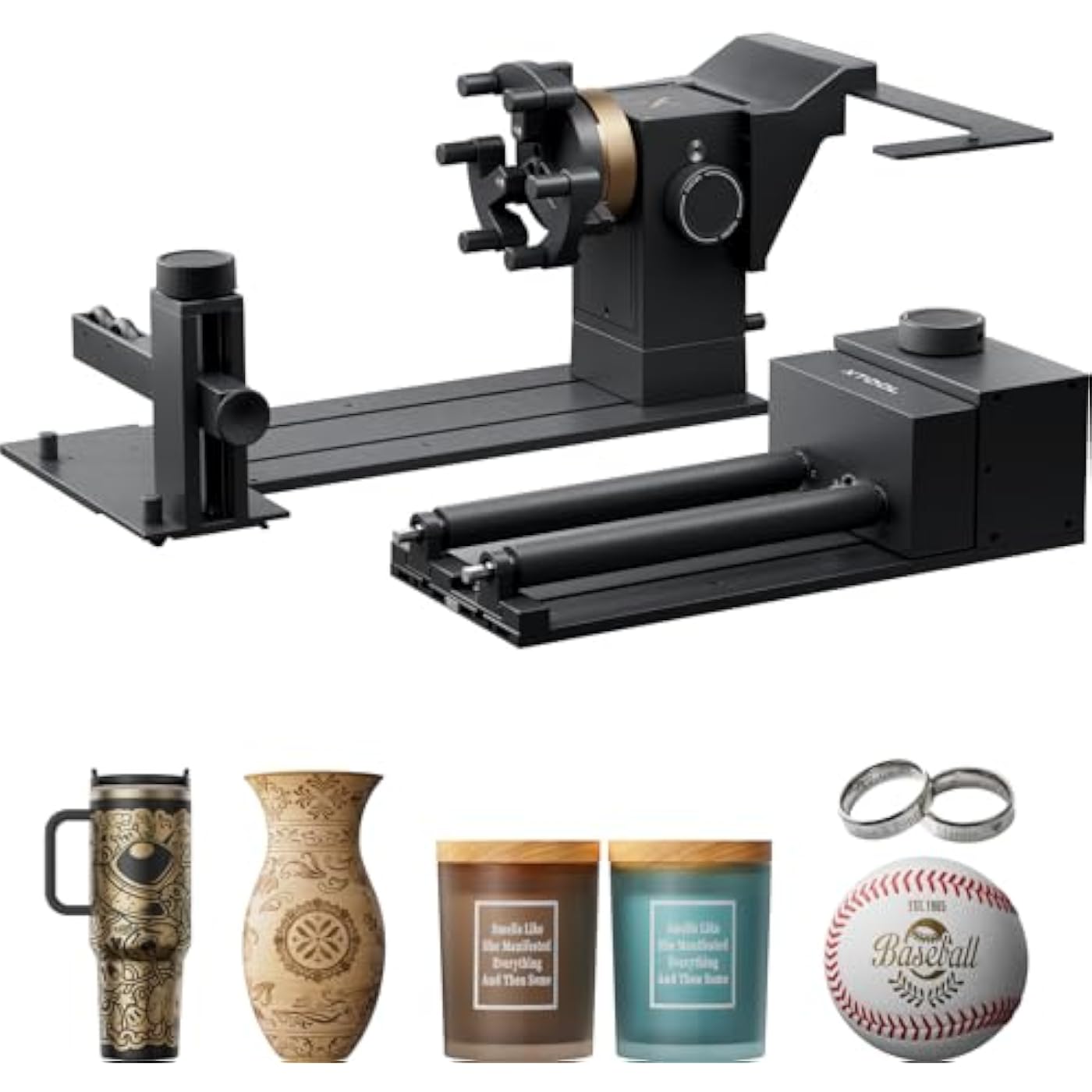
  • World's First Smart MagSwap Rotary: xTool RA3 Rotary attachment features the revolutionary MagSwap tool-free quick-swap design. Effortlessly switch between 4 core engraving attachments (Chuck, Roller, Sphere, Ring) in seconds, significantly reducing setup time and boosting efficiency.
  • Smart Workflow with 3D Preview: xTool RA3 attachment features automatic mode recognition, accurate 3D preview, and auto-focus via xTool P3's 360 LiDAR Mapping. This intelligent system eliminates guesswork, ensuring perfect alignment and flawless results on your first attempt.
  • Expand Your Engraving Canvas: The xTool RA3 expands your engraving limits, offering full-wrap engraving on vases and detailed work on various rounded objects. It features an enlarged 130mm chuck for large items and new batch processing for both roller and jaw modes to significantly boost efficiency on high-volume and custom work. (Note: batch processing kits are separate purchases.)
  • Effortless, Tool-Free Setup: Assembly of the rotary, adjustment of the jaws, and swapping of attachments are all achieved through magnetic connection in secondsno tools or screws requiredstreamlining your workflow dramatically.
  • Specialized Precision Functions: Designed for professional-grade tasks, featuring one-step inner ring angle adjustment for meticulous and precise engraving on complex or small items like rings.
  • Note: xTool RA3 is currently exclusive to the P Series.

Product Dimensions: 16.61 x 7.36 x 6.42 inches


Item model number: MXA-P004-001


Item Weight: 5.94 pounds


Manufacturer: ‎Makeblock Co., Ltd.


Date First Available: October 29, 2025


Frequently asked questions

If you place your order now, the estimated arrival date for this product is: Thursday, Mar 12

Yes, absolutely! You may return this product for a full refund within 30 days of receiving it.

To initiate a return, please visit our Returns Center.

View our full returns policy here.

  • Klarna Financing
  • Affirm Pay in 4
  • Affirm Financing
  • Afterpay Financing
  • PayTomorrow Financing
  • Financing through Apple Pay
Leasing options through Acima may also be available during checkout.

Learn more about financing & leasing here.

Top Amazon Reviews


  • Best rotary out there! Worth every penny
Color: for P3/F2
What can I say freaking awesome worth every penny!
Reviewed in the United States on January 27, 2026 by Ted Collins

  • High Quality Rotary
Color: for P2/p2S
The media could not be loaded. Definitely takes a bit of set-up but very well worth it. I have the RA2 and RA3. For simple set up on rollers I use the RA2 on my F1Ultra, but with glass, fine objects, and things that require angular precision the RA3 hits that sweet spot on my P2S. It's chuck function worked very well, and is my favorite part of the whole item! High quality components and strong magnets make set up easier and the storage box is perfect if you are compulsive about organization. Software could use some extra love but that is something more so on Xtool Studio side of things, and less on my side of things. All in all, took only 30 minutes to set up and run my first engraving. ... show more
Reviewed in the United States on January 11, 2026 by Tyler Tran

  • 20 Hour Review: Glitchy hardware as an afterthought for F2 and bad bugs in xTool Studio.
Color: for P3/F2
The media could not be loaded. I have at least 20 hours of use on the RA3 with the F2. My current conclusion: Wait for them to work out the lemons. My unit is making grinding noises from the servo box. I'll continue to provide feedback when I get my replacement. Positives: - Grip/Centering is quite easy. The flexibility of the mechanical configurations of the chuck make getting the right grip and alignment quite easy. The chuck modular design and magnetic jaws is by far the best feature of the RA3. - Opens up a lot of options and flexibility for radial marking. - Super fun to see the results when they are completed. Dealbreakers: - Smoke collection when using the RA3 and F2 is very inefficient. The extractor vent location is clearly positioned with thin, flat items in mind. When using the RA3, the hood is always open and the smoke coming from the workpiece ends up pushing upwards quickly, missing the extraction vent. This is even true when using the external air filter with the stronger fan. - Max speed on the rotary tool is 400mm/s for ALL XTOOL LASERS, so keep in mind that your ripping fast 6000mm/s advertised rate for your laser is not applicable when using the RA3. Any materials or settings that need a faster pass speed are not going to be valid with the RA3. You're not going to be quickly ripping through custom radial designs at your portable market craft show. - Framing preview area for radial designs does weird sweeping line slices that don't really show true start and end points. An option for a simple box preview would probably make framing faster and more understandable. - No origin reset when cancelling operations. If you start a job and think you need more/less power or speed, you can't cancel the job and just start with new settings, because the RA3 does not move back to the original starting point when you cancel. The servo magnet unlocks and looses indexing. From my testing, it only moves back to the original starting position when you finish the job. Even when you cancel the framing preview in the workspace view, it will still not rotate back and you will have to reset your origin again by rotating the chuck by hand. This means you loose your precision and have to retake your picture, and redo any guides or calculations. - When the RA3 is setup on top of the F2 baseplate, as per the instructions from xTool, standard sized tumblers and cups in the F2 and RA3 don't give enough distances from the lens for proper focus. Even the 20oz mini tumbler in my posted photo is too tall for proper focus. (The red and blue dots should be completely together) This means you have to put the F2 on top of the RA3 plate itself and shim the laser body, which presents it's own set of challenges. I address this in my next point... - No jig or stand insert that makes repeatability and stability possible. Only the rubber feet and some printed lines you have to line up by hand are the methods for lining up the tool. If you need consistency or have vision issues, this kind of setup leaves much to be desired. This also means that if the RA3 is bumped ever so slightly, you'll loose alignment with the engraver and mess up your design. A jig, plate, or screws that mechanically couple the base with the F2 in a repeatable alignment would help this immensely. Annoying but workable: - Lidar 360, while marketed in the product tagline, is not available for any machines except for the P3. A bit of a deceptive naming tactic in my opinion. For the machines that don't support it, It would be a beneficial feature or option to at least have the machine do a depth measurement, have the RA3 rotate the item by a number of degrees, and do another couple distance measures. The user could then see how far the current item is to true center. - Processing area does not update when changing diameter or perimeter. If you set the perimeter to 100mm, then the canvas height does not change to reflect the 100mm from the axial start line. Note that the side rulers in the photo (y in mm) are also not indexed at zero against the green line. Having your guide index measures start behind the usable working area is counter intuitive. This renders the guide marker measures useless in radial modes. - No way to define center origin for the design: Everything always starts at the alignment of the green index and moves to the right, so you'll need to do some math and define some guides if you want to center your design. A quick way to point your lights to your center of your object and have that be reflected in the software as your origin would be phenomenally helpful for quick repeatable setups. Little things make a big difference in usability. If I have to measure, math, and mark for ever new width design it's a painful process. If I can mark the center of the cup/object every time and have the software do the origin math to center the design automatically that is much better. - No way to define the green axial start line with explicit y parameters. Drag and hope for the best. - No way to align the green axial line against the lasers in the photo for F2, because the lasers turn off during the photo process, which is explicitly called out as an instruction in the guide for the RA3 on the support website. Support said to ignore the line, but the software allows you to change it. There's a communication gap somewhere at xTool and it's confusing to the actual users of the products. Overall this is a great tool for throwing things onto the object. However, precision in the software is still lacking and holding this back from it's full potential without a lot of manual calculations. This, coupled with the fact F2 is treated as a second class citizen concerning the RA3 compared to the other xTool lineup, is making me question if it's worth the manual effort needed to make it function. ... show more
Reviewed in the United States on December 17, 2025 by t0rpedo t0rpedo

  • Great
Color: for P2/p2S
Like this as it adds more use to my machine
Reviewed in the United States on January 1, 2026 by Amazon Customer

  • We need a proper stand.
Color: for P3/F2
Finally , it’s built the correct way. Now produce a stand for F1/2 so the we can engrave large items.
Reviewed in the United States on December 15, 2025 by Mike g

  • The best
Color: for P2/p2S
The best tumbler tool yet
Reviewed in the United States on December 26, 2025 by christopher libby

  • Very easy to use!
Color: for P3/F2
A very handy upgrade to prior rotary attachments I’ve used in the past. I love the easy-change function of the various attachments.
Reviewed in the United States on December 5, 2025 by T. Keplinger

  • Great accessory to the XTOOL F2 laser
Color: for P3/F2
Easy tumbler holder for engraving.
Reviewed in the United States on December 16, 2025 by Natasha Johnson

Can't find a product?

Find it on Amazon first, then paste the link below.
Checking for best price...