Search  for anything...

7 Inch Industrial Grade Touchscreen Waterproof Portable Monitor with 10-piont HDMI/USB,1024×600 IPS,500nit Plug & Play Built-in Buzzer for Raspberry PI Windows/Android/Linux

  • Based on 25 reviews
Condition: New
Checking for the best price...
$55.99 Why this price?
Holiday Deal · 7% off was $59.99

Buy Now, Pay Later


As low as $9.33 / mo
  • – 6-month term
  • – No impact on credit
  • – Instant approval decision
  • – Secure and straightforward checkout

Ready to go? Add this product to your cart and select a plan during checkout.

Payment plans are offered through our trusted finance partners Klarna, Affirm, Afterpay, Apple Pay, and PayTomorrow. No-credit-needed leasing options through Acima may also be available at checkout.

Learn more about financing & leasing here.

Free shipping on this product
This item's return window has been extended for the holiday season: FREE refund/replacement until Jan 31, 2026

To qualify for a full refund, items must be returned in their original, unused condition. If an item is returned in a used, damaged, or materially different state, you may be granted a partial refund.

To initiate a return, please visit our Returns Center.

View our full returns policy here.


Availability: Only 10 left in stock, order soon!
Fulfilled by Amazon

Arrives Sunday, Dec 14
Order within 31 minutes
Available payment plans shown during checkout

Protection Plan Protect Your Purchase
Checking for protection plans...

Features

  • How To Turn Off Or On The Buzzer SoundWith the index finger and middle finger two fingers, in the lower right corner of the screen from the top down, call out the screen of the OSD menu settings, you will see eight settings icon, the buzzer settings in the third line of the first position: the icon is like an alarm clock. The system is the default open buzzer sound, click on the alarm clock icon color changes to gray to turn off the open buzzer sound, and then click on the icon color changes to darker is to open the open buzzer sound.If You Encounter Problems With The Product, You Can Contact Us At The Contact Information On The Product Guides And Documents:User Manual (PDF)
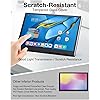
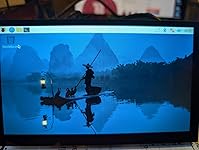
  • IPS Full HD Resolution and 178Full Viewing Angle7' WINGCOOL R-Pi monitor with 1024*600 Full HD resolution, the monitor provides brighter and clearer images, IPS panel provides full color display, 178 full viewing angle allows you to view this amazing touch screen monitor from all angles. Equipped with industrial-grade touch screen and touch chip, anti-scratch and anti-scratch surface tempered glass touch panel, stable touch in industrial application environments; HDMI input, USB-C touch interface, USB-C port power supply; applied to industrial automation DIY creator projects, industrial equipment, R-Pi and other fields;
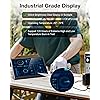
  • High-End Diy Industrial Style:Industrial-grade displayWorking temperature -20 ~ 70 , support 120 hours of extreme high and low temperature copying; scratch-resistant toughened glass cover, high brightness and anti-glare, 500nit brightness, sunlight is still displayed clearly and beautifully; the use of industrial-grade touch screen chip: strong anti-jamming ability to support the CS10Vrms interference test and the EFT2KV interference test does not jump the ghost point; to support the operation of the wet hand, a large area of water damage, operation, touch screen does not jump the point. operation, the touch screen does not jump point.
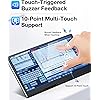
  • Responsive, Accurate, and Smooth Touch ExperienceWith a response time of 3-5 milliseconds, the touch interface of this 7-inch monitor is responsive, accurate, and smooth, eliminating the need for manual calibration. The monitor supports 10-point capacitive touch and multi-touch gestures such as click, press, zoom in/out, and mouse click. In addition, this touch screen monitor works well with various operating systems out of the box, no additional drivers or settings are required, plug and play.
  • Support touch operation OSD touch menuAluminum alloy metal frame and high and low temperature resistant industrial DIY style, built-in buzzer, touch feedback: OSD menu has a switch, can be set to close; the lower right corner of the area of the two fingers down to call out the OSD menu finger direct touch OSD content for color settings. You need to buy your own audio speakers to match the DIY style parameters, support dual-channel speaker interface: each channel supports 1.5W speakers.
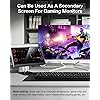
  • Can be used as a secondary screen for gaming monitors, built-in buzzer, supports dual speaker ports Using this monitor to watch videos or play game simulators is a bonus for users. Can be used for Raspberry Pi monitors, medical equipment, industrial production plants, CNC machine tools, surveillance systems, commercial data displays such as security DVR screens / automotive dashboard installations / industrial control process statistics monitors / computer temperature and speed monitors / RetroPi game consoles. Multi-task while playing games: view real-time computer temperature, game map and chat window with teammates, watch videos while playing games, etc.
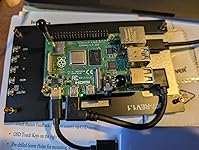
  • Free 4 high quality cables, easy to assemble and neatly wiredWINGCOOL provides thoughtful packaging with thick cotton foam to protect the R-Pi 4 screen from strong vibration. The package comes with everything you need to make this LCD monitor work properly, especially the gift cables for installing R-Pi. You can easily mount the R-Pi directly to the back of this R-Pi display, while the gift cable is completely hidden, providing neat interface and cable management.
  • Friendly ReminderWINGCOOL is the name of a series of styles under the Catsights brand. This product is an industrial-grade screen, but also a blend of industrial and life business scenarios of DIY products, the use of the scene is varied. We have given a set of built-in spiral in the desktop can be vertical square erected to the small bracket to you, so you need to consumer yourself, according to their own needs of the scene, and their favorite style of the screen bracket, to buy their own matching bracket with the use. Such as: according to the height or space to buy scalable elevated screen bracket.
  • Why does this product have no back cover?This product is a DIY product for industry and life, removing the back cover can increase the DIY product suitable for a variety of scenarios. For example, you can install this product on your machine to facilitate the observation of the machine's data, or you can use it as a secondary screen for you to play games to monitor the temperature of your computer's motherboard.Of course, if you need additional customized product logo, back cover shell, etc..Please contact us additionally at the contact details in the product brochure.

Brand: Catsights


Screen Size: 7 Inches


Resolution: SVGA Wide


Aspect Ratio: 169


Screen Surface Description: Glossy


Product Dimensions: 4.92 x 64.92 x 39.37 inches


Item Weight: 9.3 ounces


Manufacturer: Catsights Technology Co., Limited


Item model number: ZJ07


Date First Available: March 7, 2025


Standing screen display size: 7 Inches


Aspect Ratio: 169


Resolution: 1024 x 600 Pixels


Image brightness: 500 Candela


Total Usb Ports: 2


Frequently asked questions

If you place your order now, the estimated arrival date for this product is: Sunday, Dec 14

Yes, absolutely! You may return this product for a full refund within 30 days of receiving it.

To initiate a return, please visit our Returns Center.

View our full returns policy here.

  • Klarna Financing
  • Affirm Pay in 4
  • Affirm Financing
  • Afterpay Financing
  • PayTomorrow Financing
  • Financing through Apple Pay
Leasing options through Acima may also be available during checkout.

Learn more about financing & leasing here.

Top Amazon Reviews


  • Bright display.
Two things really stand out with this screen. I'm not a big fan of cheap, dimly lit screens. And this one seems to have pretty good brightness. The screen itself feels like it's glass rather than plastic. So it has a nice feel on the fingers. I have zero complaints.
Reviewed in the United States on July 14, 2025 by Kurt F.

  • Decent touch LCD for specific work
I'm using this screen with my RPi as an eventual buildout of my home security rack, along with a Home Assistant dashboard the shows the status of several devices I need monitoring of (cabinet temperature/humidity, EV charge status, temp and thermostat settings for the 3 floors of my house, etc.) It does well enough...7" isn't much space to fit a lot of data onto that's legible from a distance (so of course I correct that with colors for the temps and so-on) and it is a really bright, clear display for my use. I thought I'd keep the beeping enabled for it since my use only requires maybe a tap or two, but even then, I decided to turn it off (press the menu button on the back, tap the bell icon on the screen to disable...super simple). I will need a case to mount this in, and one that has cut-outs for the tiny buttons on the back to where it can be mounted and usable. Instead of screwing the display onto the frame, I may rig a quick-release or other method in the event I need to get to those buttons on the back...that's a bummer as I wish they had them closer to the edges. Also, the edges aren't even. The bezel is thicker on the one end then the rest, so that makes it not very uniform in appearance if that is important for your use. Finally, at 7" and at that resolution, any text is going to be TINY. Unreadable, really, unless you're boosting the font size via Windows or another method. It works great for graphical representations of things, and can be a acceptable live video feed screen in a pinch (one of the other things I tried with Blue Iris and my security cameras). Overall, a decent purchase depending on the application. ... show more
Reviewed in the United States on May 2, 2025 by IsThisThingOn

  • Plug and play, good images, easy to use
The Catsights 7-inch monitor is plug-and-play with a Raspberry Pi. I need to expand the Pi a bit to take full advantage as a system, but I plugged in the Monitor with the included HDMI cable, added a USB power cable, and it came right up. The images are sharp and the colors are good. Connectivity is easy with the included cables and the addition of a USB cable. The Monitor is very lightweight and the constuction quality is well done. The screen size is perfect for a status and control display and the touchscreen ability makes this a highly functional choice for that monitor and status function. Now I am off to build a little case to hang it on the wall and hide the cables. ... show more
Reviewed in the United States on October 20, 2025 by shri shri

  • Versatile Portable Monitor
I got this monitor as a general purpose extra monitor and for hooking up to headless machines when needed. I also got it to take advantage of tate mode (vertical screen) in shmups. Unfortunately, I neglected to get pics of the only game I currently own that supports tate mode, but I did test it out with Progear and GigaWing via Capcom Arcade Stadium. The colors took a little adjustment, and I'm not sure if I got them fully dialed in. Fortunately, this process is made far less torturous by opening the menu using the hardware button, then using the touch screen controls to adjust. I am not sure, but I think the input lag on this monitor might be better than my TV. Putting that speculation aside, everything I have tried on this monitor looks quite good. If I had one complaint about this it would be the lack of sane sound output options. There are 4 pins provided as a speaker interface, but no headphone jack or anything else that would make it easy to get sound out of this thing. I'm hoping that one of the USB-C ports will send out sound, but I haven't had a chance to try it yet. I am not docking a star for this because I honestly feel like I am missing an easy solution here that I just am not aware of since this is designed for use with RPi SBCs. Speaking of RPi, the sheet that comes with this screen helpfully lists all of the physical dimensions of the screen. It is pre-drilled to mount an RPi, and comes with some nice standoff and stand screws. I like this touchscreen. The price is fair, and you get a lot of functionality and features for what you pay. I am looking forward to building a little case for this and hooking it up to my SNES mini. ... show more
Reviewed in the United States on June 10, 2025 by Doc sav Doc sav

  • works great but couldn't get touch screen to function
This 7" LCD touch screen is decent. The lcd is well built. The HDMI input works well. I plugged to my Mac and windows machine laptops and it automatically connected/shows my screen. It has a USB/Touch power input, a regular input and HDMI input, and on the back also has a few button for power on/off and menu and +/- for the speaker. To me this is a bit too pricey for the functions it offers, I found other bigger lcd similar screen for about the same price. To me not work the price. Aside for the price, here a few other things I didn't like, I couldn't get the touch screen to function, I could touch the screen all day long, I hear the beeping , but didn't work for me, and speaking of touch screen, I couldn't figured out if there is a way to turn off the touch screen beep, is annoying and is very sensitive, it would beep if I accidentally rub against the corners. Another thing that didn't jive well was that the page over advertises its functions in my opinion. For example, it has a 'speaker"... output, so you gotta get a separate speaker to attach to it, my impression from the page was that it would relay sound thru it automatically. On my Mac I can see the lcd monitor and relay the sound to it, but obviously won't work because there is no actual speakers, and last but not least, instructions is very minimum, it could use more instructions, and it provides a URL to go look for more specs, but the website that is all that is specs and how to order more, but no actual FAQ on how to, or issues, or how to utilize all its functions. This is a great gift for DIY raspberry pi fanatics, but not for someone just looking to have a small fancy small 7" lcd screen. In my case I'll continue to use it as a small monitor to put ip cameras app , vs having on my main monitor. ... show more
Reviewed in the United States on April 21, 2025 by Adren

Can't find a product?

Find it on Amazon first, then paste the link below.
Checking for best price...