Search  for anything...

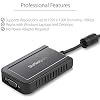
StarTech USB-A 2.0 to VGA Adapter, 1080p, TAA, USB powered (USB2VGAE3)

Based on 1,260 reviews
Condition: New
Checking for the best price...
$26.43
Save $42.55 was $68.98

Buy Now, Pay Later


As low as $6 / mo
  • – 4-month term
  • – No impact on credit to apply
  • – Instant approval decision
  • – Secure and straightforward checkout

Ready to go? Add this product to your cart and select a plan during checkout.

Payment plans are offered through our trusted finance partners Klarna, Affirm, Afterpay, Zip, Apple Pay, and Google Pay. No-credit-needed leasing options through Acima may also be available at checkout.

Learn more about financing & leasing here.

Selected Option

Free shipping on this product

FREE 30-day refund/replacement

To qualify for a full refund, items must be returned in their original, unused condition. If an item is returned in a used, damaged, or materially different state, you may be granted a partial refund.

To initiate a return, please visit our Returns Center.

View our full returns policy here.


Availability: In Stock.
Fulfilled by Amazon

Arrives Tuesday, Nov 3
Order within 9 hours and 55 minutes

Available payment plans shown during checkout

Protect Your Purchase

Easy claims online, fast replacements, no fees

Checking for protection plans...

At a glance

Condition
New
Style
1920p x 1200p
Model
USB2VGAE3
Weight
0.09 kg
Color
Gray
Connector Type
USB/VGA
Input Voltage
5 V DC
Warranty
2 Years
Works with
Laptop, Monitor

Features 5

  • COMPATIBILITY: This adapter is only compatible with Windows and does not support macOS, ChromeOS or Linux; Works with all Windows X86/X64/ARM platforms: Intel, AMD, and Snapdragon X Copilot+ PC; Administrator rights are required to install the drivers
  • EXTERNAL VIDEO ADAPTER: USB to VGA adapter lets you lets you connect your laptop or desktop computer to a VGA monitor using a single USB Type-A port; 19in (50cm) cable length; TAA Compliant
  • 1920x1200 DISPLAY: With display resolution up to 1920x1200, you don't have to worry about sacrificing quality when you use this USB 2.0 External Video & Graphics Card
  • USB POWERED: Drawing power from the USB port of your Windows laptop, this USB display adapter doesn't require any additional cords or plugs

Description

The USB to VGA Display Adapter with External Video/Graphics Card (USB2VGAE3) lets you add a high-resolution (1920x1200) external VGA output to your desktop or laptop computer using an available USB 2.0 port. Adding a dual- or multi- monitor setup to your computer can vastly increase your productivity by giving the freedom to access more applications at the same time. This video adapter is intended to support all of your business applications including web browsing, email, spreadsheets, and presentations. You can also leave your system video card available for more demanding applications such as gaming or CAD design, while you use the USB monitor for reference material. This small form factor USB video adapter can be used with up to 4 additional (5 total) USB2VGAE3 USB video adapters, creating multiple VGA connections to add displays quickly and easily — all without having to open the computer case to add extra video cards. A cost-effective solution for systems that lack the outputs required for a multi-monitor setup, this high-performance USB to VGA adapter can be used as a screen mirroring adapter to show your primary display on both screens, or can be used to extend your desktop to double your workspace. This USB to VGA Display Adapter is backed by a3-year warranty and free lifetime technical support.

Specs 26

Specific Uses For Product personal
Connector Type USB/VGA
Color Gray
Item dimensions L x W x H 3.5 x 2.1 x 0.7 inches
Number of Ports 2
Input Voltage 5 V DC
Current Rating 1 A
Power Plug Type No Plug

Frequently asked questions

If you place your order now, the estimated arrival date for this product is: Tuesday, Nov 3

Yes, absolutely! You may return this product for a full refund within 30 days of receiving it.

To initiate a return, please visit our Returns Center.

View our full returns policy here.

  • Klarna Financing
  • Affirm Pay in 4
  • Affirm Financing
  • Afterpay Financing
  • Zip Pay in 4
  • Financing through Apple Pay
  • Financing through Google Pay
Leasing options through Acima may also be available during checkout.

Learn more about financing & leasing here.

Top Amazon Reviews


Very helpful support
Style: 1920p x 1200p
I needed to add a third monitor to our somewhat superseded Dell desktops at the office of our small business. A little confused by the range of USB adapters, and whether they support extended desktop in Windows, I went onto StarTech online chat. The Tech was very knowledgeable and found a solution for me. Well done. Works great! ... show more
Reviewed in the United States 🇺🇸 on April 6, 2023 by David R.

Good quality and value
Style: 1920p x 1200p
I have purchased a few of these, and have been pleased with each purchase. The ease of setup, reliability and value make this a good deal.
Reviewed in the United States 🇺🇸 on February 8, 2023 by SCOTT MULLINS

amazingly simple
Style: 1920p x 1200p
just plug it in, d/l the driver and off it goes. i have 2 of these flanking my main monitor. it's waaaaaay cool. have had a few problems along the way tho. first, the driver that comes with it is not to be used. you need to d/l the latest one. then just plug it in and you have more monitors. they show a little soft/fuzzy tho. i'm not sure why, maybe the driver compresses the data and it shows up as being a little soft. or maybe usb couldn't handle the full bandwidth. i'm also using a program called DisplayFusion to manage the 3 monitors. i highly recommend it (although it crashes about every 2-3 weeks). this morning tho, i came in to find that only the right monitor was active. and it was rotated, so mousing was kind of difficult. rebooting brought up the main monitor only, the other 2 were blank. checked the device manager and it did not show the 2 extra monitors. power cycled the adapters, reset all the usb cables, nothing worked. it was like they were not even there. so i did a SYSTEM RESTORE. funny tho, it only showed a restore point from this morning. i run a batch that creates a system restore point every morning. they were gone. something happened with windows 7, not these adapters i believe. windows again shows it's weaknesses. so i did the restore from this morning and all the monitors came up. but left and right were switched. changed them in control panel but my mouse would still act like they were not switched. completely unusable. so i left them switched and changed all the DisplayFusion settings to reflect that the monitors were switched. big job. funny thing tho, is that FENCES did not react as if the monitors were switched. all the groupings were showing up right and left properly. i think they problem was really with windows 7. something happened last night and messed it all up. fortunately there was one system restore point and it worked. so i got it all working and am doing a complete backup of my C drive. something i don't do often enough. i don't think the problem was with the display adapters, i think windows 7 burped and thu it all out. i would have given 5 stars if the display was crisper, but they are not. i don't think i will every go back to a single monitor. these just plug in and work. no opening up the PC, no adapter cards to mess with, and they are really reasonably priced. very glad i found these! ... show more
Reviewed in the United States 🇺🇸 on August 18, 2013 by S. K.

Dell Inspiron DUO now connects to projector
Style: 1440p x 900p
This product does exactly what I wanted. I am writing a review so that others who are trying to add an external monitor capability to their netbook (specifically the Dell Inspiron DUO) can rest assured that this solution works. First try, right out of the box. My problem was that while my little flip-screen DUO does everything I want in a computer for travel, I sometimes need to bring my BIG laptop along if I want to connect to a projector. This is a big deal weight-wise and a hassle as well. I researched solutions and it appeared that a USB2-to-VGA external device would work, but I couldn't find any reviews making it clear that it would work for certain. I contacted StarTech.com's technical support and they got back to me very quickly. They advised buying the unit somewhere with a good return policy because they had seen some "issues" with touch screen devices. I was looking at a competing device and contacted their tech support with the same question and got a "we're sure it will work." I went with StarTech because I liked their response time AND their honesty. Turns out, it works just fine. One tip: Don't install from the enclosed CD at all. Just download the latest driver installation from the StarTech website. The only thing that happens if you install from the CD is that you have to then uninstall it to get the updated drivers installed. My mistake, but it would've been more clever to just tell me to get the drivers online and not bother with the CD. Anyway, a few minutes wasted time, but otherwise no big deal. After getting the drivers installed, I connected everything as directed in the brief manual. And it works! No fuss, no muss. Upon recognizing the device, it went immediately into dual monitor mode and mirrored everything from my screen to the projector. I'm good to go. By the way, it works just fine in touch screen mode as well. I didn't START the computer in tablet mode, but when I switched from keyboard to tablet mode, it had no problem paging through a PowerPoint slide presentation and showing that on the projector. UPDATE: Used it on a trip. I had to restart my laptop a couple of times as it "lost" the connection to the projector (or the projector lost it). But, after that, it ran like a charm for 2.5 hours without a glitch. EXCELLENT product. ... show more
Reviewed in the United States 🇺🇸 on December 29, 2012 by BScopatz
Checking for best price...