Search  for anything...

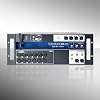
Soundcraft Ui16 Remote-Controlled 16-Input Digital Mixer

Based on 589 reviews
Condition: New
Checking for the best price...
$499.00
Save $50.00 was $549.00

Buy Now, Pay Later


As low as / mo
  • – Up to 36-month term if approved
  • – No impact on credit to apply
  • – Instant approval decision
  • – Secure and straightforward checkout

Ready to go? Add this product to your cart and select a plan during checkout.

Payment plans are offered through our trusted finance partners Klarna, Affirm, Afterpay, Zip, Apple Pay, and Google Pay. No-credit-needed leasing options through Acima may also be available at checkout.

Learn more about financing & leasing here.

Selected Option

Free shipping on this product

FREE 30-day refund/replacement

To qualify for a full refund, items must be returned in their original, unused condition. If an item is returned in a used, damaged, or materially different state, you may be granted a partial refund.

To initiate a return, please visit our Returns Center.

View our full returns policy here.


Availability: In Stock.
Fulfilled by Amazon

Arrives Saturday, Oct 31
Order within 23 hours and 12 minutes

Available payment plans shown during checkout

Protect Your Purchase

Easy claims online, fast replacements, no fees

Checking for protection plans...

At a glance

Condition
New
Size
16-channel
Pattern
Audio Mixing Console
Model
Ui16
Dimensions
7"D x 19"W x 4.3"H
Weight
7.9 lb
Power Source
Corded Electric
Warranty
Soundcraft is a trading division of harman international industries ltd . End user means the person who first puts the equipment into regular operation. Dealer means the person other than soundcraft (if any) from whom the end user purchased theequipment, provided such a person is authorised for this purpose by soundcraft or its accrediteddistributor. Equipment means the equipment supplied with this manual.

Features 6

  • The Soundcraft Ui16 digital, rack-mountable mixer can be remotely controlled via tablet, phone, laptop, or PC using iOS, Android, Windows, Mac OS, and Linux, offering unmatched flexibility and convenience for any audio setup. Use up to 10 control devices (tablets, phones, PCs) simultaneously.
  • Versatile Connectivity - Ui16 offers independent network interfaces on board for simultaneous control by Wi-Fi and Ethernet, ensuring seamless integration with your setup.
  • Enhanced Performance - Experience top-notch audio quality with built-in signal processing from dbx, DigiTech, and Lexicon, including dbx AFS2 and DigiTech Amp Modeling, ensuring your sound is always pristine and professional. Three dedicated Lexicon FX busses: Reverb, Delay and Chorus. In addition, mixer controls include Subgroups, Mute groups and View groups, among others. 31-band graphic EQ, noise gate and compressor on all outputs. Real-time frequency analyzer on inputs and outputs.
  • Versatile Connectivity - Ui16 boasts eight XLR combo mic/line inputs, four XLR mic inputs, two channels of instrument inputs, as well as a stereo RCA line input, ensuring you have all the connections you need for any audio setup.

Description

Introducing the Soundcraft Ui16 Digital Mixer, the ultimate solution for seamless audio control across multiple platforms. Whether you're using a laptop or tablet running iOS, Android, Windows, Mac OS, or Linux devices, the Ui16 ensures cross-platform compatibility, allowing you to connect up to 10 control devices simultaneously. Perfect for live performances and recording sessions, this mixer integrates built-in signal processing from dbx, DigiTech, and Lexicon, providing features like dbx AFS2, DigiTech Amp Modeling, and more. Experience unparalleled audio customization with the Ui16's fully recallable and remote-controlled mic gain and phantom power. Each input channel is equipped with a 4-band parametric EQ, high-pass filter, compressor, de-esser, and noise gate, ensuring pristine sound quality. Outputs are equally robust, featuring a 31-band graphic EQ, noise gate, and compressor. Real-time frequency analysis on both inputs and outputs allows for precise audio adjustments, giving you professional-grade sound control. The Soundcraft Ui16 also boasts three dedicated Lexicon FX busses for Reverb, Delay, and Chorus, enhancing your audio with rich, dynamic effects. Mixer controls include Subgroups, Mute groups, and View groups, providing versatile management options. Full Show/Snapshot recallability with channel recall safes and security lockout features ensure that your settings are protected and customizable, catering to your specific needs. Ui16 also offers independent network interfaces on board for simultaneous control by Wi-Fi and Ethernet, plus a floor-ready rugged chassis for live applications. Whether you're a seasoned audio engineer or a live sound enthusiast, the Soundcraft Ui16 Digital Mixer offers a comprehensive and user-friendly interface that adapts to your workflow. Elevate your audio experience with this cutting-edge mixer, designed to meet the demands of modern sound production.

Specs 20

Brand Soundcraft
Number of Channels 16
Product Dimensions 7"D x 19"W x 4.3"H
Item Weight 7.9 pounds
Connectivity Technology Wi-Fi
Power Source Corded Electric
Frequency 2.4 GHz
Output Connector Type TRS, XLR

Frequently asked questions

If you place your order now, the estimated arrival date for this product is: Saturday, Oct 31

Yes, absolutely! You may return this product for a full refund within 30 days of receiving it.

To initiate a return, please visit our Returns Center.

View our full returns policy here.

  • Klarna Financing
  • Affirm Pay in 4
  • Affirm Financing
  • Afterpay Financing
  • Zip Pay in 4
  • Financing through Apple Pay
  • Financing through Google Pay
Leasing options through Acima may also be available during checkout.

Learn more about financing & leasing here.

Top Amazon Reviews


Very pleasantly surprised.
Size: 16-channel Pattern Name: Audio Mixing Console
Quiet and very functional. Learning curve of course. Interface is HTML-5 based. Responsive and robust feature set. Also has automatic feedback reduction -- great stuff. I found it quieter than my Mackie 8 channel slider. You can use your phone, a tablet, or a touch screen to operate as your interface. Unit functions as a hotspot, in a private connection. Must know IP address to get in. I have read many complaints about the Wi-Fi connection between your interface device and the unit. I think with common sense it is no problem. Dont leave the unit on the floor behind a bunch of people and equipment. Put it on a stool within unobstructed range of the signal. Set the device to be UN-discoverable by devices seeking a connection. Otherwise every phone in the room will be pinging it. Also, I bought a longer antenna, much longer than the one that comes with the unit. Just unscrew the old, and screw in the new. It was $8 for 2 on Amazon. Works great. So, really, a quiet, great functioning unit at a great price. Note I did not use phantom power, and I also heard that thee are some noise issues with that. But I love this thing. ... show more
Reviewed in the United States on April 15, 2023 by J. D. Rogers

Excelente
Size: 16-channel Pattern Name: Audio Mixing Console
Increíble, todo en excelente estado y funciona a la perfección..
Reviewed in the United States on August 31, 2026 by Rodriguez3393-cj

Consola
Size: 16-channel Pattern Name: Audio Mixing Console
Me gusta mucho este producto, está como nuevo si ningún detalle.
Reviewed in the United States on August 9, 2026 by VE321967,Roberto Jardim

Very good with just a few issues
Size: 16-channel Pattern Name: Audio Mixing Console
*** See UPDATES posted after first week of ownership *** *** See MORE UPDATES after multiple events *** *** CLARIFICATION: This is NOT a digital mixer....it is a digitally controlled (via an HTML 5, web browser) analog mixer. This mixer does not convert analog program data to digital program data except for use with a USB stick. For a true digital mixer you can be sure that the price is much higher and may not work as well for live events due to delays introduced by D to A and A to D conversions. *** *** 2017/06 *** I have run into reliability problems while using one computer with this unit. This was an old computer with no recent reload. Normally all of my gig computers are cleaned and reloaded at least once a year, with all BIOS updates, hardware drivers and operating system updates applied. This one had not been in about 6 years and twice I had some problems with the browsers on this computer crashing the mixer. Switching to another computer solved this problem. This should be a problem handled in the mixer's software and should not cause a crash, but I am putting the info here for your consideration. Using my up to date computers I have not had any problems for a while. *** I have just purchased and plan to use this mixer an a live event this week. Overall I love the capabilities/features, small size, light weight and spectacular SOUND QUALITY of this unit. *** 1st UPDATE: This mixer is great for live and events/functions but I agree with some other posters about there being too much background hiss/noise for Studio work.*** *** 2nd UPDATE: My most recent event was a bit of a nightmare due connectivity problems with the Hotspot. At this particular event the Hotspot range was VERY short, maybe about 20 feet before connection would be lost when using a tablet and a laptop. I suspect a contributing factor to this problem was WIFI access point on an adjacent WIFI channel in the same room. I didn't have time to try changing the channel on the Hotspot to see if that helps, but I'll be in the venue again in the next few months and will try that then. Other things I've noticed: Be very careful when "hot plugging" microphones/other devices in/or out regardless of fader level of the channel being plugged in or out. Sometimes making or breaking the connection to the mixer resulted in a loud pop, again regardless of the fader position of the channel being changed. I've also had some problems with RF interference between the mixer and a Sennheiser wireless microphone receiver (yes, receiver!). Moving the units further apart fixed this problem, but be aware since there may be issues if they are mounted close to each other. I'm thinking the mixer could benefit from being in a case that provides better shielding. *** *** Update 5/2/2017 - I have solved the problem with the hotspot by turning it off and mounting a 5Ghz wireless access point and small network switch in the Gig box with the mixer. I had always planned to connect to the main control console via Ethernet anyway so I added the switch for that and just added in the access point. Having the access point, especially at 5Ghz actually makes the wireless pretty usable! Over the last few months I haven't had any crashes requiring a hardware reset, but the upcoming months with be busier, so will be putting it to the test again. Overall I'm still pretty satisfied with the mixer despite the pitfalls. *** Major positives: - Sound quality! (See Note/Update above ref Studio Use) - Small Size / light weight - Superb flexibility for control for this type of device - MANY features built in to software that would otherwise require an external box to perform - Pretty well thought out user interface - Good User Manual Missing feature I would like to use but am unable to use on this mixer: *** UPDATE: For those who sometimes need to send a STEREO OUT to different monitors/speakers Etc, YES this device CAN DO IT! For old fashioned people like me that are used to using (lower cost) hardware mixers there is usually only one place to PAN inputs Left or Right. BUT on the Ui16 (and probably the Ui12) you have to pan not only the Main Mix L/R, but also individually pan each input on the Stereo linked SUB OUT channels on their setup screens as well. This was my issue. Panning on the Main Mix screen does NOT have any effect on the Sub channels. This does create an extra setup step for each pair of Sub Output channels. It's way too simple of course, I just never thought of that. Soundcraft Support pointed it out. *** ORIGINAL PARAGRAPH -- Ability to send specially tailored STEREO outputs to the AUX OUTPUTS. Despite there being options on the menu to link two AUX OUTs together for stereo channel separation and this capability being listed as a feature in the manual it does not actually work with the current firmware release. AUX OUT Channels joined using STEREO LINK only have matching MONO outputs. Where this is mixer is largely software defined I suspect this can be fixed in firmware. -- End of ORIGINAL PARAGRAPH I was concerned with speed of the micro web server/browser interface keeping up with HTML5 UI updates, especially where we are trying to monitor live sound on multiple meters and multiple devices simultaneously. I am happy to say that for the most part there is a just a slight delay when using a wireless connection with encryption. I intend to use an Ethernet connection at my primary workstation and other wireless devices during setup/troubleshooting. With Ethernet connectivity the browser updates are very fast. Taking into consideration what this device is and it's other capabilities the positives far outweigh the negatives. Others have commented on resilience of the mixer's IP control connection. As part of my testing I have left the laptop on and connected to the mixer for 30 hours without losing connection. While trying to test this resilience I have been running this mixer -with the latest firmware - and have lost connection twice. One may have been due to a power surge/anomaly, not sure about that. The second was after I loaded down the laptop I was running the UI on by trying to run multiple other applications, making multiple internet requests and essentially trying to crash it. At the time it crashed I was connected with the laptop via Ethernet and an Android Tablet via the wireless hotspot. When it crashed it took both interfaces down (halted UI updates, attempted to reconnect and displayed an error message) and required a hardware reset (power cycle) on the mixer to restore the connection. So, I was able to successfully to crash the mini server, but only by "trying to make it happen" by doing things I would not be trying to do during a show. So obviously something CAN happen to crash the mini-server, but it should be the exception rather than the normal. Again, this can be cured with some intensive software troubleshooting followed by a firmware update. There obviously are some features still in the works, such as capabilities of the mysterious HDMI port on the unit. I'm looking forward to seeing what the future brings. When you can add new major features simply by plugging in software the platform becomes very flexible so long as software authors pay attention to detail. This platform is a good start and I plan to keep this mixer and hope for firmware updates bringing fixes and new features. ... show more
Reviewed in the United States on May 10, 2016 by neast70

Muy bien
Size: 16-channel Pattern Name: Audio Mixing Console
Llegó bien el producto
Reviewed in the United States on July 12, 2026 by Dave

Easy to use
Size: 16-channel Pattern Name: Audio Mixing Console
As a digital mixer at first i thought this was going to be hard to learn to use, but is very easy to use, We have been using it in our church for like 1 month and is working great. For this price 6 aux sends, digital EQ and a ton of other options its really good deal. The only con i have found about this one is the on/off switch is really hard to reach once you get the mixer in a Rack ... show more
Reviewed in the United States on June 19, 2023 by Victor Rodriguez

2nd best for this price point
Size: 16-channel Pattern Name: Audio Mixing Console
Works but the optional headphones to aux didn’t work.
Reviewed in the United States on May 30, 2025 by Ruth-Ann

Excelente producto relación precio
Size: 16-channel Pattern Name: Audio Mixing Console
Vengo de un Soundcraft 12FX y me ha sido super bien con la marca así que estuve investigando alguna opción con mas entradas, posibilidades y tecnología y esta me pareció suficiente opción. Empecé a usarla en una presentación importante de mi banda para fin de año 2022 y la respuesta fue espectacular. Es muu personalizable y une vez que aprendes a manejarlo se hace super familiar, la curva de aprendizaje no es tan pesada como en otras marcas y la funcionalidad excelente. He leido reseñas sobre usarla como tarjeta de sonido y son falsas, esta unidad no funciona como tarjeta de sonido, ni para convertir señales análogas en digital, se llama consola o mixer digital porque se controla mayormente con algun dispositivo, no por perillas y botones asi que no se deben confundir los términos. Igual pienso que para un estudio es mejor una tarjeta de sonido que sea dedicada a ello, esta unidad al menos a mi me parece que va mejor con presentaciones en vivo de bandas o conferencias. El sistema de efectos ha sido mejorado notablemente, es muy personalizable y los efectos son bastante buenos, nada que envidiar a otro mixer. Tiene 4 salidas auxiliares y opcion a agregarle dos adicionales si se configuran las salidas de audifonos, lo cual esta genial. Yo compre adicional un pequeño rack y lo monté como aparece en la foto, la verdad va de lujo, no creo tener necesidad de un nuevo mixer por un buen tiempo. He visto queja del alcance de la señal del mixer con el dispositivo que lo controle, pero yo no he tenido problemas en salas de evento y eso que no he instalado un extensor de señal como algunos recomiendan, y en el mismo rack tengo el sistema de micrófonos inalambricos y el de monitores in ear inalámbricos, no hay interferencia ni problemas. ... show more
Reviewed in the United States on March 11, 2023 by Jose Leonardo Zoppi
Checking for best price...