Search  for anything...

SilverStone Tek 2.4G Wireless Power Remote with Power/Reset Function and Audio Feedback ES02-PCIE

  • Based on 470 reviews
Condition: New
Checking for the best price...
$37.54 Why this price?
New Year Deal · 79% off was $179.90

Buy Now, Pay Later


As low as $9 / mo
  • – 4-month term
  • – No impact on credit
  • – Instant approval decision
  • – Secure and straightforward checkout

Ready to go? Add this product to your cart and select a plan during checkout.

Payment plans are offered through our trusted finance partners Klarna, Affirm, Afterpay, Apple Pay, and PayTomorrow. No-credit-needed leasing options through Acima may also be available at checkout.

Learn more about financing & leasing here.

Free shipping on this product

FREE 30-day refund/replacement

To qualify for a full refund, items must be returned in their original, unused condition. If an item is returned in a used, damaged, or materially different state, you may be granted a partial refund.

To initiate a return, please visit our Returns Center.

View our full returns policy here.

Availability: In Stock.
Fulfilled by Amazon

Arrives Monday, Jan 26
Order within 4 hours and 44 minutes
Available payment plans shown during checkout

Protection Plan Protect Your Purchase
Checking for protection plans...

Features

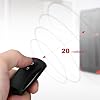
  • Control your computer from anywhere in the room (up to 20 meters / 65 feet) using 2.4GHz RF remote.
  • 2.4GHz receiver PCIe card, power/ reset switch Y cable, and optional low profile slot cover included.
  • Integrated PC speaker on receiver assist in providing auditory feedback while in use
  • Requires motherboard with "Resume by PCI-E Device" function enabled
  • Included remote requires CR2032 battery for operation

Description

ES02-PCIE is a convenient remote switch kit designed by silverstone to wirelessly turn on/ off and reset a computer. By utilizing existing standard 2.4GHz RF wireless technology, PCI Express X1 slot, and power/ reset pin headers on a motherboard, the ES02-PCIE kit is easy to install and use within 20 meters of a connected computer. An included Y cable ensures your computer case's own power and reset buttons can be used concurrently with the ES02-PCIE if needed. Users looking for a simpler security solution than software access control will find ES02-PCIE to be a good alternative. Those with computers located in hard to reach area or has special usage scenarios will also find the ES02-PCIE to be very handy.

Brand: SilverStone


Hardware Interface: PCI Express x1


Product Dimensions: 4.72"L x 2.68"W x 0.83"H


Style: ES02-PCIE, Wireless Remote


Item Weight: 4 ounces


Product Dimensions: 4.72 x 2.68 x 0.83 inches


Item Weight: 4 ounces


Item model number: ES02-PCIE


Is Discontinued By Manufacturer: No


Date First Available: September 1, 2017


Manufacturer: SilverStone Technology


Frequently asked questions

If you place your order now, the estimated arrival date for this product is: Monday, Jan 26

Yes, absolutely! You may return this product for a full refund within 30 days of receiving it.

To initiate a return, please visit our Returns Center.

View our full returns policy here.

  • Klarna Financing
  • Affirm Pay in 4
  • Affirm Financing
  • Afterpay Financing
  • PayTomorrow Financing
  • Financing through Apple Pay
Leasing options through Acima may also be available during checkout.

Learn more about financing & leasing here.

Top Amazon Reviews


  • Easy to install
Works really well.
Reviewed in the United States on December 3, 2025 by Mark-Antoniy Popov

  • Awesome
This works great! Very easy to install.
Reviewed in the United States on September 6, 2025 by BP BP

  • Very cool but need some advanced PC skills to install
I ordered this thinking it was something that you simply plug into your PCIe slot and boom....you have a remote on and reset switch for your PC. I received it and opened it and saw pin plugs...oh my. My initial thought was just to return it but then I found my motherboard manual and found out what the power and reset pins were on my mobo. Suprisingly got it hooked up and it worked on the first shot. I was honestly expecting to have to give it a couple tries before it worked but luck was on my side. It does exactly what it says it does....it turns on my PC with the remote and performs a reset when my computer is on. The instruction/installation manual doesn't really help that much other than to tell you what the process is. You will need to find the manual for your motherboard and find out what pins you need to stick the power and reset plugs on. This will require you to disconnect the power button on your case (at the motherboard) and you will only have the remote to power your PC on with. I gave it 4 rather than 5 stars because the listing doesn't mention much about the not-so-straightforward installation process. If all you know how to do is turn on your PC, then you probably wont want to attempt to install this yourself. It will require some advanced knowledge or finding help from someone with the skills to install this. ... show more
Reviewed in the United States on March 8, 2023 by Hatch

  • must have for a hard to reach pc
if your PC is tucked away under a desk or hard to reach. this is a game changer. works great and have no coplaints over function. the motherboard headers come with spliters built in so you can still use the power switch on the case. 1 complaint. it seems like the battery in the remote drains reguardless of use. i have to replace mines battery every couple months. would be nice if tools werent required to replace the battery. the tools are included however. ... show more
Reviewed in the United States on November 18, 2023 by moodapiller

  • Works like I a champ!
Purchased over a year ago and finally put it to use. Just built a new Ryzen system and this is my bedroom computer. So the remote allows me to turn the computer on without running around the room to the PC itself. Only connected the POWER SWITCH and not the RESET. Very easy to install. Instructions are lacking some possible info for those individuals new to creating systems. Cons: Remote is the size of your car remote...thinking it might take me longer to find the remote in the bed than running around to the PC. Note: Would not work on an older MB which did not have standby power to PCIe slots when off. ... show more
Reviewed in the United States on April 27, 2020 by Diego Salazar

  • REVIEW UPDATE (LOWERING SCORE AGAIN) It works!!!! Helpful tips included below.
Update 2: I just had to change the battery after minimal use after like two weeks. Why didn't you just put a AA battery in or something that lasts longer if it's so power-consuming? Make the remote bigger if you have to. It doesn't have to be tiny. It's a pain and expensive to replace the battery so often. Also, why not include a NORMAL screw like a Philips screw? Update: The warnings about the battery were true. Only using this device a couple of months and the battery is flat dead (keep in mind it's just a short radio wave blast to turn on the PC. I use Windows to shut it down). Ridiculous battery life. Luckily, they included a tiny star screwdriver to change the battery. Sigh... Original Review: I moved my PC tower to a secluded section of my closet because my computer is loud. I built an enclosure around it so contorting my body to turn it on each night was out of the question. I got this remote control and it's AWESOME. I'm cautiously optimistic given the other reviews about the battery life but fortunately I have some on hand. Gripe: Don't put a screw to hold the battery cover on. It's a pain to remove. Especially since it's a star type instead of a normal screwdriver. Fortunately, they included the star screw driver, otherwise there would be a lot of slapping in this review. :o) I'll update the review if anything changes, but for now, it works! Some hopefully helpful notes: You can find your motherboard manual online. When plugging in the device's power cables to the motherboard, line up the little triangle symbols (triangle = power, the other one is ground). If there is already a power cable plugged into the pins on the motherboard, don't panic, that's what that little offshoot connector is for (I didn't have this issue on the reset cable, only the power one). Just plug the existing power cable into the offshoot cable on the device wire, and then plug that wire into the motherboard. Voila!! ... show more
Reviewed in the United States on March 22, 2022 by Ducati Diaries_Youtube

  • Indispensable addon for living room PC
An outstanding little add-in for a media PC, powers on and resets as natively as the front panel buttons. Granted, some experience with PC building is necessary in order to make it work - while it is a PCI card it still connects to and relies on the motherboard headers. If you've bought a prebuilt PC it may take some research to find out where those headers are, and hope that the builder did not engineer a non-standard, bespoke setup. The only way I could think to improve it would be to have an IR version, and to also allow for control over the volume of the starting beep. ... show more
Reviewed in the United States on December 27, 2020 by Duncan

  • Works
Due to extensive case modification I dont have room for the stock power switch anymore this works great.
Reviewed in the United States on September 26, 2025 by Matthew K. Matthew K.

Can't find a product?

Find it on Amazon first, then paste the link below.
Checking for best price...