Search  for anything...

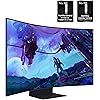
Samsung 55" Odyssey Ark 2nd Gen 4K UHD 1000R Curved Gaming Monitor, 165Hz, 1ms, 4 Input Multi View, Quantum Mini-LED, AMD FreeSync Premium Pro, HDR 10+, Height Adjustable Screen, LS55CG970NNXGO

  • Based on 210 reviews
Condition: New
Checking for the best price...
$1,999.99 Why this price?
Save $700.00 was $2,699.99

Buy Now, Pay Later


As low as / mo
  • – Up to 36-month term if approved
  • – No impact on credit to apply
  • – Instant approval decision
  • – Secure and straightforward checkout

Ready to go? Add this product to your cart and select a plan during checkout.

Payment plans are offered through our trusted finance partners Klarna, Affirm, Afterpay, Apple Pay, and PayTomorrow. No-credit-needed leasing options through Acima may also be available at checkout.

Learn more about financing & leasing here.

Selected Option

Free shipping on this product

30-day refund / replacement

To qualify for a full refund, items must be returned in their original, unused condition. If an item is returned in a used, damaged, or materially different state, you may be granted a partial refund.

To initiate a return, please visit our Returns Center.

View our full returns policy here.


Availability: 16 left in stock
Fulfilled by Amazon

Arrives Saturday, Jul 18
Order within 9 hours and 3 minutes
Available payment plans shown during checkout

Protection Plan Protect Your Purchase
Checking for protection plans...

Size: Ark 2nd Gen.


Style: Enhanced Multiview


Features

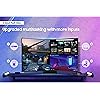
  • 4-INPUT MULTI VIEW: With the upgraded Multi View, connect and see up to 4 different inputs at once, including the all new Display Port; Play console and PC games at the same time; Focus on games while connecting with friends all on one screen*
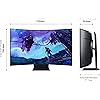
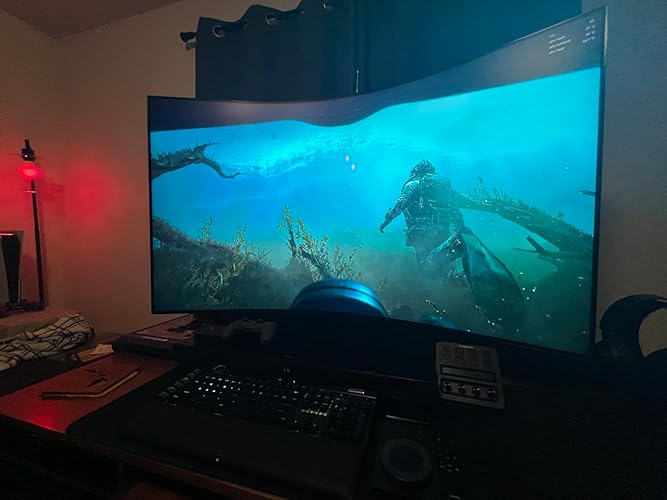
  • 55" LARGE SCREEN & 1000R CURVATURE: 55-inch screen delivers a picture that overwhelms your senses, creating an adrenaline-fueled experience; This is upgraded by 1000R curvature to wrap around your field of vision for maximum immersion**
  • INCREDIBLE 4K GAMING REFRESH RATES: 165Hz refresh rate eliminates lag for ultra-smooth action; Identify enemies with elite precision with a 1ms response time, precise mouse movements, and blur-free frames, with minimized ghosting***
  • SWING INTO GROUNDBREAKING VIEWS: Rotate the screen to Cockpit Mode with HAS, tilt and pivot functionality for an optimal screen environment; Perfect positioning creates a new sense of world-blending immersion, enhanced by Eclipse Lighting****
  • MULTIPLE INPUTS, 1 CONTROL STATION: Use multiple PCs and built-in apps on the Odyssey Ark with a single mouse and keyboard; Move mouse across all your connected devices' displays on one screen to control a different device in a snap*****
  • SOUND DOME TECHNOLOGY: 4 corner speakers & 2 central woofers result in a 60W 2.2.2 channel w/ the lowest 45Hz notes of any gaming screen or gaming soundbar; AI Sound Booster & Dolby Atmos surround you in a 3D soundscape******
  • GAMING HUB: The best of gaming in one place with access to top streaming services, consoles and PC; Smooth visuals and responsive gameplay are powered by Samsungs advanced game streaming technology without downloads or storage limits*******
  • AMD FREESYNC PREMIUM PRO: Variable refresh rate (VRR) w/ AMD FreeSync Premium Pro keeps the GPU and panel synced up to eliminate choppiness, screen-lag and image tears; Fast-action and complex game scenes are stable and stutter-free
  • HDR 10+ GAMING: From gloomy shadows to sun-scorched scenes, the 1,000,000:1 contrast ratio enables enhanced color expression and depth; HDR 10+ automatically adapts games in real-time to show you every detail that could lead to victory
  • NEURAL QUANTUM PROCESSOR ULTRA: Combining 20 multi-layer neural networks, the AI-Powered processor analyzes images to restore every detail, pixel by pixel; Auto brightness adjustment, contrast amplification & enhancements upscale the resolution

Description

Elevate your game with Samsung's Odyssey Ark 2nd Gen with enhanced Multi-View, now with up to 4 inputs at once, including an all-new Display Port 1.4. The 55" rotating screen with 1000R curvature enables max immersion, featuring 4K UHD resolution, 165Hz and 1ms response time. With added KVM Switch you have full control of your command center with a single mouse and keyboard. In Cockpit Mode, Multi View can show up to 3 screens on one display. Game Mode, VRR, and Cloud Game are not supported while in Multi View mode. While in Multi View mode, refresh rates of up to 120Hz are supported for external inputs. Some Smart Hub features may not be supported depending on the service provider, language, or geographical area. Optimal viewing distance is at over 80cm. The actual response time may vary by content and monitor settings. To display in 9:16, vertical selection is required during initial setup. Screen must be manually rotated for cockpit mode. This feature is compatible with external PC inputs and the Odyssey Ark's built-in apps. Support may vary by app. Each PC must be connected via USB Upstream cable. USB Upstream cable sold separately. Requires the Easy Setting Box program on each PC. Please refer to the dedicated installation page for in- depth information about Easy Setting Box. Image simulated for illustrative purposes. Frequency response is measured based on internal testing conditions. Gaming Hub is available in limited countries, with app availability differing by country. Accessing Gaming Hub is free of charge. Subscription may be required to access content offered by game-stream providers on the Gaming Hub platform. A separate controller may be required depending on the specific game in Gaming Hub. You will need a Samsung Account to access our network-based smart services. If you choose not to log-in, you will only get connection to terrestrial TV (applicable to devices with tuners only) and external devices, e.g. via HDMI.

Brand: Samsung


Screen Size: 55 Inches


Resolution: 4K UHD 2160p


Aspect Ratio: 169


Screen Surface Description: Glossy


Aspect Ratio: 169


Screen Finish: Glossy


Contrast Ratio: 1,000,0001


Refresh Rate: 165 Hz


Display Type: LED


Display Technology: LED


Viewing Angle: 178 Degrees


Brightness: 600 Candela per Square Meter


Color Gamut: 100


Has Color Screen: Yes


Picture Quality Enhancement Technology: HDR10+


Screen Size: 55 Inches


Item Dimensions D x W x H: 15"D x 46.3"W x 43.4"H


Item Weight: 91.5 Pounds


Resolution: 4K UHD 2160p


Display Resolution Maximum: 3840 x 2160 Pixels


Native Resolution: 3840x2160


Power Consumption: 60 Watts


Voltage: 110 Volts


Total Number of HDMI Ports: 3


Total Usb Ports: 2


Number of Component Outputs: 3


Total USB 2.0 Ports: 2


Total USB 3.0 Ports: 2


Additional Features: Adaptive Sync, Curved, High Dynamic Range, Pivot Adjustment, Ultrawide Screen


Specific Uses For Product: Gaming


Color: Black


Mounting Type: Wall Mount


Compatible Devices: Desktop, Gaming Console, Laptop


Warranty Type: 1 Year Manufacturer Warranty


Shape: Curved


Brand: Samsung


Model Number: LS55CG970NNXGO


Model Name: Odyssey Ark G97NC


Warranty Description: 1 Year Manufacturer


UPC: 887276760193


Manufacturer: Samsung


Built-In Media: HDMI Cable, Power Cable, Remote Control


Response Time: 1 Milliseconds


Connectivity Technology: Bluetooth, DisplayPort, HDMI


Hardware Connectivity: 802.11 b/g/n, Bluetooth 5, HDMI, USB


Adaptive Sync: FreeSync Premium Pro, G-Sync Compatible


Frequently asked questions

If you place your order now, the estimated arrival date for this product is: Saturday, Jul 18

Yes, absolutely! You may return this product for a full refund within 30 days of receiving it.

To initiate a return, please visit our Returns Center.

View our full returns policy here.

  • Klarna Financing
  • Affirm Pay in 4
  • Affirm Financing
  • Afterpay Financing
  • PayTomorrow Financing
  • Financing through Apple Pay
Leasing options through Acima may also be available during checkout.

Learn more about financing & leasing here.

Top Amazon Reviews


  • Just stunningly beautiful
Its gorgeous, and glorious! The picture quality is unreal. I love this thing! And its everything that one would expect with a Samsung digital device. Or at least I have always had fantastic luck with Samsung. I will definitely be buying another one to pair up with this one. Its unbelievable for gaming. The value in its build quality is completely there and on point, they did their homework. And it works flawlessly with my gaming rig. I do mean the 5 stars that I gave this monitor, but there are just a few con's for users who might be interested in buying this. 4.9 stars would be more a more realistic score for me because of the one actual con. (#2) 1) Its weight. It is holy heck heavy. I will tell you now and you will believe me later, this product is not for little girly-man weaklings with flabby spaghetti noodles for arms. If that's you, then you are gonna want to get some help from your nerd friends when getting this item out of the box, especially with its base. I'm fairly fit, and I work out often. This was heavy. 2) Its sold as a television and comes with television instructions. I bought this as a computer monitor, and that side of their support was pretty vague. It took a short while of messing around with the settings, but I got it figured out. 3) If you are buying this as your computer monitor, keep in mind about how hard it is to go from having 2 screens, back to 1. How painful it can be when going from a 32" to those old 21's. This is no different. I look at this 55" and then over at my two dinky little 34" AOC curved... Its going to be really hard to go back to something "standard". ... show more
Reviewed in the United States on May 13, 2025 by Nathan R

  • Huge display, great quality.
The Samsung odyssey ark gen 2 is amazing. It’s BIG. Like REAL BIG. And is HEAVEY. Make sure to have a desk that will support the weight. I game with a MSI 5090 and get great refresh rates. The colors are amazing and it’s super simple to set up. The stand feels really strong and weighing in at 45lbs I would hope it is. It’s pretty expensive for what it is, however if you get it on sale it feels betting in your pocket. Altogether it’s a really fun monitor to game on. ... show more
Reviewed in the United States on July 10, 2025 by Michael hager

  • Need Serious Redesign and Quality Control
I tried to love this product. I tried to like this product. I just can't. I've suffered with using this monitor as a primary display for almost a year now, and I have to say that there is nothing to like about it. First, the picture quality of the display is great. Nice and clean 4k and ridiculously large. But that's the end of nice things about this thing and where the problems start. To make a long story, the One Connect Box is faulty at a production level. The box, which is supposed to house the I/O and power delivery on high end Samsung displays was constructed with next to no quality control if the number of issues posted online are anything to go about. On my unit, the box had two issues: 1. Some short on the power delivery circuit that caused the unit to boot loop due to SerDes. It would boot, then auto update, then power off, then power back on. 2. The inputs (DP, HDMI, and USBs) did not communicate properly with the display, so either the ports on the One Connect Box did not work or the out port for the One Connect cable did not work. Because this is a massive unit, and not exactly easy to return to Amazon, I filed a claim on the warranty with Samsung. This is where things get worse. After a few days, I received a phone call from a number bank in New Jersey primarily associated with scam calls. I received two or three more calls from various numbers that led back to phone number banks that have a history of being used by foreign based scam call centers. Eventually, I answered one of this calls and it turns out that the calls were from whatever 3rd party company Samsung has hired to operate as Samsung Customer Support in the US. Suspicious for such a large company but fine. The CS rep gets my email and sends me a form to fill out and send back to an email address that is not @samsung.com, and includes things like a demand for the copy of the receipt/bill of sale and the full information for the payment method (card number and cvv). I fill out the form and leave those off, and explain that this is starting to sound a lot like a scam to the CS rep when I get called again. They become apologetic and tell me that aside from the receipt, the form was fine as is. So I send the receipt and wait another day. The CS rep calls again and tells me that I'm good for an authorized service company to inspect the unit and fix it if needed. All good. The next day, I'm told that there are no authorized service companies within 500 miles of me, so they will arrange for a freight company to come pick up the unit and take it to get inspected/serviced. I ask for a timeline and here's the kicker. The freight company will pick up within one to three business days, the shipping will take up to seven business days, and then the service company will have it for up to 6 months, depending on their volume, with most service requests lasting six to eight weeks. I told the CS rep that this was unacceptable as this is my primary display on a computer that I primarily use for work, and that the only thing wrong with it is the One Connect Box. If they could just ship me another one of them, I would be happy to ship the one that I have. The CS rep asks for a little time. Another couple days later, I get another call from them explaining that Samsung technical support told the CS rep that was not possible and more than likely the whole unit needed to be replaced, but that wasn't authorized until the service company had a chance to inspect it. I asked for another time table on how long it would take for them to inspect it, as if it was only a business week or two before I was sent another unit, I'd be able to manage that. The CS rep said the time table was unchanged. At that point, I stopped responding to CS because the amount of time that was wasted. Instead, I spent $150 on ebay for a replacement refurbished One Connect Box for the 2nd Gen Ark. And lo and behold, it worked suddenly. However, this is a refurbished unit that someone cobbled together from non-working One Connect Boxes like mine, so it has serious issues. It will randomly fall into a 10-15 min period where the box loses DP signal, or, when switching resolutions/display mode (HDR on/off, blue light mode) the power will fail a few times before it stabilizes and runs again. And I've been dealing with those problems since October of '24. I might make it a few more months, but I will be replacing this soon with a LG GX9 45". This monitor is not worth the cost, even on sale for 33% off. ... show more
Reviewed in the United States on July 5, 2025 by SD Campbell

  • TV or Monitor? TV or Monitor?
Okay, let’s get into what is bad and good on this thing. I paid for this with my own money and this WAS NOT given to me free so I’m not being forced to say how amazing it is. This is my honest review! Cons: - Heavy; nearly 100lbs put together - Accessories: 2 remotes with no USB C cord (why?) - Assembly; supplied screws won’t tighten to screen - Multi-view; PC doesn’t always display when enabled - Software; the UI is laggy and sometimes will freeze - Price; MSRP $3000.00 Pros: - Screen; vivid screen with 165 refresh rate - Remotes; easy setting edits - Cockpit mode; vertical orientation (gimmick?) - One Connect box; no mess cable management First impressions: The monitor is really nice but does come with some flaws that everyone should know. After you get over how cool the size is and picture quality you’ll start to notice things that can be improved with either a firmware update or revision. Building: Putting the thing together requires at least two people. The biggest complaint I had was the supplied screws will not tighten to the back of the monitor according to the instructions. I had to go on to the Internet and Samsung website to trouble shoot. Basically to tighten it, either gently flex the plastic (screen) so the screws will catch or I found that if you stand the monitor up it will be easier to screw in. Samsung should have went with and supplied an Allen wrench for this method. After the frustrating assembly you’ll definitely need at least another person to help lift the product on to the desk. Interface: I really like the UI, it’s easy to browse and install all my favorite apps. The UI is the same thing we have seen before used in Samsungs other smart TVs. Doing updates is super easy now using the remote and menu. I no longer have to fumble around on the back of the monitor to access the buttons, everything is assembled using the remote like a TV. Having a remote for a monitor is amazing and other monitors should follow suit but why two remotes? Remotes: Arc Dial - essentially controls the screen (multi-view or flex view with quick access to gaming menu) Other Remote - controls the menu and tv apps also can access everything the Arc Dial can There isn’t a need for both remotes since they both can do the same thing, it’s basically a short cut for the other. You can access all the features with either one but it just requires some additional clicking. The remotes are essentially just a short cut to the other. Samsung should have provided a USB C cable to charge the remotes. I understand why they didn’t since you can use solar. Is anyone really going to charge there remotes in the sun? It sounds cool but you will be risking sun damage, gimmicky feature that’s cool on paper. Just charge it with a cord, I found that I got a full charge in 20 mins. Screen: The screen is bright and vivid. It’s definitely brighter than an OLED and is amazing for video games with 165 refresh rate at full screen. Samsung finally fixes its biggest complaint on the last gen monitor. The Arc 2 can simultaneously display all four inputs on screen at once without using its own built in apps. You can now display all four sources which is a game changer for multitasking. The one connect box has a HDMI 2.1 (2), HDMI 2.0, and Display Port. Multi-view results: 4 & 3 Screens; 1080p/60 FPS 2 screens; 4K/120 FPS I absolutely love the multi-view on it but it’s finicky with a computer. The PC hates it when the resolution and Hz change and sometimes will not display on screen. This is super annoying, when the monitor is utilizing a 4K and 165 Hz signal it looks glorious but once you add another screen the refresh rate will drop to 120. What makes it worse is adding a third or fourth screen, it nocks it down to 1080p/60 which isn’t terrible but if you decide to start deleting screens the PC will not display anymore since the resolution and refresh rate has changed. The only way to fix it is to completely reboot the PC or I found if you navigate to the gaming settings and change the resolution from 16:9 to either 21:9 or 32:9 for some reason the PC will correct itself and display but the refresh rate will still show 60 HZ which is annoying so just restart the PC. I recommend only using multi-view with one other device when using a PC so you do t have this issue. The PC doesn’t seem to have any issues using two sources. If you don’t use a PC all four sources work perfectly. I have a 6800XT GPU as a reference. Final thoughts: The monitor is nice, beautiful screen with some issues I think can be resolved with a firmware to fix the PC issues. The price is a bit out there when you’re paying it at retail ($3K) but it’s on a Black Friday sale for ($2K) as of writing. If you can get it at $2K or less then I absolutely recommend this monitor. I did end up returning this monitor to Amazon shortly after purchase. I found a few dead pixels on the upper left corner of the screen which wasn’t a big deal. I didn’t want to go through the hassle of sending the thing back so I worked with Amazon for a partial refund but shortly after that the thing went on a holiday sale. Amazon was not able to provide an additional refund. I sent the monitor back and repurchased it at Best Buy for $2K ($1K savings). ... show more
Reviewed in the United States on November 7, 2023 Reviewed in the United States on November 7, 2023 by Double Action

  • Only 16:9 curved non-glossy monitor of this size in the market
Edit: Turns out I just have a bad unit, samsung replaced it and it works now. Keeping review here in case someone encounters the same issue. I use this for work and gaming. The monitor is large, I place it at the end of a 34" width table and it's still closer than I would prefer, so for those with the standard 24" tables, it's probably going to be too close. For gaming, the flex screen option allows you to shrink the screen size, this allows you to see the whole screen without moving your eyeballs I guess. For programming, it's excellent, huge vertical space as compared to an ultrawide. The monitor is easily configurable, very bright, multiple color profiles, no dead pixels, and is very stable on its stand. Its stand weighs as much as the monitor itself, and for those thinking of comparing it to a 50+" tv, no this monitor is at least 2x heavier than my 50" flat screen tv, there's just so much bulk. No complaints whatsoever about the monitor hardware. Aesthetics wise it looks awesome, all of the components (connect box, table control, remote control) look great. They also give a wall mount that allows for rotation, although for obvious reasons you're not mounting this onto some typical drywall. Now for the downsides. The one connect box is massive for some reason, and it only has 1 DP port. There's 2x hdmi 2.1, but word of warning, unless you have a 2023+ mac pro, it won't recognize a 2.1. Many older graphics cards also don't support 2.1, so you're stuck with the sole DP port. That's one dumb design decision. You need 120hz (lower resolution is fine) because otherwise at this size your mouse pointer will stutter. When connecting to my 1080, the monitor will disconnect and reconnect after ~10 seconds, resetting the screen, as though I have turned off and on the monitor. This happens every 2-3 hours or so, and is only resolvable (for now) by 1. turning off gsync, 2. turning off hdr on your pc, 3. turning off hdr and game mode on the monitor, and 4. switching the provided dp cable with your own 4k+120hz onwards cable. Also, there's a weird vertical color streak across the monitor when on game mode. And, when your computer (I tested on both pc and mac) is connected to the monitor, and you turn on your pc/mac, there will be no sound from the monitor. You have to turn off and then on the monitor again. For those asking, yes I'm on the latest monitor software, nvidia driver, etc. It is honestly a piece of crap, and if it wasn't for the fact that it's the only viable large (40+") curved matte monitor, I would have returned it. So yes, it is undoubtedly the only computer monitor of this size, and it works for its intended purpose, TVs are just crap with their glossy screens. And it works, don't get me wrong, but it requires a lot of fiddling and coping, only reason I'll recommend this is because it's the only one in the market. If LG or someone else comes up with something similar I'll probably sell this and buy that. ... show more
Reviewed in the United States on December 13, 2023 by Melvin Yin

  • Its A WTF Kinda Display
Look no one gets this because they are looking for something average or just enough. This screen is meant for that type of person who wants it all. We want to be immersed in whatever thing we are into. Wink Wink, right? The colors are vibrant and all that jazz. Its got great blacks, and dark shades show all for the world to see. You know what it really does. It gets the people who see it on your (Enormous Load Carrying Device) to say WTF. Holy Crap is that thing for real? You can say, "Hell Yeah Its For Real," and I got a good deal, so I didn't have to sell my second-born for it. Great value for that ah ha moment. Gaming is great and all that pizzazz. Quality isn't why we buy this. We buy it to say how the hell am I going to get that up the stairs of my third-floor apartment. Putting this monitor will give you a story to tell your grandkids. ... show more
Reviewed in the United States on January 18, 2026 by Rob R

  • Look elsewhere if you’re buying it for productivity
I will say when I first got this monitor I wanted to hate it. It comically big, required some real modifications to my existing set up to make it work, literally takes two people to set it up (or risk cracking the screen due to its own weight) and is my first go with the one connect box.... Then the dial remote was broken out of the box which started customer service nonsense. Including Samsung techs in my house for hours, new motherboards, facetime diagnostics with techs all to replace a remote (which is what I asked for first) but Samsung tried to make me pay for...... The above was almost enough to make me swear or Samsung forever after a lifetime....However, this this is amazing. I don't game, use it to steam much or really do anything other than productivity work and architecture and now I can't do without it.... I got it on sale for 1299, not sure I would pay its current price but when it goes on sale again, I am snagging another one for the office. In reality I will never need another one as this has more real estate then practical and a great picture to boot. ... show more
Reviewed in the United States on December 30, 2025 by Brian P.

  • Multi-screen and KVM do not function as advertised.
I bought the Ark 2 55” in 2024. I am extremely disappointed in the multi-screen features and KVM functionality. The multi-screen function has never worked for the solution that I required. The KVM and multi-screen would lose the settings for the config each time I powered off the Ark. The Samsung tech support page was useless. The Ark setup is one of the least intuitive pieces of equipment that I have ever used in my 30 years of IT. I needed 4 PCs controlled by one keyboard and mouse and a monitor that could project a combination of 1 to 4 different PCs. Don’t waste your money on the Ark 2. The only good thing was the picture quality. ... show more
Reviewed in the United States on April 12, 2026 by MJB

Can't find a product?

Find it on Amazon first, then paste the link below.
Checking for best price...