






Buy Now, Pay Later
- – 4-month term
- – No impact on credit to apply
- – Instant approval decision
- – Secure and straightforward checkout
Ready to go? Add this product to your cart and select a plan during checkout.
Payment plans are offered through our trusted finance partners Klarna, Affirm, Afterpay, Zip, Apple Pay, and Google Pay. No-credit-needed leasing options through Acima may also be available at checkout.
Learn more about financing & leasing here.
Selected Option
FREE 30-day refund/replacement
To qualify for a full refund, items must be returned in their original, unused condition. If an item is returned in a used, damaged, or materially different state, you may be granted a partial refund.
To initiate a return, please visit our Returns Center.
View our full returns policy here.


Style: 2.5" SSD/SATA Adapter
Features
- USB Bus-Powered No Adapter Needed for Most Drives: Powers most 2.5" SATA SSDs and laptop HDDs directly from USB. Note: Some older or high-capacity 2.5" mechanical HDDs may draw more current than a single USB port provides if a drive fails to spin up, try a powered USB hub or a different USB 3.0 port.
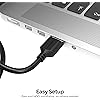
- USB 3.0 (USB-A) 5Gbps with UASP: Host connection is USB Type-A (USB-A). Computers with only USB-C ports require a separate USB-C to USB-A adapter (not included). UASP support for faster transfers on compatible systems.
- Plug & Play: No drivers required; hot-swappable design for quick access to drives on Windows, macOS, and Linux
- Usage Note: Not intended for all configurations such as system boot drives or certain embedded systems; compatibility may vary by device
- Enhanced Support: Firmware updates and Acronis True Image software are available for download on the Sabrent website, ensuring optimal performance and seamless data management.
Description
Connect a 2.5" SATA hard drive or SSD to your computer with UASP support. Take advantage of the lightning speed of USB 3.0 to quickly transfer files up to 5Gbps! The SABRENT EC-SSHD lets you connect any 2.5" SATA hard drive or SSD to your computer through a standard USB port — no tools, no drivers, no wall adapter needed. Designed for data transfers, system migrations, laptop upgrades, and drive recovery. Compatible with 2.5" SATA I, II, and III drives. Important before purchasing: This adapter supports 2.5" form factor SATA drives only. It is not compatible with M.2 NVMe or M.2 SATA drives. Most modern SSDs are M.2 form factor — if your SSD looks like a small circuit board (rectangular, with a notched edge), it is M.2 and will not work with this adapter. See the compatibility section below for full details. COMPATIBLE: ✔ 2.5" SATA SSD (all brands, SATA I/II/III) · ✔ 2.5" SATA laptop HDD (7mm and 9.5mm height) NOT COMPATIBLE: ✘ M.2 NVMe SSD · ✘ M.2 SATA SSD · ✘ 3.5" desktop HDD (requires 12V power) · ✘ Slim SATA optical drive · ✘ IDE/PATA drive To confirm your drive type, look up the model number online — the spec sheet will list the form factor (2.5" or M.2) and interface (SATA or NVMe). If it says M.2 or NVMe, this adapter is not compatible. OS Compatibility: Windows 10 / 11 (32-bit and 64-bit) · macOS (current versions) · Linux 2.4 and above. No driver installation required — plug in and the drive is recognized automatically. 2.5" SATA drive (compatible): Roughly the size of a deck of cards. Has two L-shaped connectors at one end — a narrow 7-pin data connector and a wider 15-pin power connector. Found in laptops as HDDs and as budget/older SSDs. M.2 drive (not compatible): Looks like a stick of RAM — a thin rectangular circuit board with a single notch at one end. This is the most common SSD form factor sold today. If your SSD came in a small envelope-style box and is about 22mm x 80mm, it is M.2. To confirm: look up your drive's model number online. The spec sheet will list the form factor (2.5" or M.2) and interface (SATA or NVMe). If you see "M.2" or "PCIe NVMe" — this adapter is not the right product for your drive. Will this work with my M.2 SSD? No. This adapter is for 2.5" SATA drives only. M.2 SSDs — whether NVMe or SATA — are a different physical form factor and use a different connector. You would need an M.2 NVMe enclosure or M.2 SATA enclosure instead. My laptop only has USB-C ports. Will this work? The cable has a USB Type-A (USB-A) connector on the computer end. You will need a USB-C to USB-A adapter (not included). These are widely available and inexpensive. Does it need to be plugged into a wall outlet? No — it is bus-powered via USB for most 2.5" drives. However, some older or high-capacity 2.5" mechanical HDDs may need more current than a single USB port provides. If the drive fails to spin up, try a powered USB hub or a different USB 3.0 port Is this compatible with 3.5" desktop hard drives? No. 3.5" desktop HDDs require 12V power that USB cannot supply. This adapter is for 2.5" drives only. Can I use this as a boot drive? Booting from a USB-connected drive is not supported on most systems. This adapter is designed for data transfer, backup, and drive recovery — not as a primary system drive. Sabrent is a leading provider of innovative consumer electronics. We are committed to designing and developing products that provide the utmost quality, dependability, and value. Sabrent strives for excellence with each product we develop by providing cutting-edge features at affordable prices. Our company thrives on creativity, innovation, honesty, and integrity in all aspects of our business operations.
Compatible Devices: Computers with USB port and sufficient power supply
Specific Uses For Product: no
Connector Type: USB Type A
Color: Black
Item dimensions L x W x H: 5.91 x 5.12 x 1.18 inches
Compatible Devices: Computers with USB port and sufficient power supply
Specific Uses For Product: no
Connector Type: USB Type A
Number of Ports: 1
Input Voltage: 5 volts
Power Plug Type: No Plug
Nominal Power: 2.5 watts
Color: Black
Finish: Matte
Item Dimensions: 5.91 x 5.12 x 1.18 inches
Item Weight: 1 ounces
Package Quantity: 1
Unit Count: 1 Count
Number of Items: 1
Brand: SABRENT
Model Number: EC-SSHD
UPC: 819921012128
Global Trade Identification Number: 28
Manufacturer: SABRENT
Built-In Media: User Manual
Mfr Part Number: EC-SSHD
Warranty Description: 1 year limited
Frequently asked questions
To initiate a return, please visit our Returns Center.
View our full returns policy here.
- Klarna Financing
- Affirm Pay in 4
- Affirm Financing
- Afterpay Financing
- Zip Pay in 4
- Financing through Apple Pay
- Financing through Google Pay
Learn more about financing & leasing here.
Similar Products


![[Apple MFi Certified] 6Pack(3/3/6/6/6/10FT) iPhone Charger Nylon Braided Fast Charging Lightning Cable Compatible iPhone 14Pro/14/13Pro/13/12Pro/12/11and More-Silver&White](https://m.media-amazon.com/images/I/71dxCNWNioL._AC_US500_.jpg)


2026 Upgraded for Apple Watch Charger Magnetic Fast Charging Cable
![AINOPE 240W USB C to USB C Cable [10FT] Right Angle C to C Cable](https://m.media-amazon.com/images/I/81GLu0abtLL._AC_US500_.jpg)
AINOPE 240W USB C to USB C Cable [10FT] Right Angle C to C Cable

![iPhone Charger Fast Charging Lightning Cable 6FT 3Pack[Apple MFi Certified] Long iPhone Charger Cord Nylon Braided USB Cable Compatible with iPhone 14/13/12 Pro Max/12Pro/11](https://m.media-amazon.com/images/I/81wgesnNh8L._AC_US500_.jpg)



Top Amazon Reviews
