Search  for anything...

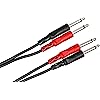
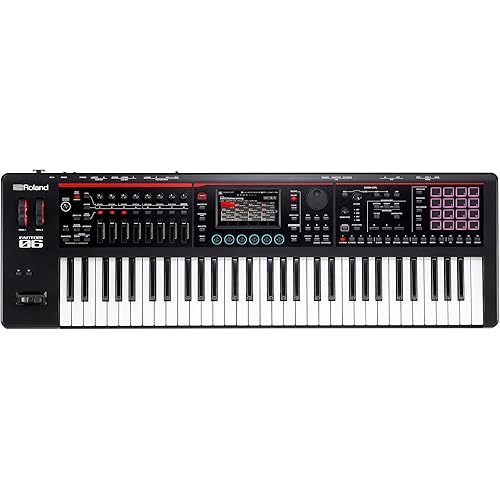
Roland JD-XI 37-Key Interactive Analog/Digital Crossover Synthesizer, Black & Hosa CPP-202 Dual 1/4" TS to Dual 1/4" TS Stereo Interconnect Cable, 2 Meters

  • Based on 156 reviews
Condition: New
Checking for the best price...
$634.94 Why this price?
Holiday Deal · 14% off was $739.94

Buy Now, Pay Later


As low as / mo
  • – Up to 36-month term if approved
  • – No impact on credit
  • – Instant approval decision
  • – Secure and straightforward checkout

Ready to go? Add this product to your cart and select a plan during checkout.

Payment plans are offered through our trusted finance partners Klarna, Affirm, Afterpay, Apple Pay, and PayTomorrow. No-credit-needed leasing options through Acima may also be available at checkout.

Learn more about financing & leasing here.

Free shipping on this product
This item's return window has been extended for the holiday season: Returnable until Jan 31, 2026

To qualify for a full refund, items must be returned in their original, unused condition. If an item is returned in a used, damaged, or materially different state, you may be granted a partial refund.

To initiate a return, please visit our Returns Center.

View our full returns policy here.


Availability: Only 8 left in stock, order soon!
Fulfilled by Amazon

Arrives Dec 17 – Dec 18
Order within 2 hours and 19 minutes
Available payment plans shown during checkout

Protection Plan Protect Your Purchase
Checking for protection plans...

Features

  • Product 1: Warm and rich analog soundsCrytal clear digital timbresVocoder and effectsEasy programming
  • Product 2: Length: 6.6 ft
  • Product 2: Localization: English
  • Product 2: Left Connector(s): 2 x phone mono 6.3 mm - male
  • Product 2: Color coded to prevent cable assignment errors

Color: Black


Brand: Roland


Model Name: JD-XI


Included Components: Hosa CPP-202 Dual 1/4" TS to Dual 1/4" TS Stereo Interconnect Cable, 2 Meters


Manufacturer: Roland


Date First Available: February 4, 2024


Color Name: Black


Connector Type: 1/4" jack


Size: 37 Keys


Frequently asked questions

If you place your order now, the estimated arrival date for this product is: Dec 17 – Dec 18

Yes, absolutely! You may return this product for a full refund within 30 days of receiving it.

To initiate a return, please visit our Returns Center.

View our full returns policy here.

  • Klarna Financing
  • Affirm Pay in 4
  • Affirm Financing
  • Afterpay Financing
  • PayTomorrow Financing
  • Financing through Apple Pay
Leasing options through Acima may also be available during checkout.

Learn more about financing & leasing here.

Top Amazon Reviews


  • Better than Expected for a mini GrooveSynth. It's powerful! (in depth review)
Size: 37 Keys Style: Synthesizer
There are many mini synths that comes and go and for this I must admit, Roland has done a fantastic job with the JD-xi Groovesynth. I was very hesitant to buy this since I see so many people complain about the lack of creation and producing. What I soon discovered after watching only 3 videos is that most only cover "quick" pattern making and not the entire structure of a complete song. Building a complete song is extremely easy. You simply chain patterns together by saving the parameters of each pattern first, then simply copy the pattern. Another things that is overlooked is how you can "tap" full chords or phrases using the pattern tracks. Another important feature is many say it only has 4 tracks. That is true until you discover how to "add" a fifth track. If you take the time to discover how to use this Groovesynth (which is very easy to learn), you will soon discover the hidden secrets. The "shift" key has many hidden options. You can also set up a permanent "template" in the system settings to allow quick song creation where you do not have to set up each pattern over and over. Create a blank pattern using the system functions like "tempo, measures, recording time, click" and other options. Then start to create your pattern. Once you have one created, simply copy and "save" to a new location. Once you have 4 or 5 patterns created, simply "chain them" together. Another issue many have stated is the lack of sounds? Yes there are not to many until you unlock the creation tools to make the sounds and save them in empty banks. you can also download sound sets from Roland's Axial site. The large "dial knob" is a bit on the stiff side when selecting your desired selections like vocoder, brass, bass, seq etc. Also when you are using the vocoder and have a live mix and decide to change the big knob to another selection, you will hear the "click" when you turn it thru your speakers. When you use the vocoder it will also "cut" off track 2 in place of the vocoder. There is a workaround for this. Record your patter first with the "vocoder" parameter fucntion turned "off". once you record your track, enable this setting and when you switch the big knob to another selection like "synth" it will allow you to use the vocoder and track without losing the second track. The vocoder on the Rolannd JD-xi is 100% better than the Korg Microkorg, Novation MiniNova, Roland FA and Juno DS. The reason it is better is because of how you can change and access the parameters like effects, depth, tuning on an instant without having to go into settings. The vocoder processing chip is in my opinion more advanced. If you need more bass or lift on the outputs signals you can change this in the system. You can also assign individual effect for each track and save them. You can turn effects on and off in real time as well. When you first unbox the Roland JD-xi you will think (wow what a toy), then you plug it in and start to play around with it and think (wow, what a toy). Until you learn the basic layout and template if the JD-xi you will feel that way. After about 2 hours or so you will say (WOW - this thing really kicks butt)! Another issue many have complained from reading forums, threads, blogs & videos is the sounds feel "cheap" or don't sound professional like the FANTOM, FA series. That is true because this is not in any way related to those workstations. This is a Groovesynth. Another issue is the "final mix" when ouput to a DAW or digital recorder again the sounds lack the feel of a mastered production. The workaround for this is simply "add the final effects" once you complete an entire song. If you take a bit of time to learn the "hidden" feaures and understand how the "shift" key utilizes more functions than most will tell you, you will soon find that this little Groovesynth is the bomb. I have a couple of grooveboxes like the Roland MC 101 and the Akia Force. I love them both but they take time to learn and have more tools to use to create your songs which can overwhelm you. If you want "SIMPLE", the the Roland JD-xi Groovesynth is for you! With roughly 64 banks in each category you have plenty of storage space to create patterns and songs. So far I have 22 complete songs saved. You can also "offload" your song data if you lack space or memory to a PC via USB or midi. To get around the"mini" keys I have a Roland Juno DS that I use as a main controller and the parameters form the JD-xi simply work flawlessly including, Record functions like "start, stop, Rec, Pause, Tap, Erase. Track" etc. Roland did a very good job on how this works with other modern Roland series controllers or workstations. I give this 5 stars and 100% production fun! PROS: Easy to learn layout Powerful pattern and step sequencer Chain patterns Fantastic effects Excellent vocoder (compared to Juno DS, FA) Full integration with 3rd party DAWS like REAPER, MIXCRAFT 8,9 and Audacity. Works with Zoom R16 & 24 for saving files Sound engine of the JUNO series and D20 CONS: The rubber buttons feel a bit cheap Hard to read lettering on the dashboard Tweak knobs feel a bit cheap (compared to FA, Juno, Yamaha) Big dial knob is hard to turn I am very happy to have purchased the Roland JD-xi, It is not a toy by any means and I have already updated the entire sound library. This review is from what I have learned, discovered and took the time to go "in depth" on the dashboard of the Roland JD-xi. It is truly worth the price compared to others competitors as a minisynth. The Roland JD-xi has so many features to take advantage of. In conclusion, you do not even need a DAW, PC or software to create complete songs as this is a stand alone Music creation Groovesynth. ... show more
Reviewed in the United States on January 24, 2021 by Man of Sound

  • I LOVE this thing!
Size: 37 Keys Style: Synthesizer
This thing is the perfect idea machine for me. Every time I sit down to it I come up with a cool new beat. Maybe I'll start with the drum machine (which is amazing, the fact that this thing can be used as a drum machine with GREAT SOUNDING kits!) and lay down a simple 16, 32 or 12 beat rhythm on the pattern sequencer. (Another amazing feature, the pattern sequencer!) Then I'll find a bass sound, either on one of the two digital synths. Or if I'm looking for something even fatter I'll go with the analog synth which can be tweaked and toned in a number of ways, including distortion, fuzz and other effects (which you can also do with the other three instruments.) And then I'll add something quirky sounding, cool or funky with one of the digital synths, or maybe both. Depending on how complex a sound I'm after. And then comes the vocal track. I don't love the tone of my chest voice, so I'm free here to use some of the vocoder effects which sound great. And sound even better when using a third-party dynamic mic. Although the little goose-neck mic that comes with the JD XI sounds good enough most of the time.) Sometimes some of the bass or lead parts I lay down don't fit neatly into the sequencer (It quantitizes it for you.) So I'll just record directly into Ableton live. And by the way, the JD XI works VERY WELL as a digital interface. And all you need is the one USB cable (supplied) and you've got audio or midi in, or both. And the record levels for the audio or great. It's a nice, clean sound. I'm so pleased! And then ... if all of that isn't enough. There's one feature no one ever talks about, but I plugged my Fender Strat straight into the mic\line input on the back and suddenly my JD XI was an awesome guitar amp, which could be recorded directly into Ableton Live. But what was so amazing is that all of the JD XIs effects (distortion, fuzz, reverb, etc ...) sounded insane with my guitar! It's like along with everything else, I got some pedal effects! And not cheap ones, they really do sound amazing. So if you do voice over, or vocals or whatever, this thing is a great audio interface for that as well, letting you record straight into your favorite DAW with again, just the one USB cable. And oh yeah ... if you can't play the keyboard, just pick whatever synth sound you want and press the "Auto Note" button up by the mic and then literally sing or hum the lead part, and then the bass part. It works great. My biggest complaint is the auto-tuning feature. And maybe I'm still doing something wrong, but it's kinda cheesy. Also, some online videos claim you can plug in your guitar or whatever device and "warm them up" with the JD XIs resonance and cutoff knobs. But you can't. Or at least it doesn't work for me. Bottom line: using Ableton Live and Ableton Push alone, my sound had leveled or maxed out. There just seemed to be something missing. It was good, but not good enough to go to the next level. Maybe it was just all to static. I needed a more organic vibe to add to the mix, plus some new fresh sounds. And the JD XI provided all of that and more. It's my first synth, and it's so versatile, I'm sure I'm made the right decision. ... show more
Reviewed in the United States on June 7, 2016 by Jed W

  • Great Little Hybrid Synth
Size: 37 Keys Style: Synthesizer
I love the fact each preset is split into 2 digital synths, 1 drum track, and an analog synth. Everything has been great and it's been a lot of fun. I would definately recommend.
Reviewed in the United States on July 1, 2024 by James Meherg

Can't find a product?

Find it on Amazon first, then paste the link below.
Checking for best price...