


Search  for anything...

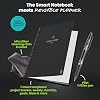
Rocketbook Fusion Hybrid Reusable Planner Notebook, Letter 8.5x11, Black

  • Based on 26,592 reviews
Condition: New
Checking for the best price...
$34.99 Why this price?
Save $37.99 was $72.98

Buy Now, Pay Later


As low as $8 / mo
  • – 4-month term
  • – No impact on credit to apply
  • – Instant approval decision
  • – Secure and straightforward checkout

Ready to go? Add this product to your cart and select a plan during checkout.

Payment plans are offered through our trusted finance partners Klarna, Affirm, Afterpay, Zip, Apple Pay, and Google Pay. No-credit-needed leasing options through Acima may also be available at checkout.

Learn more about financing & leasing here.

Selected Option

Free shipping on this product

FREE 30-day refund/replacement

To qualify for a full refund, items must be returned in their original, unused condition. If an item is returned in a used, damaged, or materially different state, you may be granted a partial refund.

To initiate a return, please visit our Returns Center.

View our full returns policy here.


Availability: In Stock.
Fulfilled by ELAN Publishing Company

Arrives Wednesday, Sep 23
Order within 14 hours and 14 minutes
Available payment plans shown during checkout

Protection Plan Protect Your Purchase
Checking for protection plans...

Color: Black


Size: Fusion Letter


Features

  • Plan, Digitize, Erase, Re-Plan: Write to-do lists, notes, and goals on reusable paper with the Pilot Frixion Pen. Digitize plans using the Rocketbook app and organize in the cloud. When done, simply wipe the pages clean with a damp cloth and reuse.
  • 7 Versatile Page Templates: Plan for life and work with Monthly & Weekly Calendar, To-Do List, Goal Tracker, Idea List, and both Dotted and Lined Notebook Pages. Diverse for everything from project management to fitness tracking to household planning.
  • App-Enabled for Digital Organization: The Rocketbook app allows you to scan and upload your plans & lists directly to cloud platforms like Google Drive, Dropbox, OneNote, etc. The app-connection ensures your notes are accessible from anywhere.
  • High-Quality & Durable Materials: Premium reusable paper, durable spiral binding, and a waterproof cover. The flexible design allows it to lay flat for comfortable writing and planning sessions, whether you're at home, school, or the office.
  • Eco-Friendly and Reusable: Replaces the need for traditional paper planners. Designed for sustainability, combining the convenience of 7 reusable page types with the ability to digitize and erase, allowing you to streamline tasks and reduce waste.

Description

Rocketbook Core Rocketbook Pro Rocketbook Mini Rocketbook Flip Rocketbook Flex

Brand: Rocketbook


Color: Black


Cover Material: Cardboard or Vinyl


Year: 2023


Format: Notebook


Calendar Type: Monthly, Weekly


Target Audience: Adult


Sheet Size: 8.5 x 11 inches


Material: microfiber


Item Weight: 11.36 ounces


Brand Name: Rocketbook


Model Year: 2023


Target Audience: Adult


UPC: 850007403867 850007403027


Manufacturer: Rocketbook Innovations, Inc


Unit Count: 1 Count


Global Trade Identification Number: 27


Number of Items: 1


Item Type Name: Reusable Notebook


Model Number: EVRF-L-K-A


Part Number: EVRF-L-K-A


Format: Notebook


Calendar Type: Monthly, Weekly


Paper Size: 8.5 x 11 inches


Binding: Spiral-bound


Special Features: Soft Cover


Ruling Type: Dotted


Item Weight: 11.36 ounces


Pages: 42


Item Dimensions L x W: 11"L x 8.5"W


Item Dimensions L x W x Thickness: 8.5"L x 11"W x 0.4"Th


Cover Material: Cardboard or Vinyl


Material: microfiber


Color: Black


Frequently asked questions

If you place your order now, the estimated arrival date for this product is: Wednesday, Sep 23

Yes, absolutely! You may return this product for a full refund within 30 days of receiving it.

To initiate a return, please visit our Returns Center.

View our full returns policy here.

  • Klarna Financing
  • Affirm Pay in 4
  • Affirm Financing
  • Afterpay Financing
  • Zip Pay in 4
  • Financing through Apple Pay
  • Financing through Google Pay
Leasing options through Acima may also be available during checkout.

Learn more about financing & leasing here.

Top Amazon Reviews


  • Indispensable Tool for Teachers and Students!
Color: Black Size: Fusion Letter
I absolutely love my Rocketbook Fusion! As a current student and future teacher candidate, I not only have notes from my college courses, but also have preliminary lesson plans and observational notes that are critical to my field preparation which means I am taking countless handwritten notes. As someone who cares about the environment, it matters to me that I am utilizing products that lessen that environmental impact, since you can reuse the pages. Oftentimes I don't even need to print the pages because I can view them in the easy-to-use Rocketbook App, and just print out what I need which is why the Rocketbook works for me. Additionally, some of my teachers in my college courses don't allow laptop use in the classroom. The Rocketbook is my #1 go to in these courses! I can just write out my notes, scan them after class, and still have a high tech solution for note taking while following the expectations for my courses. The Fusion is such a timesaver as it is so convenient to send my notes to my email so I can review them at my convenience. This has come into handy often. Case in point, I left my Rocketbook at home and I needed my notes for a school project, but couldn't drive two hours to go home, pick up my Rocketbook, and drive back with it because I needed them to collaborate with my colleagues. (Honestly it was embarrassing to admit that I left my notes at home too!) But because I had my notes both in my Rocketbook App and in my email, I could just could retrieve them them, print them out on a wireless printer, and my colleagues could view them right away and start work on the project not wasting any valuable planning time. Rocketbook saves the day! Of course you never want that to happen, but it is nice peace of mind knowing that once you scan your notes, your notes are with you at all times, via your Rocketbook phone app and/or email. The Rocketbook app is so easy to set up and use, permitting me more time to focus on my schoolwork or planning. I am not super computer savvy but basically you download the Rocketbook App, assign where you want your documents to go, write away, check off where you want it sent at the bottom of the page, and scan your QR code on each page. Super easy. (I also like that it will sort anything by name if you enclose the title into two hashtags before and after the title like this ##title## at the top of the page. This means I don't even have to think about how to file it, and will know how to find it!) When you get into the app, there are also some free pages you can download and print out for one use purposes that can also work with the app. These are awesome! There are more lined pages, music pages, and graph paper for math students. Why is this amazing you ask? These are nice for taking notes in if you are working in groups in class and have to turn in your work. Normally you wouldn't be able to keep a copy because you have to turn it in, but fear not! Because you have preprinted out pages beforehand and scanned them, you can now turn them in, and even email them later to the whole group! You can have a copy to refer to for studying for a future test! The possibilities with Rocketbook are endless! I prefer the Letter-size version since typically my notes should be on standard-sized paper. I find the 7 different template styles included in my Rocketbook very useful for my purposes. The planning pages help me view what "to do" items I have scheduled, the agenda helps me plan 2 weeks at a time, which is invaluable as a student, the calendar template helps me plan out a whole semester with assignments, idea planning template helps me with planning ideas for future lesson plans for teaching, blank pages help me map out and diagram lesson planning webs or visuals to work out projects. The lined paper is my favorite template since it helps keep my writing looking neat and organized. I love too that all my notes which are colored coded, actually scan in color, continually helping me to stay organized as sometimes I use different colors for different subjects and can tell at a glance which subject I am looking at without reading all the text. Just a few notes. I have only used Frixion brand products in my Rocketbook. I have never had any issues with not being able to erase notes or notes disappearing on me, however I am careful not to leave my Rocketbook Fusion in my car. I recommend using only Frixion brand just because it seems to work really well with these pages. The ink does need a sec to dry before turning pages because it can smear on occasion, but then I just erase it and rewrite it again, not an issue at all. Lasly, I like the thickness of the pages and quality of my Rocketbook. It is extremely durable. It also reduces the need for me to carry a number of notebooks to class, since now I just bring the one. I am extremely satisfied with my Rocketbook Fusion and highly recommend it as an indispensable tool for any student or teacher for all these reasons and more! Hope you give a try, as I am happy I did! I love it!!! ... show more
Reviewed in the United States on October 7, 2019 by Amazon Customer

  • Perfect Note Taking System
Color: Pink Size: Fusion Letter
I love taking hand written notes, it helps me retain the information more easily. This system is perfect for people who take notes this way and don't want a ton of notebooks taking over their office and home. I love that I can easily upload all of my notes to Google Drive and Microsoft OneDrive and many other places. I can easily access them from my laptop and IPad whenever I want to review and reorganize them. When I'm done with a chapter I just upload with my IPad camera and then I wipe the notebook clean and can reuse it. It's so easy and keeps your home and office uncluttered and I love how easy it is to locate my notes without having to dig through a bunch of notebooks!!!! This product has saved me so much time and money and has really simplified my university life!!! I highly recommend this product. I like the beginning pages, they help focus your mind and keep you on task by letting you list projects with due dates and estimate how long it will take to complete as well as a place to check off what projects you complete so you know what you've accomplished and what still needs to be done. The 2 week planner and monthly calendar are great tools to help you stay on top of your busy weeks! You get a page to write down objectives, key results, action plan and reflections. Sometimes I rename these to whatever it is that I need them to be at the time. You also get 9 pages front and back (so 18 sides) of grid paper (I use this mostly for charts and graphs) and lines paper (notes). If you haven't tried RocketBooks I highly recommend that you do. For university I use this book, the multi-subject notebook and the flashcards!!! I can carry all of my notes and flashcards and planner everywhere and studying is easy I just upload everything to my cloud or drive and can access it all from my IPad anytime anywhere. ... show more
Reviewed in the United States on November 29, 2023 by Kayla R

  • Best solution for paper clutter
Color: Teal Size: Fusion Letter
I take a lot of notes during my personal Bible Study time. I reorganized my desk and found that I needed four large three-ring-binders to keep my notes in from these past 12 or so years. To save on paper and for my sanity I started researching other ways to keep notes. This Rocketbook Fusion is super easy to use and though I’ve only used it once this far (just received it) I am super psyched. I love the planning section, which is a bonus for me because I have thrown away so many used planners...this I don’t throw away I just erase! Saved dates and info are directly saved to my google drive and I also have my email set up to share special dates and events with family...super neat and an added bonus! I love the dotted paper. I’m a doodler and have done some bullet journaling. These pages are great for my creativity! There are actually a lot of lined pages! Super psyched about this. I’ve already started taking notes and can’t wait to see how this turns out. Though reviews say it’s not the same as writing on actual paper I haven’t noted much difference. You do have to let the ink dry to avoid smudges but I’ve smudged ink on paper hundreds of times. No biggie. I do have one blank page in my rocket book. I believe it was a mistake for I cannot save anything I write on that blank page onto the Rocketbook app however, I can use this page for my verse mapping and save my finished work to Evernote. The page wipes clean after using, so it still works for me. You do have to use the special FriXion pens for the notebook, the one I received came with the notebook already and I researched it...I’m ordering an 8-pack of colored FriXion pens for under $14. I truly don’t think this is a bad price for erasable pens. And the one I already have writes smoothly and is easy to grip. Though I have had only one day of using this notebook. I made project plans and two full pages of note writing completed. They have been saved in digital files and cleaned off. This is probably one of the best birthday gifts I have gotten myself in 8+ years! (And I get myself some really nice gifts.) ... show more
Reviewed in the United States on May 5, 2020 by Anonymous

  • Mostly an unwrapping/first impressions
Color: Navy Blue Size: Fusion Letter
Please excuse my kid with the background noise and my phone’s mediocre audio skills 😅 Check the whole package for the pen. It should be in a separate compartment on the side of the package the rocketbook comes in. It’s easy to miss. So far, so good. Leaving 4 stars because I don’t know what this will be like long term, but I like what I see so far. Since it’s spiral bound, you cannot add pages without taking it all apart. I did test erasing with the cloth and it works seamlessly—just be sure to let the ink dry for about 10 seconds. The eraser on the pen is only meant for regular paper and not the rocketbook synthetic paper. The pen works well and I’m one of those weird pen people who have a favorite brand and will likely unravel if the company stops making them 😬 There is the rocketbook pro (way more expensive) that I had my eye on while researching this one. That seems more likely what I’d end up buying (if I do like the rocketbook fusion—and it lasts) over the course of a year with this one. I value personalization of note-taking and quick/easy ways to change things based on my current focus, and you can easily switch out templates that work best for you with the Pro version. It also seems so sleek and has a hard cover already so no need to buy a folio (the one I have in this vid was $8 on Amazon or else I prob wouldn’t have one). I like the pro features but needed to see how much I use this one and how much use it can handle to justify buying the Pro or Pro 2.0. Will update if I upgrade. My pettiness surely will make me update if I end up back at regular notebooks and don’t find this to be better than the tried & true disposable pen & paper 😅😬 Good luck on your search for your fav notebook(s)! ... show more
Reviewed in the United States on December 14, 2023 by Lee

  • Perfect for college
Color: Black Size: Fusion Letter
First things first, if you're on the fence, get it. This is the last notebook you'll ever need. 1. Great for taking notes. With the lined and dotted pages, you can write, make diagrams, or draw easily. The paper is a dream to write on, like a whiteboard for pens. Because the paper has no grain and is thick, there's no feathering, bleeding, or ghosting. The pens are erasable, so you can fix any mistakes for perfect study guides. Also, I haven't had a problem with smudging even though I'm left-handed. Erasing a whole page is super easy, just wipe with a damp cloth (you might have to wet it again and wing the ink out a little if you wrote a lot) and it's like you never wrote on it to begin with. 2. Perfect for sharing notes. I received my Fusion a week before summer finals and it was a lifesaver. In the app, you can send scans to up to five emails per destination (the seven symbols on the bottom), so I was able to make final review guides and send them to all my study groups. Plus you can search text in the app (which is free!), so multiple people can scan it and be able to find exactly what they need quickly. 3. Great for bullet journaling. There are some people who think that mixing bujo with technology defeats the purpose, but honestly, I've become more consistent because I love how this paper feels. The dotted pages on the letter-size are 8mm^2 (about 3/inch) and there's 31 down and 23 across (minus 3 on the bottom line for the QR code), so you can track up to 20 habits per month. Also, being able to search when I wrote about certain things saves me so much time. 4. ECO FRIENDLY! I write a ton through study guides and journaling, and I feel guilty about how much paper I use, but now I can use the same notebook over and over, saving resources and space! 5. Great FREE app. The app is a big reason I got a Rocketbook. I tried with the test page template from their website and fell in love with the handwriting recognition and color enhancement. I've always taken pictures to share notes, but the color enhancement makes them so much better. I color-code my notes, and the "Magic Color Enhancement" setting handles it beautifully, so I can have super legible scans of all my notes. Plus being able to search my notes makes studying more efficient. The only thing that would make it better is the ability to import scans into the app. I've been journaling and writing study guides for years and this is my favorite notebook ever. It's nice to write on and easy to keep your notes organized in the cloud, as well as share them with others. I've already recommended this to several of my friends and study partners. If you write even a page a week, this is a great product for you. P.S. I recommend getting a cover, so your notebook doesn't get damaged and you can keep your pens organized. I got [[ASIN: B07QF6R496 this one]] and I love it. ... show more
Reviewed in the United States on August 23, 2019 by Alexis Berkenstock

  • Extremely Satisfied.
Color: Black Size: Fusion Letter
I found this product line by accident at Walmart and bought the first one, the regular Rocketbook which just had a dot journal. Looked online and found the Fusion notebook with a lot more pages available to store different kind of contact. But the letter size and the executive were still kinda bulky to carry. This product, the Rocketbook Mini, solved that problem. I use the Frixion pen that came with the Rocketbook Fusion: Frixion Clicker 0.05. I guard this pen with my life, as I can use it on other surfaces as well, but just so that I have the something to use with the Mini. I've read the negative reviews and had a very hearty laugh at the problems other people had. A lot of stemmed from the pen issues or that the design is wrong/weak. In my enthusiastic state where I was able to save on wasted paper, and be able to find old notes that were written on scrap paper, I went and bought many color pens and color markers of the Frixion line. I did not need any of the extras, but I bought them anyway. Yes, some of them weren't as good as my favorite: Frixion Clicker, but they still worked. If you decide to go cheap and buy knock offs or a generic brand, you're on your own. The Frixion pens work great with the pens that are recommended. In terms of design, yes it's annoying that there's no attachment for the pen, but you can totally buy a stick on thing to attach, or honestly keep it together. It's like whining that you have to carry a phone, keys and wallet and complaining that they aren't together. "Oh no, my first world dilemma of having to carry too many things. Whatever will I do?" If it's such a problem, get a purse or bag. If that's too much for you. Skip this product altogether and just use your phone. The design is not stiff, kinda bendy, but I don't use it for anything crazy. I bring it in my pocket and yes it's one more thing I have to carry. Also it's important to notice realistic expectations. The goal of this notebook is to be able to take notes, without waste. So no paper. And then you can scan the notes to the cloud/email/etc to save it for future reference. It's not designed to replace your phone/tablet/computer, it's not a smart tablet that recall the image or note that you took on the notebook. It saves paper and saves your notes. I've been using my notebook mini for a couple of months now. My friends saw it and I gave them this exact review and told them to manage realistic expectations. And they still bought it. TL;DR I love this product. I saved so much paper, and I have saved my notes that I took for later viewing. ... show more
Reviewed in the United States on February 25, 2020 by Al A.

  • Great for digital convenience with a true handwriting experience
Color: Black Size: Fusion Letter
I use Rocketbooks primarily for work note-taking. I learn and remember best when writing notes by hand, but I find the interface of using note-taking apps distracting to the point that it breaks my workflow. A lot of times I am called into meetings to jot down a page or two of notes relating to a project. After years of working on paper and being frustrated that it was clunky to connect scans of my paper notes to apps like Asana and Trello, along came Rocketbooks, which worked perfectly for me. I just write my notes as usual and snap them with my phone to quickly send them directly to folders where they can be stored. Set-up requires that you have a small spray bottle of water on you at all times for erasing, along with a Rocketbook microfiber eraser cloth. I had a handful of FriXion pens on hand already, so that wasn't a big lift in terms of use. You will also need to download the free Rocketbook app and spend 10-15 minutes connecting to folders where you can send the notes you've snapped. I use G-Drive, Box, Dropbox, and all worked seamlessly with the app. Enable OCR and adjust your settings to have an image-to-text file sent with the image or in a separate file (your choice). Once notes have outlived their usefulness, you can delete them from your app (and your folders) and erasing the polyester pages with water is a snap. I don't tend to leave the notes in the notebooks longer than a full day, so I haven't encountered any issues with staining. I have used FriXion blue, purple, pink, green, black, aqua, and maroon on the pages and all erase about the same. FriXion highlighters work great, too! Smeary erasures can be fixed with another spritz of water and a good wipe down. Really grateful for this productivity-boosting tool. I recommend it as a solution for students or workers who prefer to take handwritten notes or do their planning by hand as part of their flow, but need a digital outcome for record keeping purposes. A+ ... show more
Reviewed in the United States on December 19, 2023 by Dianna L.

  • Love love love but received one with issues
Color: Gray Size: Fusion Letter
I absolutely LOVE Rocketbook. I just recently discovered them and bought one and loved it so much I ordered a second one the day the first one came in. They feel better than paper, they write so crisp and cleanly, and they help keep you very organized. I am a college student taking overload classes, maintain a 4.0Gpa, have 5 children, and I work full time. This book solves so so many of my life difficulties. I no longer need a notebook for each class (just one math class last semester used 5 full notebooks) plus two different calendars, and a million remember to do lists. I can’t say enough good things about this book and have already turned multiple people onto it and refer any college classmates to these. However, the second one I got seems to have a few issues, I am not sure if the pen is faulty or something is wrong with a few of the sheets. I only use fusion pens but it seems the black pen has already ruined a few spots and no matter what I do it will not come off. When I wipe it with the damp provided cloth it disappears but reappears when it drys. These books are not the cheapest so it is a bummer that it already has smudges that will NOT come off. The calendar smug mark happened the very first time I used it, and yes I let it dry before trying to wipe it off with only the pen eraser and provided cleaning cloth. On the personal use pages it is ugly but no big deal, however I can no longer use any pages with smudges for my college work so it quickly limits the pages I can use. I absolutely love these but this is a big bummer. ... show more
Reviewed in the United States on January 29, 2021 by Alysssa Ledgerwood

Can't find a product?

Find it on Amazon first, then paste the link below.
Checking for best price...