


Search  for anything...

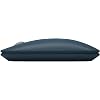
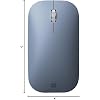
NEW Microsoft Surface Mobile Mouse - Ice Blue

Based on 9,823 reviews
Condition: New
Checking for the best price...
$119.95

Buy Now, Pay Later


As low as $19.99 / mo
  • – 6-month term
  • – No impact on credit to apply
  • – Instant approval decision
  • – Secure and straightforward checkout

Ready to go? Add this product to your cart and select a plan during checkout.

Payment plans are offered through our trusted finance partners Klarna, Affirm, Afterpay, Zip, Apple Pay, and Google Pay. No-credit-needed leasing options through Acima may also be available at checkout.

Learn more about financing & leasing here.

Selected Option

Free shipping on this product

This item is eligible for return within 30 days of receipt

To qualify for a full refund, items must be returned in their original, unused condition. If an item is returned in a used, damaged, or materially different state, you may be granted a partial refund.

To initiate a return, please visit our Returns Center.

View our full returns policy here.


Availability: Only 6 left in stock, order soon!
Fulfilled by MV Direct

Arrives Sunday, Nov 15
Order within 6 hours and 41 minutes

Available payment plans shown during checkout

Protect Your Purchase

Easy claims online, fast replacements, no fees

Checking for protection plans...

At a glance

Condition
New
Color
Ice Blue
Model
1679/1679 C
Weight
5.6 oz
Movement Detection
Laser
Hand Orientation
Ambidextrous
Operating System
Windows 10
Warranty
1-year limited hardware warranty
Works with
Personal Computer

Features 5

  • Light, portable, comfortable mouse is perfect for precise navigation anytime.
  • No cords or dongle connects wirelessly to your Surface via Bluetooth.
  • Enhanced wheel is optimized for smooth, natural scrolling.
  • Works on a variety of surfaces[1] thanks to BlueTrack technology.

Description

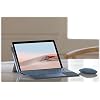
Lightweight and portable — with smooth scrolling, sculpted comfortable design, and dongle-free Bluetooth connectivity — Surface Mobile Mouse works on a variety of surfaces thanks to BlueTrack technology. Available in a new selection of rich colors, it’s the perfect mix-or-match companion for Surface Go 2 with Surface Go Signature Type Cover.

Specs 25

Brand Microsoft
Color Ice Blue
Connectivity Technology Bluetooth
Special Feature Ergonomic Design, Lightweight, Portable, Wireless
Movement Detection Technology Laser
Additional Features Ergonomic Design, Lightweight, Portable, Wireless
Movement Detection Laser
Button Quantity 3

Frequently asked questions

If you place your order now, the estimated arrival date for this product is: Sunday, Nov 15

Yes, absolutely! You may return this product for a full refund within 30 days of receiving it.

To initiate a return, please visit our Returns Center.

View our full returns policy here.

  • Klarna Financing
  • Affirm Pay in 4
  • Affirm Financing
  • Afterpay Financing
  • Zip Pay in 4
  • Financing through Apple Pay
  • Financing through Google Pay
Leasing options through Acima may also be available during checkout.

Learn more about financing & leasing here.

Top Amazon Reviews


Perfect mouse that works for years
Color: Mint
I’ve had this mouse for years + I love it!!! I don’t think I’ve had to change the batteries since 2022 so it’s good to know it doesnt drain the batteries fast, I’ve used it for playing minecraft so I’d say it’s reaction time is great for casual gaming. It’s so worth the money I paid for it literally four years ago, I cannot believe how durable this little thing is, it’s taken a real beating and travelled with me and has not broken or chipped, even with a trip or two down some stairs. It works with my Mac laptop and my iPad. Plus it’s perfect for someone with smaller hands like myself! ... show more
Reviewed in the United States on February 22, 2026 by ro

A simple Bluetooth mouse with stepping scrolling wheel - just what I wanted
Color: Black
I was very skeptical at first regarding this mouse as I read in one of the reviews here that it does not have an ON / OFF switch, which can lead to quick draining of the batteries. But I was glad to find that the single button with the Bluetooth symbol at the bottom of the mouse actually IS an ON / OFF switch. :) It's very misleading when you're only familiar with moveable switches of other brands and consider any clickable button with a Bluetooth symbol as pairing button. Anyway, this mouse is very minimalist, simple and it works just fine. The main thing I really like about this mouse is that its scrolling wheel is a stepping wheel - meaning that you can feel the steps while you scroll. Some people don't like it and prefer "butter" smooth scrolling wheels, but I find those wheels inaccurate when you do precious work. So stepping wheel for me is a big plus. Just like the Surface Pen, this mouse runs on batteries. And I prefer it better over built-in Lithium batteries that need to be recharged every now and then, making you need to carry a charging cable with you all the time. In this case, when you're starting to feel lags during use you just go to the grocery store and buy a pair of batteries and you're good for the next couple of months. Now it terms of the color - I read in some places that just like me, others are spending a lot of time thinking what color to pick; let it be the Type Cover keyboard, The Pen or the mouse. I too spent a lot of time thinking about this, and eventually decided to go with the black one, and the reason was because I went with the black Type Cover keyboard, which also led me to pick a black Surface Pen. But in the bottom line it's just a color and it doesn't affect anything but your brain. ;) You can have the Surface accessories all in the same color, or a combination of them all. It's really a matter of taste. ... show more
Reviewed in the United States on August 6, 2021 by Sunshine

good for exactly what i needed.
for me i wouldnt use this for gaming, its very flat and your hand will get more tired than anything unless you have tiny hands. i got it primarly because i needed something low profile that fit in my computer bag for school. it pairs instantly didnt even need to press a button. since it wasnt paird to anything previously. just pull the battery tab and turn it on and my surface pro asked to pair. its very responsive and works fine but i do find myself wishing it was a bit bigger for long term use... again i wouldnt use this as a gaming mouse. i have a gaming rig with a nice mouse that a good weight has buttons on the side for extra control changes etc... could it be good gaming i would say yes it functionally can do the job as any basic mouse would but for someone like me that likes a little extra wight and i like it to actually allow my hand to rest some weight on it thats the best option. as far as a on the the go mouse, its perfect and low profile. zero input lag, scrolls nice etc.. its worst feature is the whole reason i got it.. low profile. ... show more
Reviewed in the United States on January 30, 2024 by Mr. Allm

An excellent mouse for travel
Color: Black
I took delivery of two of these for use on two Kindle Fire 10 (2021 version) tablets. Somewhat of a gamble because many users buying blue tooth mice for use with Kindle tablets report various issues pairing or getting consistent performance. So, I can report this mouse works perfectly on the Kindle Fire 10. Pairing was a breeze. Simply activated the battery on the mouse, made sure it was turned on, opened the Bluetooth settings on the Kindle, searched for devices.Within a few sceonds the Kindle found the mouse, clicked on pair, and the mouse was active. I also use the Amazon bluetooth keyboard for the Kindle and have experienced no conflicts what so ever. I really like the physical size and shape of this mouse. It has a slim profile which makes it much less bulky than a regular mouse to pack in a carrying bag. It is also very comfortable on the hand to use and exhibits excellent reponse. As a side note, some buyers have lamented a lack of a power switch to turn the mouse off when not used. To the contrary it has a very small round depressable power switch on the underside of the mouse with a faint but still visible bluetooth symbol. Push this button and the mouse will turn on and off. Final thought, this a 5 star product all the way. If you can buy it on sale (I got mine at 50% off suggested retail) it would be a great deal. ... show more
Reviewed in the United States on December 9, 2021 by Stratixman

Nice Little Mouse — Easy to Connect, Smooth to Use
Color: Glacier
This mouse is really nice — compact, stylish, and easy to use. I’m not sure if it’s a genuine Microsoft one, but it feels well-made. The battery compartment has a magnetic cover, which makes changing batteries a breeze. However, that same feature can be a downside — if you drop the mouse, the cover (and sometimes the batteries) go flying, and you’ll find yourself crawling on the floor looking for them every now and then! I like that it has a power button to turn it off while carrying it in your bag. The biggest disappointment for me is that after about a year of use, the scroll wheel stopped working properly, and I’m not sure if it can be fixed. Overall, it’s a good-quality, compact mouse with easy connectivity to both Windows and Mac, and I’ve never experienced any dropouts. I just wish the scroll wheel was a bit more durable. ... show more
Reviewed in the United States on November 7, 2025 by 3MD

Mobile
Color: Ice Blue
Great product
Reviewed in the United States on September 4, 2026 by Betty

MS Surface Mobile Mouse - Bluetooth
Color: Ice Blue
Product deliver very quickly and as advertised. True Microsoft product - paired with Surface immediately and works fine.
Reviewed in the United States on April 11, 2026 by Ken Quimby

INSTANT PAIRING/MACBOOK AIR M1
Color: Peach
I needed a computer mouse for my new Macbook Air M1. First I purchased two other Amazon computer mouse and neither one connected to my Macbook Air...even after many attempts pairing just wouldn't connect. This Microsoft Modern Mobile Mouse connected instantly to my Macbook Air M1. These are the steps to pair your mouse to your computer-take off mouse battery door-secure batteries-put battery door back on-mouse will flash blue-go into settings on your computer or MacBook-click bluetooth-Microsoft Modern Mouse should pop up in the drop down window-click to connect and that's it. This mouse feels nice to touch, very smooth and quality. It comes with two preinstalled Duracell batteries which is great. The battery door is almost like a magnet..pops right on after securing batteries. The stroll wheel is aluminum which is smooth. Not a deal breaker for me but there is no on/off switch to turn the mouse off...I'm assuming the mouse sleeps when not in use to conserve battery life. It's lightweight, portable design, wireless and bluetooth. It's compatible with windows and Macbook Air M1. I highly recommend this Microsoft Mouse and it will connect with pairing to your computer, instantly. ... show more
Reviewed in the United States on February 8, 2023 by LoveToShop
Checking for best price...