Search  for anything...
msi

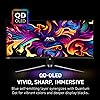
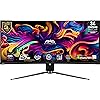
msi MAG 341CQP QD-OLED, 34 Curved OLED Gaming Monitor, 3440 x 1440 (UWQHD), 0.03ms Response time, 175Hz, Adaptive Sync, True Black HDR 400, HDMI, DP Port, USB Type C, Tilt, Height, Black

  • Based on 348 reviews
Condition: New
Product info up-to-date
$1,053.50 Why this price?

Buy Now, Pay Later


As low as / mo
  • – Up to 36-month term if approved
  • – No impact on credit to apply
  • – Instant approval decision
  • – Secure and straightforward checkout

Ready to go? Add this product to your cart and select a plan during checkout.

Payment plans are offered through our trusted finance partners Klarna, Affirm, Afterpay, Apple Pay, and PayTomorrow. No-credit-needed leasing options through Acima may also be available at checkout.

Learn more about financing & leasing here.

Selected Option

Free shipping on this product

This item is eligible for return within 30 days of receipt

To qualify for a full refund, items must be returned in their original, unused condition. If an item is returned in a used, damaged, or materially different state, you may be granted a partial refund.

To initiate a return, please visit our Returns Center.

View our full returns policy here.


Availability: Only 8 left in stock, order soon!
Fulfilled by Triplenet Pricing INC

Arrives Jun 23 – Jun 25
Order within 17 hours and 26 minutes
Available payment plans shown during checkout

Protection Plan Protect Your Purchase
Checking for protection plans...

Size: 34"


Style: 175Hz


Features

  • Next-Gen QD-OLED Panel With stunning image quality and fast response time.
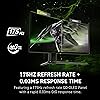
  • Fastest 0.03ms GtG response time and 175Hz refresh rate.
  • QD Premium Color Ensures the color meets the market standard Delta E2.
  • Gaming Intelligence App Create the perfect viewing settings for your games.
  • MSI OLED Care 2.0 Reduced the risk of OLED image sticking / burn-in.
  • KVM Control multiple devices via one set of keyboard, mouse, and monitor.
  • Console Mode Provide HDMI 2.1 with a full 48 Gbps bandwidth.

Description

Visualize your victory with the MAG 341CQP QD-OLED gaming monitor. It boasts a 3440x1440 UWQHD 1800R curved next-gen QD-OLED panel, 175Hz refresh rate, and rapid 0.03ms(GtG) response time. VESA certification for ClearMR 9000 and DisplayHDR True Black 400 ensures exceptionally vivid images and mitigates motion blur. OLED Care 2.0 reduces OLED burn-in risks. For console gamers, the MAG 341CQP QD-OLED provide HDMI 2.1 ports with 48Gbps bandwidth, 120Hz support, VRR, and ALLM.

Brand: msi


Screen Size: 34 Inches


Resolution: QHD Ultra Wide 1440p


Aspect Ratio: 219


Screen Surface Description: Glossy


Aspect Ratio: 219


Screen Finish: Glossy


Contrast Ratio: 15000001


Refresh Rate: 175 Hz


Display Type: OLED


Display Technology: OLED


Viewing Angle: 178 Degrees


Brightness: 250 nits


Pixel Pitch: 0.2315


Has Color Screen: Yes


Picture Quality Enhancement Technology: Adaptive-Sync


Screen Size: 34 Inches


Item Dimensions D x W x H: 32"D x 13"W x 17"H


Item Weight: 8.8 Kilograms


Resolution: QHD Ultra Wide 1440p


Display Resolution Maximum: 3440 x 1440


Native Resolution: 3440x1440


Voltage: 240 Volts (AC)


Is Electric: Yes


Connectivity Technology: HDMI


Hardware Connectivity: HDMI, USB


Adaptive Sync: FreeSync


Additional Features: Adaptive Sync


Specific Uses For Product: Gaming


Color: Black


Mounting Type: Wall Mount


Compatible Devices: Gaming Consoles, Laptops, Desktops


Warranty Type: 2 Years Manufacturer Warranty


Shape: Rectangular Prism


Brand: msi


Model Number: MAG 341CQP QD-OLED


Model Name: MAG341CQPQDOLED


Warranty Description: 2 year manufacturer


Series Number: 34


UPC: 824142337509


Manufacturer: MSI


Response Time: 0.03 Milliseconds


Processor Count: 1


Total Number of HDMI Ports: 2


Total Usb Ports: 3


Number of Component Outputs: 3


Total USB 2.0 Ports: 2


Frequently asked questions

If you place your order now, the estimated arrival date for this product is: Jun 23 – Jun 25

Yes, absolutely! You may return this product for a full refund within 30 days of receiving it.

To initiate a return, please visit our Returns Center.

View our full returns policy here.

  • Klarna Financing
  • Affirm Pay in 4
  • Affirm Financing
  • Afterpay Financing
  • PayTomorrow Financing
  • Financing through Apple Pay
Leasing options through Acima may also be available during checkout.

Learn more about financing & leasing here.

Top Amazon Reviews


  • Fantastic monitor - know the caveats
Size: 34" Style: 175Hz
tl;dr - If you know what you're getting into, probably the best (current) value you can get of the 34" ultrawide OLEDs. 3 year burn-in warranty, gen 2 oled care, and of course a stellar image. But definitely do your research before buying and being disappointed by the pitfalls of OLED. I think the monitor is a better value than the popular Alienware AW3423DWF at this point, but again be aware that all of these OLEDs require being babied, unlike a LED-based one. That said, super impressed with this monitor, especially once proper HDR content is on - just jaw-dropping clarity and contrast, it's like looking through a window. Great refresh rate (I'm not really a competitive gamer so the added cost for 240Hz isn't really worth it) and easy swapping between color spaces if that's you're thing. I was skeptical about ultrawide at first, but it's so immersive and great for games and the music production work I do. Took a bit of getting used to from my old dual monitors, but I really like it. A side benefit of the OLED is in the dark, regular 16:9 content (like youtube) looks like it's on a normal monitor thanks to the perfect blacks on the "side bars". Now, the big caveats: Like all current OLED monitors, there are varying levels of intrusive "OLED care" functions - pixel shifting, logo detection and dimming, etc. The biggest being the ~5 minute, every 4 to 16 hour panel refresh - thankfully on the MSI the pop up can be dismissed or changed to be only every 16 if it bothers you that much, but it needs to be planned around regardless. The pixel shift, which moves the entire screen, also cannot be turned off. This is all to reduce burn in since monitors are far more static than TVs. Additionally, the triangular pixel substructure will make text and windows have some color fringing - this took a few days for me to get over, but I barely notice it now. And probably wouldn't have in the first place, if it hadn't been noted in the reviews. But overall, even though the babying of the monitor takes some getting used to, I can't stop staring at this thing. If the additional upkeep seems too unappealing, I recommend waiting for a good miniLED to come out, or OLED tech to mature more. ... show more
Reviewed in the United States on December 5, 2024 by Brian

  • Absolutely worth it, best gaming monitor I’ve owned Absolutely worth it, best gaming monitor I’ve owned
Size: 34" Style: 175Hz
I recently upgraded to the MSI OLED ultrawide and I can honestly say this is the best monitor I’ve ever used. The OLED panel is on another level — the blacks are truly black, colors pop like crazy, and the contrast makes everything look super sharp whether you’re gaming or watching movies. I mainly play games like League of Legends and story-driven titles like Resident Evil and Silent Hill, and the experience has been amazing. Motion clarity is extremely smooth, response time is instant, and there’s zero ghosting. HDR content looks incredible and really shows what this screen is capable of. The curved ultrawide format makes gaming and productivity much more immersive. It feels like you’re surrounded by the screen instead of just looking at it. Text is sharp, brightness is strong for an OLED, and MSI’s build quality feels premium. Another big plus is how quiet and cool it runs. No noticeable fan noise and it handles long gaming sessions without any issues. Setup was simple and it worked perfectly with my RTX 3080. Overall, if you’re thinking about getting an OLED monitor for gaming or mixed use, this MSI is 100% worth it. Pricey, but once you use OLED, it’s hard to go back to anything else. ... show more
Reviewed in the United States on February 14, 2026 Reviewed in the United States on February 14, 2026 by Aníbal Plata

  • Great Monitor!
Size: 34" Style: 175Hz
I’m really happy with this monitor. My favorite part is the picture quality. The colors are bright, the blacks are deep, and everything looks very sharp. It makes gaming and watching videos feel more immersive, especially with the ultrawide curved screen. I chose this monitor over others because of the QD-OLED display and high refresh rate. I wanted something that looked great and performed well for gaming, and this one checked both boxes. It definitely meets my needs and exceeded my expectations. Games run smoothly, and the extra screen space is great for multitasking. ... show more
Reviewed in the United States on January 30, 2026 by Noe

  • Great Monitor
Size: 34" Style: 175Hz
The MSI MAG 341CQP QD-OLED is an impressive 34-inch ultrawide monitor that combines quantum dot OLED technology for stunning color accuracy and deep blacks. Its 3440x1440 resolution delivers crisp visuals, ideal for both gaming and professional work. The 175Hz refresh rate and 0.03ms response time make it excellent for fast-paced gaming, with smooth and fluid motion. The curvature enhances immersion, providing a more comfortable viewing experience. Featuring a sleek design, vibrant colors, and a wide color gamut, this monitor excels in both performance and aesthetics. However, its price point may be a consideration for those on a budget. ... show more
Reviewed in the United States on December 13, 2024 by Nathaniel

  • This monitor has been kind of a pain but not a bad monitor spec wise.
Size: 34" Style: 175Hz
It's a nice monitor, don't get me wrong. The OLED ultrawide display is the cherry on top, but I've had issues with it from the start. I read online that to get G-Sync working, you need to use a DisplayPort cable, right? Since this monitor uses DisplayPort 1.4, I bought the appropriate cable. Unfortunately, I kept experiencing flickering and glitches on the screen, both while gaming and just doing regular desktop tasks. The flickering was incredibly distracting. A friend of mine later mentioned that DisplayPort 1.4 can be problematic, so I switched to HDMI 2.1. Instantly, the glitches, flickering, and stuttering disappeared. Thankfully, I can still enable G-Sync using HDMI 2.1. I’m not entirely sure why that works—it might be due to a recent firmware update—but I found conflicting advice online that insisted on using DisplayPort 1.4. My advice: skip it and go with HDMI 2.1 instead. Another important tip: look up the recommended settings for this monitor to avoid screen burn-in. As an OLED gaming monitor newbie, I didn’t do this, and my screen suffered burn-in within the first month. I highly recommend watching the YouTube video titled "Best Settings Guide for the MSI MAG 341CQP" by TFTCentral to get it right. Regarding refresh rate, I use 120 Hz with HDMI 2.1, but I’m sure the 144 Hz and 175 Hz options work just as well. Personally, I’m not too concerned about higher refresh rates, but the visual quality of this monitor is incredible, especially for graphically demanding AAA games. One more tip: don’t throw away the included cables. One is for firmware updates (which you don’t necessarily need to install), and the other is an HDMI cable. After owning this monitor for a year, I can say it’s not a bad product, but it has been a bit of a headache. Once I switched to HDMI 2.1, though, I had no more problems. In summary, it's a nice monitor, but to get the most out of it, you’ll need advice from fellow users. The issues I faced seem to affect only a small group of owners, and reliable solutions can be hard to find online. ... show more
Reviewed in the United States on May 13, 2025 by Gabriel P

  • Looks great, works great, have to wait to see about burn-in.
Size: 34" Style: 175Hz
I purchased two of these, one for myself and one for my wife. I use it for work, gaming, and hacking. I don't need 1k nits of brightness for work or hacking, or HDR for that matter, but boy does it make my terminals look so good! HDR works with KDE plasma 6, my desktop with an AMD graphics card had the toggle switch in Plasma's system settings application, but my work laptop with an intel GPU I had to use kscreen-doctor to enable HDR. In either case once I enabled it and set the SDR brightness accordingly it looks great. I have all of the panel protect features turned to their highest level in hopes to stave off burn-in as long as possible, my screen is pretty static at work and at the desktop, and in gaming I generally play games with static huds as well so I am a little concerned to see how well it holds up. That being said just running the panel protect cycle over lunch and after being done with work everyday, then again after each gaming session isn't hard, and setting pixel shift to fast is noticeable but not annoying, so I'm pretty hopeful that it'll hold up fine. Since I'm using it for both work and play I have my work laptop connected via USB-C and my desktop connected via Display port and USB-B. The built in KVM switch is fantastic, leave it in its defautl auto mode and it will switch USB devices to which ever output you have selected, or you can manually tell it which device should get the USB devices so even if I'm currently viewing my laptop I can switch my keyboard and mouse to my desktop to interact with it, change a setting real quick, what ever. Very useful feature IMO. Overall very impressed with this monitor especially for the price, the picture is great, 175hz gaming is amazing, and everything seems to work as it should, including the KVM switch and USB-C input. The only real complaint I have is the USB ports are a bit hard to get to, and very cramped with the other connectors, so normal usb connectors will fit, but anything slightly larger, like a USB -> headphone/microphone adapter probably won't. I solved this by plugging in a USB hub to the monitor and using the hub for the devices I want to switch between my laptop and desktop, primarily my headset, external webcam, and mouse. My keyboard can live switch between USB and bluetooth so I just use that for the keyboard, but plugging it into the hub would work as well. ... show more
Reviewed in the United States on June 25, 2024 by Kevin G.

  • Absolutley Game Changing. Worth Every Dollar
Size: 34" Style: 175Hz
I instantly noticed the difference the moment I turned on the monitor. The picture quality is on another level as well as the deep blacks are truly something else. They're not washed out like what you see with IPS panels. This is someone coming from an IPS monitor, this looks significantly better in every way: the contrast, color depth, and overall immersion. I tested it right away with Resident Evil 4 Remake, and instantly noticed the dark scenes look incredible. The lighting, shadows, and atmosphere feel so much more realistic. It completely changes the experience. Horror games especially benefit from the OLED panel which is why I bought for the anticipation of Resident Evil Requiem. Another huge plus is the amount of settings and customization options this monitor offers. There are features here that I didn’t even have access to on my previous monitor. It really lets you fine-tune the experience exactly how you want it. Overall, this monitor is game-changing. Between the QD-OLED panel, deep blacks, extra features, and immersive ultrawide experience, it’s absolutely worth the price. If you’re upgrading from IPS, you’ll notice the difference instantly. ... show more
Reviewed in the United States on February 26, 2026 by Mando

  • awful monitor
Size: 34" Style: 175Hz
this monitor is horrible. it requires that it be shut off for "panel protection" almost every 4 hours and there is no way to skip it. That means that my computer monitor routinely goes too all black multiple times throughout my workday - completely unacceptable. The monitor is also super buggy, I have verified the HDMI and power connections, but the monitor frequently goes black momentarily as if it lost the HDMI connection and then it returns in 2-7 seconds. This is incredibly frustrating and I wish I'd never bought this monitor. It is truly the worst tech I've interacted w/ in a while. ... show more
Reviewed in the United States on October 25, 2024 by Amazon Customer

Can't find a product?

Find it on Amazon first, then paste the link below.