


Search  for anything...

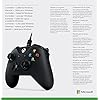
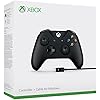
Microsoft 4N6-00001 Xbox Controller + Cable for Windows, Black

  • Based on 9,827 reviews
Condition: New
Checking for the best price...

Buy Now, Pay Later


As low as $11.66 / mo
  • – 6-month term
  • – No impact on credit to apply
  • – Instant approval decision
  • – Secure and straightforward checkout

Ready to go? Add this product to your cart and select a plan during checkout.

Payment plans are offered through our trusted finance partners Klarna, Affirm, Afterpay, Apple Pay, and PayTomorrow. No-credit-needed leasing options through Acima may also be available at checkout.

Learn more about financing & leasing here.

Free shipping on this product

This item is eligible for return within 30 days of receipt

To qualify for a full refund, items must be returned in their original, unused condition. If an item is returned in a used, damaged, or materially different state, you may be granted a partial refund.

To initiate a return, please visit our Returns Center.

View our full returns policy here.


Availability: In Stock.
Fulfilled by MaxProductSales (SN Recorded)

Arrives Jul 6 – Jul 8
Order within 12 hours and 46 minutes
Available payment plans shown during checkout

Protection Plan Protect Your Purchase
Checking for protection plans...

Features

  • Compatible with Windows 10, Windows 8.1 and Windows 7, Xbox one, Xbox one play and charge kit, Xbox one chat headset, and Xbox one stereo headset
  • Experience the enhanced comfort and feel of the new Xbox wireless controller. Enjoy a powered and reliable connection with a wired controller. No need to change batteries
  • Get upto twice the wireless range compared to previous Xbox one controllers (tested using the Xbox one S console)
  • USB cable for the most steadfast gaming experience on Windows 10 devices
  • AA batteries sold separately

Description

Experience the enhanced comfort and feel of the new Xbox Wireless Controller, featuring a sleek, streamlined design and textured grip. Enjoy custom button mapping and up to twice the wireless range (40 feet/ 12 meters) compared to previous Xbox One Controllers (tested using the Xbox One S Console). Plug in any compatible headset with the 3.5mm stereo headset jack. And with a USB cable, play your favorite games on Windows 10 PCs and tablets with a wired connection.

Brand: Xbox


Model Name: MICROSOFT CORP/LICENSING


Compatible Devices: Windows, Xbox One


Controller Type: Gamepad


Connectivity Technology: Cable|Wireless


Compatible Devices: Windows, Xbox One


Controller Type: Gamepad


Connectivity Technology: Cable|Wireless


Additional Features: Wireless


Button Quantity: 17


Hardware Platform: Xbox 360, Xbox One S,Xbox One,PC, xbox one


Power Source: Battery Powered,Usb Cable


Compatible Video Game Console Models: Microsoft Xbox One, Microsoft Xbox One S, Microsoft Xbox One X


Item Weight: 231 Grams


Package Quantity: 1


Item Dimensions: 2.76 x 1.97 x 2.32 inches


Color: Black


Brand Name: Xbox


Model Name: MICROSOFT CORP/LICENSING


Warranty Description: 1 year limited manufacturer warranty


Manufacturer: Microsoft


Global Trade Identification Number: 64


UPC: 889842121964


Model Number: 4N6-00001


Manufacturer Part Number: 4N6-00001


Unit Count: 1.0 Count


Item Type Name: Xbox Controller + Cable for Windows


External Testing Certification: ANATEL 08294-20-01569


Frequently asked questions

If you place your order now, the estimated arrival date for this product is: Jul 6 – Jul 8

Yes, absolutely! You may return this product for a full refund within 30 days of receiving it.

To initiate a return, please visit our Returns Center.

View our full returns policy here.

  • Klarna Financing
  • Affirm Pay in 4
  • Affirm Financing
  • Afterpay Financing
  • PayTomorrow Financing
  • Financing through Apple Pay
Leasing options through Acima may also be available during checkout.

Learn more about financing & leasing here.

Top Amazon Reviews


  • Plug-&-play for PC and Bluetooth brought me here.
Still pretty new to getting this 4N6-00001 Xbox Controller with Windows Cable, so will follow up with a performance update if needed. Feels nice and sturdy. I do not have an Xbox One and the last time I played an up-to-date Xbox console was 2013, so my review is going to be focused on the PC side of things. I picked this controller over other budget controllers for PC because I wanted something that will last and can withstand up to action/intense gaming while still delivering quality results. Since Microsoft makes Xbox and they need durable console controllers, was a no brainier. Pros: - Cable can be used to plug-and-play on Windows 10 with no problem. Have not double-checked if any drivers need updated. If they do, runs nice out of box. - If you just use the cable to connect to PC, you don't need the batteries. I kid you not, and still haven't installed any. - Instructions say it is Bluetooth compatible (Xbox link on packaging says only for Windows 10 and certain Android devices) and also works on Xbox One. - Sturdy controller construction and feel. Currently withstood about 10-15 hours of total action gaming time and seems durable. - Has an audio jack (have not tested) - Has not slipped while holding it at all during my few hour gaming session. After all, had to test it for extended game play, comfort, and durability. - USB cable is 8 ft long. This is a huge, huge plus right there. - I do not find the light from the Xbox logo distracting while gaming (I know this has been a frequent complaint with other light-logo or LED PC controllers). Cons: - The D-pad is only 4-directional. I know some prefer a round pad that allows for an 8-directional navigation, but I think this D-pad is standard on Xbox controllers - Usually I have more cons for products, but I can't think of any right now. Currently very satisfied with this purchase. ... show more
Reviewed in the United States on October 11, 2018 by Jaymes

  • One of the best controllers for your PC
I was reluctant to buy this controller for my PC because I had an X-Box 360 controller I had gotten used to (which had subsequently broken), and this seemed to have a somewhat different form factor. Since Microsoft doesn't make the 360 version anymore, I thought I'd give this one a shot. The first one had a finnicky "A" button, so I returned it and the replacement I got works perfectly. Controls are tight and responsive, the analog sticks are definitely different than the 360 version and took a little getting used to, but I can see why so many people like these ones better. I almost took a star off for not being closer to the older form factor, but I decided that would be unfair, and honestly this controller feels more comfortable every time I use it. It's less bulky and more streamlined. There are a few major advantages you're gonna have with this controller-- to start, being a Microsoft controller, you KNOW it'll be compatible with the vast majority of PC games, esp. games on Steam; so there's no need to worry about downloading external drivers like with the PS4 controller, or hoping whatever off-brand controller you've bought is compatible with all your games. You plug this thing in, it works. Period. And tons of modern games are designed with an X-Box controller in mind anyway. No fuss, no hassle. Second-- hallelujah, the D-Pad on this thing is actually USABLE. I even prefer using it to the analog stick for some games, shockingly. The D-Pad on the 360 controller was trash; really only good for selecting weapons/options for your character and stuff like that. This new one, while not as good as say your typical Nintendo or Playstation controller, is pretty darn decent. Third -- and this is important -- the cable connecting your controller to your PC is removable. The reason I trashed my old 360 controller is because there was some kind of break in the controller wire, which meant it couldn't reliably keep a connection with my PC. Seems like that should be a relatively small problem, but my controller was well out of warranty, and I didn't know how to fix it or remove and replace the cable myself (looking up how-to videos on youtube showed me it would have been WAY too much hassle). But guess what? That'll never be a problem on this controller since if the controller wire ever did break, it takes all of 3 seconds to unplug the broken cable and plug in a new one. So unless Microsoft stops making USB wires for this thing, you should be golden. One less potential issue to worry about. Overall I highly recommend this thing. Without going into a higher tier like the Elite series, you're likely not going to find a better controller for your PC for the money. ... show more
Reviewed in the United States on March 6, 2020 by Evan Lauderdale

  • Solid controller
Solid
Reviewed in the United States on May 30, 2026 by Todd H. Sims

  • An Excellent Controller For Games On PC
It's a really solid controller, but there a couple of issues I encountered, one of the two not being the controller itself. The overall build quality is pretty good, however the triggers do tend to get lose fairly quickly. This unfortunately is something that has happened on every Xbox controller I've used. I ran into an issue with Bluetooth on Windows 10 where most of the time I would need to pair the controller again if I restarted my PC. I believe this was a bug on Windows 10, that likely is fixed by now. If you do use Windows 10 though and you notice this happening at least you'll know what the cause is. The controller worked on many gaming clients I used it on where the game had controller support. Here's the list of clients I used it on: Steam, Epic Games Launcher, EA's Origin, Ubisoft Connect(formerly Uplay), Bethesda Launcher and Arc(Perfect World Entertainment's client). ... show more
Reviewed in the United States on November 19, 2020 by Livin' Large

  • 10x Better than keyboard/mouse for MSFS2020 and actually available!
I bought this for MSFS2020 on my PC and just opened it a few hours ago, so this review will not cover durability. This is my first flight simulator, so I naively bought the program thinking my mouse and keyboard would be sufficient. After crashing about 30 times in the traffic pattern training module before starting to land (only sometimes, and very badly), I decided to follow the advice of literally every Youtube review/comment and get a real controller. I considered a joystick, a HOTAS or even a fancy yoke/throttle/pedal setup, but realized I was late to the party and all online stores were sold out or triple the price. I decided to try this Xbox controller and was blown away by how much easier flying is now. I have a Nintendo Switch and the quality of those controllers is noticeably inferior to this one. The Bluetooth connection was easy to set up and there is no lag time; the program reacts instantly to my movements. I'm still getting used to what the buttons do since I already memorized the basic keyboard controls, but the "yoke" joystick and rudder buttons are very intuitive. The trim and flap controls are also on the controller. I'm still using the keyboard for throttle, but so far that has been perfectly adequate. I'm hoping I can reduce the sensitivity somehow, but just out of the box, this is a huge improvement over the mouse/keyboard. I recommend it to any FS2020 beginner because it works so well, is reasonably priced and is, quite literally, the only option out there for the moment. ... show more
Reviewed in the United States on September 15, 2020 by Nicholas Hutchings

  • This equipment was designed for xbox but works great as a pc controller (Windows 10, Steam)
I ordered this for my pc after not being able to satisfactorily use my ps4 controllers or a crappy aftermarket wireless controller I bought on it. It's designed for Xbox, but works better than ANYTHING I've tried on pc (every other controller I have tried loses connection and lags) I have been gaming since the Atari joysticks of the early 80's, and this is a fairly solid build. (feels like it'll survive well under normal use) Personal criticisms are all ergonomic (these are ALL based on personal preference and opinion - I have played primarily on Playstation controllers since there were such things, and am not generally used to xbox controllers): The grip on the controller is different than what I'm used to. If you're moving over from Playstation tech, expect some adjustment time. The menu keys aren't casually in reach like they are on a PS controller... some games would be easier if they were. The left thumb knob is out of place if you're used to a ps controller. Gives my thumb cramps, but I'm sure it's, again, a personal adjustment issue. It is NOT wireless out of the box, but comes with a very long cable. There is a wireless transmitter (around $18) that you can buy for it if you have dogs or kids that trip over your cables, or some other reason why a 15 foot cable won't do the job. I have not yet purchased said transmitter. The only game I've played on it, so far, is Cyberpunk 2077, which plays an awful lot like Grand Theft Auto if I may say so. ... show more
Reviewed in the United States on November 24, 2021 by RYAN C NEWCOMB

  • Great
Great
Reviewed in the United States on June 9, 2026 by lazy

  • Don't expect it to last you a year. Cable is made to go.
Comes with a fragile micro USB adapter that breaks with abrasive jostling during play. Probably brushed my lap a few too many times- never an issue I thought I'd have to consider with these things. Prospective buyers- make sure not to touch the point where the cord enters the controller, and make sure not to shake the connection. This can happen if it brushes against your lap too much, your table if the cord goes under your table or aside a surface somewhere, etcetera. Unlike with Nintendo Micro USB to USB designs, there's no reinforcement or stability where the cord connects to the controller at all, and you will eventually break the connector with enough jostling. It's practically supported by the point of connection itself rather than with any plastic. It doesn't matter how many replacements you buy, they're going to eventually break quite quickly, because all the stress is placed upon the connector itself. I bring up Nintendo designs because they quite thoughtfully have a plastic brace around that area so the controller itself endures the stresses of gravity and movement during play. It might not be an intentional design on Microsoft's part but it's a short-sight that helps them sell a lot of replacement cables regardless. What this means for you is that the controller will slowly start losing power intermittently before breaking for good after enough use- if you still want to use it while it's on its way out. Now, this isn't the end of the world if it does happen. Since it uses an interchangeable micro-USB cord, you can buy a replacement from Microsoft. They cost a little shy of twenty bucks. Mine lasted me seven months of sporadic use. I'd have some months where I'd do very little gamepad gaming at all. This device didn't see much use before its USB connector went. From here on, I'm going to assume your USB cord will last you anywhere from five to ten months. Again, mine lasted seven, and I only used it a handful of times each month. If you get yourself a replacement cord right now, this purchase'll run you around 80 bucks altogether. This is taking into account the fact the stick might drift after a year and a half of use, so you probably won't want two or three cords (and if you did, that'd run you the price of this controller itself!). You'd want to just replace it after the sticks begin to drift. Considering the lifetime of other controllers- and their cords- on the market, your money's probably better spent elsewhere. If you must stick with Microsoft, get this and the replacement cord right away. That should last you a year and a half until the rest of the controller starts going. I don't know if their more expensive controllers are better designed, but between you and me, I feel like Microsoft's the kind of company to prey on the rich and ignorant. I also recommend checking out third party and seeing if they're any better- that's what I'm gonna be doing next. Totally not going back to Microsoft for XBOX ONE stuff. Not unless the third party market's a disaster, somehow. Since a stock 360 controller is structurally similar and might only begin to drift after a year or two, I'd consider that way more bang for your buck- if you can put up with the worse dpad. Still serviceable. My 360 controller even still works as far as the cord and buttons go, but the sticks have begun to horribly drift. This is also my second XBOX ONE controller. The upper right trigger on my last one broke. If you're a PC gamer, go with Microsoft's 360 controller, or go with Nintendo's Pro controllers. I haven't tried Sony yet, but I hope their designs aren't as seemingly malicious as Microsoft's. Myself? I'm not getting a replacement cord unless I'm desperate. I'm just gonna see myself out and see what the third parties have to offer for both XBOX 360 and XBOX ONE. I've been let down by a few third party suppliers before, where the sticks or triggers broke within one year. Still, that at least took a year. Microsoft starts askin' you for more before the one year lifespan is up! Here's to hoping the Nintendo controllers I have don't succumb to sudden extreme stick drift after I've praised them in this review for at least not sneakily breaking the cord on me. ... show more
Reviewed in the United States on October 21, 2020 by Bradley Edwards

Can't find a product?

Find it on Amazon first, then paste the link below.
Checking for best price...