Search  for anything...

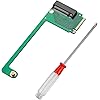
JOYJOM 2230 to 2280 Adapter for ROG Ally SSD - 90 Degree NVME M-Key 5Pin M.2 PCIe 4.0 With Screwdriver
  • Based on 40 reviews
Condition: New
Checking for the best price...
$8.49 Why this price?
Save $0.50 was $8.99

Buy Now, Pay Later


As low as $2 / mo
  • – 4-month term
  • – No impact on credit to apply
  • – Instant approval decision
  • – Secure and straightforward checkout

Ready to go? Add this product to your cart and select a plan during checkout.

Payment plans are offered through our trusted finance partners Klarna, Affirm, Afterpay, Apple Pay, and PayTomorrow. No-credit-needed leasing options through Acima may also be available at checkout.

Learn more about financing & leasing here.

Free shipping on this product

FREE 30-day refund/replacement

To qualify for a full refund, items must be returned in their original, unused condition. If an item is returned in a used, damaged, or materially different state, you may be granted a partial refund.

To initiate a return, please visit our Returns Center.

View our full returns policy here.


Availability: In Stock.
Fulfilled by Amazon

Arrives Saturday, May 2
Order within 21 hours and 47 minutes
Available payment plans shown during checkout

Protection Plan Protect Your Purchase
Checking for protection plans...

Features

  • ONLY for ROG ALLY: the 90 degree PCIe 4.0 M2 adapter is specially for ROG Ally Console, you can upgrade a 2230 size M.2 SSD drive to a 2280 size NVME M-Key 5Pin M.2 PCIE 4.0 SSD.
  • Higher-Speed, Higher-Capacity Storage: it can replace your small capacity 2230 SSD to larger capacity 2280 SSD, to achieve higher speed and capacity.
  • Installation Skills Required: it requires technical and operational skills, it is recommended to install under the guidance of professionals, especially how to clone the system, you can search the instructions on the internet .
  • Package include: a 2230 to 2280 SSD Adapter for Rog Ally, a screwdriver for SSD
  • Installation instruction: 1st .2280 SSD to be replaced into the adapter board, ready for the operation of the system cloning. 2nd. Boot rog ally into the system, connect the SSD,and open DiskGenius, Use the "System Migration"function to clone the original 512GB system disk to a new one.

Description

2230 to 2280 Adapter for Rog Ally, JOYJOM for Rog Alloy SSD Adapter 90 Degree 2230 to 2280 NVME M-Key 5Pin M.2 PCIe 4.0 adapter with screwdriver

Compatible Devices: ROG Ally


Connector Type: M.2 PCIe


Color: Green


Brand: JOYJOM


Finish Type: Metallic


Package Dimensions: 8.39 x 3.78 x 0.63 inches


Item Weight: 1.13 ounces


Item model number: JOYJOM-2230-2280


Date First Available: December 14, 2023


Manufacturer: JOYJOM


Frequently asked questions

If you place your order now, the estimated arrival date for this product is: Saturday, May 2

Yes, absolutely! You may return this product for a full refund within 30 days of receiving it.

To initiate a return, please visit our Returns Center.

View our full returns policy here.

  • Klarna Financing
  • Affirm Pay in 4
  • Affirm Financing
  • Afterpay Financing
  • PayTomorrow Financing
  • Financing through Apple Pay
Leasing options through Acima may also be available during checkout.

Learn more about financing & leasing here.

Top Amazon Reviews


  • More storage is one simple install away.
Installed in my Asus ROG Ally Z1 Extreme. Installation was easy and my drive was detected first shot. Included screwdriver was all I needed to complete the job. Did not include m2 screw, but that was not expected.
Reviewed in the United States on August 18, 2025 by Viper

  • Works as it should!
Works as it should! Came in a nice plastic case, with the piece in a baggie. Once I got my ROG Ally on Dec. 9th, removed the backplate and all, needless to say, 1TB of storage. I'm so happy with it. No issues whatsoever. Worth it.
Reviewed in the United States on December 13, 2024 by JustSomeRandomGuy JustSomeRandomGuy

  • STEAM DECK (LCD) OWNERS
I never write revs but this came in clutch for me, but your exp my differ by model Step by step listen bc there are reasons your way won’t work , take your stock nvme out, take the adapter and screws, screw on the screws the nvme adapter WITHOUT THe NVME INSTALLED TO THE ADAPTER, then once it’s tight clip the nvme into the port you’ll notice it can’t hook into the stud buts it’s close, pull the thick down but still close the the nvme and it should snap in then let go, it works just use all your brain cells to problem solve that last part bc once you get it your there PSA with this method DO NOT use a heat sink and that metal sheild likley won’t fit but hey 64-512 now I can’t complain ... show more
Reviewed in the United States on July 16, 2024 by Melenie Young

  • Just order this one
I actually received this one, unlike the Suckoo one. Fit perfectly into my ROG Ally and works with the 4TB drive I had for it. Doesn't seem to impact the speed of the drive and the installation was simple, took me about 5 mins in total from taking the back off, putting this and the drive in and putting the back back on. Just be careful though, these things aren't built very strong and can easily break if you're not cautious. ... show more
Reviewed in the United States on August 1, 2025 by JBurky15

  • Rog Ally
Worked on my son's rog Ally the original white one
Reviewed in the United States on December 26, 2025 by cellsot6

  • It's a pain in the but to install in the ROG ALLY.
The screw for the m2 drive is under the part you can't get to once the m.2 drive is installed. Other kits work better.
Reviewed in the United States on September 16, 2024 by Albert Calef

  • Worked for ROG Ally but...
This worked for my ROG ally but the threaded insert for the m.2 screw wasn't attached to the PCB. I ended up soldering the insert to PCB but anyone without proper tools or skills would've met a roadblock. Hopefully this was a once off incident. This is a great mod though in general. Allows for cheaper full sized, high capacity m.2 SSDs. No speed compromises either. ... show more
Reviewed in the United States on March 25, 2024 by August Straughn

  • Fits perfectly
I was a little frustrated at first because the fitting that secures the backend of the card wouldn't fit. You have to make sure the pcb is completely flat. You can take a small screwdriver and pull the fitting back a tiny bit and then push down on the ssd. Maybe a tiny bit more difficult than expected but not more than you can handle. ... show more
Reviewed in the United States on March 7, 2024 by Joseph D. Kovach Joseph D. Kovach

Can't find a product?

Find it on Amazon first, then paste the link below.
Checking for best price...