




Amazon Fire TV 43" Omni QLED Series 4K UHD smart TV, Dolby Vision IQ, Fire TV Ambient Experience, hands-free with Alexa
Condition: New


Notify me when this product is back in stock
Buy Now, Pay Later
As low as
$48.33
/ mo
Learn more
- – 6-month term
- – No impact on credit to apply
- – Instant approval decision
- – Secure and straightforward checkout
Payment plans are offered through our trusted finance partners Klarna, Affirm, Afterpay, Zip, Apple Pay, and Google Pay. No-credit-needed leasing options through Acima may also be available at checkout.
Learn more about financing & leasing here.
Selected Option
Free shipping on this product
30-day returns
Learn more
FREE 30-day refund/replacement
To qualify for a full refund, items must be returned in their original, unused condition. If an item is returned in a used, damaged, or materially different state, you may be granted a partial refund.
To initiate a return, please visit our Returns Center.
View our full returns policy here.
Availability:
Unavailable
Recently Viewed


Size: 43-inch
Configuration: TV only
Features
- Stunning 4K Quantum Dot Display (QLED) - Makes movies, shows, and live sports pop in brighter, richer, and more lifelike colors.
- Advanced HDR - Scenes leap off the screen in deep, realistic color with Dolby Vision IQ and HDR10+ Adaptive. HDR10 and HLG are also supported.
- Adaptive Brightness - Fire TV automatically optimizes the brightness of movies and shows through a built-in sensor that detects the lighting in your room.
- Fire TV Ambient Experience - Turns your TV screen into a canvas for displaying over a thousand pieces of free artwork, personal photos, and more.
- Watch what you want - Stream hundreds of thousands of movies and TV episodes. Watch favorites with subscriptions to Netflix, Prime Video, Disney+, and more.
- Hands-free TV with Alexa - With built-in microphones, just ask to turn on the TV, and find, launch, and control content, so you can put down the remote.
- Build your home theater - With Alexa Home Theater you can wirelessly pair Echo speakers using the Alexa app, or connect a soundbar or an AV receiver.
- Connect all your devices - Use the 4 HDMI inputs to connect to cable or satellite and video game consoles. The HDMI eARC lets you add audio equipment for enhanced sound.
- Designed to protect your privacy - Built with privacy protections and controls, including a switch that electronically disconnects the microphones.
Frequently asked questions
This product is currently out of stock. Please check back later for shipping info.
Yes, absolutely! You may return this product for a full refund within 30 days of receiving it.
To initiate a return, please visit our Returns Center.
View our full returns policy here.
To initiate a return, please visit our Returns Center.
View our full returns policy here.
- Klarna Financing
- Affirm Pay in 4
- Affirm Financing
- Afterpay Financing
- Zip Pay in 4
- Financing through Apple Pay
- Financing through Google Pay
Learn more about financing & leasing here.




Top Amazon Reviews
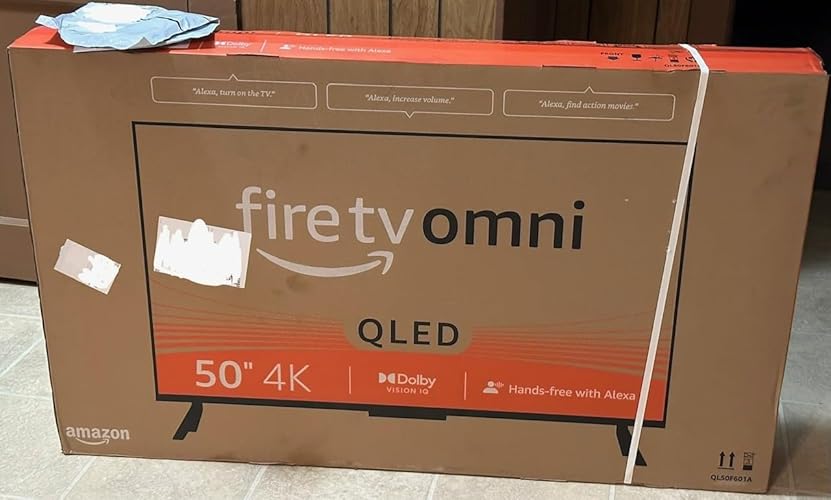
Great Fire TV for the price and features. Picture and sound are both good on the 50” version that still has local dimming. Some infrequent blooming but overall another TV that proves less dimming zones isn’t a detriment with proper processing. Peak brightness isn’t as high as more expensive TV’s but is still noticeable with HDR content and very acceptable at this price. HDR10, HDR10+, HLG and Dolby Vision IQ all work well with good brightness range and color volume. Note: no Dolby Atoms for sound. I knew this, my TV is wall mounted high and tilted down slightly in a small bedroom and I have no need for a sound bar. NOTE: if using a sound bar with an optical cable, try turning the TV speakers off AND changing the output to PCM or Dolby Digital; and use HDMI 4 (ARC/eARC). This TV is a great value for my application and the budget I set for it. I’m just using the Fire TV interface and none of the HDMI inputs. So I can’t speak on Hue, Contrast and Color issues others may see. Out of the box, mine seems spot on and I currently have no want or desire to go in and adjust any settings based on the content from the various apps I’ve used. The interface isn’t as fast as the Fire TV Cube 3 or Fire Stick 4K Max but still pretty good overall. Note to new Fire TV users: the interface is slower when updates are being downloaded and installed. Check the Device Info for updates several times when first starting the TV. There will be several updates: some very big ones and 2 to 3 more little ones at the least. Keep checking back until it says that it’s “up-to-date”. THEN start to really enjoy the interface. Also the network connection and its QUALITY also plays a factor. This TV supports 2.4/5Ghz and wired (100Mbps). Ambient mode is great but just remember what the TV tells you. The power button on the remote TOGGLES between the Fire TV interface and ambient mode and that long pressing it turns the TV off. No issues with any widgets so far for me. Also, my TV easily recognizes when I enter and exit the room. If you have other Amazon products nearby that listen for “Alexa”, simply change the TV’s wake word to Computer, Amazon or Echo. Absolutely no issues with this. 1. I haven’t found any “inescapable” ads to get to content. You can “click” on these shortcuts if you want but you can just user your voice to search for titles instead. Like every other TV interface or box, third party apps have their own interfaces, sign-ins, ads, etc. that can’t be controlled by Amazon, Apple, Google, TCL, etc. Third party apps also place their own ads onto the TV platform they are on based on the deals they have in place. 2. The Fire TV interface is anything but complex. You can set it up anyway you want. Again, the various interfaces, profiles, etc. of third party apps are completely independent from Fire TV and on the makers of them and this would be the same on any other TV platform. 3. YMMV on the interface. Third party crashes and bugs are possible too. Third party interface issues need to be reported to their makers. They manage the various versions of their app across various platforms and sometimes they aren’t all equal in performance or features offered by platform. 4. It hasn’t quite been a decade for Apple to allow the removal of 1st party apps (2016) but maybe Amazon will allow certain apps to be deleted one day. But understand these devices are meant to interface with and promote Amazon products and services primarily. 5. The remote button press sounds can be turned off in options for the main interface. Don’t know about the Alexa Home Theater mode but if there isn’t a way, find out if there is one and if not ask that it be implemented. 6. Again, out of the box settings being what they may for everyone, at least there are detailed picture settings available for the TV and all of its inputs – all independent of one another to get things looking the way you personally prefer.
...
show more
Reviewed in the United States on August 3, 2023 Reviewed in the United States on August 3, 2023 by John Wesley Hester
Size: 43-inch
Configuration: TV only
Amazing 4K picture. Very clear and sharp. Great detail. Good sound quality. Only wish the ports were on the back instead of the right hand side. Works great and pairs easily Fire TV Soundbar Plus. Very satisfied with the quality.
Reviewed in the United States on June 24, 2026 by Anthony Tetzloff
Size: 75-inch
Configuration: TV only
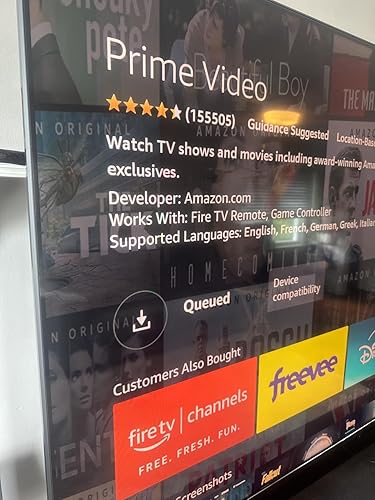
I’m not sure I’ve ever had such a bad purchase experience. I’ve had the 65” version of this tv in my cart for months waiting for a deal, checked it the other day and it said “early prime day deal”. The deal was so good I sprung for the 75” and I was ecstatic. To be fair it’s a beautiful tv, the picture is incredible, I love the smart home capabilities with Alexa, and I love having a huge tv for such a good deal. However, it has a major flaw. Setting the tv up and the initial update was difficult as it seemed to be having connectivity problems which was odd because I’ve had no issues with my internet otherwise, and I tried both on WiFi and connected with an Ethernet cable, but I eventually got passed the update and setup. As soon as I got to the Home Screen I went to download the apps I typically use. Netflix, Hulu, YouTube tv, YouTube, prime video, Spotify. None of them will install! I click the download button and it says “queued”. But it stays queued forever! It never installs. I researched online and it seems to be a somewhat common problem with this tv as other people are posting about this on forums, but none of the forums had a solution that worked. I tried all the troubleshooting steps I could find anyways and sure enough, nothing worked. So I had a friend who works in tech support look at it. After a couple hours of trying different things he says I got a lemon. So the next day I try going through the Amazon app to call their tech support and I only get error messages and can never actually call. Great. Now I decide to call customer service to see what my options are. I have no idea how I’d go about returning this massive tv as I don’t think I could even get it back in the packaging, and I KNOW I can’t drive it anywhere. The woman I spoke to from customer service tells me my options are exchanging it for another tv, OR I can be refunded my money WITHOUT returning the tv…then she puts me on hold and comes back changing her tune now telling me my only option is returning the tv for a refund, but they’ll send someone to pick it up. I’m thinking she meant someone that will actually come in my home, pack it up and take it away. I’m still not thrilled with the experience, and I was suspicious because I’ve never heard of that but she says she’ll email me instructions, so I agreed. Upon reading the instructions I realize I was correct, they don’t have a service where someone comes and packs it for you. The instructions were to box up the tv and leave it on my front step, after I told her I don’t think I’d be able to get this back in the box… This tv doesn’t do much without the apps. I know I can use other devices for these apps but that is not what I bought an Amazon fire tv for. My friends are telling me that’s why it was on such a good sale but the tv was not listed as refurbished or defective, it was listed as an early prime day deal. I’ve now canceled my return and have paid several hundred dollars for a very large monitor. I don’t think I’ve ever bothered to write a review in my life but this one takes the cake. Defective tv and horrible customer service. Stay away from Amazon fire tvs.
...
show more
Reviewed in the United States on June 30, 2025 Reviewed in the United States on June 30, 2025 by Tom Abel
Size: 50-inch
Configuration: TV only
Overall, image quality is great, especially doe the price, but this TV is best for a darker room primarily because the screen is glossy and shows reflections fairly easily, the other caveat is the processor for the smart features os a bit slow so you may want to invest in a separate 4k streaming device. The initial setup/updates were super slow (20-30 mins of updating on first startup) and the navigation itself is not super laggy but just slow enough to be mildly annoying Audio quality seems pretty decent as well, nothing mind blowing but as far as built in TV speakers go they are a bit above average.
...
show more
Reviewed in the United States on June 25, 2026 by Kenneth Culver
55" Omni 4k QLED The picture is amazing in 4K full HDR! You cannot beat this TV for this price. I found out through my Roku that the manufacturer is Toshiba. So I had some issues. First it would log me out of my Amazon account and I would have to go in and set up my home screen again. No biggie and it stopped doing that. The Pandora music app plays but lags so bad that you can barely use it besides just letting it play. The fire TV will not support the spectrum TV app which was almost a deal breaker. The ARC HDMI will control my home theater receiver, turn up and down the volume, turn it on and off, etc but only if I don't have a receiver installed through the TV. When I install it through the TV settings it will be fine most of the time but then glitches and mutes the receiver when turning the volume up, will randomly display the volume every 20 seconds unless I turn the volume up or down a few times etc. The Alexa works great on it and actually took the place of the echo dot that I had installed in the room. Bonus because I can use that echo dot as another zone in a different room for my smart home. It automatically controlled all of the same things, lights, switches etc, and required no extra setup which was very cool. So the good... Well the really good... I've always used Roku and, sorry Amazon, totally prefer Roku over the fire OS. I bought the more expensive Roku 4k stick and it does full HDR and Dolby Vision in beautiful, dazzling picture even though it's not plugged into the HDMI 2.1 port (HDMI 4 ARC). I need the ARC input to control my home theater receiver. The other three ports, HDMI 1 through 3 are HDMI 2.0 ports according to the description, but it still pushes the full HDR signal through these ports. So I'm extremely happy with the TV now. The Roku also controls TV power on/off and volume through my home theater receiver. The only issue I have is when I turn the TV off through the remote it's not turning my receiver off. But I'm sure there's a setting somewhere that I haven't found yet to fix this. Also with the Roku I get the spectrum TV app and my Pandora works fine and switches to the screen saver (the Pandora app through the fire TV OS stays on the blue screen while playing and I'm afraid that will cause burn-in on the TV screen after countless hours of play). Bottom line, you won't be disappointed with this TV. The fire TV OS will work great for you I'm sure, but I just prefer Roku. I spent the extra for the 4 year extended warranty as this is a relatively new line of TV. But being manufactured by Toshiba I'm sure it will be fine! ENJOY!
...
show more
Reviewed in the United States on August 10, 2023 by Electro Tech
What a great TV for the price! this tv is replacing an old Vizio 50” I’ve had forever as a bedroom tv. I’m going to be having surgery soon so a lot of time will be spent in my master bedroom either in the recliner or the bed so I figured it was time to upgrade. What an upgrade it is. Pictures fantastic and the setup and use is very simple. Very satisfied with my Amazon day purchase. Can’t beat this TV for the price.
...
show more
Reviewed in the United States on June 28, 2026 by Matthew Brown
Size: 75-inch
Configuration: TV only

I have a lot of TV'S that run the full spectrum price wise. I recently am dealing with a housing change (divorce, ugh) and needed to get something quickly that I would like, but wouldn't kill me financially as my cash flow is locked down. For reference, at my original house, I have an 65" LG G2, a 55" 2022 Sony Experia, and two 43" Amazon Fire TV'S for bedrooms that are not the Omni versions. I was very impressed with the 43" base Fire TV. It had a solid albeit a bit dim picture, a fast responsive menu, and just generally was a good set for $300. I bought another, which is the ultimate sign if confidence. Two years later, they are still charging on. So, when I hit this current crummy reboot, I immediately looked at these again, but immediately moved on to the Omni option. I really needed a big TV. The LG C2 was what I really wanted, but the almost $3000 price tag was just beyond what I could do right now. Given all of this, I swallowed my TV snobbery, and ordered up the 75" Omni which I believe is manufactured by TVL for Amazon. Here are my thoughts. First off, what matters most is the picture. It is shockingly good. Mini LED tech is not generally as good as OLED. However, this picture really works. It is reasonably bright and the HDR content shines on Netflix and other high quality streams. This is a 60hz panel, so I do miss the faster processing on my higher end TV'S, but it is surprisingly close. The blacks here also surprised me. This TV can get really dark. Is it LG OLED good? No. Is it way better than one third of the price good? Heck yes! Most average eyes, will be really happy with the picture here. In terms of menu and interface, Gire TV'S are better than many including LG. I know, blasphemy! Try an LG and you will know what I mean. Their screens are absolutely the best, but the menus are a mess. At least for me. This TV automatically recognizes when I turn on the PS5 amd everything you need is right there. I don't notice the bloatware others have had issue with. I live in the Amazon ecosystem though so keep that in mind. In terms of gaming, this is where you will likely feel the difference. The picture looks amazing but when a game really gets going, on the PS5, you will notice some speed issues. However, it is very marginal. I think it really works just fine for the average gamer. So, what are you missing? First is the aforementioned screen speed. 60hz isn't fast enough. You get a really good HDR format though, and gaming images are very detailed and high end. You don't get Dolby Atmos but sound is OK. I really recommend a sound bar. I bought a 7.1 Vizeo with Atmos and the content sounds amazing via the HDMI Arc connection. The picture still isn't that bright. It is way better than the base Fire TV'S but it isn't amazing. There just isn't that much missing for me at this price. The bottom line is this: This is a tremendous value for the money. I can nitpick some things, but a 75" TV makes a big statement in most rooms and this one doesn't disappoint. Are there way better TV's out there? Oh, yes. Are ther better values? Not that I have seen. Buy with confidence. *Update* Going on two years and still very happy overall. The menus can be a bit slow to load. I do get occasional glitches especially when I am watching TV via antenna. However, overall, this is just a great buy for a 75" TV. I had a friend in from out of two that is definitely a TV snob like me and he was really shocked by this TV. 75" is just so good to watch. Watching playoff hockey is something to see with this TV. I am very pleased overall. Buy it.
...
show more
Reviewed in the United States on July 4, 2023 Reviewed in the United States on July 4, 2023 by HJeffK
Edit 7/27/2023 This will be my final edit. I gave up on the TV completely. Less than 1 year of ownership. The software never got fixed. It would get stuck inside of apps. Pressing the home button would only return you to the app you were trying to leave. And when powering the TV on it would also go into the app you last used. Makes it very difficult to switch between apps. I was unplugging the TV daily to get it to reset. The dead pixel cluster did grow too. At first I could only see it standing next to the TV, by the time I gave up, it was noticeable from the couch. Plex was still broken as well. Still would crash at exactly 5 minutes into a song. Plex logs show it was the TV that sent the kill command. It is now sitting in the dumpster. I bought a new TV that doesn't use Amazon software. Edit: 2/25/23 I've given up on using Plex with the Fire software. I plugged in a separate streaming device and OMG that device is miles better. Content actually loads. Music actually plays. The Fire OS on this TV is straight broken. Stay far away from this TV. Edit: 02/01/23 Another month down, at least 2 updates I think and absolutely no progress made in making this software better. Still has problems with Plex. Music still only plays exactly 5 minutes and crashes. Which then causes an issue of not loading metadata. Still has the problem of trying to get to the home screen. Press the button once, it flashes the home screen then loads back into whatever app you were in. Press the home button again and it is 50/50 as to whether it'll stay on the home screen. And the software just freezes some times. You can press a button on the remote and nothing happens...press again, still nothing, press a 3rd time and it finally accepts the command and does all 3 commands rapidly. Do not buy this TV. There are many better choices at this price range. I'm hoping for a decent sale to pop up before the big game so I can replace this piece of garbage. Edit: 12/24/22: Another month down and this TV still does not play nice with Plex music. Plays exactly 5 minutes then crashes. After the crash metadata fails to load in Plex. And the issue with getting to the home screen has come back. Pressing the home button tries to load the home screen, but then reloads whatever app you were in. Most of the time a 2nd time pressing the home is 50/50 that it'll go to the home screen and stay there. Overall navigation in the app is just super slow. The dead cells in the center of the screen have gotten slightly more noticeable. I'm passed the return window, so I'm stuck with this garbage for a while. Edit: 11/29/22: I've spoken with customer support and they did refund me the $250 price difference, so that was nice. Too bad the software still does not play nice with Plex. I can not listen to a song for more than 5 minutes before it crashes the app and shuts the TV off. Plex's logs show the TV is what is crashing. I am fully up to date on software and still having this problem. Then, I noticed I now have a small group of dead pixels right in the middle of the screen. Such a disappointing device. It is amazing how this TV's Fire software is soooo buggy compared to older Amazon TV's running the same software. Right now this TV crashes apps and turns off the TV. It also has a problem where you can't get back to the home screen. It just gets stuck inside whatever app you are using. Pressing the home button or asking Alexa doesn't work...it tries, but then right back to the app you were in. Letting it sit turned off for a long time kinda fixes it...as does unplugging it. There is no hard reset option other than unplugging. Plex in particular crashes a lot when playing music. It also has created a problem where metadata art fails to load. It works fine on an older Fire TV running software that has the same home screen as the new TV. Also super disappointed in Amazon when they price dropped this TV $250 from what the pre-order people paid. That is that extra kick in the teeth.
...
show more
Reviewed in the United States on November 22, 2022 by C. Cameron