Search  for anything...

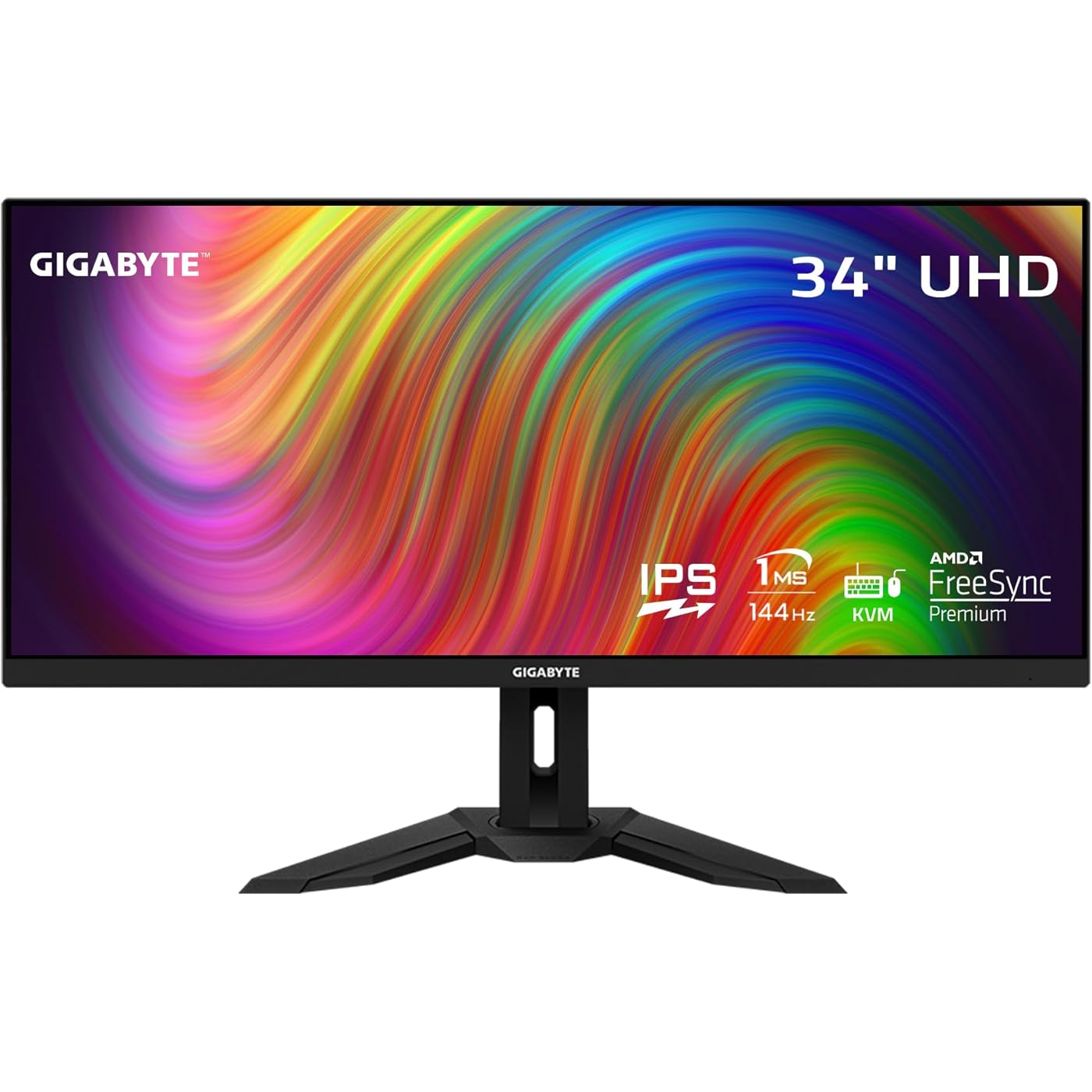
GIGABYTE M34WQ 34" 144Hz Ultrawide-KVM Gaming Monitor, 3440 x 1440 IPS Display, 1ms (MPRT) Response Time, 91% DCI-P3, HDR Ready, 1 Display Port 1.4, 2 HDMI 2.0, 2 USB 3.0, 1 USB Type-C
  • Based on 1,242 reviews
Condition: Used - Like New
Checking for the best price...
$553.33 Why this price?

Buy Now, Pay Later


As low as / mo
  • – Up to 36-month term if approved
  • – No impact on credit to apply
  • – Instant approval decision
  • – Secure and straightforward checkout

Ready to go? Add this product to your cart and select a plan during checkout.

Payment plans are offered through our trusted finance partners Klarna, Affirm, Afterpay, Apple Pay, and PayTomorrow. No-credit-needed leasing options through Acima may also be available at checkout.

Learn more about financing & leasing here.

Selected Option

Free shipping on this product

This item is eligible for return within 30 days of receipt

To qualify for a full refund, items must be returned in their original, unused condition. If an item is returned in a used, damaged, or materially different state, you may be granted a partial refund.

To initiate a return, please visit our Returns Center.

View our full returns policy here.


Availability: Only 1 left in stock, order soon!
Fulfilled by Amazon

Arrives Wednesday, Apr 1
Order within 11 hours and 48 minutes
Available payment plans shown during checkout

Protection Plan Protect Your Purchase
Checking for protection plans...

Style: 34" WQHD 144Hz | IPS | Flat | Height & Tilt


Features

  • 34 3440x1440 IPS Display Gaming Monitor.Viewing Angle:178.0 degrees.Specific uses for product - Gaming
  • 144Hz Refresh Rate, 1ms (MPRT) Response Time
  • Immersive Ultrawide Aspect Ratio 21:9
  • Studio Grade VESA Display HDR400 and 91% DCI-P3 (117% sRGB) Color Gamut
  • Control multiple devices with KVM

Description

34” 3440x1440 IPS Display 144Hz Refresh Rate, 1ms (MPRT) Response Time Immersive Ultrawide Aspect Ratio 21:9 Studio Grade VESA Display HDR400 and 91% DCI-P3 (117% sRGB) Color Gamut Control multiple devices with KVM Ergonomic Design with Tilt and Height Adjustments VESA Wall Mount Compatible 100x100mm GIGABYTE Classic Tactical Features with OSD Sidekick GIGABYTE Auto-Update 2x 3W Speakers 1x Display Port 1.4, 2x HDMI 2.0, 2x USB 3.0, 1x USB Type-C. GIGABYTE gaming monitors pack upscale performance into a streamlined package. The M34WQ provides an immersive experience through fluid gameplay and great color accuracy with 1ms response time, 144Hz refresh rate, and compatibility with graphic card software.

Brand: GIGABYTE


Screen Size: 34 Inches


Resolution: WQHD 1440p


Aspect Ratio: 219


Screen Surface Description: Glossy


Standing screen display size: ‎34 Inches


Screen Resolution: ‎3440x1440


Max Screen Resolution: ‎3440 x 1440 Pixels


Number of USB 2.0 Ports: ‎1


Number of USB 3.0 Ports: ‎2


Brand: ‎GIGABYTE


Series: ‎M34WQ-SA


Item model number: ‎M34WQ-SA


Item Weight: ‎29.5 pounds


Product Dimensions: ‎41.7 x 20.7 x 7.72 inches


Item Dimensions LxWxH: ‎41.7 x 20.7 x 7.72 inches


Color: ‎M Series


Number of Processors: ‎1


Voltage: ‎240 Volts


Manufacturer: ‎GIGABYTE


Date First Available: ‎September 10, 2021


Frequently asked questions

If you place your order now, the estimated arrival date for this product is: Wednesday, Apr 1

Yes, absolutely! You may return this product for a full refund within 30 days of receiving it.

To initiate a return, please visit our Returns Center.

View our full returns policy here.

  • Klarna Financing
  • Affirm Pay in 4
  • Affirm Financing
  • Afterpay Financing
  • PayTomorrow Financing
  • Financing through Apple Pay
Leasing options through Acima may also be available during checkout.

Learn more about financing & leasing here.

Top Amazon Reviews


  • A stunning Monitor for Productivity and Gaming!
Style: 34" WQHD 144Hz | VA | Curved | Height &a...
This is a stunning monitor for productivity and gaming at a bargain price! (That price being about $330, in my case). For productivity, such as research or school work, the screen real estate allows three full windows to be opened simultaneously (as shown in my blurry picture, the monitor is sharp tho). For instance, I have my school assignments in one, a textbook in another, and a Word document in the third. My 32” 1440p monitor only allowed for two, which meant constantly minimizing and moving around windows while researching. The dot pitch also makes for sharp text and is about the equivalent of a 27” 1440p monitor. Coming from my 32” 1440p monitor, this is a massive improvement. For gaming, this is also a stunning monitor. Since it is a VA panel, there is always the potential problem of ghosting and pixel overshooting (reverse ghosting). This monitor has a quirk that vastly improves its resistance to ghosting. Everyone knows about overdrive, which should be set to BALANCED to avoid overshoot, but you may prefer SPEED. The secret to this monitor is the “BLACK STABALIZATION” setting, which dramatically reduces ghosting. Set it to one, and it will help immensely. Set it to ten, and it will do infinitely more, which is close to the best setting for appearance anyway. Lastly, this is not the same monitor as the original G34WQC, but this is the “A” version, which is brighter and possibly improved in other ways. Old reviews only somewhat apply. For instance, I would not use the RTINGS color profile (ICC Profile) for this version. It does not need a custom profile to look spectacular unless you are a content professional who needs stellar accuracy. The gamma is a little bright out of the box but is easily adjusted. Here are my settings if you want a place to start. BRIGHTNESS-100, CONTRAST-59, COLOR VIBRANCE-10, SHARPNESS-6, GAMMA-4, TEMPERATURE-NORMAL, LOW BLUE LIGHT-OFF, DCR-OFF, BLACK EQUALIZER-9, OVERDERIVE-BALANCED. I tried setting Windows 10 to HDR mode, but it did not help get the best appearance. I hope this review is helpful for you. This is a terrific monitor! ... show more
Reviewed in the United States on January 24, 2024 by Jojo Jojo

  • Finally a non-curved monitor that's great for gaming
Style: 34" WQHD 144Hz | IPS | Flat | Height &am...
This is the holy grail of monitors for me. A non-curved 3440x1440 with FreeSync and a 144hz refresh rate, and with a great one-touch KVM as a bonus! The screen is gorgeous and bright, with great contrast and nice wide viewing angles. The on-screen controls give you plenty of adjustments, including a SRGB mode and game optimizations. There is some IPS glow and some black unevenness, but that's only noticeable on a completely black screen in a dark room. It's just the nature of IPS screens, and it's better in that regard than my old LG 34UM65 was. The FreeSync is just fantastic. It works flawlessly with the two cards I've tried it with - a Nvidia 2080 Super and the card I replaced it with, a Nvidia 3080TI. It's so nice to finally be able to turn off vsync and just play without any screen tearing. The KVM feature is brilliant. I plugged my keyboard and mouse into the monitor's two USB ports, then connected the USB-C to my PC. Everything works as expected. When I need to work on my laptop, I connect it to the monitor via HDMI and the USB Upstream port, press the KVM button, and my mouse and keyboard switches to the laptop along with the display. One button press and I'm back to my PC. ... show more
Reviewed in the United States on September 26, 2022 by Philip

  • Bright and Beautiful, but needed to be curved.
Style: 34" WQHD 144Hz | IPS | Flat | Height &am...
This is a sweet monitor that I bought for stock trading. You need a lot of pixels to see multiple charts and widgets without shuffling windows constantly, getting lost in the process. My only complaint is the edges are hard to see, and I need to see them at a glance. I got exactly what was described, so I can't blame Gigabyte. This one has a perfect panel. They make pretty good products, in my extensive experience. And CR rated it quite good, topping many competitors costing far more. You need to shop smart for monitors, just like stereo speakers. Speaking of speakers, the ones on this monitor are no shining stars, the sound through AirPlay is muddy, but acceptable. Forget music. Not important to me, and the USB hub makes up for so-so sound. The KVM is a sweet bonus, especially is you have a laptop and a desktop workstation. Ergonomics and build quality are both excellent. Easy to swivel and raise/lower with one finger. Sweet. Certainly a reasonable choice on a budget. Many of the monitors I researched are overpriced, IMO. A $2100 stunner isn't worth 6X this monitor. Not even close. But the image doesn't earn 5 stars. I haven't gamed on this unit, but it should be good to very good. The blacks are really dark and the response time is fast. Pro reviewers saw some smearing, but gave it quite good marks, especially way under $400. I will likely replace it with a BIG curved display in a few years. Definitely recommended. Cant be beat at the $350 I paid. ... show more
Reviewed in the United States on January 2, 2025 by JayConsumer

Can't find a product?

Find it on Amazon first, then paste the link below.
Checking for best price...