Search  for anything...

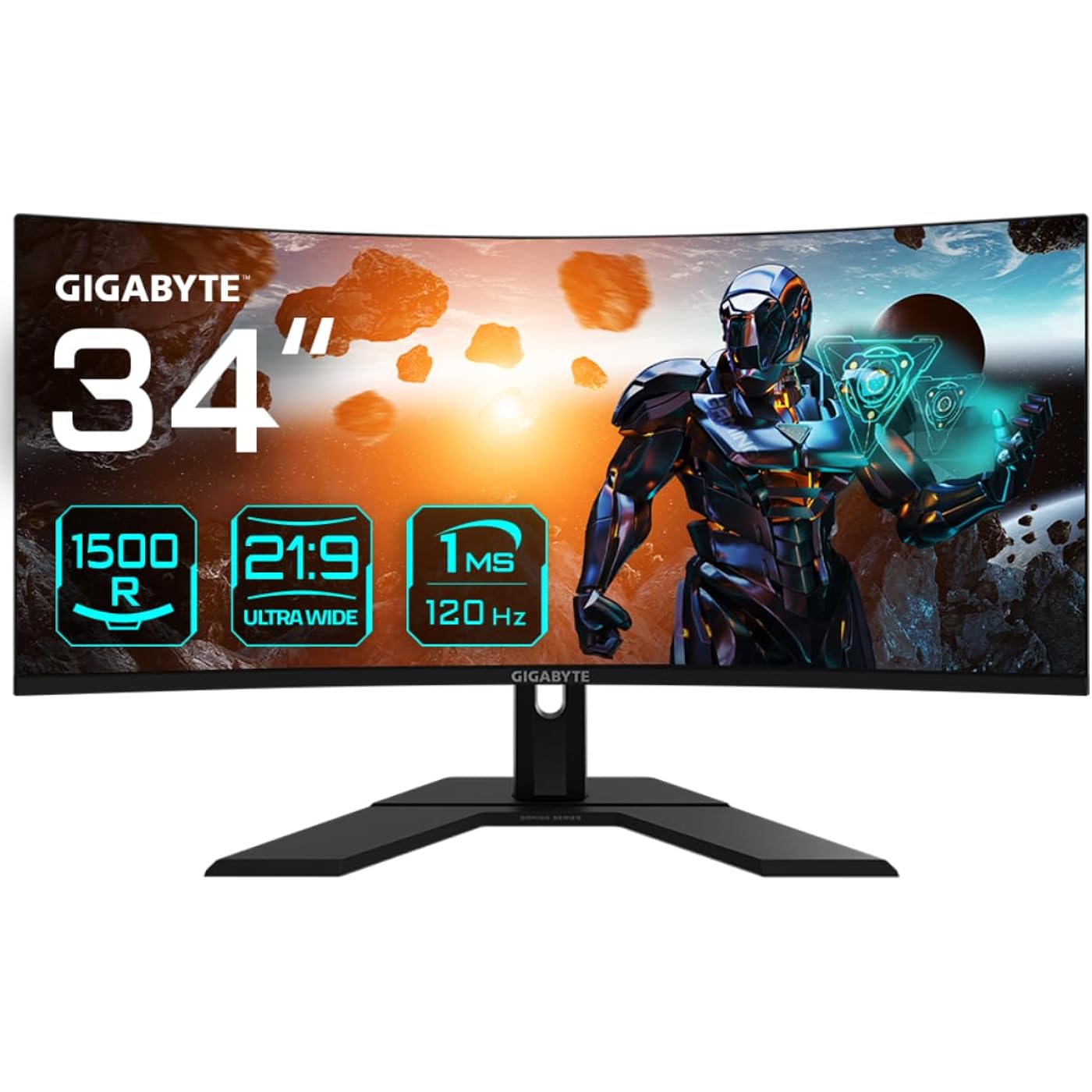
Gigabyte GS34WQC 34" 120Hz 1440P Curved Gaming Monitor, 3440x1440 VA 1500R Display, 1ms (MPRT) Response Time, HDR Ready, FreeSync Premium, 1x Display Port 1.4, 2X HDMI 2.0,Black
  • Based on 15 reviews
Condition: New
Checking for inventory...

Notify me when this product is back in stock

$432.53 Why this price?

Buy Now, Pay Later


As low as / mo
  • – Up to 36-month term if approved
  • – No impact on credit to apply
  • – Instant approval decision
  • – Secure and straightforward checkout

Payment plans are offered through our trusted finance partners Klarna, Affirm, Afterpay, Zip, Apple Pay, and Google Pay. No-credit-needed leasing options through Acima may also be available at checkout.

Learn more about financing & leasing here.

Selected Option

Free shipping on this product

This item is eligible for return within 30 days of receipt

To qualify for a full refund, items must be returned in their original, unused condition. If an item is returned in a used, damaged, or materially different state, you may be granted a partial refund.

To initiate a return, please visit our Returns Center.

View our full returns policy here.


Availability: Unavailable
Fulfilled by IPC-STORE✅
Available payment plans shown during checkout

Style: 34" WQHD | 144Hz | VA | Curved | Tilt Adj


Features

  • Resolution & Panel: 34 3440x1440 VA 1500R Display
  • Refresh Rate & Response: 120Hz Refresh Rate, 1ms (MPRT) Response Time
  • Color Accuracy: 120% sRGB
  • Connectivity: 1x Displayport 1.4, 2x HDMI 2.0, 1x Earphone Jack
  • VESA Wall Mount Compatible 100x100mm

Description

GIGABYTE gaming monitors pack upscale performance into a streamlined package. The GS34WQC provides an immersive experience through fluid gameplay with 1ms response time, 120Hz refresh rate.

Brand: GIGABYTE


Screen Size: 34 Inches


Resolution: QHD Wide 1440p


Aspect Ratio: 1610


Screen Surface Description: Glossy


Standing screen display size: ‎34 Inches


Screen Resolution: ‎3440x1440


Max Screen Resolution: ‎3440 x 1440 Pixels


Brand: ‎GIGABYTE


Series: ‎GS34WQC SA


Item model number: ‎GS34WQC SA


Item Weight: ‎18.47 pounds


Product Dimensions: ‎9.24 x 31.8 x 19.24 inches


Item Dimensions LxWxH: ‎9.24 x 31.8 x 19.24 inches


Color: ‎Black


Voltage: ‎240 Volts


Manufacturer: ‎GIGABYTE


Date First Available: ‎September 11, 2023


Frequently asked questions

This product is currently out of stock. Please check back later for shipping info.

Yes, absolutely! You may return this product for a full refund within 30 days of receiving it.

To initiate a return, please visit our Returns Center.

View our full returns policy here.

  • Klarna Financing
  • Affirm Pay in 4
  • Affirm Financing
  • Afterpay Financing
  • Zip Pay in 4
  • Financing through Apple Pay
  • Financing through Google Pay
Leasing options through Acima may also be available during checkout.

Learn more about financing & leasing here.

Top Amazon Reviews


  • This monitor is quite nice with a little bit of an issue
Overall, this monitor is nice at the price with pretty ok blacks. The features are a bit more robust than my last cheap monitor that was more expensive than this one. The only issue is that there is a sepia or brown tone to the bottom left and right corners of the monitor. It is hard to see but doesn't prevent me from using the monitor. I have not seen any issues while having the monitor overclocked to the 135Hz though I keep it at 120Hz. ... show more
Reviewed in the United States on April 15, 2024 by Stephen

  • Out of the box experience is disappointing, but overall an amazingly priced monitor
I had no dead pixels out of the box which was nice. I paid $280 for it and everything came included so no issues there. I did not have to deal with manufacturer or Amazon yet and I am praying that I will never have to. I tried all of the functions and they seem to work well with some quirks. Sometimes when overclocking the monitor to 135 hz, the power cuts and reverts progress, but simply reapplying the setting fixes it most of the time. Here are the pro's and con's. Pro's: 1. UNMATCHED value 2. Reputable brand in my experience 3. Great colors for gaming 4. Very immersive option, again factoring in price 5. Easy to navigate menu buttons & instructions, which is nice Con's: 1. HDR is a joke 2. 3D effect that's really annoying when sitting too close to the screen and looking at the peripheral view of the monitor (particularly noticeable for scroll bars) 3. Product description is VERY misleading! States 144 hz in the option but 120 hz on package (and the latter is correct). Overall, would not buy if you have the budget for better options. Odyssey G5 ultrawide is great if you can get a good price. Definitely would buy if this is what you are willing to spend. Definitely would not pay over $320 for this monitor though. ... show more
Reviewed in the United States on May 14, 2024 by Anonymous

  • Great monitor at this price point, supplied DP cable is garbage
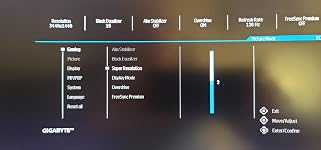
Pretty difficult to find a 34" curved monitor with real HDR and a 120Hz response time under $300. In comparison I returned a ASUS TUF with a similar footprint and specs, but it was only 100Hz. I just wasn't inclined to pay $50 more for a slightly better stand. And it didn't come with a DisplayPort cable. This monitor replaced a dual monitor setup of two Dell IPS 23 inch IPS monitors that worked flawlessly for almost 10 yrs. I had to take one star off this review though since the monitor started failing about a week in while loading Windows 10 - it cut out to a black screen and repeated until I rebooted the computer. The supplied DisplayPort cable, which was probably v1.4, apparently couldn't handle the bandwidth a rtx 3080 needs because after replacing it with a v2.1 cable it has been 100% stable. While free is nice, as in the supplied cables, it's not always better. The OSD ( see attached image ) is super lacking in that there are almost no tooltips, and that the monitor doesn't come with a user guide just screams "LAZY!" You're pretty much on an island trying to appreciate why most settings are relevant to your usage. Kinda comical the OSD is mentioned in the Installation Guide, but only where to find the button to enable it LOL! Off topic a bit, if you're coming from a dual monitor setup or just want a better way to multi-task with such a wide monitor, consider installing Microsoft PowerToys ( search query > "PowerToys github" > scroll down to "Installing and running Microsoft PowerToys" to find the appropriate file ) specifically for the FancyZones and Always On Top modules. PowerToys is really one of the few Microsoft apps that has several redeeming qualities vs a metric ton of bloatware. FancyZone lets me divide up this super wide screen with configurable zones as if I'm using several monitors at once. ... show more
Reviewed in the United States on January 14, 2024 by Doctor Dave Doctor Dave

  • Great monitor unless you own a mac
This is a great monitor the only reason I give it 4 stars instead of 5, there are some quality issues with it... and apple sucks at scaling. Mine has an issue with the mounting screws... one won't go in even with an arm and different screws... I would send it back but the quality is just so good and no dead pixels it's fine. I'm moving from a 4k LG IPS monitor to this ... i had other VA monitors they looked awful ... this one looks the same as my IPS. It's the best monitor you can get for this price... and since it's not as high the 2k is just as sharp as my 4k. Easy recommendation unless you own a mac. it looks horrible on a mac ... it has nothing to do with monitor but the horrible support from apple. If you own mac don't buy any ultra wide displays just stick with 1080p or 4k. They don't scale correctly and you will be unhappy. ... show more
Reviewed in the United States on January 19, 2024 by Don

  • Great Value for the Price
I decided to leave a review on this specific model (GS34WQC) because I only saw two of them on here for it. I got it on sale at $260 and feel that it was amazing value for the price. It’s my first ultra wide and I’m very happy with it. I saw somebody mention the OSD being finicky and this is true, but you can download Gigabyte Control Center on your PC and modify the settings easily through that. You can also overclock the refresh rate to 135Hz which is totally worth it. After a bit of tweaking, I have it setup quite nicely and it’s very enjoyable to use. Especially coming from a 16:9 monitor. I would recommend this monitor and would buy it again. The other two I was looking at was MSI & Viewsonic but they were $40 more expensive. ... show more
Reviewed in the United States on March 8, 2024 by Jason Bourne Jason Bourne

  • the colors are bad
dont get this if you're an artist, the colors are really off. if you're just gaming or whatever it probably wont matter.
Reviewed in the United States on March 18, 2024 by Jim Bridger

  • Racing sim
Got this for my sim rig and has been perfect for my needs.
Reviewed in the United States on May 29, 2025 by Cole

Can't find a product?

Find it on Amazon first, then paste the link below.
Checking for inventory...