Search  for anything...

Embrilliance Essentials, Embroidery Software for Mac & PC

  • Based on 1,233 reviews
Condition: New
Checking for the best price...
$139.00 Why this price?

Buy Now, Pay Later


As low as $23.17 / mo
  • – 6-month term
  • – No impact on credit to apply
  • – Instant approval decision
  • – Secure and straightforward checkout

Ready to go? Add this product to your cart and select a plan during checkout.

Payment plans are offered through our trusted finance partners Klarna, Affirm, Afterpay, Zip, Apple Pay, and Google Pay. No-credit-needed leasing options through Acima may also be available at checkout.

Learn more about financing & leasing here.

Free shipping on this product

30-day refund / replacement

To qualify for a full refund, items must be returned in their original, unused condition. If an item is returned in a used, damaged, or materially different state, you may be granted a partial refund.

To initiate a return, please visit our Returns Center.

View our full returns policy here.


Availability: In Stock.
Fulfilled by Amazon

Arrives Tuesday, Sep 22
Order within 8 hours and 33 minutes
Available payment plans shown during checkout

Protection Plan Protect Your Purchase
Checking for protection plans...

Features

  • Compatible with current Windows and MacOS operating systems with free, downloadable updates and disk-free installers available.
  • Resize existing embroidery stitch files with automatic stitch recalculation.
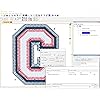
  • Add lettering in Multi-Line, Monogram and Circle modes using the 21 included fonts depicted in the product images, or with any of a world of BX fonts available to purchase from a multitude of creators online! You can even spiral text or make really LARGE letters.
  • Save existing embroidery designs in your machines format and save appliques for cutting machines such as ScanNCut and Silhouette.
  • Overlap existing embroidery designs and have significant underlying stitching automaticly removed.
  • Note: Embrilliance Essentials does not convert JPG or other graphics to embroidery designs: To create designs, use our Embrilliance StitchArtist series.

Description

NOTE: Embrilliance Essentials does not create new embroidery files using existing graphics files like JPG or SVG; Creating new embroidery designs requires a different Embrilliance platform program. Every embroiderer needs the tools to make basic changes and additions to their embroidery designs. These elementary alterations should be easy and fun to do, but without capable software they can be difficult. That's why we made Essentials, to give everyone access to tools that work and make embroidery fun again. With Embrilliance Essentials, you can merge, resize (recalculate stitches) remove overlaps, colorize, print templates, add lettering, and so much more. Using your Mac or PC (regardless of Windows version) you can: Embrilliance Essentials gives you highly customizable text tools to add lettering to your designs. Add lettering in Multi-Line, Monogram and Circle modes. You can even spiral text or make really LARGE letters. Easily merge designs or add pre-designed elements in to your designs through our easy to use library system. Not only can you create custom monograms, multi-line text, or circular layouts, you can add envelopes for shaped text and combine them all to make popular 'subway art' lettering masterpieces! Essentials has unique applique features. You can use an existing applique design and select position and material colors allowing the removal of hidden top-stitches in overlapping appliques, all while leaving the position and material runs unmodified. You can also set the 'position' color on an element to create a cutting file. (pictured font not included) Colorize your designs. With a couple of clicks you can convert an entire design to your favorite thread brand. Want to change colors in a design one-by-one? Maybe you have a DST file without color codes and you want to make it look correct on-screen by added the thread colors from your collection. No problem! We’ve got you covered, or better yet, colored! Don’t see your favorite brand of embroidery thread in Embrilliance? We are happy to add your preferred thread brand's color chart to the system by request; simply submit the information from your manufacturer and we'll make it a part of our collection! Essentials can read the following machine embroidery file types: .ART, .ART42, .ART50, .ART60, .CND, .CSD, .DST, .DSZ, .EMB, .EMD, .EXP, .EXP+, .HUS, .JAN, .JEF, .JEF+, .PCS, .PCM, .PES, .PHB, .PHC, .PHD, .SEW, .SHV, .TAP, .VIP, .VP3, .XXX Essentials can write the following machine embroidery file types: .CSD, .DST, .DSZ, .EXP, .EXP+, .HUS, .JEF, .PCS, .PCM, .PES,, .SEW, .SHV, .TAP, .VIP, .VP3, .XXX It also includes special features to enable Mac users to write to USB devices and floppy disks for use with embroidery machines, including Designer 1. Applique cut vector files can be saved as .SVG, .PLT, .FCM (ScanNCut) and .studio (Silhouette).

Brand: Embrilliance


Included Components: Fonts


Set Name: Embrilliance Essentials


UPC:


Brand Name: Embrilliance


Included Components: Fonts


Set Name: Embrilliance Essentials


UPC: 306140000000 704550037959 599039179936 810002100024


Manufacturer: Briton Leap


Model Number: ABCD


Manufacturer Part Number: B1510


Frequently asked questions

If you place your order now, the estimated arrival date for this product is: Tuesday, Sep 22

Yes, absolutely! You may return this product for a full refund within 30 days of receiving it.

To initiate a return, please visit our Returns Center.

View our full returns policy here.

  • Klarna Financing
  • Affirm Pay in 4
  • Affirm Financing
  • Afterpay Financing
  • Zip Pay in 4
  • Financing through Apple Pay
  • Financing through Google Pay
Leasing options through Acima may also be available during checkout.

Learn more about financing & leasing here.

Top Amazon Reviews


  • Embrilliance Essentials
I ordered the Stitch Artist by Embrilliance first and then decided that I needed more fonts, etc. so I ordered Essentials. I am really glad I did. This thing I like about Embrilliance software is that it comes in modules. In the past I haven't ordered embroidery software from other places because it is so expensive. The price of some of the software out there is overwhelming and possibly difficult to learn. Embrilliance, because it does come in the form of modules makes it more affordable to purchase. I have found it very easy to learn and use. There are many YouTube videos out there giving tutorials and that is fantastic. I would highly recommend Lisa Shaw from Sew Bubbles. Her videos have launched me into the world of machine embroidery. Essentials is a basic starting point for machine embroidery. It comes with quite a few fonts and that is great. Also, resizing is easy. I found the "merge" feature to really come in handy. I am a novice at machine embroidery but with Embrilliance Essentials and Stitch Artist I am already on my way to greater things with my embroidery/sewing machine. I really like this software and am glad I purchased it. ... show more
Reviewed in the United States on March 9, 2021 by P. Jones

  • Good but too expensive
Good but too expensive. This product website is very confusing, but customer service is good. Worked fine. This company should have actual videos on how to install and use the software dedicated on their website for specific software versions and not by hundreds who intergrade other software that the person does not have. ... show more
Reviewed in the United States on May 17, 2026 by INKA

  • Most Awesome Addition to Embroidery
If you do machine embroidery, this is a must have! You can use any design you already have and customize it in so many ways. Adding font, resizing, change colors and so many other things you can do! Easy learning curve. It seems pricey but believe me it is so worth it.
Reviewed in the United States on August 9, 2025 by Sidney Hullum

  • Awesome product!
Love this software. Easy to use. I had one question and sent an email and got a quick, clear, useful answer.
Reviewed in the United States on December 20, 2025 by Dennis Ewing

  • Great for a quick start into embroidery design
I have some free design tools, but I haven't used them much and I found myself in a situation where I needed to help a friend out on a deadline. After fighting the software I had, I went ahead and got this software instead, and I'm glad I did. It made joining designs, adding text, and personalizing so much easier than my other software. It was intuitive to use. I was able to apply affects, edit, and resize with ease. I don't know yet what all it can do, but I'm very happy with what I've seen so far and wouldn't hesitate to recommend it to someone new to machine embroidery. ... show more
Reviewed in the United States on January 30, 2021 by Amazon Customer

  • WONDERFUL PROGRAM AND EASY TO USE
I purchased Thumbnailer first and liked it so well I also purchased Embrilliance. I wish I had bought Embrilliance before I paid a fortune for Floriani Total Control Universe. I am not a professional digitizer and do not aspire to be one - I was looking for something to assist in layout and customization of my designs and my dealer sold Floriani. It is a great program and if you are a professional I highly recommend it. But, if you are creative and just want to get more out of your embroidery machine buy Embrilliance and use the money you save to buy designs and supplies. You will not be disappointed. It is intuitive to use and one nice surprise I discovered (so far) is the feature that directly imports the Designs by Juju fonts I own into Embrilliance. I can now use the fonts easily by simply typing in my text. No more placing a single letter file one at a time to construct my desired text. Love this product and works really well on my souped up second hand iMac. Great product! ... show more
Reviewed in the United States on September 8, 2019 by atti

  • HAPPY I OWN THIS PROGRAM
I'm very new to embroidery. I've done a lot of research for something like this program that I can use with my MacBook Pro. It's an awesome program so far. The You Tube videos have been really helpful step-by-step on how to manipulate my purchased embroidery designs, put them on a USB stick, insert them into my new Brother PE-770, and stitch them out. I've merged a couple of simple boughten embroidery patterns, added words, deleted parts of both designs, and have been amazed at how easy the program is to use. Wow, I'm truly amazed. My interests aren't digitizing at this point, but if I ever am interested I will definitely buy an Embrilliance product. The company has been quick to respond even on a weekend when I was having trouble adding the program to my computer. Customer satisfaction means a lot, and I've read a lot of other reviewers say the same thing about this company. I'm sure happy I bought it!! ... show more
Reviewed in the United States on April 10, 2018 by Starlett

  • Preliminary Review
I haven't used the software very much, so my review may not be entirely fair. What I have seen, I like very much. A YouTube Video seemed more informative than the written instructions. One thing I noticed was that when you print out the design, the hoop outline does not appear. Without the hoop outline, it's difficult to see where the center of the design will fall. Since I haven't used the software much, that may be due to my lack of knowledge. I especially like that you can import BX font formats very easily into the software. ... show more
Reviewed in the United States on June 26, 2021 by Pat M

Can't find a product?

Find it on Amazon first, then paste the link below.
Checking for best price...