Search  for anything...

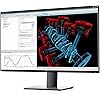
Dell U-Series 32-Inch 4K UHD 2160p Screen LED-Lit Monitor (U3219Q), Black

  • Based on 440 reviews
Condition: New
Checking for the best price...
$1,228.98 Why this price?

Buy Now, Pay Later


As low as / mo
  • – Up to 36-month term if approved
  • – No impact on credit to apply
  • – Instant approval decision
  • – Secure and straightforward checkout

Ready to go? Add this product to your cart and select a plan during checkout.

Payment plans are offered through our trusted finance partners Klarna, Affirm, Afterpay, Apple Pay, and PayTomorrow. No-credit-needed leasing options through Acima may also be available at checkout.

Learn more about financing & leasing here.

Free shipping on this product

FREE 30-day refund/replacement

To qualify for a full refund, items must be returned in their original, unused condition. If an item is returned in a used, damaged, or materially different state, you may be granted a partial refund.

To initiate a return, please visit our Returns Center.

View our full returns policy here.


Availability: Only 1 left in stock, order soon!
Fulfilled by Amazon

Arrives Friday, Jun 26
Order within 12 hours and 50 minutes
Available payment plans shown during checkout

Protection Plan Protect Your Purchase
Checking for protection plans...

Features

  • Experience four times more detail than Full HD with 3840x2160 Ultra HD 4K resolution.
  • Your images shine the way they were meant to on the worlds first 31.5 4K Ultra HD monitor with VESA certified DisplayHDR 400i featuring HDR content playback support.
  • Your UltraSharp monitor is factory calibrated at 99% sRGB coverage right out of the box. You can trust that your videos reflect lifelike color.
  • Response Time - 8 ms (normal) ; 5 ms (Fast) - (gray to gray)
  • Pixel Pitch:0.182 mm
  • 60 hertz

Description

Experience outstanding screen performance on this 31.5" 4K USB-C monitor featuring InfinityEdge and multitasking capabilities.

Brand: Dell


Screen Size: 32 Inches


Resolution: 4K UHD 2160p


Aspect Ratio: 169


Screen Surface Description: Anti-glare, Hard coating (3H)


Aspect Ratio: 169


Screen Finish: Anti-glare, Hard coating (3H)


Contrast Ratio: 13001


Refresh Rate: 60 Hz


Display Type: LED


Display Technology: LED


Viewing Angle: 178 Degrees


Brightness: 1370.4 lm


Pixel Pitch: 0.182


Color Gamut: 99


Has Color Screen: Yes


Picture Quality Enhancement Technology: DisplayHDR 400i, HDR content playback support, color enhancement, adaptive sync


Screen Size: 32 Inches


Item Dimensions D x W x H: 8.66"D x 28.05"W x 24.33"H


Item Weight: 20.5 Pounds


Resolution: 4K UHD 2160p


Display Resolution Maximum: 3840 x 2160


Native Resolution: 3840x2160


Response Time: 5 Milliseconds


Total Number of HDMI Ports: 1


Total Usb Ports: 7


Number of Component Outputs: 2


Total USB 3.0 Ports: 7


Additional Features: High Dynamic Range


Color: Black


Mounting Type: VESA Compatibility - Mountable 100 x 100mm


Brand: Dell


Model Number: U3219Q


Model Name: U3219Q


Warranty Description: 1 Year Limited Manufacturer


Series Number: 3219


UPC: 884116310402


Manufacturer: Dell Marketing USA, LP


Global Trade Identification Number: 02


Unit Count: 1.0 Count


Item Type Name: Dell UltraSharp 32 4K USB-C Monitor U3219Q


Built-In Media: Monitor panel, Stand riser, Stand base, Power cable, HDMI cable, Quick setup guide, Safety / Environmental / Regulatory Information


Power Consumption: 90 Watts


Connectivity Technology: USB / HDMI / Display Port


Hardware Connectivity: USB Type C


Frequently asked questions

If you place your order now, the estimated arrival date for this product is: Friday, Jun 26

Yes, absolutely! You may return this product for a full refund within 30 days of receiving it.

To initiate a return, please visit our Returns Center.

View our full returns policy here.

  • Klarna Financing
  • Affirm Pay in 4
  • Affirm Financing
  • Afterpay Financing
  • PayTomorrow Financing
  • Financing through Apple Pay
Leasing options through Acima may also be available during checkout.

Learn more about financing & leasing here.

Top Amazon Reviews


  • Very Nice, But?
I have been going through a few 4K monitors lately, trying them out, had a couple from Korea, that had to be returned, defective, not from Mfg., but what I think is Shipping! Hear me out here, DON'T Ship UPS, they're terrible in the way there system handles products, especially, TV's and Monitors! And the USPS is sub-contracted with UPS, and I'm not sure about Fedex. For international, I request DHL, much better. I also think the vendors should double box there products. Ok, I have had this Dell-U3219Q for a little over a week, so far, I really like it! First it's very sharp, I love the Multiple USB ports, including the USB-Type C. very handy. I also like the Front menu buttons, and how the interface works, very easy to use. I have had at least 8 monitors over the years, and let me say here, This is the best monitor for ergonomics I have ever had. Very easy to install, and make adjustments, you can go vertical very easy, even if you have the monitor set Horizontally very low to your desk. cable management is also pretty good. No corner bleeding, or vignetting. Love the thin bezels, and the Color, Gama, and Contrast and Brightness were pretty darn close for right out of the box. It comes with a Factory Monitor Calibration sheet. I use this Monitor for Photo, and Video editing, I'm a pretty high end enthusiast, and this monitor looks very good to me. This is not a gaming monitor. Ok Two negatives, 1. I don't think that these vendors, Ebay, Amazon, even Dell should be shipping these monitors in just there retail cartons, there not strong enough for the riggers of today's automated shipping systems, Period! They need to be double boxed. Mine was delivered by the USPS(UPS), and when it came to the door the bottom of the box was 80% falling out! the box looked like it was a 10 year old piece of luggage. I had the Delivery lady photo it and note it as a badly damaged box. I recommend the same should you decide to get one of these. 2. This was a lot for me to pay for a 4K Monitor, I think they are way over priced, they'll be crazy if they add terr-ifs. This monitor is Double the price of many 4K TVs at 50" and higher, so pretty expensive for a 32" monitor. So far It's working well, but I'll re-post in time as to how this monitor works out. I should add that I have had a few other Dell monitors in the past that I know are still working, that I sold to local friends. I recommend this Monitor. ... show more
Reviewed in the United States on October 29, 2019 by Amazon Customer

  • An essential upgrade to any home office.
I bought this monitor because I needed a monitor that could deliver two things: more screen space and a high resolution. This monitor brought both. I mostly use this behemoth for video editing and it gives me plenty of space to get wild with the number of adjustment panels (I use premiere) open and still has room to spare for the video itself. Others have brought up a couple of issues they had with the colors being a little washed out, and experiencing light leaks around the edge of the screen. These are both true. The colors aren’t as vibrant as you would see on a Retina display, but they’re pretty darn close. I use this with a Mac and if I really have to be sure, I just pull the window onto my laptop screen to double check. The difference is negligible. For the light leaks, the only time I ever notice is when the monitor is in standby mode. They don’t affect me at all when I’m using it normally. In closing, this is a solid monitor that will upgrade any home office setup by giving you quality picture and plenty of real estate for spreadsheets, zoom windows, and whatever else you’re running while you’re on the clock. I’m happy I bought it. ... show more
Reviewed in the United States on May 5, 2021 by Zac S

  • Wonderful 4k monitor
I have a pair of these connected to my macbook pro via 2 usb c cables and it's just great. Period. More than enough screen to have a couple word docs open at once with a video or pdf and a website on the other monitor. Also, the usb c cables charge the computer so I don't need the apple powerbrick and charging cable at all. I do a lot of work in MATLAB and Illustrator and the 4k resolution is wonderful to stare at all day. A couple of the other reviews describe back lighting and color bleed issues, which might affect some workflows, but to my eyes, the colors look like I expect (black looks black and white looks white), and the brightness is even across the whole display. I've had these for something like 6 months now and have zero regrets. Totally worth the investment. ... show more
Reviewed in the United States on August 6, 2020 by Charlie A.

  • Beautiful monitor if you accept its flaws
Pros: awesome colors, incredibly clear, massive real-estate, stand an housing incredibly solid and ergonomical Cons: IPS glow, HDR low, 60hz, right at that point where it's almost to big to not be curved Once we have hardware that can readily push 4k above 60hz is probably when you should really get something like this if you intend to do gaming, particularly competitive gaming. For normal gaming and other tasks this is more than adequate and you really benefit from all those extra pixels. I use this primarily in a work capacity so it's browser tabs, consoles, and IDEs. This monitor is almost perfect if that is all you're going to do. Almost because even in that context, it still suffers if you like to do those things in low light, but it's not to noticeable. Even watching movie with black bars is good enough that I really don't notice the glow, at least not to the extent that it's turning the screen yellow or anything like that. It's also a little weird doing things/using windows that cause my eyes to approach the corners. Maybe it's just because I'm also used to using a 34in curved monitor during the day, but it takes a bit to get used to the view angle going back and forth. I knew what I was getting into with this monitor, but accepted those concessions as there don't seem to be any others of this size and clarity with USB-c available outside of a few LGs that come with their own compromises. Speaking of which, LG makes the panel in these. They really need to get it together quality wise. I know they can when you look at the displays they produced in partnership with apple, but I'm also not going to pay 1300 for a display right now. But even at this significantly lower price point I don't think the quality should be this poor. I also opted for the Dell because of their warranty commitment. Overall I'm content with this model but with ready acknowledgement that things could be a lot better. ... show more
Reviewed in the United States on November 12, 2019 by dngn0

  • Awesome workstation monitor
Monitor arrived with no dead pixels and required no calibration out of the box. I use it mostly for coding, graphics work, web browsing, and occasional gaming. If you are a pure gamer, then you will likely be better served with a FreeSync or G-Sync monitor, which this one is neither. Seriously, don't waste your money on this if your priority is gaming, you will be much better served with a monitor that has faster response times and refresh rates, and it will cost significantly less as well. This is for more serious work where color accuracy, plenty of height/tilt/swivel adjustment options, pixel density, better viewing angles, etc. are more important. I have it hooked it up to a Radeon 5700XT, fonts are crisp and easy to read without needing to scale them up. Color is excellent with deep blacks, bright whites, and excellent contrast. I can distinguish even the slightest differences in color shades. There are no built-in speakers, I don't care for them anyway, but others might. There is some light bleed in the corners, but it's not something I notice at all while working, those looking for absolute perfection might find this a turn-off though. I guess if I wanted to be bothered by light bleed I could have it display a completely black background in a completely dark room, and then rage about the imperfections, but I have better things to do with my time. I have read complaints about the monitor randomly "blacking out", I have not experienced this with my setup, though I have had this happen with other Dell monitors I have owned in the past. I am using a straight DisplayPort connection and things have been working fine for me. For desktop use, 32-inches is the perfect size for 4K, any smaller and the text would start to be too hard to read, any bigger and line of sight becomes difficult, resulting in a lot of head movement. The ability to have four 1280 x 1080 windows up at one time is amazing, and all the extra real estate for graphics work saves a lot of time. ... show more
Reviewed in the United States on October 10, 2019 by icexe

  • Can't be happier! Can't be happier!
UPDATE: I tried to use this monitor to play PS4 and it still looks really good. I enabled Game HDR at that time but I think it still looks great even with it turned off. The PIP/PBP mode however seem to only work on HDMI and DisplayPort and not with USB-C connection. So that may be something to consider if you need it. --- I am currently writing this review on my Macbook Pro 2019 (Big Sur, yes no problems with it) while being mesmerized by the quality of this monitor. The stand is of top quality too. Very heavy and sturdy. The setup is a no brainer, takes a few minutes. Pressed the power button, prompted some setup defaults, plugged in my computer via USB-C and I'm good to go. Haven't tried playing around the settings though but the default setup is already great for me. I am looking for something which I can use for everyday coding and casual gaming. I first tried a widescreen (1400p) VA monitor and my eyes suffered within just a day. Text crispness is something of utmost importance for me. So I decided to return the widescreen and get this one instead. This Dell monitor is a bit more expensive though but now both me and my eyes can't be happier enough although my wallet, on the other hand, gently weeps. But hey, this is worth every penny. ... show more
Reviewed in the United States on November 25, 2020 Reviewed in the United States on November 25, 2020 by Von

  • OMG the difference it makes to coding !
Working from home had me missing my 3 HD monitor setup at office. I couldn't replicate that setup at home due to space and cost reasons. So I went for single 4K monitor and oh my ! On a single HD monitor, most of my time and concentration was wasted in switching windows, scrolling, going full-screen and back and so on. A 4K 32 inch is basically a quad monitor setup (if your eyesight is good). I can now have my IDE (vscode) on left side, web browser/email on top right and terminal on bottom right. No more hunting for things to minimize. All on the screen at once each with as much content as full-screen individually on a FHD monitor ? This monitor has saved my sanity. Loving it. A must have for software developers or anyone who needs multiple windows open simultaneously. If your eyesight is weak, you might want to consider the 43 inch version of this monitor though so that you don't have to scale the fonts up and reduce the content you can fit. But you would need a strong neck I guess. Pros: 1. Crisp display 2. Non-curved 3. No speakers 4. Thin panel 5. Non glossy 6. Multiple ports (all latest versions. DP 1.4, HDMI 2.0): Main reason to choose this over other monitors. 7. KVM features: Has USB C as well as type B upstream ports so you can connect 2 computers at once. Cons: 1. Wish it had the joystick control like LG P.S.: It did come double boxed and not in the dell packaging as is. Seems like Amazon incorporated the feedback from previous reviews. ... show more
Reviewed in the United States on June 29, 2020 by BestCritic

  • Unless You're A Techie, DON'T BUY FOR A MAC
SUMMARY -- Beautiful monitor, wonderful picture -- Not suitable for use with a MAC -- The most important piece of software to manage the monitor is NOT AVAILABLE FOR MAC, only Windows. -- Documentation is awful -- Tech support doesn't speak English -- at least not English I can understand I've only had it a day so who knows how it will hold up? But, it seems like a fantastic monitor. The colors are sharp and the resolution is great. I'm not a techie, so don't ask me about some of the esoterica some reviewers are really good at. I just look at the darn thing, it looks great to me, and that's that! I'm running it connected to the latest state-of-the art MacBook Pro. The model was released very recently and I just received it a couple of days ago. I'm on the latest MAC OS, Catalina. If the monbitor seems so great, why only 1 star? Actually, I'd give it zero stars if that was possible. The MAC documentation is awful and a key Program -- the Dell Display Manager -- isn't available for MAC. It's the software that makes it easy to run the thing and make all the choices, changing things on the fly, etc "Our engineers are working on it and we hope (not plan, but hope) to have it available for MAC in early 2021" This is a $1,000 monitor, and they don't have one of its key features available for MAC? Are you kidding me? And, what MAC documentation that IS there is based on a MAC OS from a generation or two ago. The buttons, clicks etc. Dell shows in the MAC documentation are, in many cases, just not there. I suppose they are someplace else in System Preferences, but, as I said, I'm not a techie. And then try to find the documentation!!! The only documentation that comes with the monitor is a "Quick Start Guide" -- a few small pages, printed on cheesy paper, no words just pictures of how to connect the various cables. No problem. The last page of the Quick Start drive has a line drawing of a book with a floppy disk (YES, A FLOPPY DISK) in front of it and a pointer to a website, dell.com/U3219Q). It doesn't take a techie to figure out that must be the place to find the monitor's Users Guide! It is, but you'll never find it! I spent 15 or 20 minutes on that webpage and associated links looking for the Usert Guide until I got frustrated. Lightbulb!! Tech Support should be able to direct me to the User Guide on the Dell website! And the tech support telephone number is easy to find on the website. A very promising start. I'll just call tech support and as where to go on the Dell website to find the User's Guide for my fabulous new $1,000 monitor. DON'T WASTE YOUR TIME CALLING DELL TECH SUPPORT! Only 15 minutes or so on hold until I got someone -- a promising start. It should be the shortest tech support session that day at Dell, right? How long does it take to ask where to find a User's Guide on the website and get an answer, right? As it turns out, it would take forever -- and you still wouldn't be able to get an understandable answer. I don't know what language the person on the other end of the line was speaking, but it wasn't understandable English, that's for sure. I think it was a woman and she didn't understand me and I didn't understand her. It took a while, but eventually I figured out she was asking me for some sort of a number somewhere on the monitor, but I couldn't understand the name of the number (serial number? product I.D.? Something else?) I got that she was trying to tell me where to look, but I couldn't understand her. From my perspective, she could have been speaking Swahili. So, I politely asked if I could speak to someone else who spoke better English. She had no clue what I was asking for. I gave up and hung up. After another half hour or so surfing the Dell website, I finally found the 77 page User's Guide. I also found the 12-page User's Guide for the Dell Display Manager software. I skimmedf Display Manager User's Guide - it's amazing! It makes everything about the monitor totally and easily controllable from one place. Here are all the things it does -- easily and simply: "Dell Display Manager User's Guide │  1Del l Display Manager User's GuideOverviewDell Display Manager is a Microsoft Windows application used to manage a monitor or a group of monitors. It allows manual adjustment of the displayed image, assignment of automatic settings, energy management, window organization, image rotation, and other features on select Dell monitors. Once installed, Dell Display Manager runs each time the system starts and places its icon in the notification tray. Information about monitors connected to the system is ava!ilable when hovering over the notification-tray icon" Wow! This monitor is going to be EASY to use! Perfect for a non-techie like me! But, of course, Dell hasn't bothered to write the software to run on MAC -- only Windows. Are you kidding me? AND, get this... There is a separate piece of documentation on the website titled "Using a Dell UltraSharp USB-C Monitor with a Mac" Promising. Here are about the only directions for MAC... "Setting Up Your Monitor Follow the instructions to set up your Dell UltraSharp monitor using USB-C connection. Connect your Mac system to the monitor using the USB-C or Thunderbolt 3 cable. On your Mac’s System Preferences, select Displays to choose your external monitor. Select Display tab to set your desired screen resolution. Select Color and set to Millions of Colors. Select Refresh Rate and set your Hertz to 60 Hz. Select Arrangement Tab to set your display mode to either Extended Desktop (uncheck the Mirror Displays button) or Mirror Displays (Figure 1)." There's only one problem. What the instructions say isn't applicable to the new MAC Catalina OS. For examples: The Display tab has no option to set screen resolution (I found it someplace else) Under "Color", there is no option for "Millions of Colors" There is no option to set a Refresh Rate I am not joking about this: The ONLY documentation in this guide is what I copied/pasted above -- and, as I wrote, it's worthless since it was written for an earlier generation MAC OS and what's written isn't right for Catalina. The rest of the Guide -- several pages -- is Troubleshooting Tips, 13 of them. Here's #13: 13. Is there a Mac version of the Dell Display Manager Software? No. Dell is working closely with our software development teams to have a Mac version of the Dell Display Manager by early 2021. So, as a non-techie I've now spent a couple of hours trying to make the Dell U3219Q work effectively with my MAC. I've been through several places in System Preferences (including Accessibility, that I've never used in my many years of MAC) and I think I've finally got it right. And as part of writing this review I re-skimmed the User Guide for the Display Manager -- what took me a couple of hours is probably 15 minutes using that software. Oh, did I mention that Dell sells a $1,000 monitor that isn't really suitable to run on a MAC? I love the monitor after only a day. And, I now think I have it set up right. But, what if I want to change something going forward? What if I even want to experiment by trying different options? A breeze with Display Manager (FOR WINDOWS ONLY!) I can't even begin to figure out how to do any of those things. And, it's worse. I don't even know what some of the choices are. So, to rew-summarize... SUMMARY -- Beautiful monitor, wonderful picture -- Not suitable for use with a MAC -- The most important piece of software to manage the monitor is NOT AVAILABLE FOR MAC, only Windows. -- Documentation is awful -- Tech support doesn't speak English -- at least not English I can understand While writing this review, I am getting absolutely furious. I'll almost certainly return it to Amazon -- luckily I took pictures of each step of unpacking it so I can re-pack it right. I know everything is made in China these days, but I like to support an American company whenever I can. Dell doesn't make stuff here, but at least they are an American company. Too bad. And, now it's back to Amazon to see if I can find a 32" 4K monitor that's made by a company that wants to sell to MAC users, not just Windows users. ... show more
Reviewed in the United States on August 1, 2020 by Ace Reviewer

Can't find a product?

Find it on Amazon first, then paste the link below.
Checking for best price...