Search  for anything...

CO-Z 192 DMX 512 Stage DJ Light Controller Lighting Mixer Board Console for Light Shows, Party Disco Pub Night Club DJs KTV Bars and Moving Heads

  • Based on 1,834 reviews
Condition: New
Checking for the best price...
$47.99 Why this price?
Holiday Deal · 20% off was $59.99

Buy Now, Pay Later


As low as $8.00 / mo
  • – 6-month term
  • – No impact on credit
  • – Instant approval decision
  • – Secure and straightforward checkout

Ready to go? Add this product to your cart and select a plan during checkout.

Payment plans are offered through our trusted finance partners Klarna, Affirm, Afterpay, Apple Pay, and PayTomorrow. No-credit-needed leasing options through Acima may also be available at checkout.

Learn more about financing & leasing here.

Free shipping on this product
This item's return window has been extended for the holiday season: Returnable until Jan 31, 2026

To qualify for a full refund, items must be returned in their original, unused condition. If an item is returned in a used, damaged, or materially different state, you may be granted a partial refund.

To initiate a return, please visit our Returns Center.

View our full returns policy here.


Availability: 19 left in stock
Fulfilled by Amazon

Arrives Sunday, Dec 7
Order within 6 hours and 22 minutes
Available payment plans shown during checkout

Protection Plan Protect Your Purchase
Checking for protection plans...

Features

  • Add More Energy to Your Shows: With 192 groups of channels, it controls up to 12 intelligent lights of up to 16 channels each, it is also able to control up to 12 fixtures and up to 240 scenes, enabling you to set up complex shows
  • Fun with Creation: Equipped with three-pin cable so you can easily control fog machine of three-pin sockets, such as oscillating beam lights, fog machines, front lights, par lights, strobe fixtures, ceiling beam ground row, source four, and more
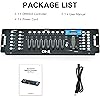
  • Easy Operation: Our DMX controller is a total lifesaver for amateur users, 7 sections are included, light selection area, scene switcher, channel selections stick, led display, page selection button, speed/time selection stick, function selection area
  • Convenient Voice Control: Voice control available so you can effortlessly switch among different lighting scenes saving your time and energy, perfect for DJ, night clubs, family get-togethers, weddings, church gatherings, and beyond
  • Enhanced Control and Durability: Experience smooth operation with upgraded buttons and precision control sticks, offering improved durability and reliability. Enjoy stable performance for seamless control over your lighting setup

Color: Black


Shape: Rectangular


Material: Plastic


Finish Type: Powder Coated


Light Source Type: Light Emitting Diode


Color: Black


Shape: Rectangular


Material: Plastic


Finish Type: Powder Coated


Light Source Type: Light Emitting Diode


Shade Material: Iron


Power Source: Corded Electric


Brand: CO-Z


Item Weight: 3.9 Pounds


Style: Modern


Voltage: 130 Volts


Mounting Type: Ceiling Mount


Bulb Features: effect


Number of Light Sources: 192


Are Batteries Included: No


Product Dimensions: 19.1"L x 5.3"W x 2.8"H


Manufacturer: CO-Z


UPC: 610731100728


Item Weight: 3.86 pounds


Item model number: FBA_CO-Z DMX 0192


Is Discontinued By Manufacturer: No


Date First Available: December 21, 2016


Color Name: Black


Material Type: Plastic


Frequently asked questions

If you place your order now, the estimated arrival date for this product is: Sunday, Dec 7

Yes, absolutely! You may return this product for a full refund within 30 days of receiving it.

To initiate a return, please visit our Returns Center.

View our full returns policy here.

  • Klarna Financing
  • Affirm Pay in 4
  • Affirm Financing
  • Afterpay Financing
  • PayTomorrow Financing
  • Financing through Apple Pay
Leasing options through Acima may also be available during checkout.

Learn more about financing & leasing here.

Top Amazon Reviews


  • Love it
0 issues. I use this for show lighting and it works and gives the show that extra pro feel.
Reviewed in the United States on October 30, 2025 by Josh Rueden

  • Bueno
Lo que esperaba
Reviewed in the United States on October 12, 2025 by Efren cerroblanco

  • *** U KING DMX Controller - If your new to DMX, READ this first ! ***
A week ago I knew nothing about stage lighting and DMX. However I have an electronics background and have used Multiplexing technology in the past. If you see an error in my post please let me know, as I said I am new to this but I’m sure what I have to say will help a lot of people get started. The instructions with this equipment is very vague…. Some Terminology to know : DMX is a protocol for controlling stage lighting with 512 channels of data through one cable FIXTURES are lights or fog machines or anything that has an binary address to control it, such as 001, 017, 033 and so on CHANNELS are the faders on the bottom middle of the Controller, these control the lights or other equipment. Down is OFF, push up and it works like a light dimmer, goes higher. SCENES are memory locations where you store a Fixtures functions you have set. Such as you set 4 lights to all Red at a Certain Brightness and 2 more to Green, etc. then save to Scene 1. When you later push the Scene 1 button the 6 lights will go to the exact setting that you saved. Same with Scene 2, 3 and so on to Scene 8. This could be a fog machine or moving lights, etc CHASES are a series of saved SCENES in a row. Such as you program Chase 1 to operate Scene 1, 4, 2, 6 in that order. Chase 2 could be Scenes 7, 3, 5, 1, 2, 6 and so on. They can be in any order you choose. 192 Channel DMX512 Controller : SCANNER Buttons - On the left side there are 12 Scanner buttons, what this really does is connect the Controller to the “Fixture” (lights, fog machine, etc) via a data address. For example press Scanner 1 and the green led will light. You have now connected the entire DMX Controller to data Address 001 to 016, this is the first Fixture which is addressed “d001” on the Fixture. The other 15 address’s are for colors and misc functions of that Fixture ending at data address 016. The next Scanner Button #2 will be Fixture #2 or address 017. Now it will do the same things as above. I better explain the address’s for all the Fixtures (or lights, fog machine, etc) and how they work. Each Fixture has to have its own Identification Address which is the first address for the Fixture. I’ll list 8 Fixtures below. Fixture #1 - Address 001 - The Fixtures LED box “d001” Fixture #2 - Address 017 - The Fixtures LED box “d017” Fixture #3 - Address 033 - The Fixtures LED box “d033” Fixture #4 - Address 049 - The Fixtures LED box “d049” Fixture #5 - Address 065 - The Fixtures LED box “d065” Fixture #6 - Address 081 - The Fixtures LED box “d081” Fixture #7 - Address 097 - The Fixtures LED box “d097” Fixture #8 - Address 113 - The Fixtures LED box “d113” As you can see there are 16 address between each identification address ((first address) That is reserved for other functions that a Controller can send to the Fixture. An example for Fixture 1 would be” 001 - Fixture #1 Identifying Address 002 - Controls the Red LEDs in the Fixture 003 - Controls the Green LEDs in the Fixture 004 - Controls the Blue LEDs in the Fixture 005 - Strobes the LEDS that are turned on Rest of address’s reserved for other functions up to 016 017 - Would be Fixture #2 Identifying Address 018 - Controls the Red LEDs in the Fixture 019 - Controls the Green LEDs in the Fixture 020 - Controls the Blue LEDs in the Fixture 021 - Strobes the LEDS that are turned on Rest of address’s reserved for other functions up to 032 033 - Would be Fixture #3 Identifying Address Connect the data cables from the back of the DMX Controller to Fixture 1 then out of the back to the next Fixture 2, then to 3 until all your lights have the data connectors installed (daisy chained). The last light should have a “3 pin DMX Termination Resistor”. You can buy them separately and for some reason no one mentions them in the directions anywhere I have found. You should use one even tho your Fixtures may operate fine without one. Now go to “uTube” and so a search on “U King DMX Setup” and start watching Videos about DMX programming and set up. Watch more then one and learn. Important Note: No where does anybody tell you the first fader on the Controller (on the CHANNELS section) is the MASTER FADER ! This MUST be UP or ON for any of the other Faders to work. Example, if you want the Red LEDs to come ON your Fixture that is CHANNEL 2s fader. But it won’t work unless the MASTER FADER IS ON ALSO. So push up Fader #1 then push up #2 and the Red will come on. Here is the breakdown below : Fader #1 - MASTER FADER (must be ON for other faders to work) Fader #2 - Red Fader $3 - Green Fader #4 - Blue Fader #5 - Pulse or Flashing whatever other Color is ON for Faders 2,3,4 Fader #6 thru 8 - Reserved for other functions on Fixtures like moving lights or fog machines, etc If lights won’t come on, MOVE Fader #1 up and down, its a quirk… Good Luck, Have Fun ! Geno B- ... show more
Reviewed in the United States on January 11, 2024 by Geno Bartley

  • Good light controller
Arrived in good condition and on time. It does everything it says. But a little hard to understand the instructions. Specifically if it’s your first time using one this. I suggest look it up on YouTube! After that you won’t have any problems or issues. I do recommend using the light controller for a special lighting effect for your mobile gigs. ... show more
Reviewed in the United States on June 6, 2025 by Amazon Customer

  • Not good for long shows only stage production
Only has 1 hr 56 mins of memory bank, could be used for stage shows or musicals, not good for long lasting events that need rapid light changes
Reviewed in the United States on November 5, 2025 by Beatriz

  • Good controler
Works great
Reviewed in the United States on August 14, 2025 by Amanda

  • Usado como nuevo no es una opción
Equipo usado como nuevo con fallas y con un golpe en una esquina
Reviewed in the United States on October 26, 2025 by Yopis

  • Confused at first but then I read the instructions!
I had this idea of what I wanted to use this for, my event has nine lights for me to play around with. We used to just go off the sound but after an event or two, things didn't exactly work out the way I wanted them to so I bought this thing to help control things. I have a light bar and 8 spot lights. They're not made by the same company. I read the basics and tried plugging everything in, took me about 30 minutes and I THINK I figured it the basics. THEN I READ THE INSTRUCTIONS. I went from a basic setup to programming multiple scenes to truly make what I want to do intense without having to play around with switches and guessing. Now I'm looking at adding more lights and other gadgets to make my set up better! ... show more
Reviewed in the United States on February 25, 2023 by MrRadioo

Can't find a product?

Find it on Amazon first, then paste the link below.
Checking for best price...