⚡️Cyber Monday deals are live! View Deals
Search  for anything...

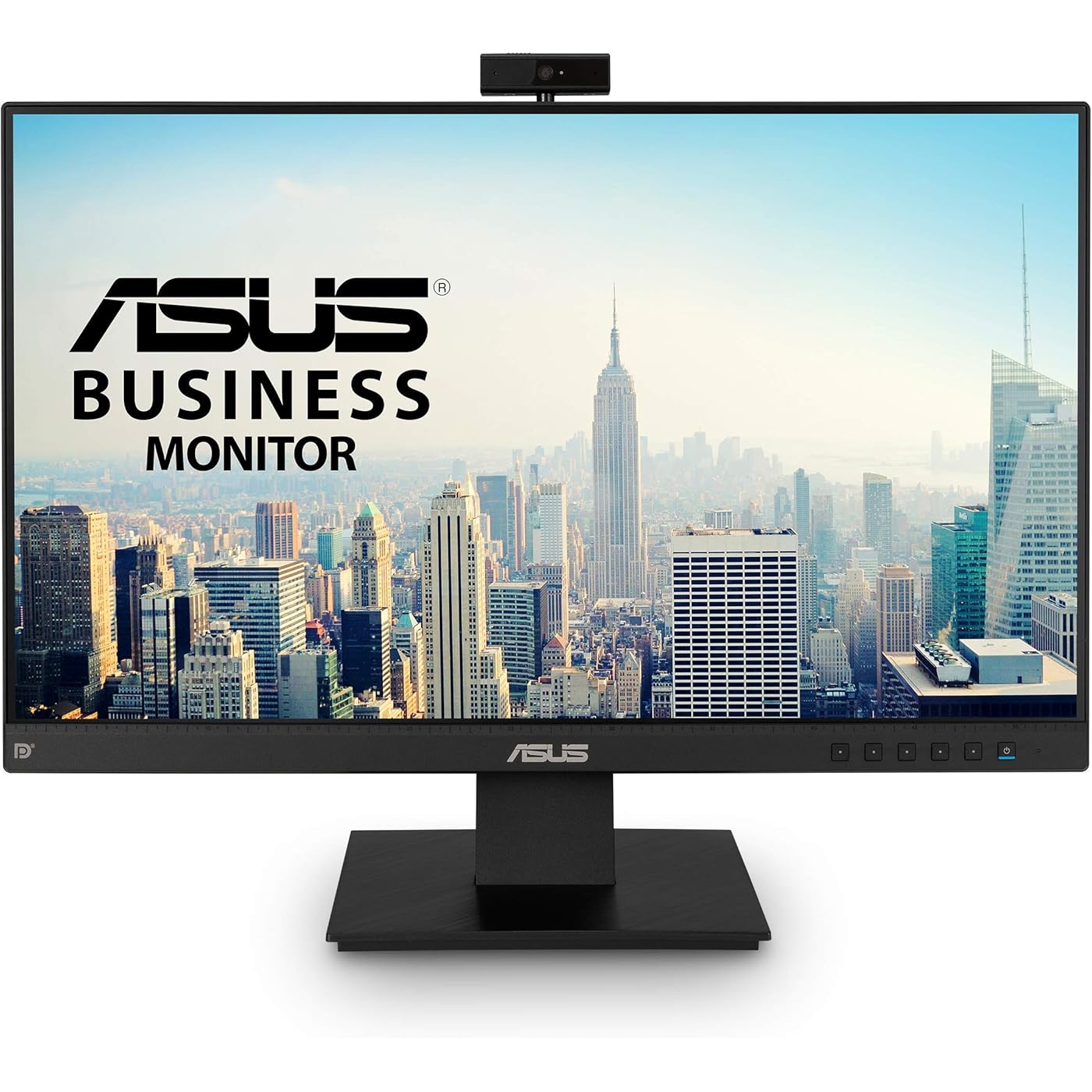
ASUS BE24EQK 23.8” Business Monitor with Webcam, 1080P Full HD IPS, Eye Care, DisplayPort HDMI, Frameless, Built-in Adjustable 2MP Webcam, Mic Array, Stereo Speaker, Video Conference
  • Based on 4,617 reviews
Condition: New
Checking for the best price...
$222.42 Why this price?

Buy Now, Pay Later


As low as $37.07 / mo
  • – 6-month term
  • – No impact on credit
  • – Instant approval decision
  • – Secure and straightforward checkout

Ready to go? Add this product to your cart and select a plan during checkout.

Payment plans are offered through our trusted finance partners Klarna, Affirm, Afterpay, Apple Pay, and PayTomorrow. No-credit-needed leasing options through Acima may also be available at checkout.

Learn more about financing & leasing here.

Selected Option

Free shipping on this product

This item is eligible for return within 30 days of receipt

To qualify for a full refund, items must be returned in their original, unused condition. If an item is returned in a used, damaged, or materially different state, you may be granted a partial refund.

To initiate a return, please visit our Returns Center.

View our full returns policy here.


Availability: In Stock.
Fulfilled by SpaceBound

Arrives Dec 7 – Dec 10
Order within 12 hours and 9 minutes
Available payment plans shown during checkout

Protection Plan Protect Your Purchase
Checking for protection plans...

Style: 23.8" IPS FHD w/Webcam, DisplayPort, Speaker


Features

  • Ready for telecommuting and online learning with integrated 2MP adjustable Full HD webcam, mic array and stereo speakers
  • 23. 8-inch 16: 9 Full HD (1920 x 1080) frameless IPS panel with wide viewing angles
  • Beamforming and echo cancellation technology to filter out ambient noise including keyboard clicks and to further enhance speech clarity
  • ASUS Eye Care Technology with TUV Rheinland Certification for Flicker-free and Low Blue Light technology to reduce eye fatigue associated with extended viewing
  • Extensive connectivity with DisplayPort, HDMI, D-sub, Audio in, Earphone out and spacing saving with VESA-mountable design
  • Energy Star/ TCO certified and 0W power hard switch for eco-friendliness

Description

The ASUS BE24EQK 23. 8” Business Monitor features a built-in adjustable webcam, microphone array, and a frameless bezel, which provides a seamless panoramic-view for multi-display setups. It supports 72% NTSC color reproduction for stunning vibrant visuals and ASUS Eye Care for a comfortable viewing experience even after extended-hours of screen-viewing.


Standing screen display size: ‎23.8 Inches


Max Screen Resolution: ‎1920 x 1080 Pixels


Brand: ‎ASUS


Series: ‎BE24EQK


Item model number: ‎BE24EQK


Item Weight: ‎13.15 pounds


Product Dimensions: ‎24.02 x 19.45 x 6 inches


Item Dimensions LxWxH: ‎24.02 x 19.45 x 6 inches


Color: ‎BLACK


Manufacturer: ‎Asus


Date First Available: ‎May 16, 2020


Frequently asked questions

If you place your order now, the estimated arrival date for this product is: Dec 7 – Dec 10

Yes, absolutely! You may return this product for a full refund within 30 days of receiving it.

To initiate a return, please visit our Returns Center.

View our full returns policy here.

  • Klarna Financing
  • Affirm Pay in 4
  • Affirm Financing
  • Afterpay Financing
  • PayTomorrow Financing
  • Financing through Apple Pay
Leasing options through Acima may also be available during checkout.

Learn more about financing & leasing here.

Top Amazon Reviews


  • It's just a monitor, with a decent price and good quality!
Style: 23.8" IPS FHD 75hz Frameless
I don't do gaming, my purchase was for business and I can't speak to it's gaming quality. For my needs it works well.
Reviewed in the United States on March 9, 2020 by Amazon Customer

  • Great monitor to serve as extra display alongside primary display
Style: 23.8" IPS FHD 75hz Frameless
Loving this monitor so far. It’s a second monitor for me, so max specs aren’t super important. There are of course better, more expensive displays if you need higher resolution or faster refresh rate, but my main monitor is the more important one spec-wise, so for this one I just matched the screensize and resolution to my main monitor, but I didn’t want to pay extra for greater than 60 Hz refresh rate. This one is incredibly lightweight. I got the bezel-less version. My VIVO pneumatic monitor mount barely needed any adjustment to the retention because this monitor is so light. Love the tiny bezel. Controls are intuitive and easier to press the buttons than my other, older Asus. (buttons arranged vertically on back of monitor for this one and horizontally on front of monitor for my older one. buttons in the back are easier to press without moving the orientation of the monitor, just pinch the display with thumb in front. horizontal front mounted buttons were always awkward to use for me) Will update if any issues come up. Happy so far. ... show more
Reviewed in the United States on December 27, 2019 by odin

  • Decent low-end gaming monitor with 75Hz freesync
Style: 23.8" IPS FHD 75hz Frameless
I was a bit torn on getting an IPS vs TN panel, due to TN being 6 bit color with dithering and IPS being true 8 bit color, but ultimately decided to go with IPS because I cant stand the washed out colors and banding of TN displays. Overall, its a decent low-end gaming monitor. It's a big improvement over my previous Samsung 24" 60Hz monitor (VA panel). The pixel response times result in much less ghosting than the samsung VA panel with more vibrant colors and better viewing angle. You do have to enable "adaptive sync" in the monitor osd settings for freesync to work, and you also want to cap the framerate in your games ~3 FPS below 75Hz. The absolute best option for consistent framerates is to use Rivatuner statistics server, but this introduces a 5-7ms input latency, which is not perceptible to me. On doom eternal I get a much smoother experience with Rivatuner capping the game at 72 FPS, and the in-game V-SYNC turned off and no FPS target. Alternatively, you can limit framerates with Radeon Chill, I find I get the best experience when I set the minimum and max framerate both to 72 FPS. Frames will mostly stick to 72, but will drop down too. Ive found radeon chill is MUCH laggier than rivatuner. In cs:go (and all source games) - use the in-game console command to set a max framerate. For the price, I would highly recommend this. No dead pixels either. Durability is yet to be seen, I've only been using it a week. ... show more
Reviewed in the United States on May 17, 2020 by Seattle lad

  • Black levels are dark gray at best.
Style: 23.8" IPS FHD 75hz Frameless
I was going to use this for movies/gaming but the black levels are just horrible. This is easily the worst black levels of any monitor I've ever had in 15 years. Not only that, but also the view angles are horrible. Stay directly in front of it, otherwise you're going to be seeing a washed out image, I have no idea why it says wide viewing angles, when it clearly isn't. ... show more
Reviewed in the United States on April 23, 2020 by SwellMan101

  • Not the best
Style: 23.8" IPS FHD 75hz Frameless
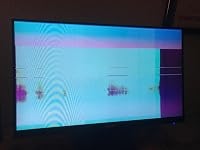
After 3 hours of use the screen went out. Restarted and unplugged. Even with the HDMI unplugged it’s still this quality at the startup screen... ugh
Reviewed in the United States on May 21, 2020 by D. Wiegard D. Wiegard

  • Modern features in an low-cost package
Style: 24" IPS FHD 75Hz w/DisplayPort, Speakers
I originally purchased the slightly less expensive VA24EHE because it featured everything I was looking for - thin bezel for desk real estate efficiency, IPS for display quality, and 75MHz refresh and Freesync/Activesync for some relatively low-spec but otherwise high quality gaming. When I saw that the VA24DQ included all of the same features and additionally had DisplayPort and (admittedly weak) speakers I knew this was the one I had to go with instead. A solid, futureproof, and full-featured pick for someone on both a space and financial budget. ... show more
Reviewed in the United States on August 9, 2020 by Drywall Danny Drywall Danny

  • Disappointed with yellow tint :(
Style: 23.8" IPS FHD 75hz Frameless
The specs (and price) of this monitor all sounded great. But when I hooked it up, there is a 'yellowish' tint that I can't get rid of. I have tried it on my DVI connection and my VGA connection (both of the other 2 monitors I tried on both of those cables/connections looked fine, but this one has a yellowish tint on both). I have tried a variety of different settings, and currently have it on the very basic/non-fancy settings, but I can never get the white colors to look white. I did a search in the reviews for 'yellow' and found about 40 (of 3000) reviews mentioned a yellowish tint. I included a photo of the Amazon review screen - the left half is on my old LG monitor, and the right half is on this new Asus monitor. I'm not sure if my camera captured the exact 'yellow-ness' ... but you can definitely tell that they are very noticeably different. It'll be inconvenient, but I think I'll send this monitor back. This yellowish tint will bug me every time I use it. :\ ... show more
Reviewed in the United States on May 19, 2020 by Robert Robert

  • Great image, great price, sound quality not the best
Style: 23.8" IPS FHD w/Webcam, DisplayPort, Spe...
A monitor with a built-in webcam and speakers for $159.00 is an amazing deal and this one delivers at the price. What you won't get is a stand with adjustable height and the webcam doesn't tuck into the monitor like more expensive models but image quality is great, the monitor can be mounted vertically and the webcam is sharp and clear. The only area it falls short in is the sound quality of the built-in speakers which sound like cheap built-in speakers. They're fine if you're using the webcam but if you're watching a movie, listening to music or playing a game you'll probably want to connect a pair of external speakers. Great buy overall. ... show more
Reviewed in the United States on June 22, 2020 by The Shadow Knows

Can't find a product?

Find it on Amazon first, then paste the link below.
Checking for best price...