


Search  for anything...

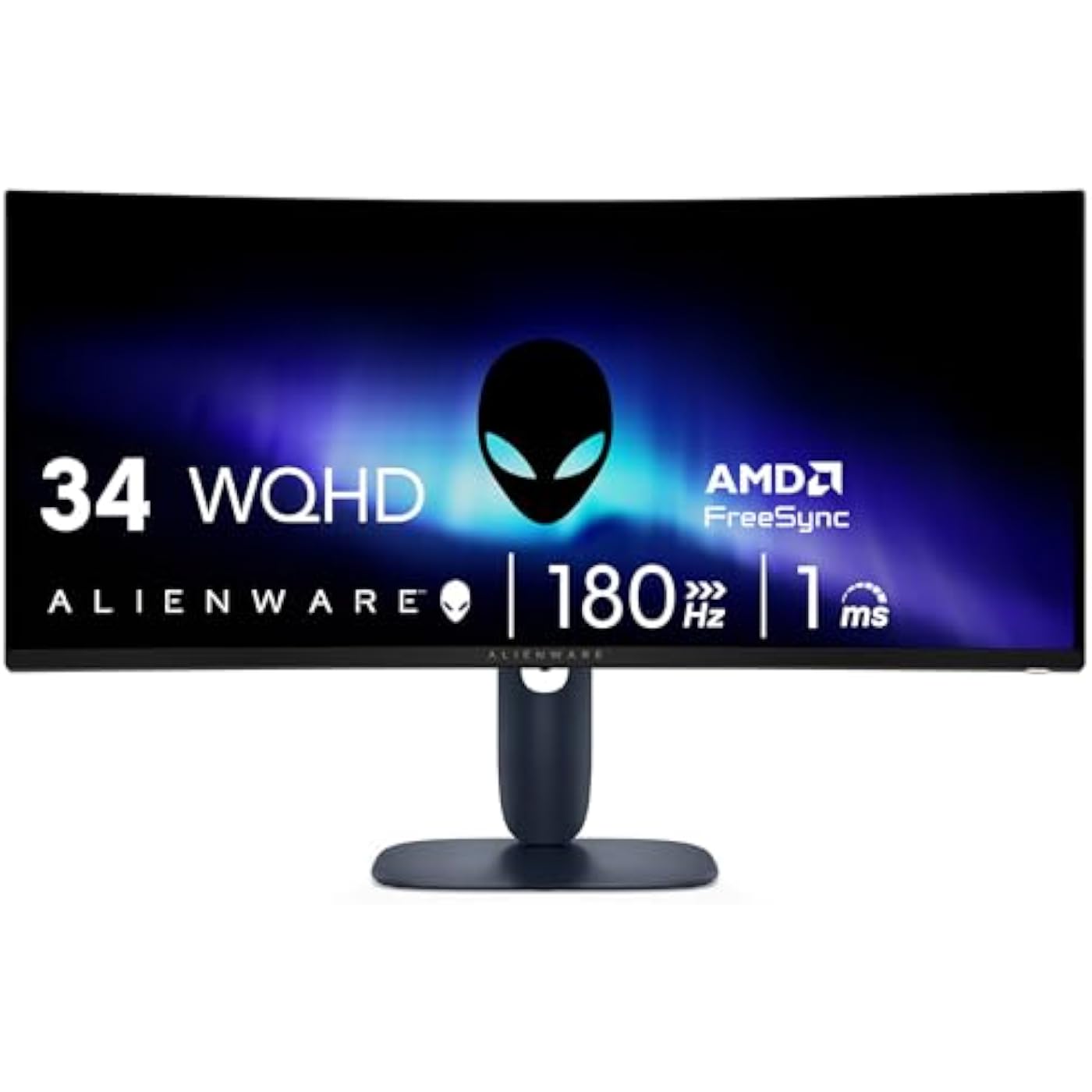
Alienware 34 Curved Gaming Monitor – AW3425DWM - 34-inch WQHD 180Hz 1ms Display, 1500R, AMD FreeSync Premium, VESA AdaptiveSync.
  • Based on 596 reviews
Condition: New
Checking for the best price...
$349.99 Why this price?

Buy Now, Pay Later


As low as / mo
  • – Up to 36-month term if approved
  • – No impact on credit to apply
  • – Instant approval decision
  • – Secure and straightforward checkout

Ready to go? Add this product to your cart and select a plan during checkout.

Payment plans are offered through our trusted finance partners Klarna, Affirm, Afterpay, Zip, Apple Pay, and Google Pay. No-credit-needed leasing options through Acima may also be available at checkout.

Learn more about financing & leasing here.

Selected Option

Free shipping on this product

FREE 30-day refund/replacement

To qualify for a full refund, items must be returned in their original, unused condition. If an item is returned in a used, damaged, or materially different state, you may be granted a partial refund.

To initiate a return, please visit our Returns Center.

View our full returns policy here.


Availability: In Stock.
Fulfilled by Amazon

Arrives Tuesday, Jul 28
Order within 5 hours and 55 minutes
Available payment plans shown during checkout

Protection Plan Protect Your Purchase
Checking for protection plans...

Display Size: 34 Inches


Display Resolution Maximum: 3440 x 1440


Style: AW3425DWM


Features

  • Bring virtual worlds to life with WQHD quality: Explore your games' vast, detailed landscapes with WQHD resolution and fluid, responsive visuals in an iconically designed ultrawide gaming monitor.
  • Dive into expansive details: Whether youre exploring open worlds or completing challenges, youll never miss a detail thanks to WQHD resolution and a 34 ultrawide panel with a 1500R curve.
  • Fluid Performance: Get in the game with a smooth 180Hz refresh rate, 1ms gray to gray response time, AMD FreeSync Premium and VESA Adaptive Sync Technology.
  • Sharp visuals: Enjoy vibrant colors with DCI-P3 95% color coverage and VESA DisplayHDR 400 certification.
  • Game longer: Lock in for marathon gaming sessions with a dedicated console mode and hardware-based low blue light solution that reduces eye strain while preserving color.

Description

"Alienware 34 Gaming Monitor – AW3425DWM. Bring virtual worlds to life with WQHD quality. Explore your games' vast, detailed landscapes with WQHD resolution and fluid, responsive visuals in an iconically designed ultrawide gaming monitor.

Brand: Alienware


Screen Size: 34 Inches


Resolution: QHD Wide 1440p


Aspect Ratio: 219


Screen Surface Description: Matte


Aspect Ratio: 219


Screen Finish: Matte


Contrast Ratio: 3,0001


Refresh Rate: 180 Hz


Display Type: LED


Display Technology: LED


Viewing Angle: 178 Degrees


Brightness: 400


Pixel Pitch: 110


Color Gamut: 95


Has Color Screen: Yes


Picture Quality Enhancement Technology: VESA DisplayHDR 400, DCI-P3 95% color coverage


Screen Size: 34 Inches


Item Dimensions D x W x H: 31.71"D x 9.13"W x 21.84"H


Item Weight: 20.97 Pounds


Resolution: QHD Wide 1440p


Display Resolution Maximum: 3440 x 1440


Native Resolution: 2560x1440


Response Time: 1 Milliseconds


Total Usb Ports: 3


Number of Component Outputs: 1


Additional Features: Adaptive Sync, Anti Glare Screen, Blue Light Filter, Curved, Height Adjustment, Tilt Adjustment


Specific Uses For Product: Entertainment, Gaming, Photo Video Editing


Color: Black


Warranty Type: 3 Years Warranty


Brand: Alienware


Model Number: AW3425DWM


Model Name: Alienware 34 Curved Gaming Monitor - AW3425DWM


Warranty Description: 3 Years


UPC: 884116492740


Manufacturer: Dell


Unit Count: 1.0 Count


Built-In Media: HDMI cable, Monitor, Power cable, Quick setup guide, Safety/Environmental/Regulatory Information, Stand riser and base, VESA cover


Power Consumption: 85 Watts


Voltage: 240 Volts (AC)


Connectivity Technology: HDMI


Hardware Connectivity: Bluetooth, DisplayPort, HDMI, USB


Adaptive Sync: FreeSync Premium


Frequently asked questions

If you place your order now, the estimated arrival date for this product is: Tuesday, Jul 28

Yes, absolutely! You may return this product for a full refund within 30 days of receiving it.

To initiate a return, please visit our Returns Center.

View our full returns policy here.

  • Klarna Financing
  • Affirm Pay in 4
  • Affirm Financing
  • Afterpay Financing
  • Zip Pay in 4
  • Financing through Apple Pay
  • Financing through Google Pay
Leasing options through Acima may also be available during checkout.

Learn more about financing & leasing here.

Top Amazon Reviews


  • Great Immersion budget monitor Great Immersion budget monitor
Display Size: 34 Inches Display Resolution Maximum: 3440 x 1440 Style: AW3425DWM
For the price, I personally think this monitor is unbeatable (that’s obviously based on my set up ofc) If you’re looking for the following then get this monitor: •180Hz refresh (Via DP) •Smooth textures and lighting. •Immersive as heck! •Having multiple windows open. •The tilt/height adjustment is perfect (For me) •Great modern design. •Cheapest in category (that I could find) •Packaging was insanely good. Possible Cons: •Bloom in areas. Non Oled, don’t expect the darkest/truest of blacks. (Can be adjusted to fix most of the bloom via picture settings though) •180Hz is maximum, if you need more (for esport games for example) I would look elsewhere. •3440x1440p (Wide) So, make sure your gpu won’t be bottlenecked!!!!! •Non RGB on back (Not an issue for me) but I know some people care a lot for monitors having it. Also, I didn’t see it in description, however I can confirm, it does come with: HDMI cable & DP 1.4 cable. ... show more
Reviewed in the United States on April 24, 2026 Reviewed in the United States on April 24, 2026 by Jesse B

  • Excellent Monitor for Home Office! Excellent Monitor for Home Office!
Display Size: 34 Inches Display Resolution Maximum: 3440 x 1440 Style: AW3425DWM
Best monitor choice for my needs. I do primarily a lot of Excel files (with Visual Basic), PDFs, email, family photo and video editing. I’m retired so not into gaming though I own several gaming consoles. I build a new PC every 4-5 years and I wanted to step up from my 28” 1080p monitor without using dual monitors as I used dozens throughout my work career. My primary goal was being able to open at least 2 full width documents without having to scale them down (normally 80%). I usually have an Edge window open as well streaming news. With this monitor I have the display scaled to 125% in Windows (my eyes not what they used to be) and I can keep documents scaled at 100%! Glad I went the ultra-wide 1440p route and though the screen is much wider it actually cleared up a lot of desk space with its stand design. I tried 2 different 32” 4K IPS monitors but both made me sick if I used them too long. One was a LG and its stand and function were subpar compared to this one. Dell has another almost identical ultra-wide not geared toward gaming (S3425DW 120Hz) with USB-C (Displayport 1.4 compatible) but no dedicated Displayports. I decided to go with the Alienware as my primary computer is a desktop though I also use a laptop for travelling. If your primary PC is a laptop you may want the Dell which was $50 more when I bought this. Since there is no built-in speakers I bought an inexpensive small sound bar at the same time. The monitor stand on this is one of the best and easiest I have used (height and forward/back tilt) though no side to side tilt but not needed for my use. Just make sure to never grab /carry from the sides as it may damage the screen. The base is minimal and frees up a lot of desk space. The speaker I bought fits well sitting on the stand base. The curvature may take a while to get used to but almost required for this wide of a monitor if using at normal desk distances. The On/Off button IS the LED light on the bottom far right. The OSD toggle is directly in the center bottom and the easiest menu I have used to date. It took me some time to set it up to my liking and so far this works best for me: Monitor: Preset – MOBA/RTS Smart HDR – Off Dark Stabilizer – 2 Brightness – 60 (though occasionally change based on lighting conditions as near a window) Contrast – 75 Windows 11 Pro: Scaling 125% (though occasional take to 150%) Frequency: 120 Hz (tried all up to the max 180) Included in the box: Both Displayport 1.4 and HDMI 2.1 cables, USB Type A to B upstream cable, power cord and very basic instructions (I had to download the manual to find the Power Button)! There are 2 downstream USB ports left bottom. One says charging but both appear to charge my cell. The Dell version has a push down exposing the 2 USB ports facing forward (I believe 1 Type A and 1 Type C). I was able to plug my USB speaker into the LEFT port and it works great. Only gripe is both USB ports are Type A. ... show more
Reviewed in the United States on March 4, 2026 Reviewed in the United States on March 4, 2026 by JFixit

  • Epic monitor.
Display Size: 34 Inches Display Resolution Maximum: 3440 x 1440 Style: AW3425DWM
This thing is beautiful. The resolution is great and the refresh rate is fast. The curve adds a great 3d affect and the screen is just massive. If you can find it on sale it's a must buy. It is very heavy but very durable. I will note it's not an OLED so you won't get inky blacks but for the price it's awesome. ... show more
Reviewed in the United States on January 19, 2026 by Elijah Sommer

  • ⭐⭐⭐⭐⭐ (…but also 😬) Alienware 34” Curved Gaming Monitor – AW3425DWM Review
Display Size: 34 Inches Display Resolution Maximum: 3440 x 1440 Style: AW3425DWM
Let me be VERY clear: This is a GREAT budget curved monitor. If you want that immersive wrap-around gaming feel without selling a kidney, this thing delivers. The colors are solid, the brightness is clean, and the curve makes you feel just a little more important than you actually are. Now here’s where I messed up. I made the fatal, unforgivable, absolutely rookie mistake of putting this beautiful, innocent, perfectly fine monitor directly next to an OLED. Listen… If you’ve never compared a normal panel to OLED side-by-side, DO NOT START NOW. Save yourself. Save your expectations. Save your wallet. Because the moment I powered up my OLED and saw those deep blacks, explosive colors, and “I can see into another dimension” contrast, the AW3425DWM never stood a chance. It was like parking a Honda next to a Ferrari — the Honda is great, reliable, budget-friendly… but guess what I’m driving home in? Gameplay on the AW3425DWM was genuinely enjoyable. But once the OLED lit up next to it, my eyes said: “Nope. Not doing this. Return it.” And that’s exactly what I did. So here’s my official verdict: 👍 If you’re NOT comparing it to an OLED: This monitor is fantastic for the price. Great curved experience, solid colors, fast response, everything you’d want in a mid-tier setup. 👎 If you ARE comparing it to an OLED: You’re going to cry, pack it up, and send it back like I did. Alienware makes awesome stuff — but OLED is a different universe. Once you cross over, there’s no coming back. ... show more
Reviewed in the United States on November 18, 2025 by Eric Babcock

  • Noob review with no fancy terminology lol
Display Size: 34 Inches Display Resolution Maximum: 3440 x 1440 Style: AW3425DWM
So I'm a complete noob when it comes to this. I like to just plug in my PS5 and have have fun smooth and quick gameplay. I like vibrant colors. The monitor search was daunting. So this review is from someone who has little knowledge on the monitor world. I came from a Samsung Odyssey G3. It was a good monitor but had meh colors. It was fast and I never struggled with refresh rate. My cat decided to Bruce Lee it off my desk. So I got this Alienware. It is noticeably better in most every way. The screen is definitely brighter. The color is more vibrant. Not sure what everyone means by bleeding blacks and blacks looking like gray. Mine was dialed out of the box. Cyberpunk, elden ring, sniper elite 5. They all looks incredible and have very fine details. The refresh rate is good and I can't tell a difference. The only issue I have with this monitor is the sheer size of it. It's massive. It stretches the game to fit the screen which causes things to look kinda weird. Not my favorite but I'll deal. I got this on sale. I would not have paid over $300 for it. I think it is 100% a $300 monitor. ... show more
Reviewed in the United States on April 8, 2026 by Augustus

  • Excellent product
Display Size: 34 Inches Display Resolution Maximum: 3440 x 1440 Style: AW3425DWM
Really good buy at the time when I picked this up. The screen delivers an incredible value and high performance
Reviewed in the United States on June 1, 2026 by Mr DatDuzIt

  • Good quality
Display Size: 34 Inches Display Resolution Maximum: 3440 x 1440 Style: AW3425DWM
Nice quality picture. Everything as expected. My daughter loves it
Reviewed in the United States on June 4, 2026 by Samantha

  • Best in class - but take the time to set it up!
Display Size: 34 Inches Display Resolution Maximum: 3440 x 1440 Style: AW3425DWM
This is a budget monitor - so we are talking VA panel. Having said that, if you take the time to get it dialed in across all platforms: * On Screen Settings * Windows * Graphic Card * Newest driver * Height / Tilt Then it's a glorious monitor that punches well above its weight class. Here are some general settings that have worked for me: ON Screen Display settings: Brightness 65 / Contrast 75 Preset Mode: Custom Color (Gain: 100 / 99 /99 for RGB) Sharpness: 30 Response Time: Fast Dynamic Contrast: Off Smart HDR: Off Input Color Format: RGB Window Settings: Resolution: 3440 x 1440 Refresh Rate: 144 Scaling: 125% Text size: 105% Icon size: Medium A quick test to see if you are displaying the full 10-bit color depth that the screen is capable of, go to: System - Display - Advanced Display. If not, it could be a setting in your graphics card, only exporting 8-bit. Long story short - once everything is dialed in, this is a fantastic monitor for the dollar. Even the VA Color / Brightness shift across the width is somewhat mitigated by its curve. If you work in the middle section (like a standard 16:9) you can absolutely use this for video / photo editing, although for high-end / Professional color grading, you'd have to step up to IPS or Oled. ... show more
Reviewed in the United States on May 8, 2026 by Thomas Nielsen

Can't find a product?

Find it on Amazon first, then paste the link below.
Checking for best price...