Search  for anything...

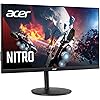
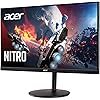
"Acer Nitro XV272U Xbmiipruzx 27"" WQHD (2560 x 1440) Agile-Splendor IPS Monitor, AMD Radeon FREESYNC, Up to 270Hz, Up to 0.5ms, DisplayHDR400, 99% Adobe RGB, (DP, 2 x HDMI & USB Type-C 65W)", black

  • Based on 66 reviews
Condition: New
Checking for the best price...
$749.00 Why this price?

Buy Now, Pay Later


As low as / mo
  • – Up to 36-month term if approved
  • – No impact on credit to apply
  • – Instant approval decision
  • – Secure and straightforward checkout

Ready to go? Add this product to your cart and select a plan during checkout.

Payment plans are offered through our trusted finance partners Klarna, Affirm, Afterpay, Zip, Apple Pay, and Google Pay. No-credit-needed leasing options through Acima may also be available at checkout.

Learn more about financing & leasing here.

Selected Option

Free shipping on this product

30-day refund/replacement

To qualify for a full refund, items must be returned in their original, unused condition. If an item is returned in a used, damaged, or materially different state, you may be granted a partial refund.

To initiate a return, please visit our Returns Center.

View our full returns policy here.


Availability: Only 2 left in stock, order soon!
Fulfilled by TC Prime Electronics

Arrives Aug 16 – Aug 18
Order within 4 hours and 30 minutes
Available payment plans shown during checkout

Protection Plan Protect Your Purchase
Checking for protection plans...

Style: WQHD (2560 x 1440) 270Hz


Size: 27-inch


Features

  • "27" wqhd (2560 x 1440) widescreen agile-splendor ips monitor with amd radeon freesync premium technology"
  • Refresh rate: overclock to 270hz (using display port or usb type-c), response time: 1ms (g to g) - up to 0.5ms (g to g),, brightness: native: 350 nits, hdr mode: peak 400 nits
  • High brightness and contrast with vesa certified displayhdr 400, color gamut: 99% adobe rgb, color accuracy: delta e<2
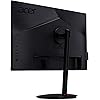
  • "Ergonomic tilt: -5 to 25, height adjustment range: 4.7", swivel: 360, pivot: yes"
  • Ports: 1 x usb 3.1 (type-c) port, 1 x display port, 2 x hdmi 2.0, 1 x audio-out & 4 x usb 3.0 ports (display port, hdmi & usb cable included)

Description

In competitive gaming, every frame matters. Introducing Acer's XV272U gaming monitor - the WQHD (2560 x 1440) resolution monitor that can keep up with your game play. Through AMD Radeon Premium technology, the game’s frame rate is determined by your graphics card, not the fixed refresh rate of the monitor, giving you a serious competitive edge. Plus, users can enjoy comfortable viewing experience while gaming via flicker-less, low dimming and ComfyView display. The design saves space on your desk and lets you place multiple monitors side by side to build a seamless big-screen display. (UM.HX2AA.X03). Power 32.50 W (Power On).

Brand: Acer


Screen Size: 27 Inches


Resolution: QHD Wide 1440p


Aspect Ratio: 169


Screen Surface Description: Glossy


Aspect Ratio: 169


Screen Finish: Glossy


Contrast Ratio: 10001


Refresh Rate: 270 Hz


Display Type: LED


Display Technology: LED


Viewing Angle: 170 Degrees


Brightness: 350 cd/m²


Color Gamut: 99


Has Color Screen: Yes


Picture Quality Enhancement Technology: Flicker Free


Screen Size: 27 Inches


Item Dimensions D x W x H: 9.2"D x 24.2"W x 17"H


Resolution: QHD Wide 1440p


Display Resolution Maximum: 2560 x 1440


Native Resolution: 2560x1440


Response Time: 0.5 Milliseconds


Processor Count: 4


Total Number of HDMI Ports: 1


Total Usb Ports: 4


Number of Component Outputs: 3


Total USB 3.0 Ports: 4


Additional Features: Not_Performance_Used


Specific Uses For Product: Gaming


Color: Black


Mounting Type: Wall Mount


Brand: Acer


Model Number: XV272U


Model Name: XV272U


Warranty Description: 3 year parts and labor


UPC: 193199922502


Manufacturer: Acer


Unit Count: 1.0 Count


Built-In Media: 1 x usb 3.1 (type-c) port, 1 x display port, 2 x hdmi 2.0, 1 x audio-out & 4 x usb 3.0 ports (display port, hdmi & usb cable included)


Power Consumption: 32.5 Watts


Connectivity Technology: DisplayPort, HDMI, USB


Hardware Connectivity: HDMI, USB, USB 3.0, USB 3.1 Type C


Adaptive Sync: FreeSync


Frequently asked questions

If you place your order now, the estimated arrival date for this product is: Aug 16 – Aug 18

Yes, absolutely! You may return this product for a full refund within 30 days of receiving it.

To initiate a return, please visit our Returns Center.

View our full returns policy here.

  • Klarna Financing
  • Affirm Pay in 4
  • Affirm Financing
  • Afterpay Financing
  • Zip Pay in 4
  • Financing through Apple Pay
  • Financing through Google Pay
Leasing options through Acima may also be available during checkout.

Learn more about financing & leasing here.

Top Amazon Reviews


  • What you want if you can't get the Predator
Style: WQHD Size: 27-inch
TL,DR; Fantastic Panel. Really "checks all the boxes" for 1440p 240hz AND IPS with good colors. OSD is lacking and not as polished, but it's no frills high-end spec monitor. Getting the monitor: The Predator XB273U GX is nearly impossible to actually find and get, so I decided to plunge into this Nitro variant, which from what I can tell is the same panel, just different branding/stand and without G-sync (which, for $750+, is slightly insulting? I don't even use it, I hate the delay, but still...) Compared to G9 I'm coming from the G9. Yeah, you may think "Oh, what a downgrade!". But, the G9 had issues... just look at /r/ultrawidemasterrace , it's insane. Mine was no different, it had that vertical artifact, and the black uniformity was... very underwhealming. That asside, that thing was amazing, but I will admit 32:9 is not for the faint of heart. Unless you're rocking linux or a third-party window management (less than ideal), Windows and games are just awful at supporting the ratio (unless you LOVE doom eternal, and play nothing but that all day). Also, even though I eventually got used to it, the curve will mess with your head. Especially with RTS and FPS games, at least for me. I digress, enough about the G9. Pros This panel is what I've been wanting. If you like the idea of the G7, but hate the idea of a curved monitor, this is what you want to get. It's even IPS! It's light weight (I guess anything is coming from the behemoth of the G9). No dead pixels or artifacts. No major uniformity (Not an OLED, but it's really solid) Came with color calibrated. Sure, pinch of salt if it's "actually" calibrated, but it looked legitimate to my caveman eyes. No noticable ghosting. Pixel response time is better than G9 from my bare eyes. I didn't do any slo-mo, but it looks better. Cons I learned what Image retention is. This definitely has it. It doesn't burn-in for a lasting amount of time, but when I was using it, I thought my windows were transparent for a little while there. I use this for work/coding, so if you leave up a screen with white or color'd text on it for a few hours, it may be there for a couple minutes after wards. No effect on gaming for me, though. OSD is pretty garbage. It gives you what you need, but it's pretty glitchy and buggy, like changing color modes will reset all other settings...etc. Not very intuitive, but whatever. Once you get it dialed in, you don't deal with it much. Contrast (at least with what I have set) isn't the best. I maybe need to toy with black levels and brightness, color profiles...etc, but from my initial toying around, I couldn't get it the way I wanted. I think this is on me, but still, it's not an OLED by any means. Things I didn't test HDR. HDR on windows is garbage, I just don't bother with it. Free-sync. I don't like the delay, I don't bother with it. I use frame rate caps or lower settings to get that 240hz. Expert Color calibration. I don't have the tools, I just know it's LIGHTYEARS better than my old TN monitors. Feels on-Par with the G9, which is a VA panel, but without the god-awful black uniformity of the G9. I hope this helps at least a little. I'm getting used to it, but I figure since there's not much info on these monitors yet, I'd drop my own impressions of it so far. Let me know if you have any other questions! ... show more
Reviewed in the United States on February 19, 2021 by Bryce

  • Awesome monitor with some quality issues.
Style: WQHD Size: 27-inch
Great product for the price. 270 hz over clocked, great colors on the IPS panel, and no visible ghosting to my eyes. My only callout is that the first monitor sent had dead pixels. The second monitor sent was perfect however.
Reviewed in the United States on February 13, 2021 by Bernard

  • Great colors, good picture, one issue however.
Style: WQHD Size: 27-inch
At first I thought I had image burn/image retention with this monitor after several hours of use a night and was going to return it, but then after some research it turns out if you turn up the black boost too high (I had it on 8, I believe), the image burn keeps coming back. So I turned it to the setting of 5 and I havn't had a problem with image burn since then. Pretty good monitor, my first time using an IPS @ 240hz for FPS games. Goodbye TN! Great colors also, really pretty pictures and colorful, amazing. Like nothing I've used in the past. ... show more
Reviewed in the United States on July 6, 2021 by ALEX

  • I am obsessed with this monitor: 27 inches, 1440p, 240Hz (270Hz Overclocked), and IPS Panel! I am obsessed with this monitor: 27 inches, 1440p, 240Hz (270Hz Overclocked), and IPS Panel!
Style: WQHD Size: 27-inch
I normally don't write reviews, but for this item it would be a disservice not to share my experience. I am no Linus from Linus Tech Tips, but I will try to give you the perspective as a competitive gamer. Resolution and Color Accuracy: I bought this monitor because I wanted a more immersive gaming experience. I was previously using a 24" curved, 1080p, 144Hz, VA panel monitor (250 nit). The difference between the two is truly astronomical. The image quality is quite noticeable (more ppi) and the color on this monitor is a lot more representative of the actual colors being shown on images. Now, I cannot comment on this IPS panel compared to other IPS panels because I have not had the luxury to experiment with others. From what other people said, there are better monitors out there that have better color accuracy. For me, I do not need the most color accurate monitor. With that being said, the color was a huge upgrade from what I was previously using. In addition, blacks are rich and the HDR looks phenomenal. Another thing to mention is that this monitor does not have backlight bleed! I saw that being a problem with a lot of these high end monitors so I was really happy to see that there was none. Frame Rate: From the moment I set up this monitor, I overclocked it to 270Hz. I did not see any screen tearing or any noticeable pixilation after overclocking which is a great sign! The monitor is advertised to be able to run at 270Hz and I was extremely impressed that it was able to do so. I did a couple different tests to see the differences in the FPS from 60, 75, 144, 165, 240, and 270. I was actually shocked that I could tell a difference between 240Hz and 270Hz when performing these tests. Now, you have to understand that most people will not be achieving these frames depending on the type of games you play. However, it is still really nice to be able to run games at 270 FPS. As mentioned previously, I went from a 144Hz monitor to now a 270Hz so having the ability to get nearly double the frames is huge. Depending on the games I play, I am anywhere between 190 to 250 FPS (190 on first person shooters like COD, PUBG, etc and 250 for games like Rocket League). I can honestly say it does make a difference because your eyes are getting more information (more frames) in a second. This means that you will be able to react quicker in games. Having higher frames in First Person Shooters gives you a huge advantage so if you mainly play those types of games like me, this monitor is definitely worth it (assuming your PC can output the frames). Overall: If you are looking for a 27in, 1440p, IPS panel, and 240+ Hz then do yourself a favor and purchase this monster. Don't think about it. Just buy it and thank me later. I paid $679 for it and I really do think it is worth every penny. I know the PC market right now is flooded and prices are fluctuating a lot so I wanted to let everyone know a baseline for price. Let me reiterate that you should only get this monitor if you really want an upgrade and you are a competitive gamer. Even if you are a casual gamer, you can certainly enjoy your time on this monitor, but this monitor is meant for competitive play (in my opinion). I love this monitor and and I am so thankful that it lived up to my expectations. ... show more
Reviewed in the United States on March 6, 2021 Reviewed in the United States on March 6, 2021 by Adam W.

  • This is my beauty
Style: WQHD Size: 27-inch
I am so glad I found this monitor. I had been searching for something that could really push my new 5800x/6800xt build to its actual potential. I had the fantastic LG gl83a-b which was absolutely perfect for my prior setup with the 3700x/5700xt and 2080 ftw 3 cards (I am a builder so I was once very flush with cards) and once I decided to move up to current gen I started out with the 3700x and Ventus 3070 3x oc and it was a shock at just how well that card handled 1440p @144hz. I ended up getting the cpu upgrade and then the Bitcoin apocalypse resurgence truly blasted off. The last time I was able to check out with a new card was the day before that coin hit 57k...I managed to get both the tuf 3070 and my current gigabyte gaming oc 6800xt back to back (I sold the 3070 to a client at cost plus $30...I am not a scalper). I thought the 3070 was badass! This 6800xt smoked it in every game. Once I recouped my funds and started monitor hunting I spent about 2 weeks researching and was between the older predator 4k 144hz or the brand new Alienware. When I went to buy the Alienware on sale for $780 is when I found this beauty in my recommendations. It had never popped up before then, with about an hour of research on it I was sold! I got it for $680 and have been absolutely amazed since I set it up. I’ve never had a monitor like this before, colors truly pop. White’s are able to get so bright they burn your eyes and the clarity is just out of this world. The only issue I have had is a burn in scare a few weeks ago. I had fallen asleep for about ten hours at my desk with Horizon Zero Dawn paused. When I woke up and went to turn the game off finally the menu was still there. Luckily it was not permanent in any way. I used to leave my lg like that all the time, now with this one. I always turn it off/quit to the. Home Screen. Anyways I bought this monitor when it had only 8 posted reviews and am damn glad I did. Don’t pay scalper prices, wait and enjoy it! ... show more
Reviewed in the United States on March 4, 2021 by Ryan L Carpenter

  • Mostly works
Style: WQHD Size: 27-inch
Has worked well for the most part but occasionally the monitor just shuts down and restarts, it does so quickly and rarely so hasn't been a huge issue. Today however the power supply overheated and I had to unplug for a bit to get it to work again, which is pretty concerning. Overall a good product but it seems ACER has some quality control issues, I'd maybe recommend a different brand. ... show more
Reviewed in the United States on October 31, 2024 by Dusty

  • IT's cheap (built cheap), and buggy.
Style: WQHD Size: 27-inch
1 week UPDATE: I've experienced the flicker. When it starts, there are vertical lines, and a 30hz backlight flicker. It's awful. Power cycling didn't fix it, but it did eventually stop over time. I kept changing inputs and power cycling trying to fix it. I have no idea why, but this must be what reddit people are complaining about. A day later. And the monitor seems normal again. I'm not keeping this. Build quality is terrible, software or hardware issues apparent. I ran 144hz on both my monitors. Never needed with 240hz on this one. UPDATE: Usbc video does work with a $11 usbc 3.1 cable. So my fault. macbook pro 2018. I added a star. 1 hour impression. Totally not worth the liability and money. I don't think it's a keeper. So far two laptops have not worked over usbc/dp. I have no idea why. They work fine with another device. That usbc input, was the primary reason I purchased this. Workstation, laptop, gaming. It does not function, and I've tried 4 cables, two devices, and many menu settings. Someone please educate me how to make a mac actually function with this display, using a usbc cable. The fit and finish is awful. Bent top bezel (seriously it's bent, do a search, it's all true), bowed bottom bezel (bowed out towards the user). Also the giant 180w 19v external power brick gets hot, and means this display doesn't have enough weight, to use the completely toned down arm, my 27 predator was on. There is no way this display is worth $650+, especially given the issues people have also encountered on reddit with the flickering and failing. It feels like a total liability given that even the ports don't all function. I don't have, or have not noticed, dead pixels. You cannot enter the display menu, unless you have signal. You can change ports, but you cannot actually enter the real menu. No idea why. Already it has failed me, for the two jobs it needed to do. It's too light, feels cheap, looks cheap, and doesn't work via usb input. Final thoughts, why the heck, do I still have to hit 4 different buttons, just to change inputs? Who are these people that approve such horrible menu's. Even the 3 "savable" slots and hotkey assignments, don't include inputs, or allow input to be selected as a hotkey, in their profile. So have fun working your decoder ring, which is also BEHIND the display with the power button. You will accidentally power it off. For whatever reason, the led is on the front though, and cannot be disabled from what I've been able to find (unlike my previous display). why?! Just Why? No. no. Save your money. This is a terrible product and it cost more than my 27 inch previous gen predator (which continues to be really good, fast, and responsive to display/mode changes). It's worst flaw is an occasional line of pixels that move from the center, to the right, for some reason. It's annoying, but fixed with a power/cycle. I really just don't get it, and I regret purchasing this, and will likely return it. I few good things to note. And I don't think this should persuade you to purchase this monitor..... It seems to power my laptop. Display? no, power? yes. At what rate? I don't know. A 1080 can do 144hz over hdmi with this display. I don't remember if I could on my old predator. That's nice if you have a workstation, and a gaming box, and appreciate high refresh on your display, that only has one functioning display port input. For me I switch the main display to my gaming machine so it uses the one functioning display port. Workstation gets two displays (1 hdmi 144hz, and 1 dp 144hz). So that's nice. I'm out of good things to say. Final final thoughts. I zip tied the power brick to my monitor arm, to add back the weight, for this incredibly cheap feeling monitor. Now it is barely able to keep from floating up, on the lowest setting of my arm. gsync? I have no idea, I think this is on the naughty list (or as yet undefined). I'm assuming I'll be let down by gaming performance as well. Don't be tempted like I was. Purchase something proven, and well built, if you are spending this kind of money. Unless you just have to have 240hz. For me that wasn't a requirement. I needed more inputs. oh oh oh! the screws for the vesa mount were waaaay too short. They are recessed, so even shorter than normal. I don't know if there were screws somewhere else because I didn't even unpack the stand. All I know is, the screws that were already in the monitor, didn't look like they would work with ANY vesa mount. They were locker/self tappers.... The are Not long enough. So you are screwed if you didn't plan for that. Correct screws, would be tapped fully, and have threadlock. So again, just cheap. I'm so underwhelmed that I can't stop typing. Best of luck. ... show more
Reviewed in the United States on April 3, 2021 by Bill

  • Eyesore
Style: WQHD Size: 27-inch
I have owned this monitor about eight months now. Longer than I should have. I really want to like this monitor and have tried everything to make it work the way I want, new cables, backlighting, settings, etc. No matter what I've done, the eyestrain is unbearable. I don't see a lot of reviews discussing this so am unable to discuss much more than what I've tried. There are no new drivers, I've set the custom mode brightness down to 5 and various other settings and I still cannot use it more than 20 minutes without going back to my old monitor for real work. Yes, I've also experienced the black vertical lines. I tried to screenshot them, but the problem exists on the monitor itself so I snap the shots on my phone. The effect is temporary and seems to have to do with the interaction of particular games (MtG Arena in this case). Also, the monitor just goes black screen on occasion. Sometimes once a day, others a few times an hour. It seems to just reset itself then all goes back to normal without any hint of an issue. As has been mentioned, the colors and resolution and speed are fantastic. The bugs are really annoying, but the reason I will get rid of the monitor is just that I can't look at it without my eyes watering from the strain. ... show more
Reviewed in the United States on October 7, 2021 by Tulay Balaban

Can't find a product?

Find it on Amazon first, then paste the link below.
Checking for best price...