Search  for anything...

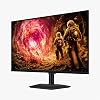
Samsung 32” Odyssey G5 G50F QHD Resolution Gaming Monitor, 180Hz Refresh Rate, Fast IPS Panel, HDR10, NVIDIA G-Sync Compatible, 1ms Response Time (GtG), AMD FreeSync™, Adjustable Stand, LS32FG502ENXZA

  • Based on 0 reviews
Condition: New
Checking for the best price...
$219.99 Why this price?
Save $130.00 was $349.99

Buy Now, Pay Later


As low as $36.67 / mo
  • – 6-month term
  • – No impact on credit to apply
  • – Instant approval decision
  • – Secure and straightforward checkout

Ready to go? Add this product to your cart and select a plan during checkout.

Payment plans are offered through our trusted finance partners Klarna, Affirm, Afterpay, Apple Pay, and PayTomorrow. No-credit-needed leasing options through Acima may also be available at checkout.

Learn more about financing & leasing here.

Selected Option

Free shipping on this product

FREE 30-day refund/replacement

To qualify for a full refund, items must be returned in their original, unused condition. If an item is returned in a used, damaged, or materially different state, you may be granted a partial refund.

To initiate a return, please visit our Returns Center.

View our full returns policy here.


Availability: In Stock.
Fulfilled by Amazon

Arrives Tuesday, Jun 16
Order within 4 hours and 23 minutes
Available payment plans shown during checkout

Protection Plan Protect Your Purchase
Checking for protection plans...

Size: 32-Inch


Features

  • Samsungs 32 Odyssey G5 QHD Gaming Monitor delivers brilliant visuals for exhilarating gameplay thats more immersive than ever before.
  • QHD resolution (2560 x 1440) boasts incredibly detailed, pin-sharp images.
  • With a wide 178 viewing angle, the IPS panel consistently delivers crisp, clear hues from various viewpoints.
  • 180Hz Refresh Rate and 1ms response time (GtG) allow fast reactions for ultra-smooth gaming, plus G-Sync compatibility syncs the GPU and panel to reduce choppiness, screen lag, and image tearing.
  • HDR10 provides brighter highlights and nuanced shadows for added depth.
  • Black Equalizer improves visibility in the deepest shadows, while Virtual Aim Point increases the accuracy of the players aim.
  • Auto Source Switch+ allows instantaneous switching between connected devices and the height-adjustable Ergonomic Stand easily pivots, tilts, and swivels for the perfect view.

Description

Samsung’s 32" Odyssey G5 QHD Gaming Monitor delivers brilliant visuals for exhilarating gameplay that’s more immersive than ever before. QHD resolution (2560 x 1440), with more than 1.7 times the pixel density of Full HD, boasts incredibly detailed, pin-sharp images. The fast IPS panel, with its 178° viewing angle, provides an engaging gaming experience by consistently delivering crisp, clear hues from various viewpoints. 180Hz Refresh Rate and 1ms response time (GtG) allow ultimate speed for ultra-smooth gaming precision, while G-Sync compatibility syncs the GPU and panel to reduce choppiness, screen lag, and image tearing. Scenes feel more realistic with HDR10, which provides brighter highlights and nuanced shadows for added depth. Black Equalizer improves visibility in the deepest shadows, while Virtual Aim Point increases the accuracy of the player’s aim when the action peaks. Auto Source Switch+ allows instantaneous switching between connected devices without having to flip through multiple inputs. Maintain winning streaks in total comfort with the height-adjustable Ergonomic Stand that easily pivots, tilts, and swivels for the perfect view.

Brand: Samsung


Screen Size: 32 Inches


Resolution: QHD 1440p


Aspect Ratio: 169


Screen Surface Description: Matte


Aspect Ratio: 169


Screen Finish: Matte


Contrast Ratio: 10001


Refresh Rate: 180 Hz


Display Type: LCD


Display Technology: IPS


Viewing Angle: 178 Degrees


Brightness: 300 cd/㎡ Candela per Square Meter


Pixel Pitch: 0.27


Color Gamut: 99


Has Color Screen: Yes


Picture Quality Enhancement Technology: HDR10


Screen Size: 32 Inches


Item Dimensions D x W x H: 9.9"D x 28.1"W x 24.6"H


Item Weight: 10.8 Pounds


Resolution: QHD 1440p


Display Resolution Maximum: 2560 x 1440 Pixels


Native Resolution: 2560x1440


Response Time: 1 Milliseconds


Total Number of HDMI Ports: 1


Number of Component Outputs: 2


Additional Features: Height Adjustment, High Dynamic Range, Tilt Adjustment


Specific Uses For Product: Desktop, Gaming, Photo Video Editing


Color: Black


Mounting Type: Desk Mount


Warranty Type: 1 Year Manufacturer Warranty


Shape: Flat


Brand: Samsung


Model Number: S32FG502EN


Model Name: SAMLS32FG502ENXZA


Warranty Description: 1 Year Manufacturer


UPC: 198957237881


Manufacturer: Samsung


Unit Count: 1.0 Count


Built-In Media: 1x HDMI, 1x DP, 1x PC


Voltage: 240 Volts


Connectivity Technology: DisplayPort, HDMI


Hardware Connectivity: DisplayPort, HDMI


Adaptive Sync: FreeSync, G-Sync Compatible


Frequently asked questions

If you place your order now, the estimated arrival date for this product is: Tuesday, Jun 16

Yes, absolutely! You may return this product for a full refund within 30 days of receiving it.

To initiate a return, please visit our Returns Center.

View our full returns policy here.

  • Klarna Financing
  • Affirm Pay in 4
  • Affirm Financing
  • Afterpay Financing
  • PayTomorrow Financing
  • Financing through Apple Pay
Leasing options through Acima may also be available during checkout.

Learn more about financing & leasing here.

Top Amazon Reviews


  • This monitor right now, is the best BANG for the Buck on Amazon!
Size: 32-Inch
Yes, if you spend more money you can buy a finer monitor. If you are on a budget and you have a decent video card that can handle 1440p, THIS is your monitor! Particularly if you have a Radeon card.
Reviewed in the United States on June 6, 2026 by JRVee

  • Samsung 32” Odyssey G5 G50F QHD
Size: 32-Inch
At the price I got it for, $219, it's a great value performer. While I love my DELL S2740L 27" glossy monitors from 2013 I got from Newegg and Amazon in a quad display setup along with a EVGA 1080 on a 6850K/128GB Gigabyte UD-P4 MB, I wanted something with a bit of a higher resolution, but not 4K since I do need to read text, 27 would still be too small, 32 is the ideal proportion for 2K resolution for me. I held out this long because I love GLOSSY screens and they are impossible to get from a major manufacturer today. Looking online at this monitor, I made a judgement that the anti-glare is similar to TV models and nowhere as terrible as Dell's 3H hardcoat AG coating...it's like looking at the monitor through a viel/stocking, terrible! With this G5, there is an AG coating, but it's acceptable if you want something as close to glossy as possible in this market today. This and my S2740L's do have IPS glow, but that's expected, nothing dramatic. I had no dead pixels. The colors REALLY pop nicely, I love that! I love the thin panel too. The stand is fine and blends in well with the display. Text is sharp, but I think my Dell S2740L is slightly better with font rendering, not dramatic, but only if you look closely and do an A/B compare. What I don't like is the power / config setup being mounted behind the monitor, really bad ergonomics. The power cable is very long which is awesome if you have a long run from your desk to surge protector. It only includes one HDMI and one Display Port which I'm fine with for the price...rather have a better display quality which is why you are buying for it than more ports to keep it in this price range. Packaging is good, unless someone steps on your box, that didn't happen to mine. Regarding gaming, don't really care about the refresh rate as long as it's 60hz. I normally play Battle Field 2 (2005,) Skyrim, Oblivion (original,) and GTA V so fast refresh rates don't really matter to me for those games. Also includes an HDMI -- AND -- DisplayPort cable! Overall, an excellent value performer, you'll be happy with it especially for $219! ... show more
Reviewed in the United States on June 6, 2026 by Customer Review

  • Real nice monitor!!
Size: 32-Inch
Looks great!! Have had this a month or so and no problems-it looks really nice!! A good step up from 1080 without breaking the bank!!
Reviewed in the United States on June 6, 2026 by J R 3

  • My fears were overblown... My fears were overblown...
Size: 32-Inch
Update: It's been about five months since I started using this (now June 2026), zero issues, still working like a champ, will try to update periodically. I was initially very hesitant on buying this, my prior monitor was a Sceptre 32" curved gaming monitor (C326B-185RD), the Sceptre is a VA panel monitor, 1920x1080 with no HDR support. I was hesitant about buying this one because it has an IPS panel, if you Google it you'll find lots of people saying IPS panels have two problems compared to VA panels: 1. "IPS glow" 2. Blacks would appear gray. These issues caused some hesitation, I considered going with VA again but ended up going with this instead since I've never tried IPS for a gaming monitor. It turned out those fears were overblown, there is a TINY amount of IPS glow but it's at the four corners and it appears to be a viewing angle artifact, because I can make the glow move by moving my head around. It's definitely not a physical defect like "light bleeding" where the backlight is separating from the panel or something, it's only noticeable on a completely black screen (such as a loading screen) and even then it's barely noticeable, it looks like a very slight hue on the very tips of the four corners. The vast majority of the time you won't be in a situation to even be able to notice it, even the darkest areas in actual gameplay such as caves, or dark settings in movies, it's completely unnoticeable, and the blacks do appear as deep blacks, not grays. I attached pictures I took of the Sceptre and Samsung side-by-side with the same images shown on each monitor: a black screen and SMPTE color bars, you be the judge. Note that I turned exposure down when taking these pictures, since these were taken in a room with all lights off, I took them in a room with all lights off to demonstrate how dark the blacks are and to highlight any glow. You can clearly see that the Sceptre's black screen looks almost light gray with a tremendous amount of glow around the edges, the colors on the Sceptre wash out as a result, the Sceptre is a VA panel that's supposed to be better at blacks than IPS panels are, yet it's far worse, the Samsung wins in both colors, blacks, and lesser glow. My Samsung arrived with no defects and no dead pixels. I tested for that by using an all white screen and an all black screen for dead and live pixels respectively, the monitor has a self-diagnosis feature in the menu that shows you something similar to SMPTE color bars as well. Compared to the Sceptre: ✅ This has the same screen size as the Sceptre but a much higher resolution so the pixel density is much higher, making things look less grainy than the Sceptre, very crisp. ✅ The IPS panel doesn't have noticeable ghosting or black smearing compared to the Sceptre's VA panel. ✅ The colors on the IPS panel are extremely vivid compared to Sceptre's VA panel. The color difference is startling, it breathes new life into even old games that appear washed out or dull in comparison. ✅ It has HDR10 support, the Sceptre is SDR only. HDR makes a huge difference, the layman's explanation for HDR is that things which are supposed to be bright (like sunlight or sunlit areas in games) become physically brighter by increasing the brightness/nits for the actual pixels themselves, which makes the game world pop. On monitors without HDR (SDR), all of the pixels are uniformly lit to the same brightness. I never thought I would need it but now I can't do without it. ✅ I use both Windows 11 and MacOS, the Sceptre had weird issues with MacOS on Apple Silicon, especially in clamshell mode where it would not wake MacOS from sleep or be recognized, this has none of those issues, works perfectly with MacOS on Apple Silicon via HDMI connected to a Belkin Thunderbolt 3 dock. ✅ Has much more configurability and robust settings than the Sceptre has. What don't I like about it? ❌ Only having two inputs: it should have one DisplayPort and two HDMI at a minimum, instead it only has one of each which is a bit paltry and stingy. ❌ Putting the menu joystick on the back of the monitor, you have to fumble blindly for it. ❌ There's a feature to draw a fixed crosshair at the center of the screen, kind of "cheating" for gaming. While nice this feature was not implemented well, in that once you activate it it's on all the time, even when you're not playing a game, you're browsing the web with a crosshair at the center. If you want this eye sore out of the way you have to go back to the menu, navigate through two or so levels to turn it off and repeat when you want to turn it on. The menu joystick shows the same source menu if you toggle it left or right, instead of making both left and right do the same thing they couldn't reserve one of those for a quick on/off for the crosshair? I know you can probably toggle the virtual crosshair with Samsung's software but I don't really want to install that and have it running just for that. If you do get it and you have Windows 11, after you have your new monitor in place and configured properly (the color "mode"), make sure you go to the HDR settings and click the link for the calibration tool to download it through Microsoft Store and use that to make an accurate color profile. Overall very satisfied I chose this monitor and went through with it, a solid 9/10. ... show more
Reviewed in the United States on January 17, 2026 Reviewed in the United States on January 17, 2026 by J

  • works as advertized works as advertized
Size: 32-Inch
Purchased 3 of these .. nice color, nice adjustable stands, easy joystick control for adjustments ... the displayport 1.2 cables, provided were too short to reach furthest monitor in triple monitor setup (common for most manufacturers to provide shortish cables with monitors) I am assuming that the provided cables would work just fine. So I purchased/upgraded to nicer quality 3 x 6.6 foot displayport 2.1 cables so all monitors would be on matching cables (probably overkill, but .. ) ... Everything works perfect ... show more
Reviewed in the United States on April 13, 2026 Reviewed in the United States on April 13, 2026 by Rit

  • Awesome monitor for gaming, streaming, and work
Size: 32-Inch
The monitor looks beautiful and is perfect for gaming on my PC. HDR looks amazing and I think it’s a great value for the cost. I do seem to need to switch between HDMI and display port manually whenever I change inputs.
Reviewed in the United States on April 3, 2026 by Jerry Banfield

  • Incredible performance for an incredible price.
Size: 32-Inch
This is light-years ahead of any VA panel you're gonna find which is what you're likely to find at this price point. The colors on this really pop. Took a tiny bit of tuning out of the box to get it looking perfect, but just using your phone or a known good display as a reference really helps. I needed to bump the color value up 5 point and drop the black equalizer to off to ensure my blacks stay dark and things down look blown out. Gorgeous display and the price is just insane. Highly highly recommend. Also keep free sync on for the love of God. I disabled it because my other display (OLED) didn't like it, but this display really needs it to prevent light ghosting on even simple things like text while scrolling. ... show more
Reviewed in the United States on April 18, 2026 by Travis Swan

  • Complete lack of quality control.
Size: 32-Inch
Garbage quality control and exchange options. Ordered three for a triple monitor setup. Two of the three arrived with green stuck pixels. Amazon will only do a refund, no exchange, so now I have to return all three of them instead of exchanging the defective ones. It's ridiculous that 2/3 of the monitors they're selling are defective. ... show more
Reviewed in the United States on April 8, 2026 by Will

Can't find a product?

Find it on Amazon first, then paste the link below.
Checking for best price...