Search  for anything...

Logitech G Cloud Gaming Handheld, Portable Gaming Console with Long-Battery Life, 1080P 7-Inch Touchscreen, Lightweight Design, Xbox Cloud Gaming, NVIDIA GeForce NOW, Google Play

  • Based on 1,526 reviews
Condition: Used - Very Good
Checking for inventory...

Notify me when this product is back in stock

$282.14 Why this price?
Save $487.85 was $769.99

Buy Now, Pay Later


As low as $47.02 / mo
  • – 6-month term
  • – No impact on credit to apply
  • – Instant approval decision
  • – Secure and straightforward checkout

Payment plans are offered through our trusted finance partners Klarna, Affirm, Afterpay, Apple Pay, and PayTomorrow. No-credit-needed leasing options through Acima may also be available at checkout.

Learn more about financing & leasing here.

Selected Option

Free shipping on this product

This item is eligible for return within 30 days of receipt

To qualify for a full refund, items must be returned in their original, unused condition. If an item is returned in a used, damaged, or materially different state, you may be granted a partial refund.

To initiate a return, please visit our Returns Center.

View our full returns policy here.


Availability: Unavailable
Fulfilled by Amazon
Available payment plans shown during checkout

Style: Logitech G Cloud


Features

  • Some features may require an online subscription WHAT YOU NEED: Cloud subscription: Xbox Cloud Gaming (Beta), NVIDIA GeForce NOW, or other subscription Google Play Store account: To download games from the Google Play App Product intended purpose requires access to stable internet connection. Necessary bandwidth may vary depending on selected cloud gaming provider/s.
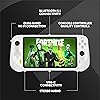
  • Cloud Gaming System: The best of cloud gaming in your hands, play hundreds of AAA video game titles, up to 1080p 60fps with no downloads or hardware upgrades via Wi-Fi and cloud gaming subscriptions
  • Multiple Cloud Gaming Services: Integration with Xbox Cloud Gaming (Beta) and NVIDIA GeForce NOW, with access to more cloud services through the Google Play store app
  • Remote Play: Use this handheld gaming device to remotely play your games with the Xbox Remote Play app and Steam Link apps
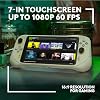
  • Immersive Gaming Experience: 7-inch Full HD 1080p touchscreen with 60Hz refresh rate and full screen 16:9 gaming experience
  • Handheld: 12 plus hour battery life (1) and ridiculously lightweight portable gaming system at 463 g you can comfortably play all day
  • Ergonomic: Gaming console with gaming-grade controls that rival the best console controllers with haptics (2), gyroscope, and remappable controls
  • Gaming Speed: Supports Wi-Fi speeds of up to 800 plusMbps over a 5Ghz connection
  • Engineered for Streaming: Features a core processor that has been optimized to reduce latency for cloud gaming and an optimized Wi-Fi radio for lower signal interference. CMF Spec (Excluding internal and electronic components): PC PC/ABS TPE TPU
  • Logitech G CLOUD gaming handheld Power adaptor USB cable (USB-A to USB-C) User documentation

Description

WHAT YOU NEED: Cloud subscription: Xbox Cloud Gaming (Beta), NVIDIA GeForce NOW, or other subscription Google Play Store account: To download games from the Google Play App Product intended purpose requires access to stable internet connection. Necessary bandwidth may vary depending on selected cloud gaming provider/s. About this item: Handheld gaming device with connectivity to multiple cloud gaming services including Xbox Cloud Gaming and NVIDIA GeForce NOW, up to 1080p and 60fps Play anywhere with Wi-Fi Remote play with the Xbox app and Steam Link app Download more apps from the Google Play App games 7-inch 1080p 60Hz 16:9 touchscreen 12+ hour battery life (1) Lightweight (463 g) handheld gaming console Haptics (2), gyroscope, and remappable controls Certified Carbon Neutral (1) Based on normal streaming play conditions, with 50% screen brightness and 50% volume. Battery life may vary based on user and computing conditions. (2) On compatible games and services. Logitech G CLOUD gaming handheld Power adaptor USB cable (USB-A to USB-C) User documentation Setup Guide: cloud-gaming-handheld-qsg.pdf my/articles/3-Getting-Started-Logitech-G-CLOUD-Gaming-Handheld

Platform: Android


Input Device: Gamepad


Connectivity Technology: Bluetooth, Wi-Fi


Memory Storage Capacity: 64 GB


Wireless Communication Technology: Bluetooth, Wi-Fi


Resolution: 1080p


Color: Black


Brand Name: Logitech G


Model Name: G Cloud


Model Number: 940-000198


Manufacturer: Logitech


Warranty Description: 1 Year Limited Hardare Warranty


UPC: 097855179784


Manufacturer Part Number: 940-000198


Included Components: Logitech G CLOUD gaming handheld, Power adaptor, USB cable (USB-A to USB-C), User documentation


Item Type Name: Gaming Handheld


Item Weight: 463 Grams


Frequently asked questions

This product is currently out of stock. Please check back later for shipping info.

Yes, absolutely! You may return this product for a full refund within 30 days of receiving it.

To initiate a return, please visit our Returns Center.

View our full returns policy here.

  • Klarna Financing
  • Affirm Pay in 4
  • Affirm Financing
  • Afterpay Financing
  • PayTomorrow Financing
  • Financing through Apple Pay
Leasing options through Acima may also be available during checkout.

Learn more about financing & leasing here.

Top Amazon Reviews


  • The truth about the G Cloud and my experience with PS4 and Xbox Series X play
Style: Logitech G Cloud
I received a G Cloud for Christmas in 2023, so I have had a concentrated week of seeing what the device can and cannot do. Side-note (not factored into the score), the BRAND NEW unit sold by Amazon (not a 3rd party) turned out to be used. The box seal had been opened, and even the screen protector was gone. So I returned it and got another. Second side-note, the first unit came with the wall charger, but the replacement did not (even though it is pictured in the manual). I thought this was a mistake, but then found a slapped-on statement from Logitech saying they stopped including wall adapters for the good of the environment (yeah that gets a huge LOL, congrats on your cost-savings Logitech). On to the real review ... I wanted the unit mostly to be able to stream games from my PS4 (in my living room) and Xbox Series X (upstairs in a racing / flying cab). And long story short - this unit FINALLY delivers what I have been striving for since I tried using the PSP to connect to my PS3 many years ago (and then Vita, which was equally bad at streaming). The Xbox streaming works great with the Xbox app. The controllers work amazingly well. The PS4 at first worked good enough to play, but the resolution varied and sometimes would get a little blocky. I connected it to my router using a network cable, and that made the streaming become crystal clear. Works great anywhere in my house. To stream anywhere in the world requires port forwarding to be setup on the router, and so I am not going to pursue that. Note that I am using a 3rd party app for the PS4 streaming so the Logitech controls are fully supported. I will say I can detect a slight lag in the controls (probably less than a tenth of a second), which for a high-speed game (think racing) the experience is still playable but is slightly impacted. But for my usage (Fallout 4 on PS4, Flight Simulator on Xbox) gameplay feels just fine and a very slight delay does not impact gaming. I am also using the unit as a retro-gaming handheld. Gaming is fantastic for all consoles that are GameCube and earlier. PS2 works great for some titles, but has some slowdown for others (but settings can be tweaked to be playable for just about anything). For me, having a giant library of Advance titles, SNES, Genesis, and yeah even Atari is awesome. The ergonomics of the G Cloud is fantastic. I have fairly large hands, and it is comfortable to play. The screen at 7 inches doesn't sound big, but compared to my Switch Lite and older PS handhelds, the screen is a magical giant gift from the gods. Resolution is a very sharp 1080P. Touch works great, and so the hardware is quite impressive. Battery life is outstanding. So the memory at 64GB is one weak point of the system. There IS a microSD expansion, and I had to spend a couple of days to get everything working well. Bottom line, I first tried a 512GB Sandisk card, and it did not work correctly, despite trying every formatting method out there. Folks, 256GB is the max, trust me. So a Sandisk 256GB works like a charm. It will NOT work correctly if you extend the storage as part of the Android device. It has to be formatted as external storage, and then it works great. The beauty of this device is that it is truly just an Android device with Google Play. So the gaming options are almost unlimited. And you can use it to watch movies, or control your thermostats, or whatever you use a normal Android device for. In summary, this is an amazing device and I could not be happier with it! ... show more
Reviewed in the United States on January 2, 2024 by One for All

  • So much power in the palm of your hands! So much power in the palm of your hands!
Style: Logitech G Cloud
First of all, this completely exceeded my expectations! This got to be one of the best gaming devices I’ve ever owned. So good I need to leave a review for those who are getting into handheld gaming like myself. It is in fact a very fun way to play all of your AAA games on the go in many different ways of cloud gaming with the help of a strong WiFi or hotspot connection. Logitech made the device with high quality material and you can never go wrong with them. It’s light but sturdy. The buttons, sticks, bumpers and triggers all feel amazing and very clicky almost like an Xbox One controller and a gaming keyboard together. I’ve only had the device for less than 24 hours so I am still getting used to the controls. Upon turning on the device I was welcomed with the Logitech G Cloud opening to a google log in screen, enter all of your credentials and you are in. The screen is as clear as daylight, crispy, sharp and no signs of being faulty. Did I mention that it is also touch screen? You are presented with 4-5 cloud gaming apps so no need to download anything, just sign up/subscribe to one of them and you will have access to hundreds of games to play on cloud depending on which app you chose and of course its Android you also have Google Play. Now connection wise, you will need a really good some what decent internet connection that is configured to strictly gaming or multitasking. I don’t know much about GHz but it needs around 25 Mbps to ensure a smooth cloud gaming experience with minimal lag. On the go, I am using my hotspot on my iPhone but at home, I don’t have the best connection but it’s decent enough for me to play low res games like Skyrim, Fallout, Sims, Diablo and so on. With poor connection, of course you will be experiencing lag like never before making the games impossible to play and less enjoyable. If you want a personal desktop/computer on your device, I do recommend signing up for ShadowPC, this gives you the ability to have your own Windows desktop on your device, allowing you to install gaming apps like Steam, Ubisoft, Battle.net, and Epic Games. This is great because if you already have an account with any of these apps and you have games in your library, you can quickly install and play them immediately on your Logitech G Cloud. Since I just received this device a day ago from writing this review, I have not experience anything bad with the device. So far everything is running smoothly and I’m loving every minute of it. I super highly quadruply recommend the Logitech G Cloud to anyone who is looking into handheld gaming and want a beginner device. Thank you for reading. ... show more
Reviewed in the United States on February 24, 2025 Reviewed in the United States on February 24, 2025 by Jon Jovi Atangan

  • Highly Recommended, Great Device if you accept the limitations
Style: Logitech G Cloud
Logitech GCloud review My two weeks with the Logitech GCloud has been wonderful. 1. Short and Sweet Review: The Logitech GCloud is a great portable gaming handheld if you use services like Xbox Game Pass, Steam Link, GeForce Now, PSPlay, or some google play Android apps (emulators or basic games). The Logitech GCloud is meant for cloud gaming or remote play gaming and should be treated that way. If you want a console that has the games locally, I would recommend a switch or steam deck. The performance on this device for cloud activities is amazing. Xbox Remote Play and Xbox Cloud play are buttery smooth and it’s jarring to me how I can play games this well. Highly recommended. 2. Longer, More In Depth Review: Continuing off my shorter review, the GCloud is a great device. Logitech is known for creating mice, keyboards, and other great computer accessories, so when it comes to user experience - they definitely know how to provide a device that just FEELS GOOD. A. The Device Itself: The grips feel like I’m holding an Xbox controller. The triggers feel like Xbox triggers. The analog sticks are rubber and fit on my larger hands nicely. The touch screen is responsive and smooth. The buttons remind me a lot of Nintendo DS/3DS buttons. They aren’t “clicky” like say, a BackBone device, but moreso a smooth button push that feels hollow. The USB-C and headphone jacks are welcome additions at the bottom of the device, and it’s also nice to get a micro sd card slot for expandable memory. The device is also not heavy at all. The GCloud is very light, and feels lighter than my Nintendo switch. The device is also thin. It’s thin in the center, and then bulks up on both sides for the controller aspect. Imagine taking a tablet and putting two halves of an Xbox controller on both sides - but somehow making it feel great and weigh nothing. B. The Operating System The GCloud’s operating system reminds me of the Nintendo Switch. Which is actually a good thing. Using a Nintendo inspired UI makes the Logitech’s OS feel familiar while still feeling independent. When setting up the device, you actually get the choice between the OS being an Android look and feel OR the Logitech Gaming Menu. That was a nice surprise to me because it’s nice that Logitech isn’t blocking out Google or the Google Play Store. You can download google play apps to this thing and sign into google play all out of the box. The operating system is very user friendly and easy to work with. I do recommend updating the device as soon as possible, however. Out of the box, there are some OS quirks that get resolved in an update. Just make sure to update asap. The GCloud’s OS doesn’t seem to allow multitasking. Only one app can be open at a time. Which isn’t a bad thing. The Nintendo Switch is very similar. Overall, the operating system of the GCloud is user friendly and easy to use. C. Performance of Games and Services: The GCloud shines here. Microsoft worked closely with the GCloud in making sure that Xbox Cloud Gaming and Xbox Remote Play work smoothly and efficiently. If you have Xbox Game Pass with Xbox Cloud Gaming, cloud games work very, VERY well. Just make sure you’re on a decent WiFi or similar connection and you’re good to go. I’ve played games like The Sims 4, Hello Neighbor 2, Fortnite, etc and they all work great with little to no issues. Xbox Remote Play is a true star as well. My Xbox is set up in my office, and sometimes I just want to play games on the couch. The GCloud lets me remotely play my Xbox in any room of the house comfortably. This is super convenient. Remote play is amazing. Steam Link works similarly to Xbox remote play and I’m able to play my entire steam library on the go as well. Steam Link on the GCloud lets you enable a mouse cursor mode, and it’s super cool being able to play mouse oriented games on the GCloud. NVidia’s GeForce Now is similar to Xbox cloud gaming but it feels more like a launcher if you have pre-existing connections like epic games, Steam, etc. I haven’t touched it too much. Google Play Store is convenient on this device. I’m able to download and install most mobile games and they run fine for the most part. I love emulators and it is very cool being able to install GBA, SNES, NES emulators with some of my favorite childhood games. The GCloud does a great job functioning as a full fledged Android tablet and gaming device. D. Critiques and Limitations: The GCloud is a cloud device. Any local content is limited unless you have a WiFi connection or some kind of connection to work with. That is also dependent on your interment speed. If you are for whatever reason unable to connect or have a limited speed, then you’re stuck with local apps - and that’s where this device has limitations. Emulators work great. But some apps that are more graphically intense will chug a bit. The graphics card inside isn’t necessarily meant for local intense gaming - so keep that in mind. While I personally haven’t had issues with the hardware, the device does have a limited manufacturer warranty that covers some parts and services. I would definitely read it over just in case you have screen pixel issues or drifting analog sticks. Again I’ve had no issues personally. Logitech does have a good customer support from what I’ve read. The operating system is constantly getting updated which is great. But keep in mind that there are some issues out of the box like volume controls being on max level and remote play not allowing input at all. Again, this gets fixed with software updates and I highly recommend updating before playing anything at all. The asking price of $349/$299 (when on sale) is a bit much for a device like this. For $50 more ($400) you can get a 64gb steam deck or even a Meta Quest 2 virtual reality headset. Hell, even a Nintendo Switch! In my personal opinion, a price of about $199 to $249 more suitable for a device like this. I know that Amazon sells their tablets at a loss but makes up for it with software sales and purchases. Logitech doesn’t exactly have that luxury. I think Microsoft should consider partnering up with Logitech and make this a flagship portable Xbox console, maybe then Logitech might be able to price this more competitively. E. Overall Thoughts: The Logitech GCloud has changed the way I see gaming. I love that the device lets me remote into my PC and consoles and lets me play anywhere. I love cloud gaming. I love the Android google play availability. I find myself grabbing my GCloud more than my Nintendo Switch. I’ve used Game Pass way more than I’ve ever used it because of my GCloud. I do recommend this device because it really is an experience. BUT keep the limitations in mind before purchasing. Amazing device and I hope That Logitech continues to support and update it. This could totally be Microsoft’s Flagship “Switch” if they play their cards right. Thanks for reading! ... show more
Reviewed in the United States on December 22, 2022 by Joe

  • I was skeptical... But now I'm glad I jumped.
Style: Logitech G Cloud
Ok, so, I hear you Mr. or Ms. Potential Buyer: "Why would I want this when I can stream or emulate games on my phone?" or maybe you're saying "How is this better than another handheld like the Steam Deck or Android-based emulator consoles?" So here's what it comes down to, in a nutshell: The Logitech G-Cloud is a lightweight device that specializes in cloud gaming and game streaming from your home console or PC, has a very nice 1080p screen, pre-mapped controls for most services, a comfortable grip, and incredible battery life. It also happens to be able to emulate anything up to PS1 pretty well, and can manage DC, Wii, GC, and DS pretty darn well, too. Make no mistake, though: This thing is designed for cloud gaming, and it excels at it. Of course, your mileage may vary based on your WiFi connection and location in the world/US relative to the servers you're connecting to. If you're in Hawaii or Alaska, don't expect miracles. If you're in Gluberfrankenborg, Middle-of-Nowhere, again... You'll probably be disappointed. However, if you live near a major city in the continental United States, you'll be very happy with the performance. What I will say is don't get this as an emulation device. Yes, it's fine. It works as well as some of the emulation consoles from 2019. But the dedicated emulation consoles have gotten better since then, and can handle up to PS2, Switch, and other more challenging consoles. If emulation is your primary interest, you'll just be happier with something else with a newer chipset. However, if you're looking to play your Xbox Cloud games on the go, or stream games from your home console, this is the best choice. Yes, better than the Steam Deck. I have both, and while the Steam Deck can be finagled into working with Xbox Game Pass / Xbox Cloud, it's still a much-heavier device, it's still a roundabout path to get to those functions, and the battery life is still MUCH worse than the G-Cloud for the same features. The battery life and lightweight feel of the G-Cloud is just a better experience for Cloud gaming. The Steam Deck is great for playing games ON the device, from its own storage, but you don't need any of that with cloud gaming, so you're really just lugging around extra weight you're not using. And don't get me wrong: I love my Steam Deck, but when it comes to continuing a game on Xbox Game Pass, or streaming from my console, the G-Cloud is a much better experience and will last a lot longer on the road. The screen is gorgeous. No, it's not OLED, but it's still vibrant and has well-balanced colors, blacks, and brightness. The controls are excellent. If you're used to the Xbox controller, you'll be used to this. Sound is very good, suitable for gaming or movies. So really, the big boondoggle here is the price. Logitech was nuts to release at the price they did. So I'm going to put this delicately but honestly: If you can get this device for under 300 buckaroonies, it's worth it. Honestly, it should be priced closer to 250 dollarinos. If ALL you want and need is a really nice device to stream Game Pass games, I'd say 250 is a good price point where you won't feel ripped off, but you'll probably be feeling a bit sore about spending the original MSRP of 350. Shop around. Consider refurb or renewed. Oh, and I promised to compare to a mobile phone with a game controller. So here it is: I have several nice game controllers for my phone, both the Bluetooth type, and the direct USB-C connections (Backbone, X-2 Pro, Razer, etc.) and while that does work in a pinch, the fact is that any time you use your phone to stream cloud gaming, you're draining battery and your phone's battery isn't as robust as the G-Cloud's. And I don't know about you, but I need my phone for other things, and don't like running the battery down on a gaming session. And if you're emulating, the phone battery is taxed even more. On top of all that, you're still carrying around something about the same size and weight as the G-Cloud, and then tying up your phone when for the same size and weight you could have a dedicated device that has the controller built-in and pre-mapped, not to mention having a big 1080p screen. All in all, I consider it a good purchase if you're a Game Pass member. An OK purchase for streaming Steam games. I can't speak to PlayStation as I don't own one, but if you're into emulation it's no slouch, either. It does what they advertise it to do, and anyone dinging it for not doing things they don't advertise (i.e. everything except Cloud Gaming) is being unfair. Logitech sells this as a game streaming device (thus the name, G-CLOUD) and so I'm judging it primarily as that, and in that, it does a great job. Five Stars. ... show more
Reviewed in the United States on August 19, 2024 by Wilder K. Raven

  • Definitely not the best handheld portable, falls short on performance, parts are not the best. Definitely not the best handheld portable, falls short on performance, parts are not the best.
Style: Logitech G Cloud
This device falls a bit short in terms of performance and design. The first thing I will say about this is that this has NO video output capability. It is solely a hand held gaming device. Even if you were to plug in a type c to hdmi it will not detect. There is no real way to really display it out to the television if you wanted to. The port will only allow you to charge the device or transfer data unfortunately. In terms of screen quality, I think the screen quality is not bad. It does have a bit of a glare but it is good enough to play on. It is clear, fluid, and can be set pretty bright. The case is a simple white to it. It is nice but I am worried about yellowing and it getting dirty overtime from constant use. Definitely do not leave this in direct sunlight as that will just make it yellow much quicker. The operating system it uses it pretty much android. It has a different home interface but it has all the settings of android. You are able to download from the google play store so you can play your mobile game and such. That being said, the initial setup is pretty much the same as setting up an android device. The device itself the parts do not feel the best. The joystick is pretty small. The buttons feel a bit sunk in which means you most likely will press more than one button when you are playing which is a tad annoying. Regardless, the buttons are responsive for the most part. It has home button and such as well like any hand held. The trigger buttons are okay. The L1 and R1 buttons are bit thin so it makes it harder to press. The touch screen is nice but honestly I do not really use it too much. It is nice if you were to say play a touchscreen based game but I prefer to have the joystick over that. It is responsive and on point which is nice. It does run a bit warm but not by much even on higher load. Because this is cloud based, it is not something you can really take on the go so much unless you are able to say tether off your phone. It requires something to connect to short of using emulation or google play store. If you want to play from the game pass, you will need a pretty strong connection to the internet in order to achieve the best game play. If you want to use other platforms like steam, you will need to have your pc on in order to play those games. There is no real way around that unfortunately. You cannot download the game into the device in order to play it. In terms of performance, it does have a bit of a lag when trying to play cloud based game. Sometimes it has a bit of a buffering time which causes the game to look all pixelated. It can handle the graphics but without a strong internet connection you are pretty much buffering from time to time. It does have its own built in memory of 64 gb which is enough for some games. If you are going to emulate, it will definitely fill up fast. It does have a micro SD card slot you can use to expand your memory as needed. Overall the device is not the best. It falls short on performance for being a handheld device. Yes it can handle games but requires a bunch of other things like fast internet connection, mirroring, and cloud accounts. It does not have a video out and the joystick and buttons are not the best. The parts do not work the best for someone with big hands and the buttons are a bit too close together where you could end up pressing more than one button. You pretty much need to get other things to make this device playable in my opinion. ... show more
Reviewed in the United States on February 16, 2023 Reviewed in the United States on February 16, 2023 by RedAkuma82

  • Quirky gaming console that's a little too expensive but I love it.
Style: Logitech G Cloud
I really enjoy streaming on my GamePass subscription but my hands were getting cramped using my phone with the Razer attachment for long periods of time. This thing is honestly the most comfortable handheld I own. It sits nicely between the Switch and the Steamdeck as far as size goes. The screen is absolutely gorgeous and the OS is nice and snappy. Here's the problem though: it's mostly built around cloud gaming. It's honestly great when I want to play PS5 or Xbox Series X in bed or stream GamePass when I'm away from home, but it's useless on a plane when I travel until... I loaded it up with emulators and found out that this little thing is one of the best handheld retro emulators I've toyed around with. It can surprisingly handle Dolphin and PS2 decently (not amazing, but pretty good) and anything less, I can run with no issues with a decent amount of battery life. My daughter plays all my old favorite games on it now when we go on trips. Best of all, the controller just works. All of the emulators I've used so far just work with the controller. It's actually easier to get up and running with emulators than it is a Steamdeck. My biggest gripe is that it's a little too expensive for what it is: an android tablet with a controller body. If this were in the $200-250 price range, I'd be yelling at people to buy it. At $300 it's a little harder of a sell. If you've got the money and like cloud gaming, retro emulation and some decent media consumption, it's worth a serious look. Outside of that, it becomes a little bit harder to recommend. Still love it though. ... show more
Reviewed in the United States on February 17, 2023 by Rex

  • Solid device, lots of software problems
Style: Logitech G Cloud
Initial impressions of the Logitech G CLOUD: * Really comfortable, great screen. * Good sound for such a small device. * Great performance streaming Xbox Cloud. * Steam Link appears to work fine, but I was having audio issues with my PC. * Most Android apps just work, and run in landscape mode just as they do on your phone. For instance, the PlayStation app and Twitch both run fine. Now, bad things: * Hit and miss as to whether native Android games work. Genshin Impact, for instance, runs fine (at low settings) but doesn't see the controller. * Amazon Luna doesn't work at all. Nada. Won't launch anything. Note that this is supposed to work via Chrome. * SD Card storage expansion is completely broken. If you expand internal storage (e.g., so Genshin Impact can move it's 18GB of data), it will mangle the internal storage, reporting incorrect sizes and disable the Play Store's ability to do anything at all. * The UI/input can be inconsistent. If the UI is Android 11, the buttons may or may not work and require you to use the touchscreen to navigate. Not tried: * GeForce Now * Tablet Mode (native Android UI all the time) Update 10/22/2022: My device updated to the .0052 software version (from .0040). Luna still requires a PWA to be installed which Chrome doesn't offer, and SD Card storage expansion still doesn't work properly. So two _advertised features_ of the device remain broken following the first update. ... show more
Reviewed in the United States on October 20, 2022 by Jason Downs

  • Best game system to have for your collection, if your a collector like me.
Style: Logitech G Cloud
This game system is dope, I have all the PlayStation and Xboxs and Nintendo switches and the PlayStation portal, this by far the best game system there is. I'm a heavy gamer, if you want to game this is where it's at. I love playing my PlayStation and Xbox games on it. I highly recommend you buy this game system. You can even watch YouTube, movies and you can sync it to your phone and play the games on your phone on it, great for kids too. Very loud speakers, great picture quality. You just have to have really fast and great 5G GZ Internet to play Xbox and PlayStation games, if not it glitches every once in awhile. Other than that I give this a 5 star all day. ... show more
Reviewed in the United States on May 15, 2026 by Brittany Presutti

Can't find a product?

Find it on Amazon first, then paste the link below.
Checking for inventory...