Search  for anything...
LG

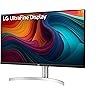
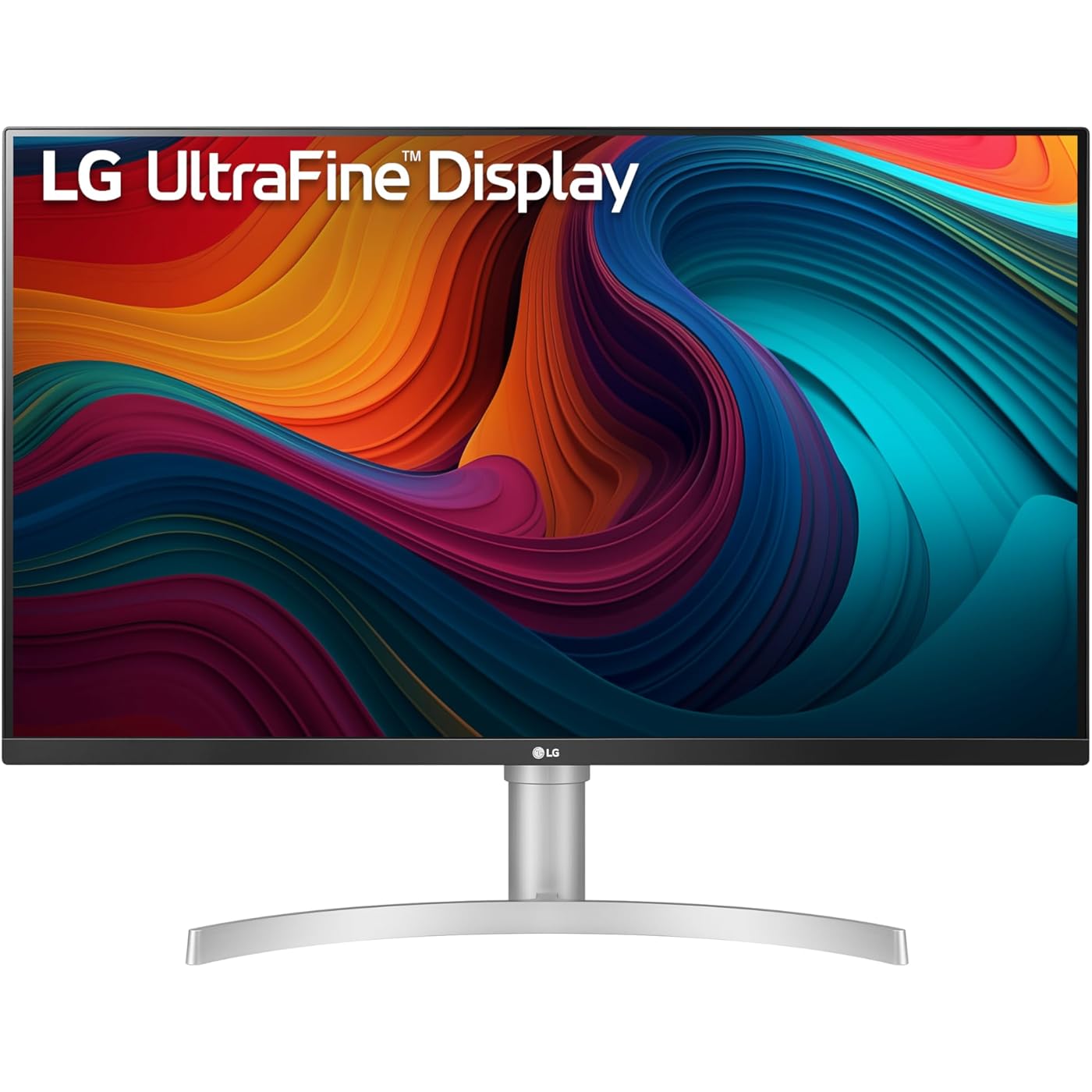
LG 32UN550-W Monitor 32" Ultrafine (3840 x 2160) Display, DCI-P3 90% Color Gamut, HDR 10, AMD FreeSync, Borderless Design, Tilt/Height Adjustable Stand - Silver
  • Based on 1,294 reviews
Condition: New
Checking for the best price...
$374.49 Why this price?
Save $175.50 was $549.99

Buy Now, Pay Later


As low as / mo
  • – Up to 36-month term if approved
  • – No impact on credit to apply
  • – Instant approval decision
  • – Secure and straightforward checkout

Ready to go? Add this product to your cart and select a plan during checkout.

Payment plans are offered through our trusted finance partners Klarna, Affirm, Afterpay, Apple Pay, and PayTomorrow. No-credit-needed leasing options through Acima may also be available at checkout.

Learn more about financing & leasing here.

Selected Option

Free shipping on this product

30-day refund/replacement

To qualify for a full refund, items must be returned in their original, unused condition. If an item is returned in a used, damaged, or materially different state, you may be granted a partial refund.

To initiate a return, please visit our Returns Center.

View our full returns policy here.


Availability: Only 1 left in stock, order soon!
Fulfilled by Flashing Deals (WE RECORD SN)

Arrives Jul 25 – Jul 27
Order within 19 hours and 51 minutes
Available payment plans shown during checkout

Protection Plan Protect Your Purchase
Checking for protection plans...

Style: Tilt & Height


Color: Silver


Features

  • 32 UHD (3840 x 2160) Display
  • DCI-P3 90% Color Gamut with HDR10
  • AMD FreeSync
  • 3-Side Virtually Borderless Design with Tilt/Height Adjustable Stand
  • Built-In Speakers
  • 3-Side Virtually Borderless Design
  • Tilt/Height Adjustable Stand

Description

The UHD 4K VA monitor that does it all. Elevate your views with this UHD (3840 x 2160) VA Display which features DCI-P3 90% Color Gamut with HDR10 for great color, contrast, detail and responsiveness. It shines as a productivity powerhouse, delivering a flexible workstation experience with simple height and tilt adjustments and easy setup, yet amplifies gaming with cutting-edge features and elevates entertainment with HDR10 and built-in stereo speakers.

Brand: LG


Screen Size: 31.5 Inches


Aspect Ratio: 169


Screen Surface Description: Anti-Glare


Image Contrast Ratio: 30001


Aspect Ratio: 169


Screen Finish: Anti-Glare


Contrast Ratio: 30001


Refresh Rate: 60 Hz


Display Type: LED


Display Technology: LED


Viewing Angle: 178 Degrees


Brightness: 350 Candela


Has Color Screen: Yes


Picture Quality Enhancement Technology: Black Stabilizer


Screen Size: 31.5 Inches


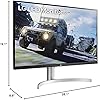
Item Dimensions D x W x H: 8.9"D x 28.1"W x 19.1"H


Item Weight: 18.5 Pounds


Display Resolution Maximum: 3840 x 2160 Pixels


Native Resolution: 3840x2160


Power Consumption: 5 Watts


Voltage: 240 Volts


Is Electric: Yes


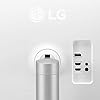
Total Number of HDMI Ports: 2


Total Usb Ports: 2


Number of Component Outputs: 3


Total USB 3.0 Ports: 2


Specific Uses For Product: business, personal


Color: Silver


Mounting Type: Wall Mount


Compatible Devices: Monitors


Warranty Type: Limited


Shape: Rectangular block


Brand: LG


Model Number: 32UN550-W


Warranty Description: 1 Year Parts and Labor


UPC: 719192641990


Manufacturer: LG Electronics


Built-In Media: Monitor, Power Adapter, hdmi cable


Response Time: 4 Milliseconds


Connectivity Technology: HDMI, Headphone Out, Display Port


Adaptive Sync: FreeSync


Frequently asked questions

If you place your order now, the estimated arrival date for this product is: Jul 25 – Jul 27

Yes, absolutely! You may return this product for a full refund within 30 days of receiving it.

To initiate a return, please visit our Returns Center.

View our full returns policy here.

  • Klarna Financing
  • Affirm Pay in 4
  • Affirm Financing
  • Afterpay Financing
  • PayTomorrow Financing
  • Financing through Apple Pay
Leasing options through Acima may also be available during checkout.

Learn more about financing & leasing here.

Top Amazon Reviews


  • Absolutely magnificent in every regard Absolutely magnificent in every regard
Style: Tilt & Height Color: Silver
The 32UN550-W is a wonderful device. Bar none, THE best monitor configuration I have ever experienced. I purchased two of them to use with my MacBook Pro M1 at work. Running at 4K 60Hz through HDMI, the image on the screen is gorgeous. So easy on the eyes. The satin surface of the screen does a really great job of knocking down the glare. When I have them set to the Picture Mode of "HDR Effect", they are bright and contrasty, with terrific color and crispness. The height-adjustable stands are well-built and lift the screens to just the perfect level for comfort. I appreciate the white back shells on them, too. They fit with the office decor. I can work for a full 8-hour day at these monitors and feel nothing of the eye fatigue that I suffered from with my previous LG 1080p monitors. I highly recommend these! ... show more
Reviewed in the United States on June 20, 2022 Reviewed in the United States on June 20, 2022 by Kit

  • Great monitor. Great monitor.
Style: Tilt & Height Color: Silver
The monitor is easy to install, no bolts.. and it looks great 4k 60fps and it worked great with my xbox series x. One downside is that its a bit of a hassle to fix the picture settings. This monitor requires you to set the brightness up and the contrast as it is sort of dim. I have my brightness to 100 and contrast around 75. This monitor is great for the price. And will recommend it to my friends. This is a solid monitor. 💯 ... show more
Reviewed in the United States on November 3, 2021 Reviewed in the United States on November 3, 2021 by Amazon Customer

  • The out of the box colors are awful
Style: Tilt & Height Color: Silver
Right after I bought this I regretted it because the color was awful. After many days of research I found a proper way to get the colors to calibrate. After doing so, the color is great. I don't believe the average user will have the desire to take the time to calibrate this to make it look great. Keep that in mind if you are considering purchasing this monitor. After proper calibration, the display does look great. I did not believe I would be able to get it straightened out enough to achieve colors that I could even live with though because they were so far from normal. Like one of the other reviewers stated, I would avoid this unless you are willing to put forth the time to fix the color. ... show more
Reviewed in the United States on April 10, 2023 by GT

  • Good ergonomics
Style: Tilt & Height Color: Silver
I use this monitor for CAD and office work at home and like it for several reasons. Its height and tilt can be adjusted. There were no dead pixels, and there is good connectivity. It even has built in speakers. When connected via HDMI on a PC with an Nvidia graphics card, it may be necessary to go into the Control Center and set the output dynamic range to Full. On my Lenovo laptop, that wasn't necessary. The correct settings were automatically applied. The image quality is pretty much the same as that of a Lenovo monitor I have in the office. It is of the same size with an IPS panel, and cost more than double of the LG. Can't really see a difference. Good value for the money, if you can live with the tri-color design (black, white, silver). ... show more
Reviewed in the United States on October 1, 2022 by HeadPack

  • Almost perfect! Great purchase
Style: Tilt & Height Color: Silver
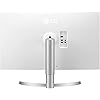
While the old models without black / white were perfect (and I have 2 of them in my home office), these are next best thing. Yes, the black plastic front with white plastic back is a dumb idea. And no, I haven't ever seen an office or a room where having a 2-toned monitor looks good - you don't have to see the back if it faces a wall. And you'll forget about it as soon as you use them. I use them as dual 4k monitors for business my office too, and I love them. Performance is amazing, height adjustment is just right. I've had the older version for years and they are still working great. Can't recommend highly enough. ... show more
Reviewed in the United States on June 10, 2023 by Techguy

  • I LOVE this monitor
Style: Tilt & Height Color: Silver
This monitor is HUGE (replaced my ten year old 27") and so clear and crisp I just love it! My only complaint is that even adjusted up to 100% the brightness is less than I would like. But the resolution is terrific and the monitor makes me smile every time I look at it. One caution, it did not work well when I first plugged it in, but after calling the help center, she advised me to use a DP to DP cable instead of the one I was using, and now, WONDERFUL! ... show more
Reviewed in the United States on March 23, 2022 by Michael Z. Jody

  • NOT COMPATIBLE WITH NEW M1 MAC MINI (11/2021) NOT COMPATIBLE WITH NEW M1 MAC MINI (11/2021)
Style: Tilt & Height Color: Silver
THIS DISPLAY IS NOT COMPATIBLE WITH NEW M1 MAC MINI (11/2021) Overall: The picture quality isn't particularly impressive, but it's OK. The viewing angles also show a quite a bit of color and clarity distortion. The contrast isn't that great and the image quality feels a bit washed out. There is some degree of manual control over brightness and contrast, but even after trying to get a nice picture out of it I felt unsatisfied with the final result. There are a lot of presets you can use that alter the color and contrast in this way or that, but to be frank they all seemed quite useless and/or were distorting color wildly, except for one ("HDR Effect"). The physical controls on the unit itself consist of one single nub-like button that you can press and use like a joystick to navigate the menu. It works, but it's extremely awkward to use, and at times downright frustrating. The speakers are fair enough for being cheap-o built in speakers, but don't go expecting major bass or a nice full well-rounded frequency range. The stand is ugly and obtrusive, and I ended up using a different stand I had (the VESA-conforming unit mounted easily). And now, the dealbreaker/incompatibility issue for me: This display is not compatible with the Mac M1 Mini (which I just purchased new, 11/2021). Depending on what degree of contrast there is on the screen at certain times, vertical scan lines will either completely appear over the entire screen, or flash (strobe-like) all over the entire screen. I have completely exhausted every single option and combination I can think of in both the OS and also within the controls/menu of the screen, with zero success in fixing the issue. I even updated the Mac OS from Big Sur to Monterey, and while the update did end up providing some extra features in the OS for controlling the display (refresh rate options, for example, were added) the issue still persisted. I even reset the display itself to factory settings, but that didn't help either. Internet searches show me that I'm not alone with this issue. I give up. It's incompatible. Returning it. ... show more
Reviewed in the United States on November 8, 2021 Reviewed in the United States on November 8, 2021 by Electroluxe 2000

  • Terrible defaults but actually a good monitor
Style: Tilt & Height Color: Silver
This monitor looks like complete junk out of the box. Like, seriously terrible. Too high of contrast, not enough color, blown out whites, too-light darks. Gamma totally wonky. I goofed around with this monitor for an evening like I did with my other LG monitor, a 32UK550-B, which ultimately looks an awful lot like and performs awfully similar to this monitor once calibrated. Like others have mentioned, you should never try to use Windows HDR color with this monitor. This is strictly a normal display with a wide color gamut. The HDR mode locks you out of many settings that are critical for visual fidelity, even color calibration!!! This is bad to the point of meaningless, so don't try to use Windows HDR with this. I installed the driver using their Setup.exe, and manually installed the color profile (.icm) and monitor catalog file (.inf) afterwards just to be sure. Before I share my settings I'd like to mention I like my colors to pop. I may be pushing the monitor a little outside its most accurate range, and your monitor may vary from mine. If a particular color seems blown out, try adjusting the saturation values for the colors nearest to it. Eizo.be has a monitor color test pattern that gives you a view with the same six colors that you can calibrate this monitor with, which helped a lot for me. These are the settings I used to get decent visuals out of my LG 32UN550-W: Picture Mode - Custom Picture Adjust Section: [ Brightness ] - 20 (personal preference) [ Contrast ] - 40 (personal preference - turn it up to 60 for a spicier experience) [ Sharpness ] - 50 [ Super Resolution + ] - OFF (I do not recommend turning this on, it's like an edge-finding postprocess sharpness filter, does weird things to colored text) [ DFC ] - OFF (Could not for the life of me find a scenario where I could tell if this setting made any difference) Game Adjust Section: [ Response Time ] - Fast (still quite a bit of ghosting, oh well) [ FreeSync ] - Extended (on Standard setting you will drop out of FreeSync unless your framerate is extremely stable)(Obviously this does nothing if your computer video source does not support FreeSync.) [ Black Stabilizer ] - 20 (I found that too high of a black stabilizer starts to seriously impact image contrast, and too low of a stabilizer resulted in the darker blacks washing out. By setting it to 20 I could get some decent contrast in dark scenes even if the monitor can't really handle it. Color Adjust Section: [ Gamma ] - Mode3 (I got the most vivid colors and contrast with this setting. Mode4 looks 2nd best to me, Mode 1 and 2 seem washed out, especially Mode 1. Really, really wish I could fine-tune the gamma.) [ Color Temp ] - Custom (All the other profiles are useless, except Manual set to 0 is interesting, because it seems to bring the luminance down a bit without affecting the color temperature noticeably from Custom). [ Red ] - 60 [ Green ] - 60 [ Blue ] - 60 Six Color Section: (All Hues set to 50 as they all seemed calibrated properly, the following are only saturation changes) [ Red_Saturation ] - 70 [ Green_Saturation ] - 60 [ Blue_Saturation ] - 50 [ Cyan_Saturation ] - 70 [ Magenta_Saturation ] - 65 [ Yellow_Saturation ] - 55 ... show more
Reviewed in the United States on August 9, 2023 by Bob

Can't find a product?

Find it on Amazon first, then paste the link below.
Checking for best price...