


Search  for anything...

Kindle Oasis – With 7” display and page turn buttons - Without Lockscreen Ads

  • Based on 2,837 reviews
Condition: New
Checking for inventory...

Notify me when this product is back in stock

$299.99 Why this price?

Buy Now, Pay Later


As low as $50.00 / mo
  • – 6-month term
  • – No impact on credit
  • – Instant approval decision
  • – Secure and straightforward checkout

Payment plans are offered through our trusted finance partners Klarna, Affirm, Afterpay, Apple Pay, and PayTomorrow. No-credit-needed leasing options through Acima may also be available at checkout.

Learn more about financing & leasing here.

Selected Option

Free shipping on this product

This item is eligible for return within 30 days of receipt

To qualify for a full refund, items must be returned in their original, unused condition. If an item is returned in a used, damaged, or materially different state, you may be granted a partial refund.

To initiate a return, please visit our Returns Center.

View our full returns policy here.


Availability: Unavailable
Fulfilled by Amazon
Available payment plans shown during checkout

Digital Storage Capacity: 32 GB


Offer Type: Without Lockscreen Ads


Color: Graphite


Option: Without Kindle Unlimited


Features

  • Our best 7", 300 ppi flush-front Paperwhite display.
  • Adjustable warm light to shift screen shade from white to amber.
  • Waterproof (IPX8) so you can read in the bath or by the pool. Your Kindle has been tested to withstand accidental immersion in water.
  • Thin and light ergonomic design with page turn buttons.
  • Reads like real paper with the latest e-ink technology for fast page turns.
  • Instant access to millions of books, newspapers, and audiobooks.
  • Works with Audible - pair with Bluetooth headphones or speakers to switch seamlessly between reading and listening.

Frequently asked questions

This product is currently out of stock. Please check back later for shipping info.

Yes, absolutely! You may return this product for a full refund within 30 days of receiving it.

To initiate a return, please visit our Returns Center.

View our full returns policy here.

  • Klarna Financing
  • Affirm Pay in 4
  • Affirm Financing
  • Afterpay Financing
  • PayTomorrow Financing
  • Financing through Apple Pay
Leasing options through Acima may also be available during checkout.

Learn more about financing & leasing here.

Top Amazon Reviews

  • Great device!
I upgraded from a Kindle Paperwhite. Also as a note, if you have a previous Kindle version, check to see if Amazon has any trade in deals towards a new Kindle device. It may save you quite a bit! Anyway, so I am coming from the Paperwhite to this one. HUGE improvement in most areas! The first one is the bluetooth connectivity. The Paperwhite also had it , but it had trouble connecting and was always randomly disconnecting. And then to reconnect, sometimes I would have to turn both the Kindle and the bluetooth (a Bose over the ear headset, also from Amazon. So not a cheap Bluetooth) SEVERAL times to get it to reconnect. I do not have this problem with any other device that I pair with this bluetooth. But I could never get the bluetooth to reconnect without at least turning Bluetooth on and off every time on the Kindle. But with the Oasis.. it is like a miracle happened! I listen to Audiobook and use Voiceview as well (when there isn't an Audiobook option). I turn on the bluetooth, open my kindle (to turn it on. I have a wake/sleep case from Amazon), and it automatically connects! No turning on and off, no going into settings to connect. It just WORKS! That is the major thing that I love about this device. It is SO much better with connectivity! It even automatically shows me my Amazon Echo devices as options for playback in the settings. I am not sure why I would need that, because the Echo can playback without using the kindle, but it is nice that that part works, too. The next part I love would be the page turn buttons. SO much better! Especially when using Voice View! So with Voice View, there are several gestures that you can use to go forward or back in the book. However, even after having it for nearly a year, I could not remember what did what on the Paperwhite! So I was constantly doing the wrong gesture and going backwards or pulling up something else, or any manner of things. It drove me batty! I have used the Voice View on the Oasis and it is SO much more simple. Just click the buttons for page forward or back, then draw an L on the screen, and it will start reading again! I love how easy it is. The pages load SO quickly compared to the Paperwhite! N more lag! With the Paperwhite, it would be a blink, blink, load. So maybe 2 seconds. With the Oasis, it loads in less than a second. Now, 2 seconds does not SEEM like a lot.. but when you are in the middle of an intense scene and you have to wait for pages to load..!! It just makes for a frustrating reading experience. So the Oasis completely made up for all those times!! Now I WILL say that the thing I do not like about the Oasis is the battery life. I charge it every night (after reading and/or listening all day, with Wifi and Bluetooth both on), and by about 2-3 AM, it is at about 60%. So I think I could probably squeeze MAYBE 3 days out of it, if I turned off Wifi. If I turned off bluetooth as well, I am sure it could go about 4 days, at least. The Paperwhite lasted for well over a month, even with heavy usage. And if I did not use it, it still had battery after over 2 months. So the battery is absolutely amazing on the Paperwhite, but not as great with the Oasis. The Oasis is MUCH better in the screen department. I love that the backlight is adjustable. That is a cool feature that I will use if I ever leave my house again, lol. But I still like that it is an option, even if I am not currently using it. It is also a MUCH larger screen than that Paperwhite. You would THINK that one inch would not make a huge difference in reading space, but it COMPLETELY does! I cannot even remember what it was like to read on a tiny screen! The only other thing about the Oasis is that the bluetooth WILL start cutting out if you walk too far from the device. I used to be able to walk all the way upstairs with the Paperwhite, and it would still be ok. So maybe 25 feet or so, with walls in between. But the Oasis starts cutting out at about 15 feet with walls in between. It has not been a huge problem, but it does get annoying when I forget that I have to bring it with me, and my story starts sounding like a robot that got dropped in a running washer! Pros for Oasis: Page turn buttons FAST bluetooth connections/connecting Fast page loading Easy to hold in one hand Extra thickness under the buttons helps balance the kindle when using one hand Warmth adjustment for the light 7 inch screen Cons: Battery life when using bluetooth and wifi all day. Without bluetooth/wifi, it is probably not bad, but I have not tested that theory. I would like to be able to set the wallpaper to one that I like, but that does not seem to be an option. It just cycles through. Price It is a bit heavier than the Paperwhite, but still comfortable Bluetooth cuts out if you get too far from the device So my conclusion is that if you can afford this Kindle (trade in the old one!), it is well worth the effort to purchase it. If you just want a reader and you are not going to use bluetooth, this reader is still worth it, if just for the extra reading space, buttons, and adjustments to the lighting. But if you just want a light, super simple reader that is a bit slower in response, then the Paperwhite may be the right choice for you. There is a large price difference as well, but I do not regret my choice to upgrade. It has made my life so much easier. I listen to stories (via Audible) or non-fiction books (via VoiceView) while I am cleaning up, walking about, or doing daily tasks. It is the best decision I have made in a while! ... show more
Reviewed in the United States on July 26, 2020 by Alexa wickey

  • Best e-reader I've owned
I've owned e-readers since about 2010 (a competitor's reader), including 3 kindles, so have a lot of experience with them. I own over 400 books and upload documents (mostly knitting patterns) to reference as I knit. I purchased the 32GB no-ads version. What I like: * The Oasis' design is comfortable for one-handed holding (I have small hands) and page-turning (I reversed the buttons so the bottom one turns forward). * It is light weight - a plus holding and for packing in a purse or backpack. * The Amazon case fits well. * The display is adaptable (fonts, font size, line width, and margins) * The lighting seems even * The Collection feature for organizing (38 to date). * Even with 400+ books (downloaded) I still have 26GB free. To consider: * The battery is a bit on the weak side. I haven't timed things but if I had to wait several hours somewhere, I would take a power brick & charging cable. * Unfortunately, it does not take the USB-C connector. * Cannot choose a more robust dictionary for the look-up feature. * The translation feature is pretty weak. * Audible books show up in the "uncollected" folder. I can change the setting but I'd prefer to have options (not show at all; show only titles where I own the e-book...) * Let me reorganize collections like I can on my tablets. * Let me take titles out of the home screen (again like a tablet). ... show more
Reviewed in the United States on December 26, 2022 by cyber_shadow

  • A few faults and a suggestion
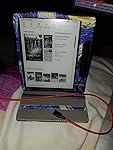
I’ve noted several complaints regarding the Kindle Oasis, adding realistic workarounds to most of them, and added my own humble suggestion. One complaint is/can be very serious. The others, meh? Kind of annoying. This is the best E-reader there is. It doesn’t make you want to read. It makes you need to read. Main complaint: The first roadblock Amazon setup was to design things to keep you buying only Kindle books, no free books from the library or anywhere else. Those folks use the epub format. Kindle doesn’t understand epub. However, there is a program that is fantastic and free (free I say! Something else Amazon doesn’t understand) called Calibre, that lets you download these alien books from just about anywhere, convert them to the format that Kindle does understand, mobi, and send them on to your Kindle Oasis. You’ll need a laptop and some time to poke at it. Before you know it you’ll be downloading books from just about anywhere, in almost any format, and converting them into Kindle speak, and then reading them on your Oasis just like a native Kindle mobi formatted book. You can’t tell the difference. There’s scads of info and help on doing this…just Google it. Complaint 2: The power/communication port is a micro USB instead of a Type-C. I agree it absolutely should be a Type-C, but I’m not sure I care that much because I routinely convert to magnetic adapters. So it doesn't matter if it has a micro or Type-C, I'd still put in a magnetic adapter. I've had cables break off or damage the socket when plugged in and dropped. I'm not taking any chances. The better magnetic cables are strong enough that you can almost hang the device from it. They’re easier to attach and detach and there's no danger of wearing out the socket. They’re not as easy to keep plugged in when using the device but I can live with that. Plus I can share power cords with my wife’s IOS devices. Actually, she just steals my cables now. Complaint 3: Then there seems to be something called immersion reading that other Kindle do or did and the Oasis doesn’t. That seems to be where the book reads along aloud while you read on the page. Uh, I didn't know anything did that. So…I fired up my Android tablet to see how that would work and...It does do exactly that but man did it slow down my reading. It took forever to get through a page. Eventually, I quit reading and just listened. I do sometimes use the Audible feature, so I can listen to books while driving or when I'm working with one of my hobbies. When I can physically read the page, I do. I guess I just don't appreciate the advantage of the read along feature. As I said, it slows me down and it is my belief that the Oasis, for reasons I write about below, allows you to read at your maximum speed. Status of my Kindle Oasis: So far I’ve setup Calibre on my laptop to convert and forward any and all epub books that I find. I’ve also added new fonts to my Kindle Oasis that are easier to read than the meager choices that come with it. I was pleasantly surprised how easy that was to do and what a difference it made. I stuck a magnetic cable adapter on that may have already saved it once. Our crazy, wonderful Sheltie snagged the cable and… Feature suggestion? It needs a remote control: Overall, this device is flat awesome. It does need remote control. It’s to the point where the touch screen holds it back a bit. For me, it started as a small thing…I think it trains you to read faster. I can customize it to the way I read, adjust the font, brightness, size, everything to suit the way I read, so I do read faster. Not only can I adjust all of the Kindle attributes but with the device’s cover I have I can also prop the Oasis up at the perfect height and angle when I read in bed at night. So I almost never actually hold it. I don’t skip lines or paragraphs either. I read pretty much every word on the page and I end up blitzing through the pages. The screen is a relatively small 7 inches. It’s the perfect size. Anything bigger would be too big. However, the downside is a 7 inch screen only holds so many words at my perfectly positioned and displayed setting so a fast reader needs to flip the pages far more often. I now have to reach up and tap to flip the page so often now it’s becoming a thing. If I had a small remote to flip the pages it would be even better. I know it sounds silly but the device already is Bluetooth enabled, a remote would be nothing to add. A remote would also may also enable it to do more than the touch screen could. It’s time to go to the next level and at a remote, not a mouse, a remote, a watch band? Ring? Something that fits with it. ... show more
Reviewed in the United States on March 20, 2021 by Al Stern

Can't find a product?

Find it on Amazon first, then paste the link below.
Checking for inventory...