




HP Home and Student Essential Laptop, 8GB RAM, Intel Inside, Anti-Glare Display, 64GB SSD, Fast Charge, no Mouse, Windows 11 s




Buy Now, Pay Later
- – 6-month term
- – No impact on credit to apply
- – Instant approval decision
- – Secure and straightforward checkout
Ready to go? Add this product to your cart and select a plan during checkout.
Payment plans are offered through our trusted finance partners Klarna, Affirm, Afterpay, Zip, Apple Pay, and Google Pay. No-credit-needed leasing options through Acima may also be available at checkout.
Learn more about financing & leasing here.
Selected Option
FREE 30-day refund/replacement
To qualify for a full refund, items must be returned in their original, unused condition. If an item is returned in a used, damaged, or materially different state, you may be granted a partial refund.
To initiate a return, please visit our Returns Center.
View our full returns policy here.
Recently Viewed


Color: Neutral
Features
- Make the most out of your 365Bring your ideas to life.Your creativity now gets a boost with Microsoft 365. Office - Word, Excel, and Power Point - now includes smart assistance features that help make your writing more readable, your data clearer and your presentations more visually powerful. 1 -Year subscription included.
- 14" HD Display14.0-inch diagonal, HD (1366 x 768), micro-edge, BrightView. With virtually no bezel encircling the display, an ultra-wide viewing experience provides for seamless multi-monitor set-ups
- Ports1 x USB 3.1 Type-C ports, 2 x USB 3.1 Type-A ports, 1 x HDMI, 1 x Headphone/Microphone Combo Jack, and there's a microSD slot
- Windows 11 Home in S modeYou may switch to regular windows 11: Press "Start button" bottom left of the screen; Select "Settings" icon above "power" icon;Select "Activation", then Go to Store; Select Get option under "Switch out of S mode"; Hit Install. (If you also see an "Upgrade your edition of Windows" section, be careful not to click the "Go to the Store" link that appears there.)
Description
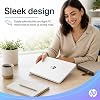
Switching out of S mode in Windows 11 in S mode is designed for security and performance, exclusively running apps from the Microsoft Store. If you want to install an app that isn't available in the Microsoft Store, you'll need to switch out of S mode 1. On your PC running Windows 11 in S mode, open Settings > System > Activation. 2. In the Switch to Windows 11 Pro section, select Go to the Store. (If you also see an "Upgrade your edition of Windows" section, be careful not to click the "Go to the Store" link that appears there.) 3. On the Switch out of S mode (or similar) page that appears in the Microsoft Store, select the Get button. After you see a confirmation message on the page, you'll be able to install apps from outside of the Microsoft Store. HP 14 inch Laptop for Business and Student: Sleek design: Easily take this thin and light PC from room to room or on the road Dual array microphones: With two microphones and advanced noise reduction software, you'll always sound crystal clear when you video chat or record Display: 14.0-inch diagonal, HD (1366 x 768), micro-edge, BrightView Processor: Intel Celeron N4500, 2 Cores & 2 Threads Graphics: Intel UHD Graphics 600 Operating System: Windows 11 Home in S mode HP Fast Charge: Go from 0 to 50% charge in approximately 45 minutes Battery Life: Up to 11 hours and 30 minutes (video playback); Up to 9 hours (wireless streaming) Webcam: HP True Vision 720p HD camera with integrated dual array digital microphones Connectivity: 802.11a/b/g/n/ac (2x2)(19a) Wi-Fi and Bluetooth combo Dimensions: 12.76 x 8.86 x 0.71 inches Weight: 3.24 lbs
Brand: HP
Model Name: hp laptop
Screen Size: 14 inches
Color: Neutral
Hard Disk Size: 64 GB
CPU Model: Celeron N
Ram Memory Installed Size: 8 GB
Operating System: Windows 11
Special Feature: Anti Glare Coating, HD Audio, Numeric Keypad
Graphics Card Description: Integrated
Color: Neutral
Hard-Drive Size: 64 GB
Operating System: Windows 11
Other Special Features of the Product: Anti Glare Coating, HD Audio, Numeric Keypad
Graphics Description: Integrated
Graphics Coprocessor: Intel UHD Graphics
Hard Disk Description: SSD
Item Weight: 3.2 pounds
Video Processor: Intel
Specific Uses For Product: Business
Form Factor: Clamshell
Hard Disk Interface: PCIE x 4
Graphics Ram Type: DDR4 SDRAM
Compatible Devices: External displays, USB devices, Bluetooth-enabled devices
Item Dimensions L x W x Thickness: 15.78"L x 10.15"W x 0.78"Th
Optical Storage Device: No Optical Drive
Video Output: HDMI
Screen Size: 14 inches
Resolution: 720p
Native Resolution: 1366 x 768 pixels
Display Type: LCD
Display Resolution Maximum: 1368 x 768 pixels
Display Technology: LCD
Connectivity Technology: Bluetooth, Wi-Fi
Wireless Compability: 802.11a, 802.11ac, 802.11b, 802.11g, 802.11n
Human-Interface Input: Touch Pad
Keyboard Description: US
Processor Series: Celeron N
Processor Speed: 1.1 GHz
Processor Count: 2
Processor Brand: Intel
CPU Model Number: Intel Celeron N4500
CPU Model Generation: Apollo Lake
CPU Model Speed Maximum: 2.6 GHz
Brand: HP
Model Name: hp laptop
Model Year: 2025
Model Number: 14
Built-In Media: Webcam
Manufacturer: HP
Unit Count: 1 Count
UPC: 194850778773
Warranty Description: 1
RAM Memory Installed: 8 GB
RAM Memory Technology: DDR4
Ram Memory Maximum Size: 16 GB
RAM Type: DDR4 SDRAM
Total Usb Ports: 3
Number of Ports: 4
Frequently asked questions
To initiate a return, please visit our Returns Center.
View our full returns policy here.
- Klarna Financing
- Affirm Pay in 4
- Affirm Financing
- Afterpay Financing
- Zip Pay in 4
- Financing through Apple Pay
- Financing through Google Pay
Learn more about financing & leasing here.


