


Search  for anything...

Elgato Game Capture Neo – USB Portable Capture Card 4K60 HDR Passthrough, 1080p60 Video Recording – For PS5|Xbox|Nintendo Switch 2 - OBS, Quicktime and more - Plug & Play|Works on Laptop|PC|Mac|iPad

  • Based on 472 reviews
Condition: New
Checking for the best price...
$119.99 Why this price?
Save $10.00 was $129.99

Buy Now, Pay Later


As low as $20.00 / mo
  • – 6-month term
  • – No impact on credit to apply
  • – Instant approval decision
  • – Secure and straightforward checkout

Ready to go? Add this product to your cart and select a plan during checkout.

Payment plans are offered through our trusted finance partners Klarna, Affirm, Afterpay, Apple Pay, and PayTomorrow. No-credit-needed leasing options through Acima may also be available at checkout.

Learn more about financing & leasing here.

Selected Option

Free shipping on this product

30-day refund/replacement

To qualify for a full refund, items must be returned in their original, unused condition. If an item is returned in a used, damaged, or materially different state, you may be granted a partial refund.

To initiate a return, please visit our Returns Center.

View our full returns policy here.


Availability: 20 left in stock
Fulfilled by Kyras Deals LLC

Arrives Jun 18 – Jun 22
Order within 3 hours and 26 minutes
Available payment plans shown during checkout

Protection Plan Protect Your Purchase
Checking for protection plans...

Style: USB


Size: Game Capture Neo


Features

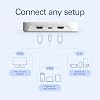
  • Compact and powerful: Easily set up your gaming experience with premium Elgato Capture hardware, no larger than a smartphone, connecting your console, gaming screen, and computer or iPad effortlessly
  • Seamless integration: Enjoy super compatibility with the ability to capture gameplay from PlayStation, Xbox, Switch, or any console, coupled with zero limitations such as no time constraints, watermarks, or subscriptions
  • High-definition gaming experience: Benefit from 4K60 HDR passthrough without compromising console resolution, while simultaneously capturing or streaming breathtaking Full HD content at 1080p60 resolution
  • Effortless performance: Experience ultra-low latency gaming sessions without any lag while enjoying the flexibility to use a variety of applications including Elgato capture software, QuickTime, OBS Studio, Discord, Microsoft Teams, and Zoom
  • Climate-Friendly Commitment: The Neo Line was crafted sustainably and is packaged with zero plastic, embodying our dedication to environmental sustainability

Description

Great content made easy. Play stunning 4K60 HDR games without image quality loss or lag, and record or stream your adventures in beautiful Full HD 1080p60 resolution. Just connect your gear, select Elgato Game Capture Neo in your favorite app, and hit record. Give your audience the eye candy they crave. Technical Specifications Input: HDMI (unencrypted) Output: HDMI (lag-free passthrough) Passthrough resolution: up to 4K60 HDR Recording resolution: up to 1080p60 Dimensions: 123 x 65 x 20 mm / 4.8 x 2.6 x 0.8 in Weight: 90 g / 3.2 oz System Requirements Windows 10 (64-bit), macOS 12, iPadOS 17 or newer 6th generation Intel Core i5 CPU (i5-6xxx) / AMD Ryzen 7 (or better) Apple M1 or Intel i5-4xxx quad-core or better NVIDIA GeForce GTX 10xx (or better) USB 3.0 port

Brand: Elgato


Hardware Interface: USB


Video Capture Resolution: 1080p


Operating System: Windows 10 (64-bit), macOS, iPadOS


Recommended Uses For Product: Video Recording


Hardware Interface: USB


Video Capture Resolution: 1080p


Operating System: Windows 10 (64-bit), macOS, iPadOS


Antenna Location: Video Recording


Other Special Features of the Product: Travel


Platform: PlayStation 5


AV Output: HDMI


Compatible Devices: ['Game Consoles', 'Cellular Phones']


Minimum System Requirements: Windows 10 (64-bit), macOS 12, iPadOS 17 (Requires USB-A to C adapter or Dock), 6th generation Intel Core i5 CPU (i5-6xxx) / AMD Ryzen 7 (or better), Apple M1 or Intel i5-4xxx quad-core or better, NVIDIA GeForce GTX 10xx (or better), USB 3.0 port.


Item Weight: 0.09 Kilograms


Item Dimensions: 2.56 x 4.84 x 0.83 inches


Brand: Elgato


Model Name: Game Capture Neo


Built-In Media: Game Capture Neo, USB-C to USB-A 3.0 braided cable (100 cm | 39.4 in)


Model Number: 20GBI9901


Manufacturer: Corsair


UPC: 840006673439


Mfr Part Number: 10GBI9901


Warranty Description: 2 year manufacturer.


Frequently asked questions

If you place your order now, the estimated arrival date for this product is: Jun 18 – Jun 22

Yes, absolutely! You may return this product for a full refund within 30 days of receiving it.

To initiate a return, please visit our Returns Center.

View our full returns policy here.

  • Klarna Financing
  • Affirm Pay in 4
  • Affirm Financing
  • Afterpay Financing
  • PayTomorrow Financing
  • Financing through Apple Pay
Leasing options through Acima may also be available during checkout.

Learn more about financing & leasing here.

Top Amazon Reviews


  • Capture up to 4K HDMI without skipping a beat. Cross platform compatibility is excellent.
Works exactly as described. I've used this for recording business meetings / zoom calls, software demos, and a lot of other things that aren't game streaming and it works like champ. I've used Elgato's software in a pinch and it works well enough to provide basic recording. I've primarily use OBS on Windows, Mac, and Linux (Ubuntu Studio) and it works flawless on all of the platforms. The only quirk I had was making sure if I used a longer USB C cable that it absolutely was going to provide USB 3 connectivity. Don't cheap out on this cable - also USB C to USB A adapters will fail every time, even ones claiming to be USB 3. Quality is excellent, it's a digital perfect copy and I've had no issues with content protection yet - although I haven't used it for digital ripping. YMMV. All in all, I didn't need a $500 capture card to do what I needed. This worked perfectly. ... show more
Reviewed in the United States on October 2, 2025 by GeekDad

  • gaming stream beginner
I have only done 2 streams so far, but can't complain. I even have a switcher at the tv end so that I can change between consoles without having to undo and redo wires constantly. It is an absolute perfect first card for new streamers. Good picture quality, and it's a tough little box. Setup was simple, in-fact it doesn't get any easier. As I said, it works with all my consoles that I am currently using-Switch 2, Switch OLED, and PS5. I look forward to seeing what it does as time goes on. ... show more
Reviewed in the United States on September 29, 2025 by Tabatha J Pitts

  • Looks great sitting on my Mac Mini : )
My main reason for buying the El Gato Neo was for recording retro video game footage via the Framemeister XRGB Mini and the Retro AVS. As much as I'd like to say this was a plug in and everything works experience, it was actually quite the opposite. 4 days of trial and error and back and forth troubleshooting with customer service led me as far as initiating the return process only for me to figure out what the problem was at the last minute. I should note that I knew the El Gato was working, it just wasn't working for my specific setup. The problem boiled down to 2 things. 1. Audio receiver It turned out that my audio receiver that I have all my devices running through had an option in the settings called HDMI Control. In the manual it says this setting allows the receiver to control other devices that are compatible. So I guess the idea is you turn on the receiver and your other device would automatically turn on...or something. I've never used it but the setting was on and once I turned it off I was able to start capturing footage. 2. Framemeister XRGB Mini During all the trouble shooting I came to the conclusion that the El Gato Neo wasn't going to work with my audio receiver (I initially thought it was HDCP related) but I'd still find good use for it with the Framemeister, which was also hooked up through my receiver. However, even running straight through the capture card without the audio receiver I could not get the XRGB Mini to capture properly. The main issue was it wasn't picking up any audio but also would occasionally not pick up video either. It turned out that all I had to do was update the Framemeister to its final firmware to resolve the issue. This is a great little device but, depending on how complicated your setup is, you might be in for a bit of troubleshooting. ... show more
Reviewed in the United States on October 19, 2024 by EternianUber

  • AMAZING!!! HOWEVER IT'S ALSO EXPENSIVE!
The video on this thing is amazing! Like the lag is non-existent streaming is out of this world it's like instant what I see they see instantly. It's compatible with my HP laptop that's got in a Ryzen5 7000 series 😅🤣 It's easy to use! Like those of you saying it doesn't pick up audio? It does just get a wireless headset again I have a super old headset but it's wireless so I just plug that into the laptop and put it all through OBS Studio. The value for money could be a little better. Honestly the View that say get this one for extra plugins are right but I just figured out there's ways I don't even need to use the HDMI import on the capture card because my laptop has one. Or I can plug whatever else into my laptop via HDMI. It could be a little bit cheaper though I'm not going to lie it was quite expensive. That is the only reason why I'm giving it four stars. ... show more
Reviewed in the United States on February 15, 2026 by Mr.B

  • Highly recommended products
I’ve purchased several products and I’m very satisfied with them. They are useful, good quality, and work exactly as expected. Delivery was also fast and reliable. I definitely recommend these products!
Reviewed in the United States on March 21, 2026 by David Escalante

  • As intended
Works as intended and outputs good quality video
Reviewed in the United States on March 23, 2026 by Devon lennox

  • Must have!
Great purchase. Highly recommended
Reviewed in the United States on April 19, 2026 by Michael B

  • Audio Issues Because No Audio Port
My tech: MacBook Neo, Elgato Neo CC, OBS, PS5. I cannot, for the life of me, get audio to go through the MacBook. I went through all of the trouble shooting, permissions, settings...everything. I've been playing with tech for about 35 years now and I'm often the community tech support lady. The audio goes through HDMI into the computer you're streaming from. For this reason, the only way to get audio to work is to use the 3.5mm analog headphone jack on the computer. I tried for hours. No matter what I did in the PS5, MacBook and OBS, I couldn't get the audio to go through the computer. I did read online that Mac users need to use another 3rd party software to get the audio to work. I'm returning this capture card and I'll just stream from my PS5 like I have been. ... show more
Reviewed in the United States on April 13, 2026 by JennaralZed07

Can't find a product?

Find it on Amazon first, then paste the link below.
Checking for best price...