


Search  for anything...

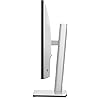
Dell UltraSharp U2722DE 27" LCD Monitor ,Platinum Silver

  • Based on 37 reviews
Condition: New
Checking for the best price...
$424.49 Why this price?

Buy Now, Pay Later


As low as / mo
  • – Up to 36-month term if approved
  • – No impact on credit to apply
  • – Instant approval decision
  • – Secure and straightforward checkout

Ready to go? Add this product to your cart and select a plan during checkout.

Payment plans are offered through our trusted finance partners Klarna, Affirm, Afterpay, Apple Pay, and PayTomorrow. No-credit-needed leasing options through Acima may also be available at checkout.

Learn more about financing & leasing here.

Free shipping on this product

This item is eligible for return within 30 days of receipt

To qualify for a full refund, items must be returned in their original, unused condition. If an item is returned in a used, damaged, or materially different state, you may be granted a partial refund.

To initiate a return, please visit our Returns Center.

View our full returns policy here.


Availability: Only 5 left in stock, order soon!
Fulfilled by DeluxeDeals

Arrives Apr 2 – Apr 6
Order within 20 hours and 44 minutes
Available payment plans shown during checkout

Protection Plan Protect Your Purchase
Checking for protection plans...

Features

  • CAPTIVATING COLOR. EASY ON THE EYES. With QHD (2560x1440) resolution on this 27-inch screen, youll see 1.77 times more details than Full HD. Optimize eye comfort with ComfortView Plus - an always on built-in low blue light screen that reduces harmful blue light emissions while delivering excellent color performance. TUV Rheinland certified.
  • YOUR PRODUCTIVITY HUB: With connectivity options like RJ45 and USB-C, your monitor serves as a productivity hub that delivers stable Ethernet and up to 90W3 of power to your laptop - all in a clutter-free setup.
  • STYLE MEETS FUNCTION: Crafted with a premium platinum silver finish, this sleek monitor features a small base and an elegant cable management system that hides cords within the monitor riser. Navigate the menu and adjust screen settings with the easy-to-use joystick control.
  • FAST CONNECTIONS: Connect to a variety of devices with extensive connectivity ports, including super speed USB 10Gbps. Quick access ports enable easy connection to peripherals, such as storage devices and mobile phones, with up to 15W charging capability (via USB-C).
  • MULTITASK EFFICIENTLY: Connect two PCs sources to the monitor. Our intelligent Auto KVM feature detects the latest connected PC and seamlessly switches controls over. View content from both PC sources with PBP (Picture-by-Picture) and PIP (Picture-in-Picture), and use the KVM (Keyboard, Video and Mouse) feature to control both PCs with a single keyboard and mouse.

Description

Simply press the monitor power button and the power sync feature seamlessly starts your monitor and connected Dell PC, even when the laptop lid is closed. Compatible with select Dell PCs. The power sync feature on this Dell USB-C Monitor enables start up and wake-on-demand on compatible Dell PCs. Please check your Dell PC to ensure support of this feature. Simplify your experience with MAC address pass-through, PXE Boot, and Wake-on-LAN conveniently built in. MAC Address pass-through functionality is tested to work with most Dell PC systems. Functionality on non-Dell systems may vary Increase your productivity by up to 21% when you use two monitors together. The OSD (Onscreen Menu Display) settings from one monitor can be synchronized across connected monitors for easy multi-monitor setup.


Screen Size: 27 Inches


Brand: Dell


Refresh Rate: 60


Connectivity Technology: USB


Aspect Ratio: 169


Standing screen display size: ‎27 Inches


Brand: ‎Dell


Series: ‎UltraSharp


Item model number: ‎U2722DE


Item Weight: ‎10.54 pounds


Product Dimensions: ‎7.3 x 15.2 x 24.1 inches


Item Dimensions LxWxH: ‎7.3 x 15.2 x 24.1 inches


Color: ‎Platinum Silver


Voltage: ‎240 Volts (AC)


Batteries: ‎1 Lithium Ion batteries required.


Manufacturer: ‎Dell Technologies


Language: ‎English


Date First Available: ‎May 17, 2021


Frequently asked questions

If you place your order now, the estimated arrival date for this product is: Apr 2 – Apr 6

Yes, absolutely! You may return this product for a full refund within 30 days of receiving it.

To initiate a return, please visit our Returns Center.

View our full returns policy here.

  • Klarna Financing
  • Affirm Pay in 4
  • Affirm Financing
  • Afterpay Financing
  • PayTomorrow Financing
  • Financing through Apple Pay
Leasing options through Acima may also be available during checkout.

Learn more about financing & leasing here.

Top Amazon Reviews


  • Great Color, Connection and Price, but not the Resolution
I really love this monitor, except for one issue for me at least. First some history, I have been running a two monitor setup for several years now. Both DELL monitors, one 27" 4K and one 24" QHD. For the most part I really enjoyed this setup, except I thought photographs on the QHD monitor appeared a little soft, which I should have expected compared to a 4K. However, upon recently upgrading my computer, I thought I would upgrade the 24" monitor to a 27" monitor, the same as my 4K monitor. After scouring the internet reading various opinions and reviews about screen size and resolution, it appeared a majority of opinions thought a 27" QHD (2560x1440) resolution monitor was good for reviewing photographs and that a 27" 4K monitor was overkill at this size. Therefore, I went with the DELL U2722DE monitor because of the 100% sRGB color space, as well as the superb ability to be used as a USB-C Hub and the price. Now that I have been using the monitor for several weeks, I can offer my opinion. First off I really like this monitor, for the most part. However, photographs on the monitor still appear soft at my typical viewing distance, and that is where a little more investigation on my part may have swayed my decision. It makes sense that a lower QHD resolution monitor would appear softer than a 4K monitor at the same distance. Upon further investigation, the appropriate viewing distance for a QHD monitor is a little over 30" where as the appropriate viewing distance for a 4K monitor is a little over 20". As it turns out I set about 20" away from both of my monitors, split between the two, so the QHD monitor will appear softer. If I move more in front of the 4K monitor and away from the QHD monitor, they both appear to have about the same sharpness. For me, now I am displaying Adobe Lightroom/Photoshop on the 4K monitor to make all my adjustments and then using the QHD monitor to display a full size photograph to get the color correct. What I Like: - Great color reproduction - Great connectivity - Almost borderless bezel - Easy setup - Price What I don't like: - Resolution at a closer viewing distance ... show more
Reviewed in the United States on February 23, 2022 by Rob

  • It is NOT good for mac users
I was wondering to buy 4k display for my mac. Found one video on youtube where guy says 4k is bad for mac users. It is not true! With this 2k dell I have to scale everything: my browser, folders, music production software its. My eyes getting tired very fast. You have 2 options to scale and it looks too small or too big. With scaling text looks fuzzy. Buy 4k or 5k if you have a chance ... show more
Reviewed in the United States on April 4, 2023 by Sergey89

  • USB C charging ports don't seem to work
I assume there is an issue I don't know how to fix. I bought 2 of these and use them as a dual setup. They are both 2 weeks old. I also bought an Asus Zenbook 2 in 1 a week before. It has a 90w need for power, so it should be a perfect match, right? Though when I plug into it, it says it has a weak charge. What's more, it doesn't fast charge my tablet which should be plenty of power as my 40w Samsung charger fast charges the tablet just fine. Not sure who to or where to go for support here. Otherwise, I do love the monitors, it's just that I got them based on the productivity and paid a premium for both, so I want to be able to use them for the intended purpose. Happy to edit this if I can get support here. ... show more
Reviewed in the United States on March 30, 2023 by Michael Poe

  • Pleased but slightly worried
I really like the resolution and I love the internal docking station. It works great. One of my two monitors was delayed a week for unknown reasons. That second monitor also developed a flickering problem, as if it wasn’t 60hz, but it is. I did the pixel conditioning process for about 30 minutes and the flickering went away for a few days. It slightly came back, did the pixel conditioning for over an hour, and the flickering hasn’t come back again yet. But I’m worried about it coming back and worsening after my return period is passed. ... show more
Reviewed in the United States on September 1, 2022 by Really!?

  • Perfect Solution for 2 computers
I really wanted a simple solution to having both a work laptop and home Mac Mini attached to the same peripherals. I was struggling with my older Dell 27" monitor, which was great for a laptop with USB-C connectivity, which then automatically connected to my microphone, speakers, and webcam. But I had to switch it manually each time to use the other computer. This monitor has KVM functionality, basically. I have my laptop connected via the main powered USB-C connector, and my Mac Mini connected with two cables, HDMI and the secondary USB-C connection. I aligned the Mini via the menu options to that secondary USB-C so now my monitor switches the peripherals to that machine automatically when it's connected to the display. And since the display automatically detects which input is active, it's seamless. And with my bluetooth keyboard and mouse (Logitech MX), those switch with a press of a button. I can move between the two computers easily now, without taking up enormous amounts of space on my desk. Fantastic color, resolution, KVM functionality, ports, and physical flexibility for height and angle. All around great monitor, and Dell customer service is fantastic even with purchases through Amazon. ... show more
Reviewed in the United States on February 11, 2022 by Peter VV Peter VV

  • Best Price in Town - While It Lasted
I bought two of these monitors for photo editing. I did a lot of research about photo monitors and learned a lot about the technical specification of monitors. Set up was easy and the picture quality is amazing. The other amazing thing about these monitors is that they cost me just $409 each and were shipped PRIME. By the time I received the monitors (6 days later) , the seller had increased their price to $490 each and no Prime shipping. ... show more
Reviewed in the United States on October 21, 2022 by JA Garrett

  • Monitor Flickers before and after update
I was disappointed when this monitor started flckering then I did some research and saw that it was two revisions out of date. Ive updated the monitors firmware and so far things are good. Update: It still flckers on a daily basis. Buyer beware here. If not for flickering it would be great.
Reviewed in the United States on April 2, 2023 by Jay

  • Perfect for my dual monitor setup
I have a dual monitor setup in my home office that I use for both work and personal use. For personal use, I often have a browser open on one screen and video playing on the other. For work, it's Office 365 apps as well as some light photo and video editing. I need monitors that can perform well in both functions and this Dell has been nothing but perfect for me. I wanted to cut down on all of the wires on my desk due to the Thunderbolt dock that I needed with my old monitors. I chose this monitor because it has the dock/hub built right in! I keep my Logitech Bolt adapter plugged in, ethernet, and a speaker plugged in, with one USB-C cable going to the computer and a single display port cable going to the second display (gotta love daisy chaining!). Both of my laptops are Dell's and they work seamlessly with these monitors, they wake and sleep as they should and I never have to change inputs on the displays. If you're looking for a clean, professional setup, this is the monitor for you. ... show more
Reviewed in the United States on January 2, 2023 by Rhea Rhea

  • Great Value
I have these monitors at my home office. Great Size and perfect for business.
Reviewed in the United States on January 18, 2023 by Jeff Ortiz

  • Great looking display with all the connectivity that cleans up my desk.
Love the design and style...picture quality is outstanding and with USBc and RJ45 connectivity, as it removes my need for a clunky docking station and laptop charger. Desk is cleaner now. Love it.
Reviewed in the United States on September 5, 2021 by J. Brooks

Can't find a product?

Find it on Amazon first, then paste the link below.
Checking for best price...