Search  for anything...

Dell 24 Plus Monitor - S2425HSM - 23.8-inch FHD (1920x1080) 144Hz 1ms Display, 2 x 3W Speakers, HDMI Connectivity, Height/Tilt/Pivot/Swivel Adjustability, AMD FreeSync - Ash White

  • Based on 0 reviews
Condition: New
Checking for the best price...
$124.99 Why this price?
Save $25.00 was $149.99

Buy Now, Pay Later


As low as $20.83 / mo
  • – 6-month term
  • – No impact on credit to apply
  • – Instant approval decision
  • – Secure and straightforward checkout

Ready to go? Add this product to your cart and select a plan during checkout.

Payment plans are offered through our trusted finance partners Klarna, Affirm, Afterpay, Apple Pay, and PayTomorrow. No-credit-needed leasing options through Acima may also be available at checkout.

Learn more about financing & leasing here.

Selected Option

Free shipping on this product

FREE 30-day refund/replacement

To qualify for a full refund, items must be returned in their original, unused condition. If an item is returned in a used, damaged, or materially different state, you may be granted a partial refund.

To initiate a return, please visit our Returns Center.

View our full returns policy here.


Availability: In Stock.
Fulfilled by Amazon

Arrives Saturday, May 16
Order within 51 minutes
Available payment plans shown during checkout

Protection Plan Protect Your Purchase
Checking for protection plans...

Display Size: 24 Inches


Size: S2425HSM


Style: AMD Free Sync


Features

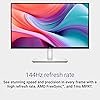
  • Elevated entertainment: The FHD resolution and 1500:1 contrast ratio bring clarity, while a 144Hz refresh rate, and 1ms Moving Picture Response Time (MPRT) deliver a smooth, tear-free viewing experience.
  • Hear the audio difference: Immerse yourself in sound with integrated dual 3W speakers delivering a wider range of frequencies.
  • Eye comfort: Prioritize visual comfort with this 4-star TUV-certified display. Reduce harmful blue light emissions while maintaining stunning image quality without compromising colors.
  • Designed for comfort: Adjust your monitor to suit your preference throughout the day.
  • Dell Display and Peripheral Manager: Experience Dells singular, innovative application to optimize the performance of your entire Dell PC workspace*. *Based on Dell internal analysis, December 2024.

Description

Dell 24 Plus Monitor - S2425HSM. Enjoy crisp and smooth visuals with this 23.8-inch FHD monitor featuring 144Hz refresh rate, built-in speakers, and TÜV 4-star certification for eye comfort.

Brand: Dell


Screen Size: 24 Inches


Resolution: FHD 1080p


Aspect Ratio: 169


Screen Surface Description: Matte


Aspect Ratio: 169


Screen Finish: Matte


Contrast Ratio: 15001


Refresh Rate: 144 Hz


Display Type: LCD


Display Technology: LCD


Viewing Angle: 178 Degrees


Brightness: 300


Pixel Pitch: 93


Color Gamut: 99


Has Color Screen: Yes


Picture Quality Enhancement Technology: AMD FreeSync, Eye Care Technologies


Screen Size: 24 Inches


Item Dimensions D x W x H: 7.55"D x 21.17"W x 13.66"H


Item Weight: 11.05 Pounds


Power Consumption: 14.3 Watts


Voltage: 240 Volts (AC)


Response Time: 8 Milliseconds


Total Number of HDMI Ports: 2


Number of Component Outputs: 2


Additional Features: Anti Glare Screen, Built-In Speakers, Flicker-Free, Height Adjustment, Pivot Adjustment, Swivel Adjustment, Tilt Adjustment


Specific Uses For Product: Desktop, Gaming


Color: Ash White


Brand: Dell


Model Number: S2425HSM


Model Name: Dell 24 Plus Monitor - S2425HSM


UPC: 884116691396


Manufacturer: Dell


Built-In Media: 1 x HDMI 1.4 cable - 1.80 m, Monitor with Stand, Power cable, QR Card, Safety/Environmental/Regulatory Information


Warranty Description: 1-Year Advanced Exchange Service and Premium Panel Exchange


Resolution: FHD 1080p


Display Resolution Maximum: 1920 x 1080 Pixels


Native Resolution: 1920x1080


Connectivity Technology: HDMI


Hardware Connectivity: HDMI


Adaptive Sync: FreeSync


Frequently asked questions

If you place your order now, the estimated arrival date for this product is: Saturday, May 16

Yes, absolutely! You may return this product for a full refund within 30 days of receiving it.

To initiate a return, please visit our Returns Center.

View our full returns policy here.

  • Klarna Financing
  • Affirm Pay in 4
  • Affirm Financing
  • Afterpay Financing
  • PayTomorrow Financing
  • Financing through Apple Pay
Leasing options through Acima may also be available during checkout.

Learn more about financing & leasing here.

Top Amazon Reviews


  • Loved it but not enough features
Display Size: 24 Inches Size: S2425HSM Style: AMD Free Sync
I’m particular about design. It took me 5 tries to find a monitor that met my needs. Thought I’d write up a review in case it’s helpful to someone else. No one has paid me for this review. Keep in mind I am using a monitor to extend the display of my MacBook Pro. My needs: I am a writer and wanted to be able to have multiple pages documents open at the same time. I also do some graphic design and wanted to have true colors represented on the screen. I live in a small cabin so this monitor would also need to serve as my TV—high streaming quality and beautiful resolution is a must. They pretty much only make 4K monitors in the 27” size and those are too large for me to use as a work screen and also too large for my space. That left me trying to figure out what smaller monitor would have a high resolution--it took multiple tries. I also am sensitive to light and wanted something that wouldn’t hurt my eyes after being in front of it for long hours. Dell 24 Plus Monitor - S2425HSM CONS There is no option to hook up a USB-C or thunderbolt cable on this monitor. Thus you can not charge your laptop by plugging it into the monitor. This monitor is designed so that you plug an HDMI cable into your laptop and then into the monitor. HDMI cables are bulky and don’t bend as easily as a USB-C or Thunderbolt cable. HDMI cables do not charge your laptop. USB-C or Thunderbolt cables are more bendy and charge your laptop directly from your monitor. You cannot have your MacBook in clamshell mode (laptop closed) without having your laptop charging cable plugged in. Thus instead of one USB-C or Thunderbolt cable you have the bulky HDMI and your laptops power cord. When I had all the cables hooked up it felt messy and it was all sort of awkwardly mashed into the desk riser I built. The text resolution of this monitor was pretty pixilated. Downloading Better Display and creating a virtual screen helped a bit. PROS 144Hz refresh rate The streaming quality wasn’t as good as some of the monitors I’d try later on but it was pretty darn good! Speakers are great. Pretty much no eye strain! It’s so odd but I completely fell in love with this monitor despite the fact that it really didn’t meet any of my core needs. I loved the color, the sleek design and the ease of the mini joystick on the monitor itself. The menu on this monitor via the joystick was really enjoyable and adjusting the settings produced effective results (more so than the U2424HE which I’ll review next). I actually liked the menu options on this (adjusting the color, brightness, gamma, screen mode etc) better than any other monitor. I loved the 16:9 ratio which I would return to when all was said and done. I barely was able to return this monitor because I was weirdly attached to it. I’d say this is perfect for a high school or college student. As far as budget monitors go, this is a really great option. If it had a USB C option I doubt I would have returned it or bought a thousand other monitors trying to find the right one. Dell UltraSharp 24" Hub Monitor - (U2424HE) CONS This monitor supposedly has better resolution than the Dell S2425HSM. I put them side by side and played the same show. No matter how I adjusted the settings, the U2424HE looked overly red. And the resolution wasn’t that much better, if at all. Text did appear to be slightly sharper but it wasn’t a significant difference. Contains a USB C Port but would not allow me to put laptop into clamshell mode without having laptop power cord plugged in. Only 60Hz refresh rate PROS None. I can’t recommend this for anyone. ASUS ProArt 24” (24.1” viewable) 16:10 HDR Professional Monitor (PA248CRV) CONS Text still wasn’t as sharp as I’d like. I didn’t like the screen ratio. But I didn’t know how much I would miss the 16:9 of that first Dell until I tried this one. This is more of a personal preference than a mark against the brand. It does have more vertical space if that is important to you. PROS It features a USB-C port (one step down from a Thunderbolt cable) that handles video, data, and charging simultaneously. Streaming quality was decent. Better than both Dells, not as good as BenQ or Asus PA24ACRV. Daisy chaining and comprehensive USB hub with 4 ports. No noticeable eye strain after adjusting settings a bit. I got very close to keeping this one but I couldn’t get over the ratio. It is a decent monitor though so I ended up giving it to a friend. BenQ MA270U 27” 4K 3840x2160 CONS At this point I was about at my wits end and thought that I’d have to get a 27” to get the resolution that I was after. I tried to use this as my work monitor and it was overwhelming. I know a lot of people use a 27” monitor but that was too much for me. 4K panels often require much stronger backlights to push light through those tiny pixels, which can be brutal for light-sensitive eyes in a small space. No matter what I did with the settings it was too bright. This monitor supposedly has blue light blocking technology built in. Look—if eye stain is an issue for you, what I realized is that less is more. Some of these high resolution monitors achieve true colors by using a lot of light, and no amount of filters, screen shade, night shift, blue light glasses etc, is going to help with that much light coming at you. Even when I took the opacity waaaaay down and had all the filters on I still felt like I was being radiated. This monitor is very large and heavy. Not great for a small desk set up in a small cabin. It about crushed my desk riser. PROS Really beautiful colors and crisp text. Super cool software download (from BenQ website) that allows you to adjust settings. No need for clunky buttons. Compatibility with Apple. I ended up giving this monitor to my partner to use as his new TV in the living room. Sitting back from it a few more feet, it’s easier to appreciate. ASUS ProArt Display 24” (23.8 inch viewable) 1440P Professional Monitor (PA24ACRV) This is the one I ultimately kept for myself. CONS My main complaint is that the physical design of the monitor feels a bit outdated. Sort of 90’s. Dell did a really great job condensing their buttons on their monitor to the one mini joystick. On the Asus monitors it’s a bunch of buttons across the bottom right side of the monitor. Feels clunky. These should be accessed through the joystick or hidden. Speakers are pretty awful. PROS 16:9 ratio It has very sharp text. The silver color of the monitor base is the same as my MacBook Pro. USB-C Power Delivery (A step down from Thunderbolt—working great for me). I only have ONE cable plugged in to the monitor and no need for the powercord for my laptop. Daisy Chain capability with multiple USB ports for mouse, external hard drive etc. and other types as well. Pixel Density (123 PPI). Standard 24" monitors are usually 1080p (~93 PPI), which macOS struggles to scale, leading to "gray/blurry" text. Much higher resolution than the Asus PA248CRV that I had tried. Text is crisp. Even crisper after implementing Better Display. Seriously try Better Display. Ask Ai how to set it up. Spending $21 for the pro version of this software can make a monitor like this feel like a much more expensive monitor because macOS assumes most of these monitors are a low-resolution screen. It doesn't use its high-quality "Retina" scaling. Using this software helps these monitors reach their potential. This monitor has a deeper black than the Dell monitors I tried where the text appeared to be a gray. Colors are vibrant and photos are incredibly vivid. Resolution quality is great in Adobe/Design work and during streaming. I noticed that when I’m streaming from Safari as opposed to Chrome, the quality is significantly better. ... show more
Reviewed in the United States on January 30, 2026 by 🐰

  • Great for the price and WFH
Display Size: 24 Inches Size: S2425HSM Style: AMD Free Sync
The monitor came perfectly packaged it is a little laggy but you can't beat it for the price all I need it for is my WFH job. The speakers if you are worried about them don't be these things really boom great sound quality. The color accuracy is awesome as well as the picture great for my online lectures for college too becaus eI can take notes on my lenovo 2n1 while the live lesson is on the other screen. Connectivity great as well had no issues there. Monitor quality I would give it a 8.5/10 it could come with more but you have to remember you are only paying $11. 9.00. So is the Value of the monitor worth it for the money I would say yes! If i can come back and upload pictures I will but it comes out so sleek and brand new. No real complaints for me ... show more
Reviewed in the United States on March 5, 2026 by Jada Blanchard

  • Excellent quality
Display Size: 24 Inches Size: S2425HSM Style: AMD Free Sync
Excellent quality, well-made. Great picture. Easy to set up.
Reviewed in the United States on March 23, 2026 by drew

  • Sleek Monitors (don’t daisy chain)
Display Size: 24 Inches Size: S2425HSM Style: AMD Free Sync
Great monitors once I figured out a way to run them as dual monitors from my MacBook. They do not daisy chain out of the box. Each monitor requires a dedicated hdmi into your computer to use it as a dual monitor setup. Otherwise they look great and 24” was the perfect size.
Reviewed in the United States on March 28, 2026 by Will

  • Easy to set up.
Display Size: 24 Inches Size: S2425HSM Style: AMD Free Sync
I can't believe I waited so long to get a new monitor. It was easy to set up. The picture is clear and the sound so much better.
Reviewed in the United States on March 8, 2026 by Barbara DeBerry

  • Recommended
Display Size: 24 Inches Size: S2425HSM Style: AMD Free Sync
Audio settings are a little weird to figure out but great monitor
Reviewed in the United States on March 11, 2026 by Raven

  • Works great
Display Size: 24 Inches Size: S2425HSM Style: AMD Free Sync
Works great and picture quality is clear - I use it as a second monitor to my dell laptop and it was easy enough to assemble I got it plugged in and up and running in under 10 minutes- it’s perfect and it’s an upgrade to my home workstation setup
Reviewed in the United States on March 29, 2026 by Toni J. Thoms

  • Nice
Display Size: 24 Inches Size: S2425HSM Style: AMD Free Sync
Great monitor, the sound on it is amazing, I love that you can change the brightness to whatever you want.
Reviewed in the United States on March 20, 2026 by Rich Pate

Can't find a product?

Find it on Amazon first, then paste the link below.
Checking for best price...