Search  for anything...

August Home Connect Wi-Fi Bridge, Remote Access, Alexa Integration for Your August Smart Lock, white, 1.5 x 2.4 x 2.4"
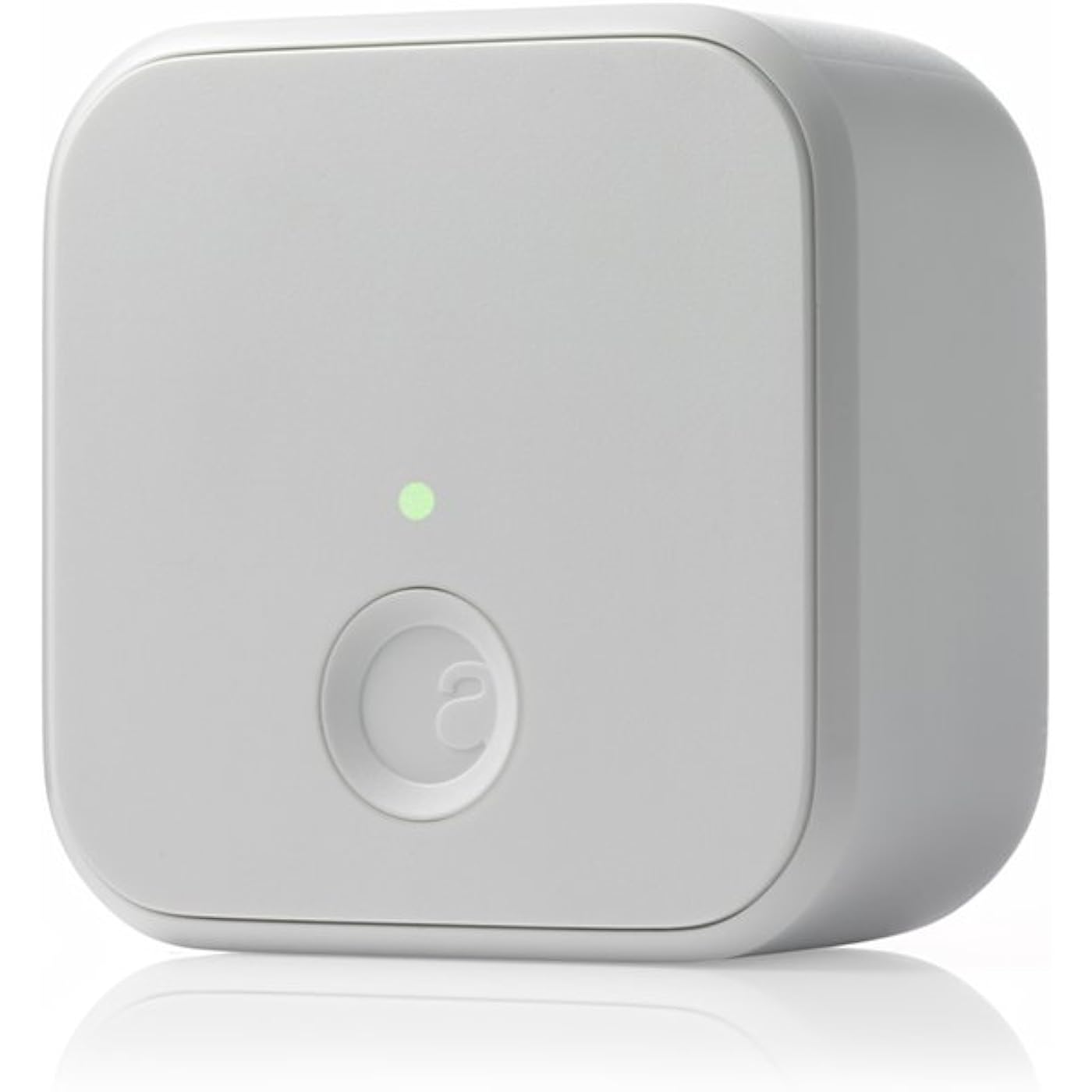
  • Based on 5,833 reviews
Condition: New
Checking for the best price...
$84.95 Why this price?
Save $22.51 was $107.46

Buy Now, Pay Later


As low as $14.16 / mo
  • – 6-month term
  • – No impact on credit to apply
  • – Instant approval decision
  • – Secure and straightforward checkout

Ready to go? Add this product to your cart and select a plan during checkout.

Payment plans are offered through our trusted finance partners Klarna, Affirm, Afterpay, Apple Pay, and PayTomorrow. No-credit-needed leasing options through Acima may also be available at checkout.

Learn more about financing & leasing here.

Selected Option

Free shipping on this product

FREE 30-day refund/replacement

To qualify for a full refund, items must be returned in their original, unused condition. If an item is returned in a used, damaged, or materially different state, you may be granted a partial refund.

To initiate a return, please visit our Returns Center.

View our full returns policy here.


Availability: In Stock.
Fulfilled by Amazon

Arrives Jun 30 – Jul 12
Order within 17 hours and 2 minutes
Available payment plans shown during checkout

Protection Plan Protect Your Purchase
Checking for protection plans...

Color: White


Style: Hub


Features

  • Control your door from anywhere.Connectivity Protocol:wi-fi,bluetooth.Note: Measure your door's backset, cross bore and thickness to ensure you find the right fit.Note: Measure your door's backset, cross bore and thickness to ensure you find the right fit.
  • Connect your August Smart Lock to Wi-Fi. Requires North American outlet with 110-240 volt.
  • Always know that your door is locked. Requires iOS (9.0 or higher) or Android (5.0 or higher) smartphones
  • Lock or unlock your door, even if you are away from home.
  • Get instant alerts when someone enters or exits your home.

Description

Lock and unlock your August smart lock from anywhere, right from your smartphone. Accessory to August smart lock. Disclaimer Warranty is only effective for US and CA customers.

Brand: August Home


Special Feature: Keyless


Lock Type: Remote access


Item dimensions L x W x H: 2.4 x 2.4 x 1.5 inches


Material: Metal


Brand Name: August Home


Recommended Uses For Product: Door


Number of Pieces: 1


Included Components: 1 Connect , Getting Started Guide


Model Number: AC-R1-Wi-Fi-Connect


UPC: 853984006052


Model Name: August Connect Wi-Fi Bridge


Global Trade Identification Number: 52


Manufacturer Warranty Description: 1 year


Manufacturer: August Home Inc


Unit Count: 1.0 Count


Manufacturer Part Number: AC-R1


Item Type Name: August Connect Wi-Fi Bridge


Additional Features: Keyless


Lock Type: Remote access


Control Method: Voice


Connectivity Protocol: Bluetooth, Wi-Fi


Smart Home Compatibility: Smart Home Compatible


Style Name: Hub


Color: White


Shape: Rectangular


Material Type: Metal


Finish Types: Painted


Item Dimensions: 2.4 x 2.4 x 1.5 inches


Item Weight: 0.18 Pounds


Frequently asked questions

If you place your order now, the estimated arrival date for this product is: Jun 30 – Jul 12

Yes, absolutely! You may return this product for a full refund within 30 days of receiving it.

To initiate a return, please visit our Returns Center.

View our full returns policy here.

  • Klarna Financing
  • Affirm Pay in 4
  • Affirm Financing
  • Afterpay Financing
  • PayTomorrow Financing
  • Financing through Apple Pay
Leasing options through Acima may also be available during checkout.

Learn more about financing & leasing here.

Top Amazon Reviews


  • It works! And is much faster/easier than having to keep track of a key
Color: White Size: 1.5 x 2.4 x 2.4" Style: Hub
We got this because my husband cannot be trusted with keys :) and I am too impatient to fish around for the key and futz with the lock every single time I come and go. So we were pretty sloppy about locking up when we left. (which always made me a tad uncomfortable in the back of my mind) So that is why we got this. We've been using it for about a month now. Installation was pretty easy, and syncing with iphone was a breeze. We did run into one issue/question (the documentation referred to something on the app which had since been moved/renamed) but you just call up support and they picked right up -- even on a sunday! Overall, I really like it! I would say about 90% of the time it behaves exactly as hoped/expected-- it locks the door behind you when you leave, opens the door as you return. Locking when you leave is pretty much 100% reliable. This has always worked. The part that is a little less reliable is automatically unlocking when you return. My husband always has his bluetooth headphones in so I think for him this messes up communication between his phone and the lock. For me, I have a couple of times gotten a message saying something about a communication error with the lock. But if this happens, it still always unlocks using the app (in other words, the worst case scenario is that instead of unlocking all by itself, you have to pull out your phone). Not a big deal. I would say that if you have a sticky lock, then you should probably try and resolve that before installing so you don't wear out the batteries prematurely. For us, our lock always rubbed against the plate when locking/unlocking so it was really hard to turn. So we fixed that before installing and I think that was the right move. Hardware-wise, it has been pretty much flawless as a result. I would say if you're thinking about it, then do it! It is a really neat concept, well executed and also well supported! ... show more
Reviewed in the United States on September 24, 2018 by barbara a schendel

  • All good
Color: White Size: 1.5 x 2.4 x 2.4" Style: Hub
It works great
Reviewed in the United States on May 21, 2026 by Jim Stapp

  • Upgrade of my 4th Gen August Deadbolt Lock
Color: White Size: 1.5 x 2.4 x 2.4" Style: Hub
Like numerous others who have purchased the newest version of the August Lock that uses the two 3Volt batteries, I am trying to resolve the short battery life (3 to 6 weeks) operation. I have turned off the auto-open function in the app, and try to be more strategic in the use of the lock. This has increased the battery life to about 10 to 12 weeks. Adding the August Home Connect Bridge is an effort to take the Wifi connection load off of the lock batteries and let it communicate by Bluetooth connection with the nearby Bridge. This is a recommendation I found from others far more knowledgeable on digital communications than I am. I am hoping the change/upgrade of the system results in a extended life of the batteries. The Bridge simply plugs into a nearby wall outlet (4 feet), and a quick simple setup process permits all communication with the lock to go through the Bridge. The instructions are easy to follow, and I had zero problems. Whether or not it improves my battery life remains to be seen. If it does not, it will be no fault of the Bridge; this is my best effort to better control installed smart devices in the most efficient way possible. I do like my August products, but wish the lock had been designed with some form of rechargeable battery system. They probably couldn't because of the electrical motor load needed to operate the mechanical deadbolt in the door. This is a great product and I do recommend it to those needing such devices for their homes. [Contrary to the public name on this review, the content has been provided by Marianne's husband, the designated manager of all things digital in the home.] ... show more
Reviewed in the United States on October 9, 2025 by Marianne

  • Great With Serious Flaws
Color: White Size: 1.5 x 2.4 x 2.4" Style: Hub
First, the good... When it's working it is absolutely amazing. When connected it does exactly what it says on the tin, I can access and receive updates from the lock from anywhere. I have found the auto-unlock works better and the ability to use voice commands to tell the door to lock via Alexa (or ask Alexa if the door is locked) is very handy. By default unlocking via Alexa is disabled, which makes sense. Someone could otherwise literally shout through the door and tell Alexa to unlock your home. Now, minor issues; if you remotely lock your lock (or unlock it), the status doesn't change on the App for a good long while, even if the log shows it was completed successfully. There was not good feedback on if the device locked or unlocked and when you can't see or hear the lock that is a bit disconcerting. I also found the notifications don't always work but they are in the log of the app, I think this is an app issue not a service issue. Now for the bigger issue (IMO a design flaw). I have also found that it was easy enough to get working, but it required some tinkering. This tinkering was mostly because of a serious design flaw that I can't possibly understand why August fell prey to. There's a lot of reviews about placement, indeed the manual makes notes about placement, such as putting it on the opposite wall and the like. I have found that to be a horribly idea myself, but perhaps it could work for some. The main design flaw is in the connection types, this makes use of WiFi (2.4 GHz) and Bluetooth (Also runs on 2.4 GHz), the Bluetooth connects to the lock and the WiFi connects to the router. The issue is, and August really should know this, 2.4 GHz WiFi seriously interferes with Bluetooth reception. Those people who've tried to use Bluetooth peripherals such as a mouse and keyboard on a laptop connected to 2.4 GHz wifi know that it hiccups a lot. WiFi is a much stronger signal, and Bluetooth LE (Bluetooth Low Energy) is by necessity a low power mode and thus has range and speed limitations to make that work. So August decided, for whatever reason, to make their device use a connection method to the lock which is by its very nature weak and then uses that same frequency to connect to the home WiFi, which interferes with Bluetooth operation. Bluetooth LE is supposed to work about 60 meters out under ideal conditions but there's a lot of problems with that, we can't really help Bluetooth and how it works, it is ubiquitous and so it's a good choice for the lock itself to communicate with a device, your phone or watch is really close to the lock and the signal can be repeated, it's just a good choice. 2.4 GHz WiFi is not, at all. 5 GHz WiFi is a much better option, which should allow the connect device to not interfere with itself. 2.4 GHz spectrum is very crowded anyway, most WiFi routers run 2.4 Ghz even if they have 5 Ghz they usually also run 2.4 as well. For some reason almost all Smart Home devices that don't use a hub of some kind use 2.4 GHz Wifi which means if you've got a lot of smart bulbs, plugs, or other devices you've got a lot of WiFi floating around that's going to make it hard for your August Connect to get a good signal. I've had to place mine literally about 18 inches away from the lock and it still shows a poor signal under Bluetooth LE. Apartment complexes also tend to have a soup of 2.4 GHz traffic that the apartment owner can do nothing about. The option to have Ethernet (it's not like it's going to move much) and 5 GHz WiFi to clear up the much needed 2.4 GHz spectrum use would have been far superior and given the cost of the thing, I have no clue why August didn't do it. I know not everyone has 5 GHz capabilities on their router and a lot of people don't want to / can't deal with a device that connects to Ethernet. The simple truth is that we live in a world where the 2.4 GHz is really crowded even at the best of times. It doesn't go through objects very well and even water in the air can interfere with its operate. Since the lock itself must use 2.4 GHz to operate, the connect should have options to stay away from that spectrum to get out of its own way. ... show more
Reviewed in the United States on February 20, 2020 by uthertibbs

  • Great product - install help
Color: White Size: 1.5 x 2.4 x 2.4" Style: Hub
Long review for install assistance. Product works great and I can check status as well as open & close the door remotely. There seems to be a trick for installing. If you are having issues connecting to wifi, try the following: 1.) First, it will only connect 2.4GHz. 2.) You will use your phone to connect via the app. 3.) It will be best for you "forget" your home networks except for the one you plan to connect the connect device. The reason for this: when the app attempts to join the network, it drops the current connection and then rejoins ur next home network (if you have both 2.4 & 5 GHz or a guest network). This is only half of the config process. When it tries to reconnect to the WiFi, it won't be able to. Save yourself some aggreviation, remove all (except the 2.4GHz network you want the connect on) local networks from your cell. Add them back after... I had the lock, the connect and my (new - already working) WiFi extender within 5ft of each other and it still had issues cinnecting when I had more than 1 home network "remembered' for auto join. After you join your new connect, you can text signal strength, etc. One last thing... MAJOR props to support. I had issues with the auto unlock feature after I added the connect device. Within 1-2 days of contacting support, opening a case; I sent a few logs via the app with the case number. support pushed an upgrade to the lock and it cleared the issue!!! I only run the auto unlock feature (no auto lock.) You do need to go out of range for a certain period. Once you do, you will receive a messsge from the app that you left the area. Once you see that.... your all set with the auto unlock when you return. Hope this has helped and saves someone the aggreviation and testing I went thru. ... show more
Reviewed in the United States on March 17, 2017 by Andres P.

  • August Connect is a total waste of money.
Color: White Size: 1.5 x 2.4 x 2.4" Style: Hub
I also bought the August connect to have it unlock as I get home (geo-fence). I live where it rains almost everyday, all summer long. The auto unlock would have been nice, not fumbling with keys in the rain. Now I must sit in the car and fumble with the phone to unlock the door. The auto lock/unlock feature does work with voice control via Alexa. Just will not auto-unlock when you get home (one of the main features) . Because of this, I can only give this lock three stars. I have contacted August multiple times without any response. August, fix the unlock feature and get some C/S. 10/08/18 I have sent two more e-mails to August's non existing customer service. You guessed it, NO response. The August app has been updated a little. The August icon is now visible in the up left of my phone. It does show, home and away, BUT the auto unlock feature, still does NOT work. Hello August, this was one of your selling features and it still does NOT work. 01/22/2019 Update. I wish I could lower the star rating to ZERO stars. I have sent four or five more e-mails and several via the August App, still waiting on a real response and or a fix to get the auto-unlock feature to work. August does NOT return/answer e-mails at all. I have only received automated e-mail responses (e-mail states it is an automated response). August did push out another hardware update on 1/19/2019, it did not correct the auto-unlock feature. Over all, the August Connect is a waste of money. 1) Main feature (auto-unlock) does NOT work. 2) NO customer service. 3) Using your voice (Alexa, unlock door.... wait for a response then you must give it your code to unlock) takes way to much time, faster to walk over to the door and just turn the knob. 4) Takes longer to unlock door using app than it does using your key. 02/04/2019 Received feedback from August. The problem is that my phone connects to my car's Bluetooth and wifi when I get in it. Just like many other people who have smart phones and newer cars. If you disconnect the phone form the wifi and unpair it from the car's Bluetooth (meaning you cannot make hands free calls from your car) the August smart lock/connect with start auto-unlocking. With this done, the lock works, so it is only worth three(3) stars now. If you have a August connect, it is connected to your home's wifi and your phone can unlock the lock. Bluetooth is not needed. 07/17/2019 update: With the new app update, I wish I could this this lock a negative five(5) starts. No one a August must used their own products. What they have done, If you turn of any of the following: Wifi, GPS, Bluetooth or set your phone in airplane mode, the auto-unlock disconnects and MUST be reset up. It does not matter that you turn these sub-system back on, the August App disconnects the auto-unlock feature. Then the re-setup REQUIRES you to be home to get your GPS location, to access your wifi and to connect via Bluetooth to the lock. This is the dumbest thing I have every seen a developer do. Once the setting are made, the app should store the setting so that you can turn on/off sub-system to save battery or if nothing else for security of your phone (open wifi/Bluetooth connection). This firmly displays that NO one at August really uses these products in the REAL world. So my current option is not to waste you money on this over priced useless lock. It is dumb lock, NOT smart lock. ... show more
Reviewed in the United States on September 10, 2018 by R Smith

  • Great product!
Color: White Size: 1.5 x 2.4 x 2.4" Style: Hub
The Bluetooth can be a bit sluggish, however, it’s been used for many years reliably. The auto lock is great piece of mind. Simple to install. I’ve been using rechargeable batteries in mine. No issues.
Reviewed in the United States on January 20, 2026 by car car lover

  • Works great but tricky to install with August app and instructions may need to be re-written.
Color: White Size: 1.5 x 2.4 x 2.4" Style: Hub
I bought 5 August Smart Locks (not the Pro model) along with 5 August Connects and works very well if the installation instructions were better written. 1. The August app showed August Connect installation instructions which is cool but some instructions may be incorrect. 2. The instruction says to press and hold the push button of August Connect for at least 5 seconds but my smart phone never sees August Connect. I disconnected and reconnected the power of August Connect and repeated the instructions about five times including pressing the push button switch. So finally I disconnected and reconnected the power from August Connect and this time I didn’t press the push button switch. The green LED always flashes slowly after the Connect is powered which should be correct. So is the push button switch on August Connect necessary anymore? If you have issues getting your smart phone to recognize August Connect, do NOT press the push button switch on August Connect and follow the instructions. 3. The August App has the ability to test signal strengths of Bluetooth and WiFi signals but it always fails for all 5 August Connect so I gave up and let the app finish the setup for all 5 Smart Locks and Connect Bridges. I tested all 5 Smart Locks from far away and they all work perfectly. I see “WiFi” icon at upper right of the screen for each Smart Lock indicating WiFi is working in August app. I think the August App for testing signal strengths of Bluetooth and WiFi is buggy. My suggestion is to remove your August Smart Lock from the door, bring the Smart Lock along with August Connect to a location and nearest to WiFi router. Plug in August Connect to a wall outlet and make sure the August Smart Lock is near August Connect. Run the August Connect setup via August App. After successful completion, put back Smart Lock to the door and plug in August Connect to a wall outlet nearest to August Smart Lock. I hope this is clear. ... show more
Reviewed in the United States on July 23, 2019 by Peter L. Nagy

Can't find a product?

Find it on Amazon first, then paste the link below.
Checking for best price...