Search  for anything...

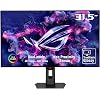
ASUS ROG Strix 32” 4K OLED Gaming Monitor (XG32UCWG) - TrueBlack Glossy OLED, Dual Mode (4K@165Hz, FHD@330Hz), 0.03ms, G-SYNC Compatible, Neo Proximity Sensor, USB-C, HDMI 2.1, 3 yr Warranty

  • Based on 145 reviews
Condition: Used - Very Good
Checking for the best price...
$657.06 Why this price?
Save $141.94 was $799.00

Buy Now, Pay Later


As low as / mo
  • – Up to 36-month term if approved
  • – No impact on credit to apply
  • – Instant approval decision
  • – Secure and straightforward checkout

Ready to go? Add this product to your cart and select a plan during checkout.

Payment plans are offered through our trusted finance partners Klarna, Affirm, Afterpay, Zip, Apple Pay, and Google Pay. No-credit-needed leasing options through Acima may also be available at checkout.

Learn more about financing & leasing here.

Selected Option

Free shipping on this product

This item is eligible for return within 30 days of receipt

To qualify for a full refund, items must be returned in their original, unused condition. If an item is returned in a used, damaged, or materially different state, you may be granted a partial refund.

To initiate a return, please visit our Returns Center.

View our full returns policy here.


Availability: Only 1 left in stock, order soon!
Fulfilled by Amazon

Arrives Monday, Aug 10
Order within 17 hours and 21 minutes
Available payment plans shown during checkout

Protection Plan Protect Your Purchase
Checking for protection plans...

Style: 32" 4K OLED 165Hz / 330Hz FHD KVM


Features

  • 32-inch 4K (3840 x 2160) TrueBlack Glossy WOLED gaming monitor with versatile dual mode (4K@165Hz, FHD@330Hz)
  • Exclusive new TrueBlack Glossy panel provides a zero-haze surface and exceptionally sharp imagery
  • ASUS OLED Care Pro with Neo Proximity Sensor precisely detects when the user is away and switches to a black screen to reduce the risk of burn-in
  • DisplayWidget Center allows users to easily access OLED Care Pro functions and adjust monitor settings using a mouse
  • VESA DisplayHDR 400 True Black compliance, 99% DCI-P3 gamut, true 10-bit color, and Delta E < 2 color difference for astonishing HDR performance, making it perfect for photo and video editing
  • 3 years warranty with ARR and burn-in coverage

Description

The ROG Strix OLED XG32UCWG is a 32-inch 4K TrueBlack Glossy WOLED gaming monitor that offers supersharp visuals and boasts a versatile dual-mode feature that enables seamless switching between 4K@165Hz and FHD@330Hz. Featuring the new Neo Proximity Sensor within the ASUS OLED Care Pro suite, the monitor is able to detect when the user is away and automatically transition to a black screen to guard against panel burn-in. Thanks to a compact stand, the XG32UCWG takes up minimal desktop space. Plus, it offers users an extensive array of connectivity options, including DisplayPort™ 1.4 (DSC), HDMI® 2.1, and USB-C® with 15-watt Power Delivery.

Brand: ASUS


Screen Size: 32 inches


Resolution: 4K UHD 2160p


Aspect Ratio: 169


Screen Surface Description: Glossy


Aspect Ratio: 169


Screen Finish: Glossy


Contrast Ratio: 15000001


Refresh Rate: 330 hertz


Display Type: WOLED


Display Technology: OLED


Viewing Angle: 178 degrees


Color Gamut: 90


Picture Quality Enhancement Technology: OLED, AI Assistant (Dynamic Crosshair, Dynamic Shadow Boost, AI Visual)


Screen Size: 32 inches


Item Dimensions D x W x H: 10.8"D x 28.1"W x 22.8"H


Item Weight: 16.1 pounds


Resolution: 4K UHD 2160p


Display Resolution Maximum: 3840 x 2160


Native Resolution: 3840x2160


Response Time: 0.03 milliseconds


Connectivity Technology: DisplayPort 1.4 DSC, HDMI, USB Type C


Hardware Connectivity: HDMI


Adaptive Sync: G-Sync Compatible


Additional Features: 32” 4K Glossy OLED Gaming Monitor, Blue Light Filter, Dual Mode 4K 165Hz, FHD 330Hz, Eye Care, True Black


Specific Uses For Product: Entertainment, Gaming, Business, Photo Video Editing


Color: BLACK


Compatible Devices: Desktop, Laptop, Tablet


EU Spare Part Availability Duration: 3 years


Warranty Type: 3 years warranty with ARR and burn-in coverage


Shape: Flat


Number of Height Positions: 3


Brand: ASUS


Model Number: XG32UCWG


Model Name: XG32UCWG


Warranty Description: 3 years warranty with ARR and burn-in coverage


UPC: 199291007147


Manufacturer: ASUS


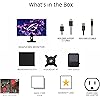
Included Components: DisplayPort cable, Microfiber cloth, Power adapter, Power cord, XG32UCWG Gaming OLED monitor


Total Number of HDMI Ports: 1


Total Usb Ports: 2


Number of Component Outputs: 1


Total USB 3.0 Ports: 1


Frequently asked questions

If you place your order now, the estimated arrival date for this product is: Monday, Aug 10

Yes, absolutely! You may return this product for a full refund within 30 days of receiving it.

To initiate a return, please visit our Returns Center.

View our full returns policy here.

  • Klarna Financing
  • Affirm Pay in 4
  • Affirm Financing
  • Afterpay Financing
  • Zip Pay in 4
  • Financing through Apple Pay
  • Financing through Google Pay
Leasing options through Acima may also be available during checkout.

Learn more about financing & leasing here.

Top Amazon Reviews


  • The 2025 Oled Monitor To Beat
Style: 32" 4K OLED 165Hz / 330Hz FHD KVM
I previously owned the Gigabyte 27-inch QD-OLED 1440p, and while that panel looked incredible in a dark room, this ASUS ROG Strix XG32UCWG has impressed me even more. I’m extremely surprised because this is a WOLED, yet it delivers the punch, saturation, and vividness I normally expect from a QD-OLED without the purple tint or grayish blacks that QD-OLEDs show in bright rooms. This panel really does feel like the best of both worlds, and the True Black Glossy coating is stunning. It’s so reflective it almost works like a mirror, even more glossy than my previous QD-OLED. If you’re playing exclusively on consoles and watching movies, there is absolutely no need to purchase the higher 240 Hz version of this monitor. The 165 Hz variant is perfect for that purpose. It also looks incredibly clean in any setup. The stand feels premium, the build quality is impressive, and the RGB on the back is a nice touch that you can turn on or off whenever you want. If I had to critique something, it would be the bezels. They are thin, but I would love them to be even thinner. This isn’t a problem with this particular monitor but with monitors in general. Hyper thin bezels would give the product a more premium look. I also wish ASUS would allow better cable management so that the cables cannot be seen from the front. There is a cable management hole that helps and it doesn’t look bad, but I would prefer the cables to route through a slightly higher position so they stay completely hidden when looking at the monitor from the front. That would make the whole setup look even cleaner. It’s also time for ASUS to refresh the UI of their on-screen display. The current interface feels outdated and doesn’t match the premium feeling of the monitor. It’s something very simple to improve, and a good developer could give it a modern look in under a day. It’s not a functional issue, just a visual one, and it would elevate the experience. The monitor comes surprisingly well calibrated, although I still recommend users check YouTube for calibration guides tailored to their setup, whether it’s console gaming, PC gaming, movie watching, SDR content, or productivity. Small adjustments can make a difference depending on your use case. I can’t yet give a long-term update on burn-in, but the monitor has plenty of mitigation features. I personally selected the safer options, like more frequent pixel shifting and more consistent pixel cleaning. With a three-year burn-in warranty, there really shouldn’t be anything to worry about unless someone is doing eight hours a day of static productivity work. Some YouTube tests show slight burn-in after thousands of productivity hours on other panels, and it’s barely noticeable, so people should not avoid OLEDs due to fear of burn-in. I’ve owned several OLEDs and have used them for gaming, movies, shows, and sports, and I’ve never had a single instance of burn-in. If you’re using this monitor for entertainment, I can say confidently that you will not have any issues. Overall, I highly recommend this monitor. I’m genuinely loving it. ... show more
Reviewed in the United States on December 6, 2025 by Justin McNab

  • Fear Burn-in?! READ THIS
Style: 32" 4K OLED 165Hz / 330Hz FHD KVM
Best Image Settings I Found for peak brightness and optimal OLED care : Console HDR Mode Adjustable HDR: On Uniform Brightness: Off (On for desktop usage, competitive gaming or low brightness settings) Brightness: 100 OLED CARE Settings: Auto Logo Brightness: on (off if you found other ways to take care of your oled monitor or need peak brightness all the time) Screen Saver & Screen Move: On Pros: -Great OLED Preventative features, the NEO proxy is pretty cool and a intelligent way to turn off the display when not in use -Great Build Quality -Great Colors -Bright Whites with the right settings enabled -Deep Blacks (See it, and you never want to go back to LCD or IPS monitor ever again, YOU'VE BEEN WARNED). -Fantastic Response times/motion handling, perfect for gaming or making that clear and smooth killshot, no visible ghosting or overshoot -3 Year Warranty ***Unclear for BURN-IN Related defects*** -True Black Glossy Screen, almost like looking at a picture but lively, must see in person. -Dual-Mode Functionality (4k UHD 165hz/1080p FULL HD 330hz), perfect for 4k console and/or 1080p PC competitive gaming -2x HDMI 2.1 Ports, perfect for Xbox Series X/S, Xbox One X, PS4 Pro & Playstation 5/Pro Cons: -$1000, if you got the money to purchase it, or you are an avid gamer and want the best visuals, if not better than a traditional GPU upgrade would provide, go for it. Otherwise, go for the 1440p OLED equivalents. -DisplayPort 1.4 (DSC), may not be a dealbreaker for some, but it's 2025 and worth mentioning. -Glossy Panel Maintenance: the screen panel itself is very delicate and can get scratches, smudge marks, or oil residue very easily. Using distilled water and a Microfiber cloth will suffice. -Monitor/stand adjustments: love the low stand real estate it takes up; however, the minimal movement it has, especially the height adjustment, kinda sucks. -Colors dont match up with QD-OLED alternatives -OLED CARE: Not a problem for some who take care of their gadgets and tech properly, as well as the features asus provides for oled care, but still worth mentioning. If you fear OLED burn-in and do not like dealing with the hassle of proper consistent care, I do not recommend this monitor. -OLED PWM Sensitivity: again not a deal breaker for the majority of people, but just keep this in mind if you are susceptible to symptoms of PWM on display electronics. -Max Brightness: Full Window at ~250 nits, enough for low light or dark rooms, peaks ~1000 nits @2% window with the right settings. -Text Fringing: not a huge deal given the size and resolution, but still worth mentioning, especially for productivity work. Overall, if you are a hardcore gamer that wants the best visuals, gaming experience, as well as the best monitor you can buy for the money, I highly recommend it! WOLED technology has gotten a lot better in recent years, and it's great to see massive improvement when it comes to burn-in defects. However, it's still a potential problem and this monitor like most is still susceptible to it. It's also a $1000, definitely be aware and don't be abusive with it. With that said though, if you put yourself in the right mindset like using screen saver and using neo proxy the monitor comes with, keep all oled preventative features turned on, slowly work on habit building like when to use HDR for console gaming and desktop use, and treating the monitor well through thoughtful treatment and respect, you will not have to worry about burn-in anytime soon. ***UPDATE*** (12/21/25) Make sure to update your monitor's firmware from MCM101 to MCM103. I used the USB-C to laptop method. Fixes the visual static noise issues on my monitor when HDR is enabled, now works flawlessly. ... show more
Reviewed in the United States on October 18, 2025 by Daniel Simecek

  • Excellent colors and contrast
Style: 32" 4K OLED 165Hz / 330Hz FHD KVM
I have been using this monitor for about 3 weeks now, and I am very impressed. This is my first OLED monitor, and in terms of display brightness, color intensity and contrast it is by far the best monitor that I ever had. The LCD displays on my other desktop computer and my laptop now look faint and boring in comparison. I very rarely play computer games, but mostly use the monitor for daily office work and similar things. And there I really enjoy the color intensity and the contrast. Contrary to what I had expected, the glossy screen surface is no problem at all in practice. So far (after about 3 weeks of using the monitor for several hours every day), there are no problems with burn-in or dead pixels, or any other quality problems. I am running Linux with KDE plasma and activated HDR, and it works very well, both with DP and HDMI connections. The only tiny problem that I have with the DP connection is that there is no initial UEFI boot screen, but this is probably a problem of my computer, not of the monitor. Contrary to some other monitors that I had in the past, the stand that comes with the monitor is also pretty usable. No need to buy a monitor stand. ... show more
Reviewed in the United States on July 19, 2026 by Mark D

  • Beautiful monitor!
Style: 32" 4K OLED 165Hz / 330Hz FHD KVM
If you buy this around the lowest price of $799 it’s a steal! Connected it to my new M5 MacBook via OWC Thunderbolt 4 cable and it’s running at constant 165hz with no issues on MacOS Tahoe! The screen is absolutely beautiful! Way better than my old Samsung M80C monitor! Very bright and vivid once you dial in the right settings! Build quality is great and the controls are very easy to navigate! It’s nice and versatile that I can also connect my PS5 Pro to it as well and switch between those two devices seamlessly! ... show more
Reviewed in the United States on April 10, 2026 by mike canvas

  • Trueblack WOLED
Style: 32" 4K OLED 165Hz / 330Hz FHD KVM
Edit: one week of ownership after purchasing from Amazon Used official and I have the worst screen retention I have ever seen on a display. No amount of pixel cleaning or firmware updates have been able to resolve. The screen expensive, you’d expect way more quality for the money you spend. Wow.. the screen is beautiful. Identical to my LG C1 that I purchased off Amazon a few years back. The quality and functionality is already apparent. You have many options to flip thru and there is even a widget you can download to play with all your settings. I think this is the perfect size monitor an it weights close to nothing. The base however is a little heavy and you want that to anchor your monitor down. Gaming is next level also, everything looks so crispy. I would recommend. I was on the fence about which monitor I wanted until I came across this one. WOLED has some benefits that I appreciate. Colors look vibrant and refresh rates are up there for gaming consoles. ... show more
Reviewed in the United States on January 24, 2026 by Nathaniel

  • Maybe not perfect, but it is excellent
Style: 32" 4K OLED 165Hz / 330Hz FHD KVM
Fantastic monitor. Build quality seems solid and it's easy to set up (both the stand and mounting to an arm). The RGB lighting on the back is kind of gimmicky but can be disabled, and the widget center app seems redundant (same customization options as the integrated menu) but at least provides notifications for firmware updates. The picture quality is beautiful. Contrast is what you'd expect from an OLED panel, colors pop, 4K clarity is awesome and the refresh rate - while maybe not quite best in class - is fantastic (besides, you're almost certainly not going to play any modern games in 4K @ 165+ FPS). There are lots of ports for connectivity, more than I'll ever use but I guess it's nice to have options. Some people will be disappointed with it right out of the box. After all, OLED is typically not as bright as other panel technologies due to how they emit light and this isn't a cheap monitor... I admit I even felt a little disappointed at first after coming from a VA screen, but once I dialed in the settings and acclimated to it I can attest that it's a far superior picture. 4/5 stars, mainly docking 1 star due to cost and due to a minor issue with the firmware update (update fixed the occasional HDR flash/flicker issue but it has caused the pixel cleaning reminder to not work - I'll take the latter issue over the former, but still...) ... show more
Reviewed in the United States on March 14, 2026 by Jeff

  • True black glossy 4k 32 oled monitor with excellent text clarity in linux and windows
Style: 32" 4K OLED 165Hz / 330Hz FHD KVM
I been waiting a long time for a release of a true black oled monitor and its finally here! The finish on this is true glossy and matches the image quality on my LG C3 42 inch. Black levels are insane on games and movies. Colors pop as well as hdr on just about everything. I was a little hesitent on getting this because I was worried about text clarity in windows etc. I can say without any doubt the text clarity on this is excellent. The text clarity is actually better than my C3 42 inch i am using as a monitor because of the higher PPI. So many settings to choose from on the menu. You can tweak this thing in so many ways. I hooked this up to my Debian machine and I love the true black levels on CLI. It looks so gorgeous on linux. Heck I may need to buy a second one. That glossy coating and black levels are a dream come true. ... show more
Reviewed in the United States on October 13, 2025 by Dom Mason

  • Save your money and get an LG C5 or LG C6 instead.
Style: 32" 4K OLED 165Hz / 330Hz FHD KVM
The good: Motion is top notch on this monitor. I am someone who mostly uses their computer for work and the occasional gaming. This monitor handles motion very well without leaving any trail or noticeable smearing. I didn't even know this was something that bothered me until I tried an OLED monitor. Text looks much better than the 2k monitor I was coming from. I read other reviews suggesting there may be fringing and issues with text clarity and never saw any such issues. Obviously, it doesn't look like printed text, but I really don't see how anyone can complain too much about it. Even when I play lower resolution videos I noticed they look better on this monitor because of the added sharpness and contrast. The "true black glossy coating" adds a look of eye candy to the display and looks similar to the screen you would see on your iPhone. Unfortunately, it's not as durable and needs to be gently cleaned with water and a microfiber cloth. The bad: While contrast is improved greatly from my older Dell monitor I was previously using, the Asus monitor does not get nearly as bright. This is very much an understated problem as OLED monitors look dim by comparison. Thankfully tandem OLEDs are already out and increase the brightness about 20% and reduce the risk of burn-in. Only those monitors are about 300-500 dollars more. The glossy coating looks nice but is cheap compared to what you find on an OLED television. In every single way, OLED televisions have better screen coatings than OLED monitors. and it has always been this way. Monitors generally have a smaller screen, a lower peak brightness (dimmer screen), cheaper screen coatings to help with reflections and protection of the screen. What you get instead on a monitor that os better than a television is faster response time (time it takes for something to happen on the screen), a higher refresh rate, and perhaps a more aptly sized screen. Initially I thought my screen had burn-in on the left side (look at the images) but as it turns out I think what I had was vertical banding which is a common defect with WOLED monitors. I decided to send it back as I had read this was a manufacturing error when a panel is cut it sometimes leaves behind fractures on the screen which are these vertical lines. Overall, I love OLED and may even get a LG C6 42" at some point. I don't think however I will be trying another OLED monitor just because they are too expensive and not as premium as OLED televisions. My honest opinion is that you should just get an LG C5 or C6 if you can afford it and it fits on your desk. I know it's huge screen and investment, but these televisions are superior to their monitor counterparts unless you need the extra frame rates above 165hz. ----------------------------------------------------------------------------------------------------------------------------------- Here's my original review before I realized I had an issue with vertical banding, not burn-in if you would like to read it. After only two days (about 8 hours of use) I began to notice a line appear on the left side of the screen that ran all the way down from the top to the bottom. This line is not super visible, but it is there and troublesome after only two days of use. I knew this could be a problem and was apprehensive beforehand when choosing to buy this monitor knowing that OLED technology is terrible with static images which are constant on a PC display. I ran pixel cleaner 3-4 times and see no change. I have also read that running pixel cleaner too much can degrade the pixels on the monitor as well. I have several OLED televisions and have had them for years so I'm not someone who is clueless about this technology. LG has always poured all the research and development they have into making their television displays, and these OLED monitors are stripped down version of those screens. The peak brightness is lower on these monitors, the screen protection on is sub-par at best, their ability to handle reflection is average and yet it costs as much as an LG OLED television that is 10 inches larger. I would have just bought an LG C5 if I thought I could adjust to the use of a 42" screen on my desk. OLED technology is great for gaming and watching movies. It's terrible if you do any work on your PC and have to leave images and side bars up for hours at a time. Some of the more personal issues I had with this monitor come from my preference for using a curved monitor. With the curved Dell monitor I used previously the sides of the monitor would fall within my peripheral view, allowing me to place the monitor closer to myself in order to view the whole screen. With the flat screen on the Asus monitor I have to move it 6-7" further away to see the whole monitor without having to turn my head to see every part of it. This is entirely personal though and most people probably prefer a flat screen. I just happen to be in the camp that prefers curved monitors. With all that said there are some positive things to be said for sure. The Asus XG32UCWG has a higher 4k resolution and better black levels than my previous monitor. These are big improvements, especially if you're watching movies and gaming. The text is much easier to read no matter what size I scale the layout in windows. The stand is simple and doesn't take up much desk space. I also easily updated the firmware with the included USB-B cable. It's not all bad but I would still not recommend this or any OLED monitor display for PC use unless you really are someone who only games and watches movies. If you spend even a few hours every day browsing the net or working from home, you will end up with image retention and possibly burn-in. This could take only a few days in my unfortunate case, a few weeks, a few months or even a few years if you're one of the lucky ones. It's inevitable though and pixel cleaner can only do so much to fix it. ... show more
Reviewed in the United States on April 26, 2026 by Dave

Can't find a product?

Find it on Amazon first, then paste the link below.
Checking for best price...