Search  for anything...
AOC

AOC Q27G3XMN 27" QHD Gaming Monitor, 2560x1440, Mini LED, 180Hz 1ms GtG, HDR 1000, sRGB137.5%, HDMI 2.0 x 1, DisplayPort 1.4 x1, Adaptive Sync, 3-Year Zero-Bright-dot

  • Based on 813 reviews
Condition: New
Checking for the best price...
$229.99 Why this price?
Save $70.00 was $299.99

Buy Now, Pay Later


As low as $38.33 / mo
  • – 6-month term
  • – No impact on credit to apply
  • – Instant approval decision
  • – Secure and straightforward checkout

Ready to go? Add this product to your cart and select a plan during checkout.

Payment plans are offered through our trusted finance partners Klarna, Affirm, Afterpay, Apple Pay, and PayTomorrow. No-credit-needed leasing options through Acima may also be available at checkout.

Learn more about financing & leasing here.

Selected Option

Free shipping on this product

FREE 30-day refund/replacement

To qualify for a full refund, items must be returned in their original, unused condition. If an item is returned in a used, damaged, or materially different state, you may be granted a partial refund.

To initiate a return, please visit our Returns Center.

View our full returns policy here.


Availability: Only 10 left in stock, order soon!
Fulfilled by Amazon

Arrives Tuesday, Jul 21
Order within 15 hours and 7 minutes
Available payment plans shown during checkout

Protection Plan Protect Your Purchase
Checking for protection plans...

Size: 27" 180Hz Mini-LED


Features

  • Witness virtual worlds come to life on a stunning VA panel equipped with state-of-the-art Mini-LED backlight technology and 336 individual dimming zones that produce true blacks and brighter whites
  • With Panel resolution 2560x1440, this monitor boasts a pixel density that delivers brilliantly sharp images with the finest details
  • Lightning-fast 180Hz (overclocked, via DP1.4) refresh rate and rapid 1ms GtG response time lets you target moving opponents with precision, putting you ahead of the game. Fast-moving action and dramatic transitions will be rendered smoothly without the effects of ghosting
  • Adaptive-Sync ensures ultra-smooth, tear-free team fights for flawless skill shots and stutter-free loading times
  • The 3-sided frameless display with calibrated color gamut provides true-to-life images. Impressive 134% sRGB color gamut and VESA DisplayHDR 1000 brings characters to life and creates stunning imagery with rich details and diverse contrast

Description

Unleash your potential and win sweet victories with the AOC Q27G3XMN gaming monitor- a sleek battle station with QHD resolution, 180Hz lightning-fast refresh rate and 1ms GtG rapid response time. With Adaptive-Sync, you get low latency, high refresh rates, and incredibly smooth graphics that react instantly to what’s happening on screen. The visuals are equally impressive. Mini-LED backlight technology is capable of producing brighter whites and deeper blacks, with 336 local dimming zones that light up individually, and VESA DisplayHDR 1000 for stunning details. Maximize the performance of your consoles by unleashing up to 120Hz frame rate (exact performance depends on consoles) and ultra low latency, giving you an edge over your opponents. Thanks to the 178/178 degree extra-wide viewing angle, you can witness consistent colors on the 27-inch VA panel from a wide range of viewing angles, with up to 134% sRGB and 96% DCI-P3 area coverage. The included stand is pivot, swivel and tilt adjustable to provide each user with an optimal viewing angle, more comfortable for extended gaming and computing sessions. The monitor is also VESA compatible, allowing you to quickly change to another type of mounting solution.

Brand: AOC


Screen Size: 27 Inches


Resolution: QHD Wide 1440p


Aspect Ratio: 169


Screen Surface Description: Glossy


Aspect Ratio: 169


Screen Finish: Glossy


Contrast Ratio: Cleans most non-porous surfaces


Refresh Rate: 180 Hz


Display Type: LED


Display Technology: QLED


Viewing Angle: 178 Degrees


Brightness: 450 cd/m²


Has Color Screen: Yes


Picture Quality Enhancement Technology: Mini-LED backlight technology with 336 dimming zones, HDR1000


Screen Size: 27 Inches


Item Dimensions D x W x H: 10.19"D x 23.82"W x 20.94"H


Item Weight: 7.06 Kilograms


Resolution: QHD Wide 1440p


Display Resolution Maximum: 2560 x 1440 Pixels


Native Resolution: 2560x1440


Power Consumption: 100 Watts


Voltage: 120 Volts


Connectivity Technology: HDMI


Hardware Connectivity: DisplayPort, HDMI


Adaptive Sync: FreeSync


Additional Features: Adaptive Sync


Specific Uses For Product: Business, Gaming


Color: Black


Mounting Type: VESA Mount


Compatible Devices: Xbox, PS5, Switch


Warranty Type: 3 Years Manufacturer Warranty


Brand: AOC


Model Number: Q27G3XMN


Model Name: Q27G3XMN


Warranty Description: 3 year manufacturer


UPC: 685417733583


Manufacturer: AOC


Unit Count: 1.0 Count


Built-In Media: HDMI Cable, Monitor, Power Cord, User Manual


Response Time: 1 Milliseconds


Total Number of HDMI Ports: 2


Number of Component Outputs: 3


Frequently asked questions

If you place your order now, the estimated arrival date for this product is: Tuesday, Jul 21

Yes, absolutely! You may return this product for a full refund within 30 days of receiving it.

To initiate a return, please visit our Returns Center.

View our full returns policy here.

  • Klarna Financing
  • Affirm Pay in 4
  • Affirm Financing
  • Afterpay Financing
  • PayTomorrow Financing
  • Financing through Apple Pay
Leasing options through Acima may also be available during checkout.

Learn more about financing & leasing here.

Top Amazon Reviews


  • MINI LED, INSANE VALUE, HYPE IS REAL.
Size: 27" 180Hz Mini-LED
I took way too much time before buying this. Yes, it's totally worth it. 1. The colours are outstanding. Please don't let people throw you off by remarking on a pinkish hue. For me, I've not noticed it. Colors look vibrant, darks are indeed dark and all that jazz. How this translates for you most likely: +you want to play games way too long, +watch movies for way too long, +sink hours upon hours needlessly web surfing. Why? Just cuz. The screen looks that freaking amazing! And you can't believe it costs under $300. Then there's the stand. It's proven more useful than I would have predicted. Sometimes I like to feel super official and read my kindle books on a bigger size screen - especially for DK books or you know, those cool "coffee-table" kind of books I think they are called. Anyway, this monitor is AMAZING for that. I thought adjusting the screen to different orientations would prove more challenging and keep me from wanting to do it often, but not at all. Luckily it doesn't take massive strength or strain or anything to move the monitor around, and sometimes that allows for experimentation using your monitor in ways that you may not even realized you'd appreciate. Again, for me, that's proven true in regards to reading kindle books on this monitor. I think I'd now ALWAYS prioritize having a useful, functional stand. I know that monitor arms are a thing, but for some of us, we just want to buy the monitor and be able to use it for as long as possible without having to buy anything else ;) With this, you have one of the very best monitor stands I could imagine. I also want to mention the warranty - a 3 YEAR WARRANTY that goes so far as to cover ACCIDENTAL DAMAGE in the first year. Now that is value unparalleled, and provided that they folow through on those promises to the customer, it's really hard for me to recommend anything else. To anyone who is shopping on a budget but wants something that doesn't feel budget WHATSOEVER, I'd say go this route. When I was monitor shopping, I tried an array of different monitors. Initially I was going for a 42 inch monitor, trying to go for the "best of the best". The Gigabyte Aorus 43vu, for instance, is a great monitor as is the LG C3 in that size category. I tried 34" and 32" inch monitors. Interestingly, even if price wasn't a consideration, I'd still argue that this 27 inch screen provides the better QUALITY and VALUE, which is kind of crazy to be getting both things at once, you know? I kept thinking that a 27 inch screen wouldn't be as "fun" as a bigger screen, but as it turns out, for gaming from a desk, I will now ALWAYS choose 27 inches over 32 inches and anything bigger. Basically, I was wrong thinking bigger translates to a more enjoyable experiencd. ! I know these are specific details, but there may be someone else out there going, hey! I love this monitor, but it's ONLY 27 inches! I can't tell you for sure that it is enough, but for me, the 27 vs 32 inch monitor debate ends with the 27 being the clear choice. Compared to the 43 and 42 inch sized monitors, I definitely prefer gaming on this 27 inch monitor too, I occasionally game on the bigger television I own. I so prefer gaming on the 27. Look, I don't want to encourage anyone to buy this who is gonna hate it. I'm sorry if this love letter to this monitor leads you astray and your experiences end up different than mine. But for real, if you want to skip skimming all the reddit forums and the few reviews you can find on this monitor, just take this recommendation. I came in to this skeptical and am seriously blown away. Let me address a couple of things I was worried about: +it being too big, too thick. It isn't. For me, it's perfect. It doesn't remind me of the 1990 CRTV days, and the depth it does have...it just feels right for the picture it creates, as strange as that is to say that way. I have a desk depth of 30 inches. I'll try to upload photos later in case that will help someone determine if it seems too big. 2. pinkish hue: totally don't see it. Nothing distracts, nothing makes me go oh, this monitor has a bad picture. It's good. For the money, it's great! You could tell me this should cost someone $600, and I'd believe it. It performs far above its asking price. Think about that. How often do you buy something that feels really like it should cost twice the price even? Not often enough! Do yourself a favor! Go for it. (To everyone who wants to make a size matters joke, ditto. Enjoy your day and this review!) ... show more
Reviewed in the United States on November 30, 2023 by Natascha

  • Pick this one for gaming! >1000 nits of brightness, true Flawless HDR, it's breathtaking Pick this one for gaming! >1000 nits of brightness, true Flawless HDR, it's breathtaking
Size: 27" 180Hz Mini-LED
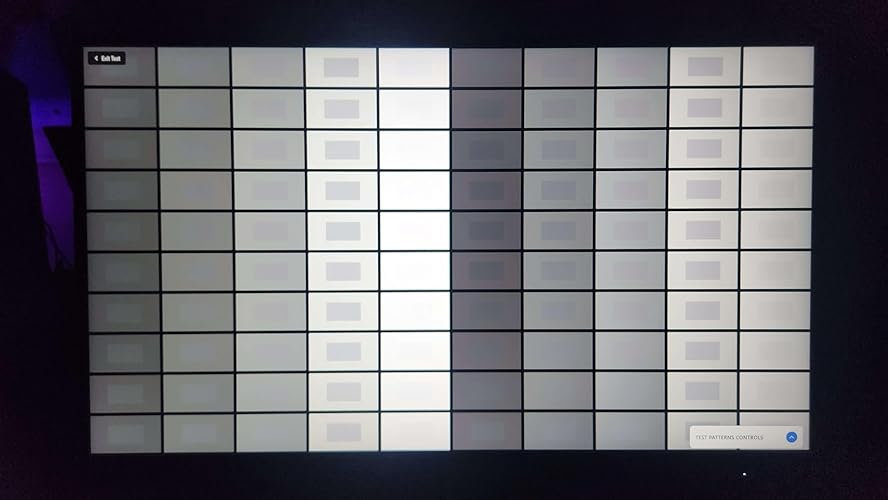
I just built a new gaming PC and realized that to get the most out of my new RTS 5070 I would need an HDR monitor with at least a 120Hz refresh rate. I was delighted at first to find so many options in the $150-200 range that claimed to support HDR, however just because a TV or monitor can decode HDR it doesn't mean it can actually display it. This is likely the reason so many people dislike HDR, they're used to the cheapest HDR capable TV or monitor showing washed out grey images. This monitor is advertised as being 1000 nits, but in practice it's actually putting out 1100. I've never seen such gorgeous and breathtaking graphics as I have on this monitor. Sure you could spend a thousand and something even nicer, but for the price, this is a true HDR experience. The 180Hz FreeSync works beautifully too. As for how easy it is to setup, there is no setup aside from making sure you run the proper HDR calibration for your games or if you're using Windows Auto-HDR, make sure to install and run the Windows HDR calibration tool, otherwise you'll just get a dull grey washed out display. The 27" display is a great upgrade from my old 24" monitor, it scales well for pixel density as that old monitor was 1080p and this one is 1440p, so the pixels are much denser. The pixel pattern is a great cross hatched pattern, if you zoom in on my attached photo (yes that's a photo not a screenshot), you might be able to see it. As for durability, it has a pretty thick bezel, and if that's the only trade off for such an amazing price, so be it, it does mean that this thing is going to stand up to a bit of abuse. I was actually floored at the warranty info, firstly they offer advanced replacement, so you're not stick without a monitor, they send you a replacement first, the three year limited warranty also includes dead pixels which is something a lot of manufacturers won't cover. But the real jaw dropping coverage is 1 year replacements for accidental damage, drop it getting it out of the box, they'll send you a new one. Did your cat knock it over, new monitor. I'm sure you'll have to pay shipping but that's quite the coverage. I do highly recommend that you use a VESA mount arm for this thing, I use one that goes through the table and clamps from below, there's no way to knock this thing over. Overall, you can't get a better gaming monitor for this price, the next closest that's a little worse than this one is $600. There's a reason this is the RTINGS.com pick for best budget HDR monitor. Definitely go with this one if you want the absolute best bang for your buck. ... show more
Reviewed in the United States on July 7, 2025 Reviewed in the United States on July 7, 2025 by Aaron Hathaway

  • Great quality for the price! Recommended for gamers on a budget!
Size: 27" 180Hz Mini-LED
Honestly I'd say my review is closer to like 4.5/5 than 5/5 but I put it to 5* just because the price is so much more affordable compared to many other monitors while also having pretty top tier quality considering the lower cost. It was super easy to figure out and set up even considering this was the first monitor I bought and set up by myself. Only issue I had was that I never realized how tightly packed monitors are in their boxes!! Makes sense to keep them secure and in good condition during shipping but I struggled to get it out. Screen size is perfect for what I was looking for. Not too small but fits into a smaller space which is what I am currently working with. This monitor isn't meant to last a super long time for me, just until I can get a new space with more room which may be a year or two from now. So for the time being, it's the perfect size for what I need. If you're seeking more immersement, you may want to opt for something bigger. I think the resolution is great! Colors are very vibrant and my games look great. Since getting it I havent played anything too graphically intensive YET, because what I've been in the mood for hasn't been that intensive lately. But the game I have been playing like Where Winds Meet, for example, it looks beautiful. Overall, a very great monitor for the price. Granted, it's the first one I've chosen for myself but compared to my old one that my dad had let me borrow for awhile (he knows computers and electronics well and helped me build my PC and whatnot), it's very good if not a bit better and my dad had a decent inexpensive monitor (though I do forget the brand/specs for the comparison, sorry). If I have any complaint really, it's that the monitor is so thick that I can't effectively put my webcam on it. I wish it was thinner. The main reason I would make it 4.5/5 if I could. But for the lower cost and good quality for the price, the thicker monitor is doable, for sure! I recommend if you'd like a good monitor for a much more affordable cost. ... show more
Reviewed in the United States on January 26, 2026 by Christy

  • HDR goes brrrr
Size: 27" 180Hz Mini-LED
Monitor looks great for HDR gaming, it gets bright, and it looks fun. Maybe not accurate, but accurate enough for me as a casual media consumer and gamer. 4k is significantly better than 1440p, while in my opinion 1440p is not miles better than 1080p on a 24in monitor. But it is a slight improvement with far detail in games you can't supersample(DLDSR, DSR, AMD Super Resolution, Internal Resolution sliders) to 4k. The refresh rate of 180 is stable on my unit and with strong pixel response settings gives me good motion clarity. Latency on this screen has tested above average in many conditions and in my personal experience it feels snappy and responsive. The VRR implementation does not detract from any of the monitors features and works perfectly with any setting you use, except of course at low refresh rates higher pixel response times leads to ghosting but that is common with VA panels. As a VA panel contrast is much better than another mini-led IPS with 3x the dimming zones. I think it looks better than even an 1100 dimming zone IPS for contrast and perception of black levels. But since it is a mini led with only 330 dimming zones in some circumstance it is impossible to not see the dimming zones activating and deactivating, a problem that is less noticeable the more dimming zones your monitor has. In gaming its not distracting but on general desktop use you might notice it. For general desktop work use disabling local dimming is preferable, like typing up a paper ect ect. This monitor allows you to disable it even in HDR, which is nice if you keep your windows desktop locked to HDR mode. This monitor would be better if it was glossy, or even semi-glossy. VA panels are very good at contrast, and the matte AG coating doesn't let it shine the way it should. It does look very good, even with the AG coating, it could just be better. I personally keep windows in HDR mode, but swap between a few settings depending on time of day. First thing you're going to want to do is use the windows HDR calibration tool to generate an ICC profile, I suggest you do /not/ touch the saturation slider. After this profile is set you're going to want to find the SRGB ---> gamma2.2 project since most SDR content is gamma2.2. Any other thoughts on that are advanced and if you know you know. 30 Windows Content Brightness + 200nit/2.2 lut 80 Windows Content brightness + 400nit/2.2 lut 100 Windows Content Brightness + 480nit/2.2 lut The 200 nit config generally provides me with the best results at night for SDR content, and overall for any time of day the best results for auto-hdr content. True HDR content ignores windows content brightness but not the lut file. Personally, I miss 4k of the IPS I ruined, but despite having the same HDR1000 spec, and the IPS having more dimming zones, I am enjoying the quality of this monitor more. Its also easier to run games that don't have DLSS or a good implementation of DLSS. TLDR: This is a fantastic FALD HDR1000 gaming monitor. You can do little wrong, especially given its priced this competitively. ... show more
Reviewed in the United States on January 14, 2024 by Ritz

  • Best VA Gaming Monitor In This Price Range
Size: 27" 180Hz Mini-LED
For starters, I come from only using IPS display gaming monitors. I’m used to solid native color accuracy, and fast frame rates with little to no ghosting, smearing, and all that other bad stuff you hear about. I saw reviews from a lot of gaming spaces about this AOC Q27G3XMN being one of the best VA monitors at this tier offering exceptional HDR and near-OLED color and blacks. However, I was weary because of it being a VA panel, which has long been technology that is frowned upon in the gaming community for not being as responsive and fast as other versions of monitors. I’m here to tell you, take the plunge and try this one out. You won’t be disappointed. Admittedly, my first experience with this monitor was sub par but only because I received a unit with a dead pixel. I processed a return and replace and got a new unit that works excellently. For my IPS gamers, when you turn this on out of the box, the display will look washed out and lacking in color. Do not be alarmed. You have to tweak with the settings to achieve the color palette you want. For regular usage (browsing, casual videos, productivity etc) I suggest setting the color gamut to DCI-P3 or switching the Gamma to Gamma 3. This will render a display portrait reminiscent of your average IPS. Saturated, but not too punchy. Truth be told, this setting will suffice even for gaming and movie watching. However, for gaming, I highly suggest utilizing its HDR mode. To do this you want to set the color gamut back to Panel Native. This will allow you to turn on HDR. Personally, I like the HDR Movie setting as it makes colors vivid and lush but not overly so like the HDR Game setting. I found the HDR Game filter to look a little too artificial and unrealistic due to it being presented far too saturated. Different strokes for different folks though, and either of these options may suit your preference better. Now for the big question, does it smear? Does it ghost? Does it have unnecessary amounts of input lag and a bogged down feel? Well…in my experience, and off my eyes, no. Yeah, I’m surprised too, considering the horror stories you hear about VA panels. But during a lot of fast paced gaming, I did not notice a single moment where this monitor didn’t look snappy and crisp. I didn’t even notice any issues reading high contrast text on webpages (that infamous IPS vs VA gif you’re thinking of? Yeah that’s not happening here.). I have the overdrive setting set to Strong, and I feel like that’s contributing to smearing and ghosting being minimized. Experts that have rated this monitor are clocking its response time at similar rates as competing IPS displays in this price range. Trust me, you won’t miss out. I’ve played some FPS games on it and didn’t have an issue at all. But I do think it truly shines in games that are about scenes and immersion. Despite my enjoyment and strong suggestion of this monitor, there are some things I feel may be concerns for people. First, the stand. While great, sturdy, and fully adjustable it’s …big. If you have low surface space, this monitor may prove tricky to place as the footprint of the base is large and can be problematic depending on your setup. Second, it’s heavy. I list this lightly, because this also just means the display is well made with good durable material. But be careful when lifting and make sure your desk is sturdy enough for this. Third, the OSD buttons are pretty bad. Navigating the OSD with these things is challenging. I love AOC monitors, they have great panels and build quality, but my my MYYY do they need to hurry up and get on the Joystick wave for OSD navigation. That’s all. Overall I highly recommend this, it’s one of the fastest VA displays on the gaming market, for a decent price and shockingly performs on par with IPS monitors in terms of speed, while providing better contrast, and a gorgeous HDR picture. It even gives some interesting and nice features thanks to its Mini-LED display tech that allows it to do more than your average VA. AOC is also a trustworthy company with a solid warranty. ... show more
Reviewed in the United States on March 16, 2025 by Leonel

  • top notch picture quality is SDR + HDR
Size: 27" 180Hz Mini-LED
PRO: + just great picture quality, in relation to my new Gigabyte M28Q-Pro 27" IPS, this monitor is quite a bit better. + SDR picture shows markedly high contrast, visibly better than my IPS panel + HDR picture quality is just next level, deep blacks, and incredible highlights + pretty fast response time, using medium Overdrive seem to cover almost all the monitor's refresh range well, minimal ghosting/artifacts. Almost a single OD monitor, usually only high end monitor has a single OD experience. This has most of that. Set to medium and forget it. + fairly bright in SDR and HDR mode probably due to mini-LED backlight. + price, for 280, this is HDR capable hardware, incredible value for 2024/Jan. I can see next year or so, many manufactures will have to offer true HDR at this price or their sale will dip. This just puts too much pressure on this price segment. May need another 3-4 years for OLED to get to this price, then that'll be a real upgrade to this monitor. CON: + clumsy 5-button controls feels like from monitors that's 5-7 years ago + little on heavy side, about 12.5 lb w/o stand, as my 27" IPS is just 10.5 lb no stand, I use monitor arm for both + no USB connection back to PC for firmware updates etc. + need color management profile calibration, as the factory default little too RED. + in some HDR content I can see bright contours around dimming zones. Probably limitation of 350 or so dimming zones. + no fancy extras like: PIP, KVM switch, joystick/control, usb firmware updates, fancy LEDs etc etc. + viewing angle not as good as IPS but that's just nature of VA panel Summary: I think they dumped all the money into picture quality on this monitor, and just left out all other features. If you only care about great picture and true HDR, this is really difficult to pass. Scores: SDR picture quality: 4.5/5 HDR picture quality: 4.5/5 manual control: 1/5 feature set: 1/5 value: 5/5 ... show more
Reviewed in the United States on February 18, 2024 by Milly Chang

  • Great monitor for most people, but (probably) not for me Great monitor for most people, but (probably) not for me
Size: 27" 180Hz Mini-LED
Summary: Easily a 9.5/10 monitor for media consumption and gaming. After some time calibrating the colors through AMD's Adrenalin and in Windows' Color Management, I am wholly satisfied with the image quality, color accuracy, and sharpness... At least in the middle of the screen. I am likely going to return it because it just doesn't suit me well for content creation due to the frankly abysmal viewing angles. While I was aware that VA monitor panels had viewing angle issues, I hadn't expected it to be noticeable even from a straight-on view from 2 feet away. Still, I'll give it another week to decide and will edit this review accordingly. Edit: After an odyssey of shopping around and getting broken monitors and monitors with dead pixels out the box, I have decided to stick with this one. I will still give this five stars, however, because it really has been a vast improvement over my previous Asus PA278QV ProArt monitor in clarity and colors, and the bump up from 75hz to 180hz gaming has been quite the joy. My problems feel largely like a "me" problem rather than a fault of the monitor itself. I will be trying my luck with a Dell G2724D (assuming it's in still in stock in a few days) despite its significantly worse contrast ratios and lack of Mini LED backlighting. Detailed Review: From unboxing to using, this has been a fantastic monitor when disregarding the one caveat from earlier. The packaging is absolutely solid and there's almost zero chance to receive a damaged unit with how well it's been bundled up in styrofoam. The unit itself is a bit thicker than I'd like, making it impossible to mount my monitor light to the top, but overall that's a non-issue. The plastic shell of the monitor and stand feels sturdy, while the bezel is good enough. The base is a tad too large for my desk setup, so I mounted it on a VESA arm, a tremendously easy and pain-free process with its standard 100x100mm layout. From what I did see when I first tested that the monitor would turn on, the base/stand is a fantastic ergonomic setup, with good height adjustment, swivel, tilt, and rotation, and installation is made easy with a simple push button latch and thumb screw. The monitor's On Screen Display is an almost too simple affair, adjusting RGB and switching between various picture modes is easy enough. However, I sincerely wish image sharpness was adjustable, as the sharpness in the monitor's HDR mode is noticeably better than in its normal mode, but switching into HDR locks you out of any color or gamma adjustment. And, speaking of gamma adjustment, the monitor only has three presets, without a finer control. Notably also missing is the ability to adjust color temperature, which is fine since both nVidia and AMD graphics cards allow this to be easily adjusted. The OSD control buttons are on the bottom right of the screen and aren't anything to write home about as a positive or negative. Taking it for a spin in a few games, I earnestly have no complaints and nothing but praise here. The EXTREMELY good contrast ratios of the monitor prove to be quite a boon in the likes of R.E.P.O. and even on darker planets in Helldivers 2 or fighting in dark space in Elite: Dangerous, while the 180hz display, tremendously sharp image, and overdrive settings make motion buttery smooth in the likes of, Monster Hunter Wilds (Frame Gen to 144 fps), Elden Ring (played at an unlocked 120 fps), Strinova (180 fps), and Valorant (180 fps). Movies and TV shows are a similar joy. Great contrast ratios, very sharp images thanks to the mini LED backlighting, and excellent post-calibration color accuracy make the viewing experience fantastic. However... On to the part where I have difficulty sticking with this monitor. In my week and some days of using it I've found that I have to either physically move my head, tilt my neck, or even lean side to side, every now and then because I can't trust the color accuracy toward the edges. If it were a matter of me sitting too close to the monitor I'd chalk it up to user error, but even sitting about 60cm/2 feet away from the monitor, I find the color shifts red/yellow toward the corners. In gaming content and watching movies it's completely unnoticeable, but for static images it's frankly unacceptable for my use case. In office content or web browsing, or even looking at a Discord window sitting at the corner, it ends up color shifting. You can see the colors shift red in my included photos. I'm an artist, image editor, and 3D environment modeler, and while one could say to just move everything to the center of the screen, I find myself asking if having that excellent 4000+:1 contrast ratio and sharp mini-LED image are worth not always being able to trust if my eyes are seeing the right colors, double checking, then repeating that question every time I work with anything involving color. Frankly, it's even annoying at times when the contrast washes out at the edges of my screen just reading webpages. So, that's the bit. Excellent gaming monitor and generally great movie watching monitor, but a bit irksome for me. ... show more
Reviewed in the United States on May 4, 2025 Reviewed in the United States on May 4, 2025 by M.M.

  • Lots of tradeoffs you need to consider
Size: 27" 180Hz Mini-LED
This monitor seemed to check off all of the boxes for what I was looking for in a monitor. No IPS backlight bleed, no OLED burn in, 1440p 180hz with HDR. Everything looks great on paper. What they don't tell you though is that quite a few of these settings like HDR, high refresh rate, etc. require other features to be turned off for them to be used, which is a bummer. I don't use this monitor with HDR or local dimming enabled (big selling points in all reviews) because of the tradeoffs that they require. Local dimming looked terrible imo and showed a pretty crazy halo around the cursor at all times. VRR has a really noticeable flicker which I didn't have on my previous Dell monitors. One of the main things I was pretty excited about was the VA panel, which there aren't a ton of 1440p models for. The colors and blacks do look great on this, but one thing that I am really surprised nobody is talking about is the very noticeable scanlines on this display. This is especially noticeable on solid color backgrounds. You can tone this down a little bit by messing with the refresh rate, but that is not a solution in my eyes. In the end, I decided to keep this monitor despite the issues I've had with it. It is a pretty good price and in games it looks great even without HDR/local dimming enabled. For productive PC use, I probably wouldn't recommend this one, but for mixed usage it's worth considering at this price. ... show more
Reviewed in the United States on May 27, 2025 by Vash

Can't find a product?

Find it on Amazon first, then paste the link below.
Checking for best price...