Search  for anything...

Cricut StickerPix Print + Cut™ Essential Bundle, Powder Blue

  • Based on 30 reviews
Condition: New
Checking for the best price...
$299.00 Why this price?
Save $0.99 was $299.99

Buy Now, Pay Later


As low as $49.83 / mo
  • – 6-month term
  • – No impact on credit to apply
  • – Instant approval decision
  • – Secure and straightforward checkout

Ready to go? Add this product to your cart and select a plan during checkout.

Payment plans are offered through our trusted finance partners Klarna, Affirm, Afterpay, Zip, Apple Pay, and Google Pay. No-credit-needed leasing options through Acima may also be available at checkout.

Learn more about financing & leasing here.

Selected Option

Free shipping on this product

FREE 30-day refund/replacement

To qualify for a full refund, items must be returned in their original, unused condition. If an item is returned in a used, damaged, or materially different state, you may be granted a partial refund.

To initiate a return, please visit our Returns Center.

View our full returns policy here.


Availability: In Stock.
Fulfilled by Amazon

Arrives Saturday, Oct 17
Order within 21 hours and 45 minutes
Available payment plans shown during checkout

Protection Plan Protect Your Purchase
Checking for protection plans...

Style: StickerPix Print + Cut


Color: Powder Blue


Features

  • MAKE IN MINUTES - Create pro-quality custom stickers & labels, plus photo prints from home. This all-in-one machine prints, laminates, and cuts stickers with the push of a button.
  • EASILY BRING YOUR IDEAS TO LIFE - Editable templates and powerful editing tools. Effortlessly transform your photos and apply unique effects and styles in a click.*
  • EXPANSIVE CONTENT LIBRARY - 1.8M+ sticker images from hundreds of original artists.*
  • VIBRANT, DETAILED PRINTS MADE TO LAST - High-resolution detail and ultra-vivid color powered by dye-sublimation technology. Water-, scratch-, fade-resistant prints.
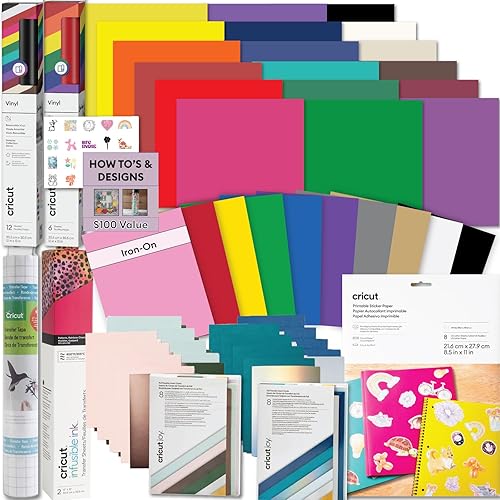
  • COMPACT & VALUE-PACKED - Ideal size to conveniently fit in any space in your home. Start making right out of the box and save even more! The Essential Bundle includes ink cartridge, sticker sheets, and photo paper. It's enough supplies to make 18 sticker sheets and 18 photo prints.
  • *Cricut StickerPix Print + Cut requires compatible computer or mobile device with Bluetooth wireless and high-speed internet connection - system requirements may change. Compatible materials & accessories sold separately. Full content library & certain software features requires paid Cricut Access subscription. Cricut, Cricut StickerPix, and Cricut StickerPix Print + Cut are registered or applied for trademarks of Cricut, Inc. in the U.S. and other countries. All other trademarks are the property of their respective owners.
  • *Limited Warranty - see Cricut website, or write to manufacturer or authorized region representative at applicable address, for full terms and conditions. Visit Cricut website for specific compatibility, details, terms and conditions, warranty information, and more. The Bluetooth word mark and logos are registered trademarks owned by Bluetooth SIG, Inc. and any use of such marks by Cricut, Inc. is under license. Cricut StickerPix Print + Cut is not intended for use by children 12 years and younger.

Description

Make everyday moments stick with the Cricut StickerPix Print + Cut™ Essential Bundle. In minutes, create custom, pro-quality stickers, labels, photo prints, cards, and invitations right from home. Easily bring your ideas to life with one-click transformations and editable templates. Then, with the push of a button, the machine prints, laminates, and cuts your stickers and labels into custom shapes — all in one step. The result? High-resolution detail and ultra- vivid color in every print. The Essential Bundle comes with the machine, ink cartridge, sticker sheets, and photo paper. It's perfect for those who want to start and keep making right out of the box — and save. Includes enough supplies to make 18 sticker sheets and 18 photo prints. Cricut StickerPix Print + Cut requires compatible computer or mobile device with Bluetooth® wireless and high-speed internet connection - system requirements may change. Compatible materials & accessories sold separately. Full content library & certain software features requires paid Cricut Access™ subscription. Cricut™, Cricut StickerPix™, and Cricut StickerPix Print + Cut™ are registered or applied for trademarks of Cricut, Inc. in the U.S. and other countries. All other trademarks are the property of their respective owners. Limited Warranty - see Cricut website, or write to manufacturer or authorized region representative at applicable address, for full terms and conditions. Visit Cricut website for specific compatibility, details, terms and conditions, warranty information, and more. The Bluetooth® word mark and logos are registered trademarks owned by Bluetooth SIG, Inc. and any use of such marks by Cricut, Inc. is under license. Cricut StickerPix Print + Cut is not intended for use by children 12 years and younger.

Brand: Cricut


Connectivity Technology: Bluetooth


Printing Technology: Dye Sublimation


Special Feature: Portable


Color: Powder Blue


Model Name: Cricut StickerPix Print + Cut™ Essential Bundle, Powder Blue


Printer Output: Color


Maximum Print Speed (Color): 1 pages_per_minute


Max Printspeed Monochrome: 1 pages_per_minute


Product Dimensions: 8"D x 11.3"W x 4.1"H


Printer Type: Dye Sublimation


Other Special Features of the Product: Portable


Printer Output Type: Color


Item Dimensions D x W x H: 8"D x 11.3"W x 4.1"H


Print media: Glossy photo paper, Labels


Warranty Type: Limited


Additional Printer Functions: All In One


Resolution: 300 x 300


Color Pages per Minute: 1 pages_per_minute


B&W Pages per Minute: 1 pages_per_minute


Maximum Media Size: 4x7


Color: Powder Blue


Printer Connectivity Type: Bluetooth


Hardware Interface: Bluetooth


Brand: Cricut


Model Name: Cricut StickerPix Print + Cut™ Essential Bundle, Powder Blue


Model Number: 2013409


Built-In Media: Cricut StickerPix Print + Cut machine Cricut StickerPix Print + Cut Ink Cartridge (36 prints) Cricut StickerPix Print + Cut Sticker Sheets, White Glossy - 4 in x 7 in (18 ct) Cricut StickerPix Print + Cut Photo Paper, White Glossy - 4 in x 6 in (18 ct) Power Adapter Material Tray Cutting Tool (pre-installed) Free trial subscription to Cricut Access™ (for new subscribers) Cricut Manufacturer Warranty*


Model Series: StickerPix


UPC: 093573649257


Unit Count: 1 Count


Item Type Name: Dye Sublimation Printer


Manufacturer: Cricut


Warranty Description: Limited Warranty


Maximum print Resolution Color: 300 dpi dots_per_inch


Maximum Copy Resolution Color: 300 dpi


Frequently asked questions

If you place your order now, the estimated arrival date for this product is: Saturday, Oct 17

Yes, absolutely! You may return this product for a full refund within 30 days of receiving it.

To initiate a return, please visit our Returns Center.

View our full returns policy here.

  • Klarna Financing
  • Affirm Pay in 4
  • Affirm Financing
  • Afterpay Financing
  • Zip Pay in 4
  • Financing through Apple Pay
  • Financing through Google Pay
Leasing options through Acima may also be available during checkout.

Learn more about financing & leasing here.

Top Amazon Reviews


  • A Creative All-in-One Sticker and Photo Printer With Convenient Print-and-Cut Features
Style: StickerPix Print + Cut Color: Powder Blue
The Cricut StickerPix Print + Cut Essential Bundle in Powder Blue is an interesting addition to Cricut’s lineup, combining photo printing, sticker creation, and cutting capabilities into one compact system. For anyone who enjoys crafting, scrapbooking, personalizing gifts, or creating custom stickers, the concept is particularly appealing because it brings several creative functions together. One of the biggest attractions is the all-in-one design. Traditionally, creating custom die-cut stickers involves printing a design and then transferring the printed sheet to a separate cutting machine. Having printing and cutting capabilities integrated into one system could simplify that process considerably, especially for smaller projects where convenience and quick setup are priorities. The advertised 300 DPI printing resolution is another feature worth considering. This resolution is suitable for many everyday sticker designs, labels, decorative graphics, and small photographs. However, print quality ultimately depends on factors such as color reproduction, material compatibility, and how accurately the machine reproduces fine details. The Essential Bundle is also appealing because it includes both sticker sheets and photo paper. According to the product listing, the included materials consist of 18 sticker sheets and 18 photo sheets, each measuring 4 x 6 inches. Having supplies included makes it easier to get started without immediately purchasing additional materials. The compact design is another advantage, particularly for people with limited workspace. Unlike larger desktop printers and cutting machines, the StickerPix appears designed for smaller creative projects. The Powder Blue finish also gives it a clean, modern appearance that fits nicely into a home crafting area. For sticker enthusiasts, one of the most interesting applications is the ability to create personalized designs. Custom character stickers, decorative labels, scrapbook embellishments, and small business branding materials are all examples of projects that could benefit from this type of machine. The print-and-cut functionality is particularly appealing for designs requiring shaped edges rather than traditional rectangular stickers. There are some important considerations, however. The 4 x 6-inch media format is smaller than the standard letter-size sheets supported by many traditional printers and cutting machines. This could limit the number or size of stickers produced in a single batch. Anyone planning to create larger decals, oversized labels, or high-volume sticker orders should consider whether the available printing area meets their needs. Another factor worth evaluating is the accuracy of the cutting system, particularly around intricate designs. For detailed stickers, clean edges and proper alignment between the printed artwork and cutting path can make a significant difference in the finished product. The cost and availability of replacement supplies are also worth considering for frequent use. Overall, the Cricut StickerPix Print + Cut Essential Bundle offers a creative and convenient concept for people interested in personalized stickers and small photo projects. Its integrated design, compact footprint, included starter materials, and ability to produce custom-shaped stickers make it an appealing option for hobbyists and casual crafters. The biggest selling point is the potential convenience of completing printing and cutting tasks using one dedicated system rather than multiple separate machines. ... show more
Reviewed in the United States on October 8, 2026 by Adam

  • Makes professional sticker sheets! And I compared to larger cricket!
Style: StickerPix Print + Cut Color: Sea Green
I make stickers for my small business and already use a larger Cricut cutting machine, so I was extremely excited to try the StickerPix. After making multiple sticker sheets and testing the photo feature, I can genuinely say this has made part of my workflow so much easier. Setup was surprisingly simple. I am not someone who feels particularly confident setting up new electronics or printers, but the instructions were clear and easy to follow. I already had the Cricut app, which helped, but I still expected more of a learning curve than there actually was. Loading the paper is easy once you understand how the tray sits in the machine. The paper goes in glossy side up, and from there the machine basically does the work for you. It is actually really interesting to watch it print because you can see the colors being built in stages as the sheet moves back and forth through the machine. Then it cuts and laminates the sheet before sending the finished product out the other side. The entire process is surprisingly fast. You do want to make sure there is enough clear, flat space around the machine for the sheet to move freely. For sticker sheets specifically, I find this MUCH easier than my regular Cricut cutting workflow. With my larger Cricut machine, I normally have to print from my inkjet printer, place everything correctly on the cutting mat, send it through the Cricut, and hope the machine reads all of the registration marks correctly. Reflective laminate has also caused me problems because glare can interfere with the sensors. Then there can still be additional cutting and laminating afterward depending on what I am making. StickerPix eliminates so much of that back-and-forth. Once my artwork is ready, I can load the material and let one machine handle the printing, laminating, and kiss cutting. The finished sticker sheets look incredibly professional. I even put one of my finished sheets directly under running water from my kitchen faucet because I wanted to see how well the lamination actually protected it. Water beaded up and ran off. After I let the sheet dry, I couldn't tell that I had put it under running water at all. Even the backing and adhesive were still fine. I included photos because I was genuinely impressed by how well it handled that test. Print quality has also impressed me. With my normal inkjet workflow I have to be particularly careful about image resolution or imperfections can become very obvious when printed. StickerPix has been surprisingly forgiving with some lower-resolution artwork I've tried. Higher-quality source images are obviously still preferable, but even artwork I was worried about has printed much better than I expected. I also tested the photo-printing feature and was equally happy with those results. I can see this being fantastic for scrapbooking and family photos in addition to sticker making. There are some limitations, especially for someone using this for a small business. This does not replace a full-size Cricut cutting machine. It does not make true die-cut stickers, and the smaller sheet size naturally limits how much you can fit on each sheet. I tested transparent sticker material and was not successful with it. I also experimented with adding holographic laminate to the provided sticker material, even though that isn't the intended workflow, and the resulting colors were very washed out. I would LOVE to eventually see Cricut add proper support for transparent sticker materials and holographic finishes. That would be a huge upgrade for sticker makers. The ongoing cost of the recommended supplies is another consideration. If you're making occasional craft projects, photos, or gifts, that may not matter very much. If you're running a business and printing frequently, however, consumable costs add up. I'm used to being able to buy relatively inexpensive packs of standard white sticker paper for my other setup, so the cost difference is noticeable to me. I would definitely consider the price of replacement supplies when deciding whether this makes sense for high-volume production. Butnit also saves you allot of time on the other end of it. My finished sheets also have a very thin white strip along the top and bottom. This is easy to fix, but worth mentioning. I use a small paper trimmer, line up each edge, and slice the strips off. It takes seconds and gives the sheet a much more polished, professional-looking edge. Scissors would work too if you're better at cutting straight lines than I am. There is also a workaround I've been using when I want something closer to an individual die-cut sticker. For simple shapes, I cut around the finished kiss-cut sticker myself while leaving some of the backing around it. That gives me an individual easy-peel sticker. It is obviously not the same as the machine producing true die cuts, and you have to cut carefully, but it has worked well for some of my simpler designs and labels. Despite those limitations, I absolutely love this machine. It is compact enough that I keep it on a shelf, take it down when I want to use it, and put it away when I'm finished. I have already made multiple sticker sheets with it, and I can see myself using it constantly. I also want to use the photo feature for scrapbooking with my daughter because being able to print our own photos this easily removes one of the biggest reasons we never seem to actually get around to filling our scrapbooks. I would recommend StickerPix to crafters, scrapbookers, people who enjoy making personalized gifts or photos, sticker makers, and small-business owners who want an easier way to produce professional-looking sticker sheets. I would not throw away your larger Cricut cutting machine if you already own one because it can do many things StickerPix cannot. For me, the two machines serve different purposes and work well alongside each other. What makes StickerPix special is how much friction it removes from making sticker sheets. Electronics have a habit of turning my supposedly "faster" crafting methods into an hour of troubleshooting, and so far I simply haven't had that experience with this. I design my sheet, load the material, send it to the machine, and it works. The finished sheets look professional, the lamination performed extremely well in my water test, the print quality is excellent, and the entire machine is small enough to put away when I'm finished. If future versions add support for holographic finishes and transparent sticker material, this could become an even more versatile machine. Even as it is now, though, it has already become a genuinely useful addition to my small-business setup, and I'm beyond excited to keep using it. ... show more
Reviewed in the United States on October 6, 2026 by D

  • Wow, what an amazing sticker machine!
Style: StickerPix Print + Cut Color: Sea Green
Pros: The print quality is surprisingly good. When I saw that it was only 300 dpi, I thought that my photos might have a grainy appearance. But they look great! The printer’s colors match those of the original photos extremely well. I am thrilled with the color fidelity. The sticker paper is thin enough to work well in my planner. Because the printer uses sublimation technology, the stickers and photos are extremely durable. They are built to withstand both moisture and reasonable abrasion. These are great bonuses since I like to put stickers on my water bottles. I have a Cricut Access subscription, so I was able to remove the background from subjects. I did this on several of my stickers. It worked very well. However, none of the photos that I tried this on had complex backgrounds. Neutral: *The printer only trims through the top layer of the sticker paper. So, it won’t cut out individual stickers or cut through photo paper. *At under three hundred dollars, given how many stickers I can fit on one sheet, the durability of the stickers, and the simplicity of operation, this is a fair value for the money. Cons: *It often takes me multiple tries to connect Bluetooth, and I sometimes have to connect it again within a work session. It hasn’t failed during printing, though. This isn’t a problem that I have with other devices, so I have to assume that the machine or the app is the problem. *One of the doors to the machine is held on only with magnets. So, when I’m working, it’s just a loose piece on my table that I need to remember to reattach. Notes: *This is a surprisingly large machine. When not in use, the footprint is about that of a letter-sized sheet of paper. *The sticker paper’s printed area is 4”x7”; the photo paper’s printed area is 4”x6”. *Under .08” for the sticker border setting, the app warns that some of the picture might be cut into when trimming a sticker. At .05”, I did not have this problem at all. With no border at all, tiny slivers at the top and left edges were trimmed off. I ordered this machine because I have a sublimation-style label maker, but it only makes small, square stickers. I was excited to be able to make stickers in the shapes of my subjects. Although I’ve had the print and cut ability with my other Cricut machines, it has always seemed like a fiddly process, and I’ve never done that. This machine makes it quick and easy, and I now have a new sticker making hobby! Despite the Bluetooth and magnetic door irritations, this is an excellent, fun to use tool. It is a gift-worthy, five-star product, and I would recommend it to a friend. ... show more
Reviewed in the United States on September 30, 2026 by Valkyrie01

  • Cricut StickerPix Print and Cut Bundle
Style: StickerPix Print + Cut Color: Powder Blue
It's a fun little machine. The setup is super easy (I use a laptop) and you can follow along with very short videos for each step. 5/5 for that process. The trickier part is the software. I have 'legacy' cricut products so I've never used Cricut Design Space at all. You will have to play around with it to get a feel for how it works. It's not difficult, just takes getting used to if you're new and finding your way around. It can be used without paying for a subscription to Access but there are images and templates that require a sub or payment. This isn't obvious at first you have to notice the tiny icon in the top right otherwise when you go to print, that's when you find out and you either have to pay or remove that part of your design. To make it easier to find the free stuff only, you will need to click the filter at the top and check the box for free. There are tutorials starting to come out on YouTube to help you figure some of the features out. There are some fun stylized designs that lets you change a photo into different art styles (uses AI). YOU ONLY GET A LIMITED NUMBER OF CREDITS FOR FREE TO USE THIS FEATURE. After that, you will have to pay for it. I didn't realize this while I was playing around seeing what the different styles would actually look like with my photos. I feel like that deserves another star knocked off actually. I ran out of credits not knowing this and didn't keep the projects saved. Luckily, I have 2 I didn't delete out of my folder. I didn't even know how the credits work or how many I had to start with. If I knew that I would have used the software differently and saved all my projects. The color printed wasn't quite how it appeared to me onscreen - I didn't notice it really except for the 2 hearts I added. They print a bit darker than you think they will (which is typical when going from a backlit screen to paper) so you might want to make your image a little bit lighter using the tools. The stickers cut well and I brought the border in closer to the image for less white space. It will warn you it may cut into your design if you go snugger than the default. You have to decide to take the chance or not. It worked great for me. I haven't tried the photo paper yet, just the sticker paper but I'm assuming the result isn't that much different. You can only custom cut on the sticker paper though. The photo paper is for a full size print. You can still resize, etc, but it will not cut out the images for you like it does when you choose the sticker sheet option. The laminate that goes over the prints is glossy and the only option available at this time. It would be nice to have a less shiny option, especially as a scrapbooker who want to use this in albums. I'd like to see them offer matte paper with no laminate on top. Overall, I'd certainly recommend it to anyone who is looking to do print and cut using only one machine and doesn't mind the glossy finish. ... show more
Reviewed in the United States on October 7, 2026 by Gator826

  • Versatile and fun
Style: StickerPix Print + Cut Color: Sea Green
I got this mainly to make custom stickers and labels for my kids' school supplies and my own craft projects, and it's turned into a genuinely fun addition to our home crafting setup. Having an all-in-one photo printer, label maker, and sticker maker in one machine has simplified things a lot—I'm not switching between separate devices or apps depending on what I want to create that day. As for functionality, the 300 DPI print quality has impressed me, with crisp, vibrant colors on both the stickers and photo prints. I've made custom labels for organizing bins around the house, and the text and small details come out clean and legible rather than blurry or pixelated, which was my biggest worry with a compact home printer like this. The print-and-cut feature has been the real standout. Once something prints, the machine cuts around the design precisely, so I'm not stuck trimming stickers by hand, which has saved me a ton of time compared to my old workaround of printing on regular paper and cutting everything manually. Build quality feels solid for a crafting machine at this price point, and the sea green color gives it a nice, cheerful look that doesn't feel clinical or overly industrial sitting out on my craft table. It's compact enough that it doesn't take up excessive space, which matters since my craft area is limited. At $299.00, it's a significant investment, but given that it combines three functions I'd otherwise need separate machines for, I think the value is there for anyone who crafts regularly or wants to make custom labels and photo gifts at home. Overall, this has been a versatile, well-performing machine that's made creating custom stickers, labels, and photo prints a lot more accessible and fun for our whole family. ... show more
Reviewed in the United States on October 5, 2026 by Amazon Customer

  • So much more versatile than I realized at first
Style: StickerPix Print + Cut Color: Powder Blue
This is our first Cricut device even with my wife being a long-time artist and crafter. And I'm blown away by it. It's incredible. When I first ordered it to test it out, I was focused on it being a sticker printer. I didn't realize at first how much more there was to it. We thought we'd use it to make cute sticker sheets for our nieces, or maybe for my wife to put on her notebooks, sketchbooks, or instrument cases. But I didn't realize it also CUTS the stickers. That alone makes this such a cool device. But it can also double as a photo printer (something we'd thought about getting a dedicated device for, and now we don't have to!). AND it can print labels. We were just talking before this arrived about how we should print labels when shipping things (because my handwriting can be pretty bad). And then we learned this does that too. My goodness, what a versatile little machine in such a compact (yet durable and well-made) body. Very happy with this. You do only get a small supply of photo and sticker sheets to test it out, so you'll want to get more pretty quickly. But well worth it if you're a creative type, need to print a lot of labels, or have kids that would enjoy custom stickers. Very very cool device. ... show more
Reviewed in the United States on October 8, 2026 by Amazon Customer

  • It's like magic watching it work
Style: StickerPix Print + Cut Color: Powder Blue
I am having way too much fun with this machine. I've printed both photos and stickers, and the whole process is incredibly easy. The software works on my phone, paired quickly, and was simple enough to start using right away without digging through tutorials. The print quality is excellent. Photos come out bright and vibrant, and the stickers are laminated, cleanly cut, and look very professional. So far, they've held up well on cups, laptops, planners, and other surfaces. One of my favorite parts is watching the machine print on one side and then automatically cut the stickers on the other. It genuinely feels like magic the first few times you see it. The machine is a little larger than I expected, but it's easy to move around and the cord is a nice length. Setup and Bluetooth connection were fast and painless. My only complaint is the software's cut-line editing. If the background remover doesn't perfectly identify the edge of an image, it can take quite a bit of fiddling and erasing to get the cut border exactly where you want it. I'd love to see better manual control over the cut shape in a future update. That small gripe aside, I'm absolutely loving this thing. The combination of phone-based design, photo printing, laminated stickers, and automatic cutting makes it incredibly fun and easy to use. If you enjoy crafting, planners, journaling, custom stickers, or printing photos, this is a fantastic little machine. ... show more
Reviewed in the United States on October 5, 2026 by Toni G

  • Top notch print quality
Style: StickerPix Print + Cut Color: Powder Blue
I’m a veteran cricut user with a maker 4 already, and was excited to try out the stickerpix print and cut. It uses the same cricut app as the other cricut machines. Its simple to use and basic features are free, if you want access to all the different pictures and content theres an added subscription to it. Setup of the machine was pretty easy basically plug in the ac adapter, power it on, download the app, create or sign into your account then connect via bluetooth to it. Theres small videos included as part of the setup to show you how to load the paper tray and insert the ink cartridge. It took me about 10 minutes to do my first print. Wow i was amazed. The print quality is just top notch. It looks like professional print shop quality. The cutting does a great job, as well as could be expected. It cuts it perfectly each time and stickers are easy to peel apart after the cut. The paper and ink combined seem to run around fifty cents a page, at the current prices, they are so much fun that it doesn’t even seem too bad. Overall really sticker maker. ... show more
Reviewed in the United States on October 6, 2026 by Super Duper

Can't find a product?

Find it on Amazon first, then paste the link below.
Checking for best price...